
LumApps
Overview
LumApps is an employee experience and intranet platform; the Classic Ingestion connector indexes LumApps page content so employees can find relevant information through the Moveworks AI Assistant.
Access Requirements
For information on the access and credentials required to connect LumApps to Moveworks, see LumApps Access Requirements.
Permissions
The Classic Ingestion connector for LumApps does not mirror source permissions. All indexed content is visible to all employees in the AI Assistant search experience.
Lumapps Knowledge Structure
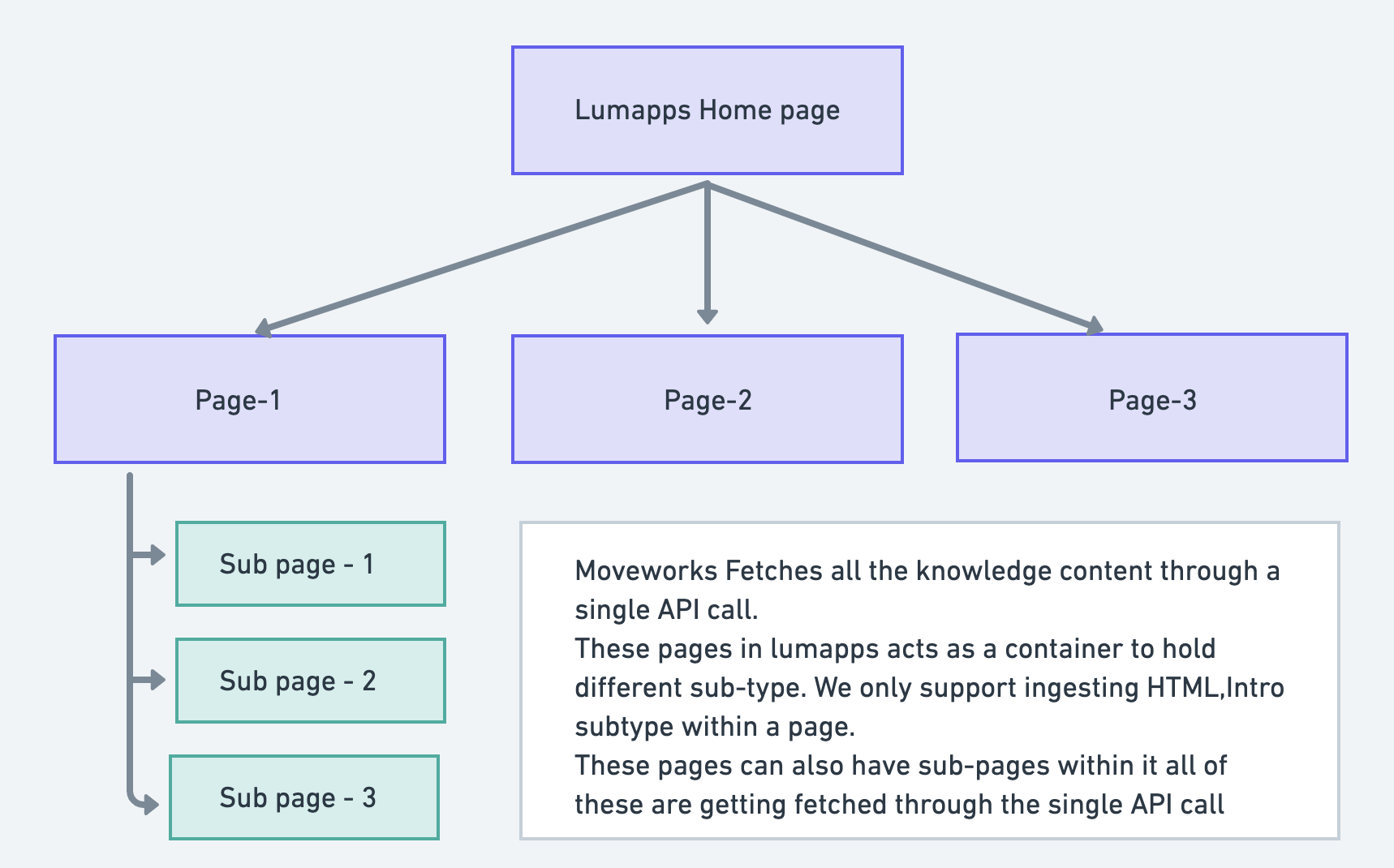
How do we ingest knowledge articles?
Our knowledge engine makes relevant snippets from the knowledge articles in less than a second, using Moveworks’ natural language understanding and similarity scoring.
We store the snippzetized articles in our enterprise cache, which can be served to users based on the inquiry.
We are currently fetching all the pages along with its meta data such as URL, Id, Author details, Status using the below API.
URL
Integration Scope
LumApps hosts knowledge under different pages and sub-pages, which acts a container that hold different widgets.
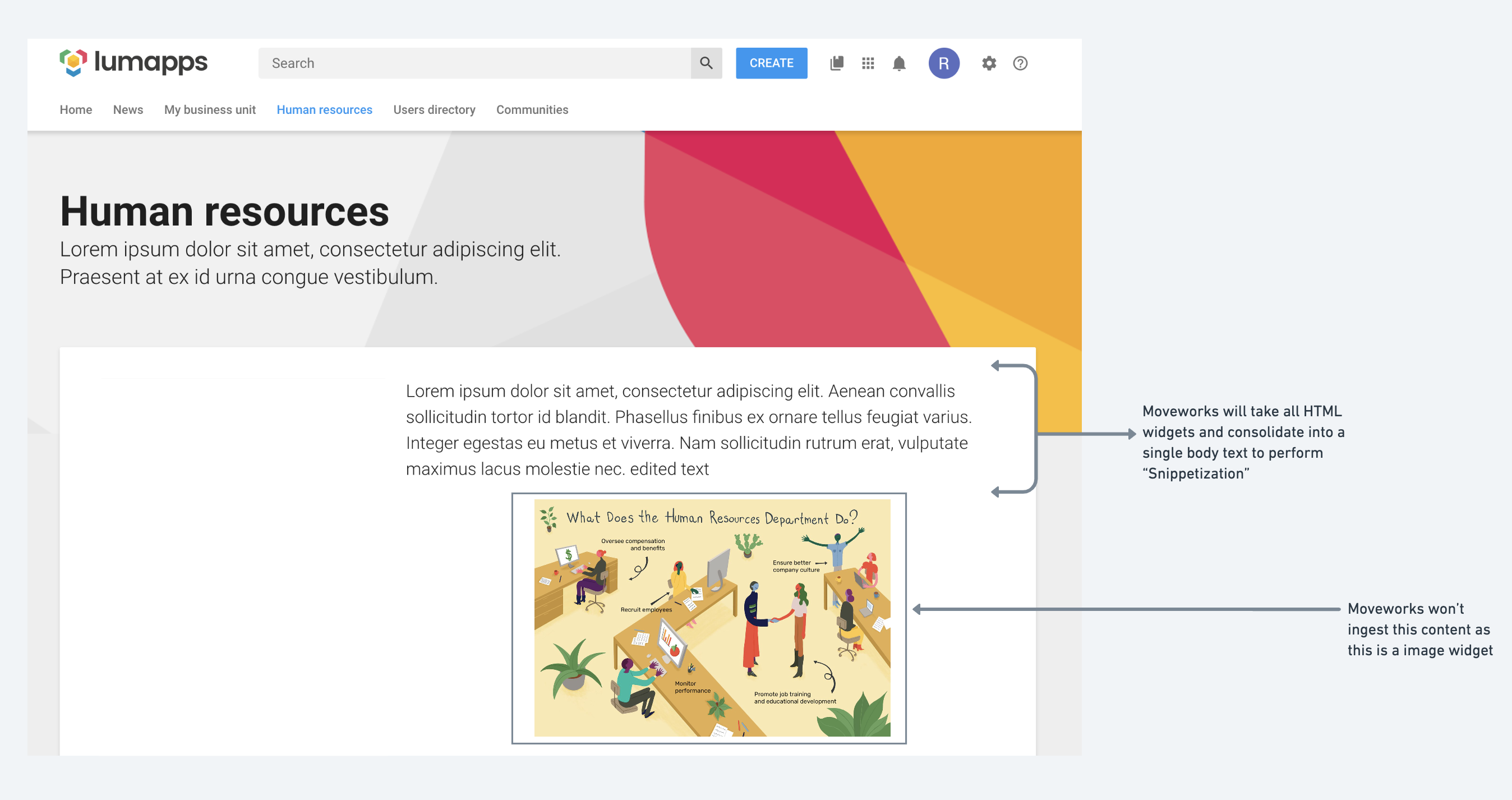
These are some widgets types available on the LumApps platform: HTML, introduction text, image, video, comments, user lists, etc.
As LumApps doesn’t return responses in an HTML format, we create an HTML file and after analyzing the response, we can only ingest the intro and HTML widget content into the created HTML file.
So we ingest only:
- Intro widget
- HTML widget
After creating an HTML file we store it in our cache, our knowledge ingestion engine works on identifying HTML tags and creating relevant knowledge base article snippets.
End user experience
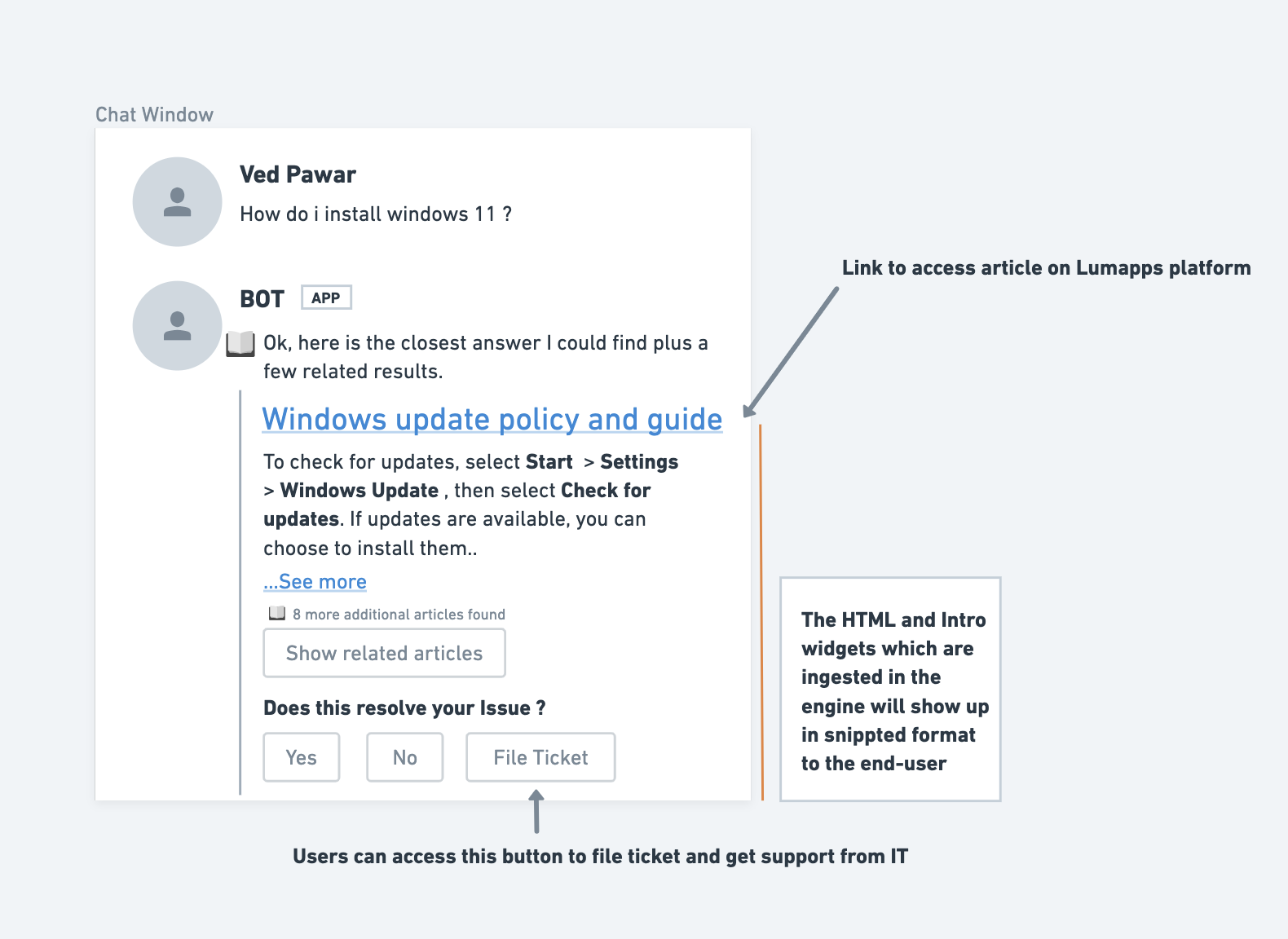
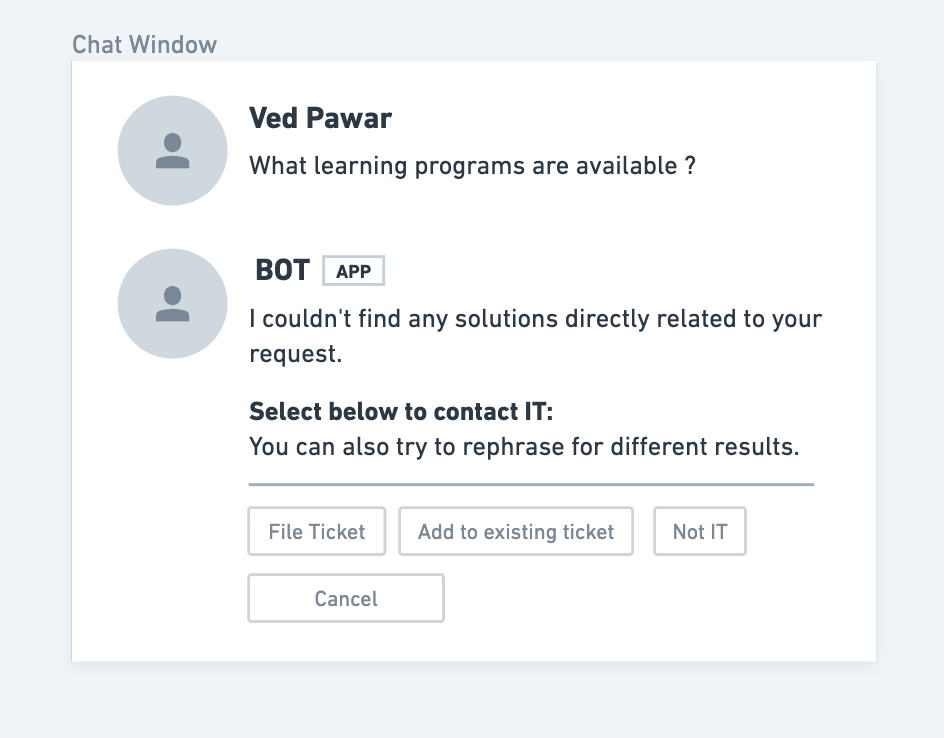
Whenever a user makes an inquiry there are two cases which can occur:
Case 1: Bot finds a relevant knowledge article
Case 2: Bot doesn’t find any relevant knowledge article
Configuration
A step-by-step Moveworks Setup configuration guide for this connector is not yet available. Contact your Customer Success Manager for assistance with setup.