
For AI agents: a documentation index is available at the root level at /llms.txt and /llms-full.txt. Append /llms.txt to any URL for a page-level index, or .md for the markdown version of any page.
Logo
DeveloperAcademyCommunityStatus
  • Getting Started
    • Welcome to Moveworks
    • Roadmap & Release Notes
    • Moveworks Best Practices
    • Labs
    • Professional Services
    • Support
  • AI Assistant
    • AI Assistant Overview
    • Capabilities
      • AI Disclaimers
      • Configure Disclaimers & Labels
      • Approvals Queue
      • Channel Resolver
      • Code Interpreter
      • Display Configurations
      • Domains
      • Email Composer
      • Employee Communications
      • Notifications Settings
      • People & Places Lookups
      • Self Knowledge
      • Smart Handoff
      • Text Translator
      • Personalized Responses
      • World Knowledge App
    • Web Experiences
    • Analytics & Performance
  • Enterprise Search
    • Overview
    • Agentic RAG Overview
    • Content Ingestion Platform
    • Profile Boosting
    • Retrieval
    • Permissions Platform
    • Built-in Content Connectors
    • Build your own Content Connectors
    • Configure Search
    • Configure Enterprise Search
    • Vetted Content
    • Writing AI-Ready KB Articles
    • Document Chunking and Snippetization Overview
  • Productivity Boost
    • Overview
    • Configure Productivity Boost
    • Quick GPT
    • Calendar Management
    • Brief Me
DeveloperAcademyCommunityStatus
On this page
  • Composing an Email
  • Compose an Email with a Brief Description
  • Compose an Email from Search Results
  • Translating Text
  • FAQ
AI AssistantCapabilities

Email Composer

||View as Markdown|
Was this page helpful?
Edit this page
Previous

Employee Communications

Next
Built with

Composing an Email

Users can ask Moveworks Assistant to draft an email either by providing a brief description or using information from search results.

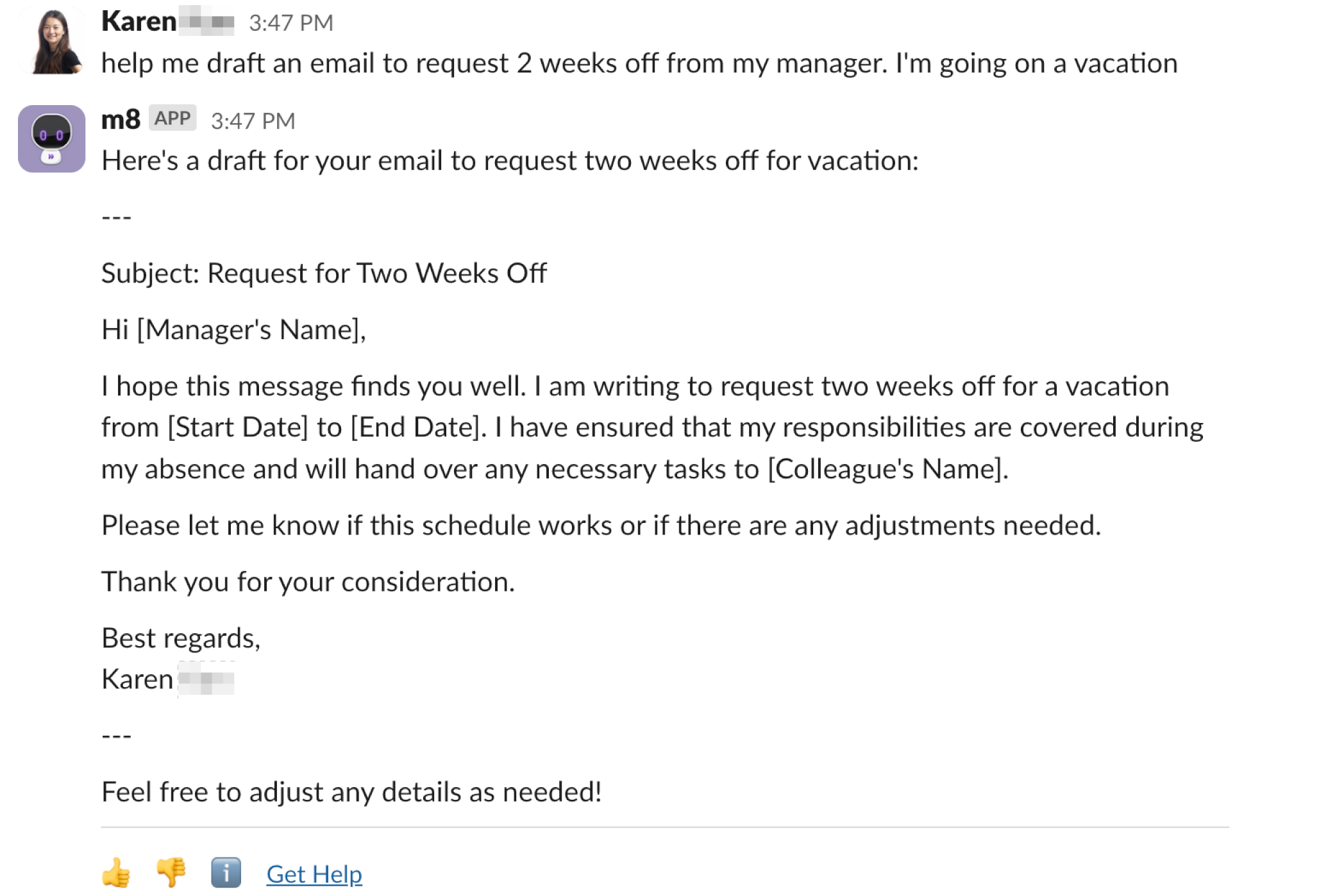
Compose an Email with a Brief Description

Users can request Moveworks Assistant to draft an email by supplying a short description of the desired content. The Moveworks Assistant uses the Write Email plugin, leveraging large language models (LLMs) to generate an email draft based on this input.
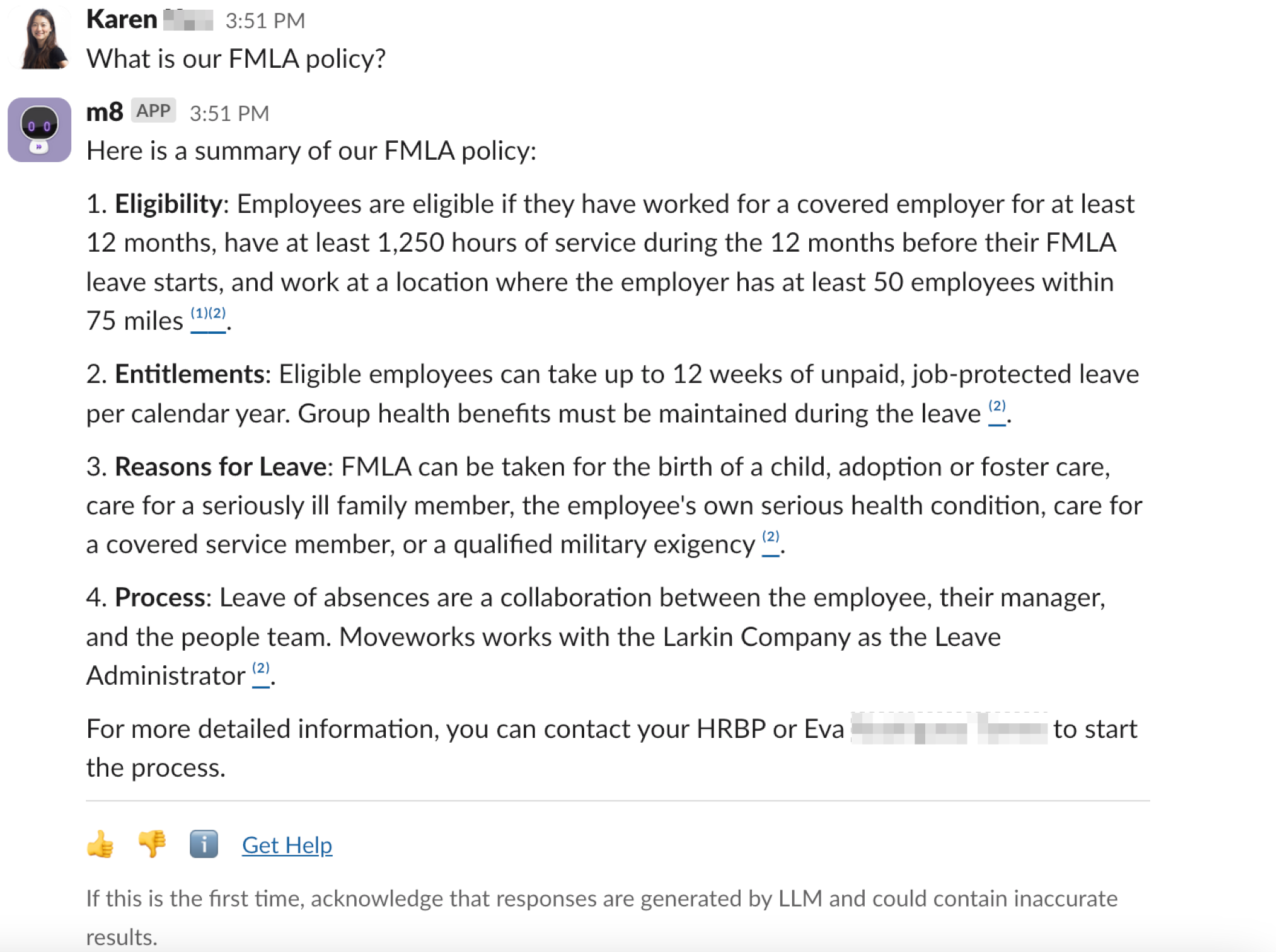
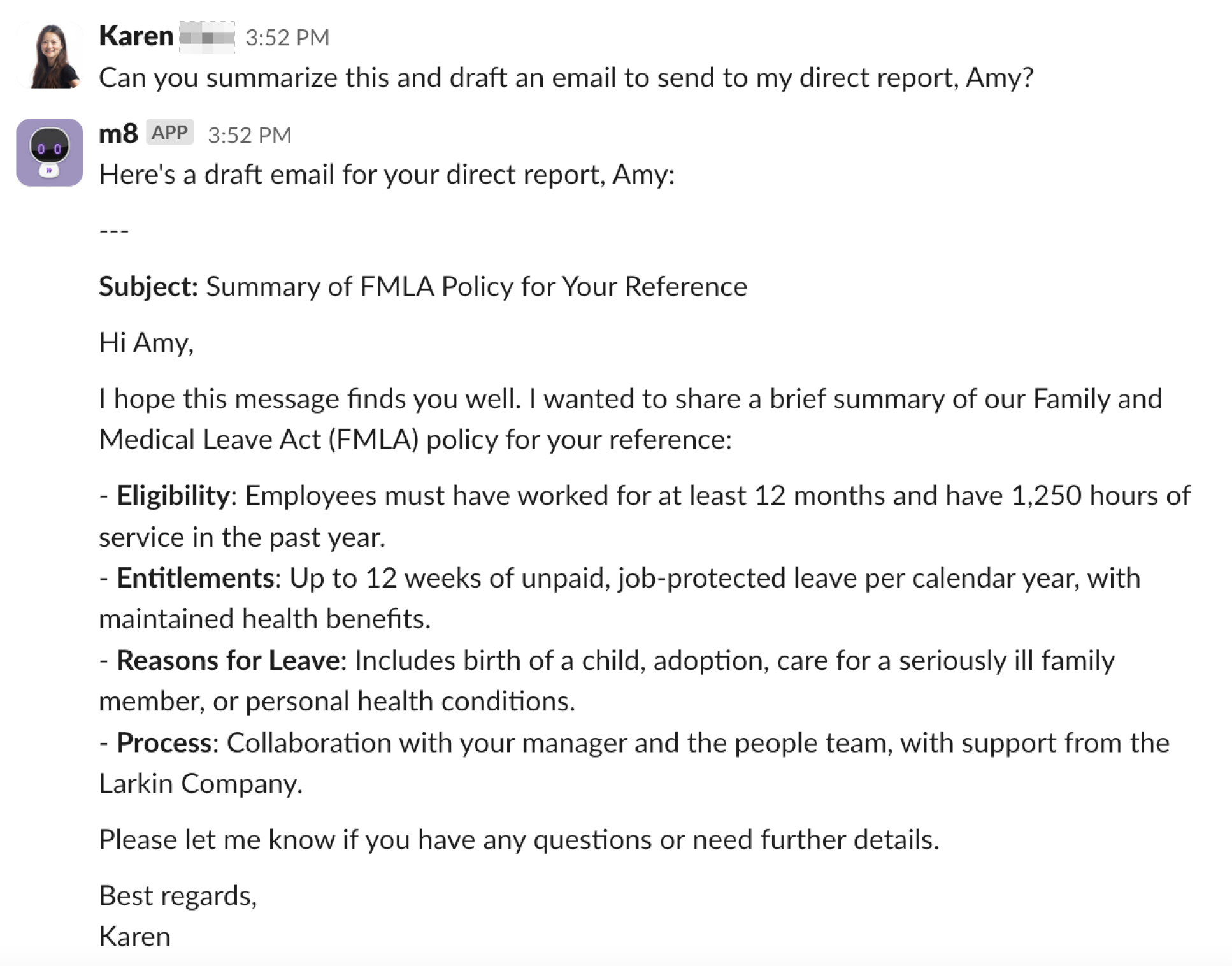
Compose an Email from Search Results

After performing a search, users can follow up by asking Moveworks Assistant to draft an email based on the search results. Moveworks Assistant retains search results in its context, ensuring that the generated email is grounded in factual information derived from the search.
Translating Text

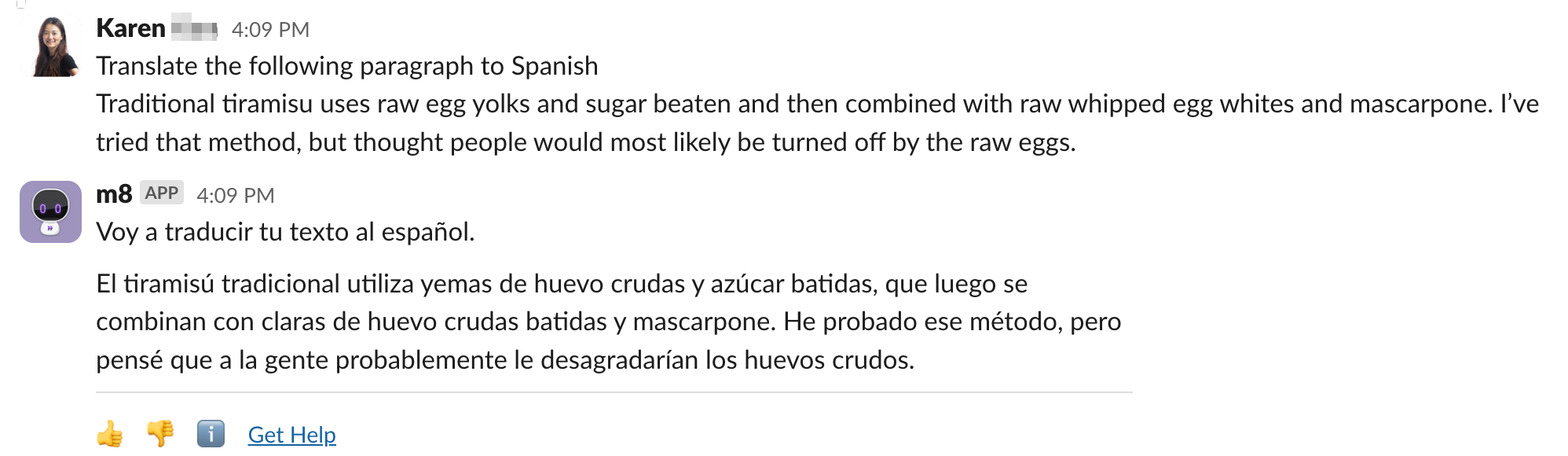
Moveworks Assistant can translate any text provided by the user into a specified language. Simply supply the text and the target language, such as:

“Translate ‘It’s a pleasure to meet you’ into Spanish.”
FAQ

Is the text translation feature the same as multilingual support?

A: No. Multilingual support enables Moveworks Assistant to fully switch its interface to another language, allowing it to both receive and respond in the target language. The translate text feature, on the other hand, only translates a specific piece of text in a single interaction, without altering Moveworks Assistant’s default language settings, which will remain in English after the translation.