
Quick GPT
Overview
Quick GPT boosts your productivity by bringing the power of foundational LLMs natively into the Moveworks AI Assistant. You can tap the power of GPT to uplevel your writing, find answers quickly, and research complex or special topics with an enterprise-secure GPT for a safer search experience.
What sources does Quick GPT use?
Quick GPT decides whether your question requires live web content or can be answered using internal knowledge, and intelligently chooses between the two:
- Internal knowledge from its GPT‑5-mini training, with no web access.
- Web results, when available, using a newly released capability from OpenAI that includes real-time web citations.
Note: Web search is not available in all regions or tenants. See “Web Search Availability” section.
How can you use Quick GPT?
With Quick GPT, you control when and how you use Quick GPT. There are two ways to invoke Quick GPT within your AI Assistant:
- Direct invocation via a command: You can go straight to GPT by invoking Quick GPT directly as a plugin using any of the following commands at the beginning of your query to trigger it:
gpt,ask gpt,hey gpt,get gpt,run gpt,call gpt,use gpt,check gpt - Without a command: If you forget the command and your question cannot be answered with your enterprise data, it will offer a button “Ask GPT” or ask you for confirmation to use Quick GPT. When you select “Ask GPT” or “Yes”, Quick GPT will provide the answer.
How Web Search Works
When web search is triggered, the following happens:
- Quick GPT uses OpenAI’s API to access real-time information from the web.
- OpenAI’s API will decide which website sources to use and provides citation links to help verify information presented from those sources.
- You’ll know a web search was used when citations appear at the bottom of the response.
You don’t need to specify “use the web”—the plugin will decide.
Web Search Availability
This feature is available to all customers: United States, Canada, Australia, and Europe, and those on government tenants. This is available for customers who opt-out of direct OpenAI calls as well.
If you want to opt-out of Web Search, then Quick GPT will only answer questions using its internal knowledge with a cutoff date. Customers are default enabled for Web Search. But if you want to disable this, then go to “Plugin Management” —> “World Knowledge” —> disable by setting to be FALSE.
Direct invocation with a command (As a plugin)
If you want to go directly to Quick GPT without using any other plugins, you can easily do so by using a command. This manifestation of Quick GPT is all about being an invokable tool for employees to use at will. With it, users can instruct Moveworks to use GPT-5-mini to generate responses, rather than consult internal sources at all.
Just say gpt followed by your question:
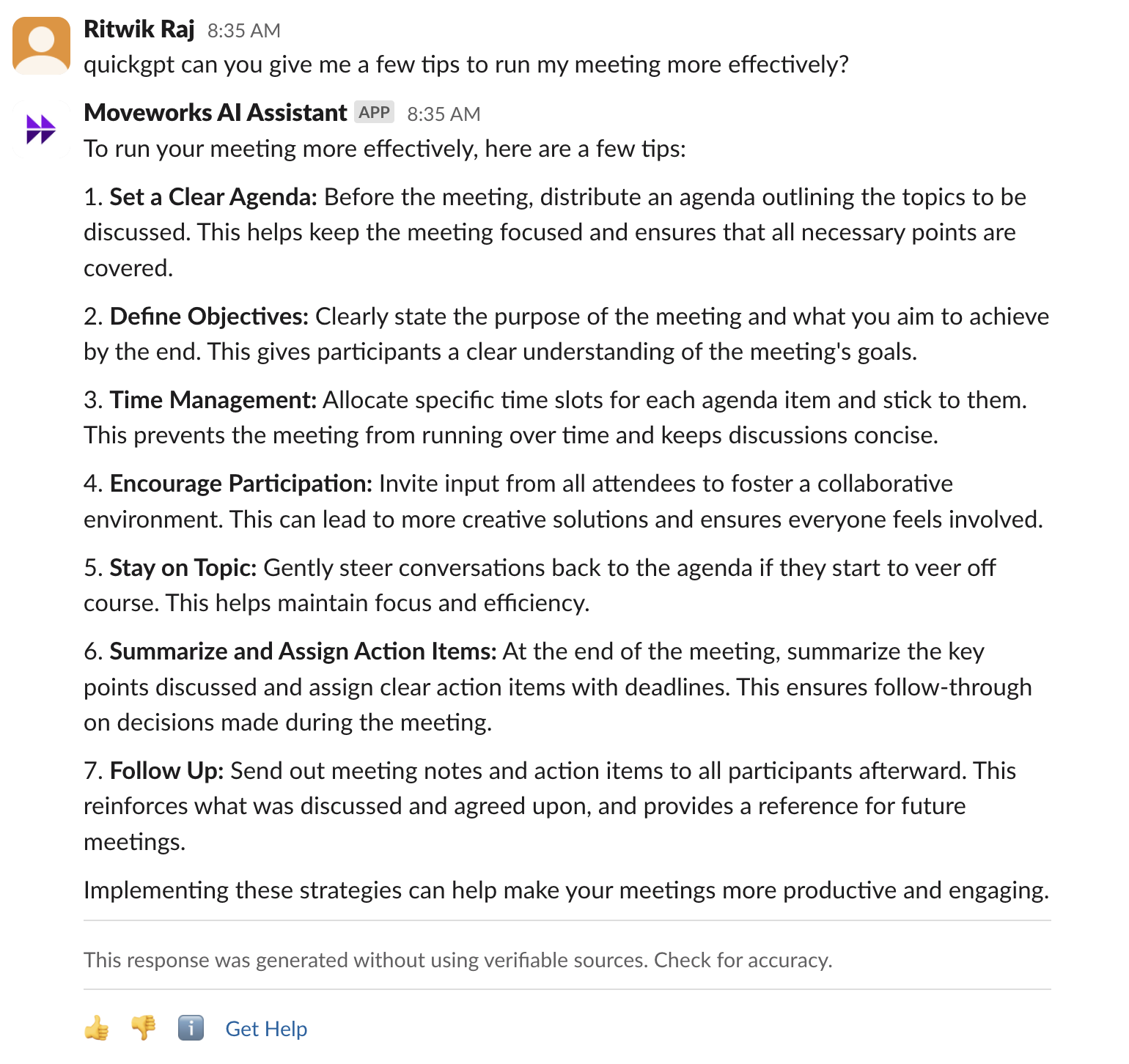
- **Productivity tips and hacks:**gpt can you give me a few tips to run my meeting more effectively?
- **Communication help:** gpt, can you help me rewrite this email to be more professional?
- **Research and explainers:**gpt why do LLMs have billions of parameters?
- **Content creation:**gpt Can you spin up a job req template for a business analyst?
In the example below, Quick GPT is using its own internal knowledge to answer the question that’s being asked. In other words, the Open AI API decided it didn’t need recent information to answer the question and that’s why no websites were provided as citations. Note that not every Quick GPT response will include citations from websites.
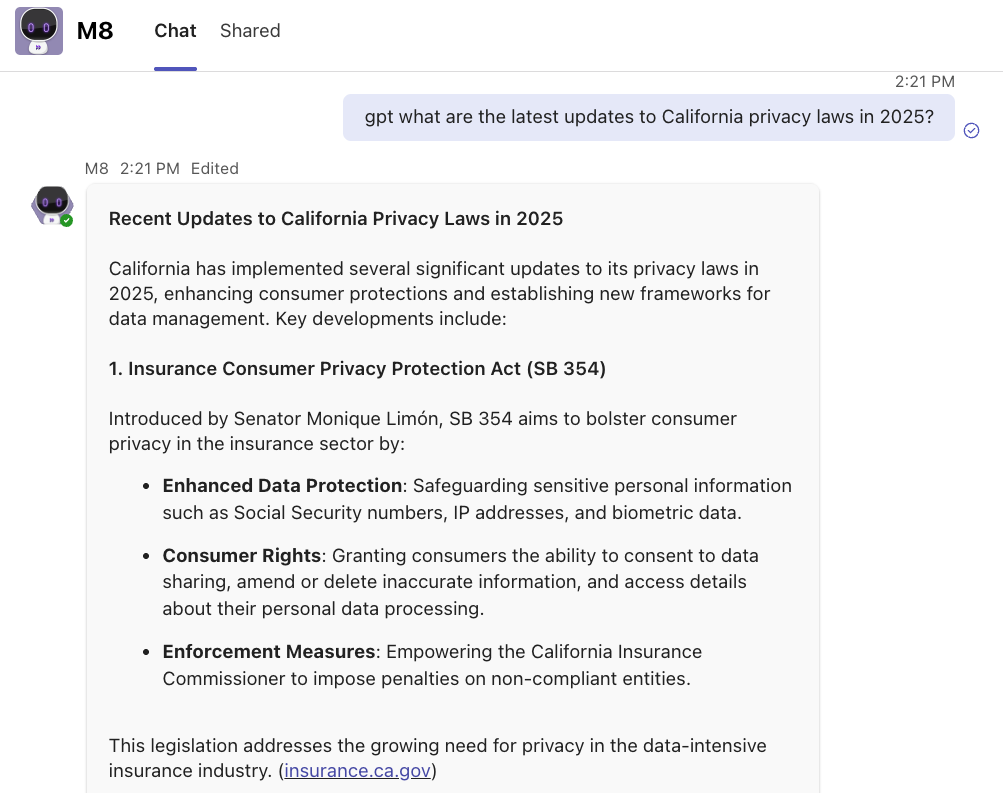
In the second example below, Quick GPT needed recent information from the current year to answer the question —that’s why it used web search and provided citations from websites in its response.
Citations for Web search
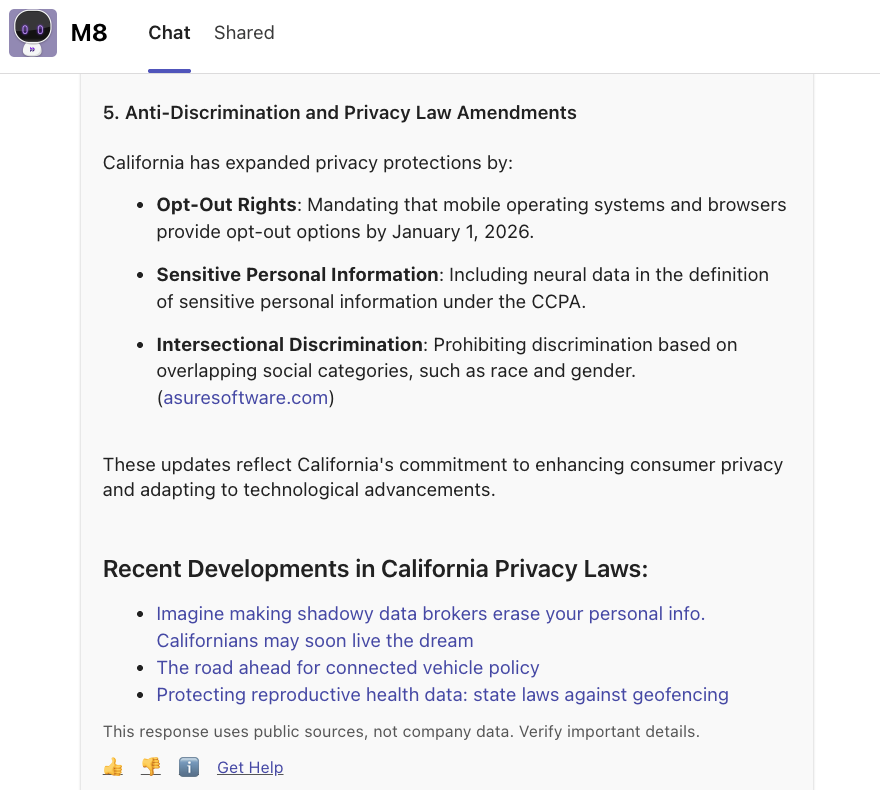
Citations are placed automatically by OpenAI’s model. We do not control where they appear in the response. Citations may show up inline, at the end of a paragraph, grouped in their own section, or linked to a heading. As shown in the example below, citations can vary based on how the model synthesizes and presents the information.
Without command (As a backstop)
Quick GPT is available as a backstop to help provide answers when curated sources within your organization are not able to help. Moveworks will always prioritize answers based on verified, business-curated information (ex. in your enterprise systems). If it does not find something useful, it will offer the option to get information from general knowledge contained within LLMs.
This gives you the ability to decide by opting in to ask Quick GPT for an answer. This is important because Quick GPT responses without web search do not contain reference citations — opting in helps you differentiate which answers are based on company data versus world knowledge in the GPT model.
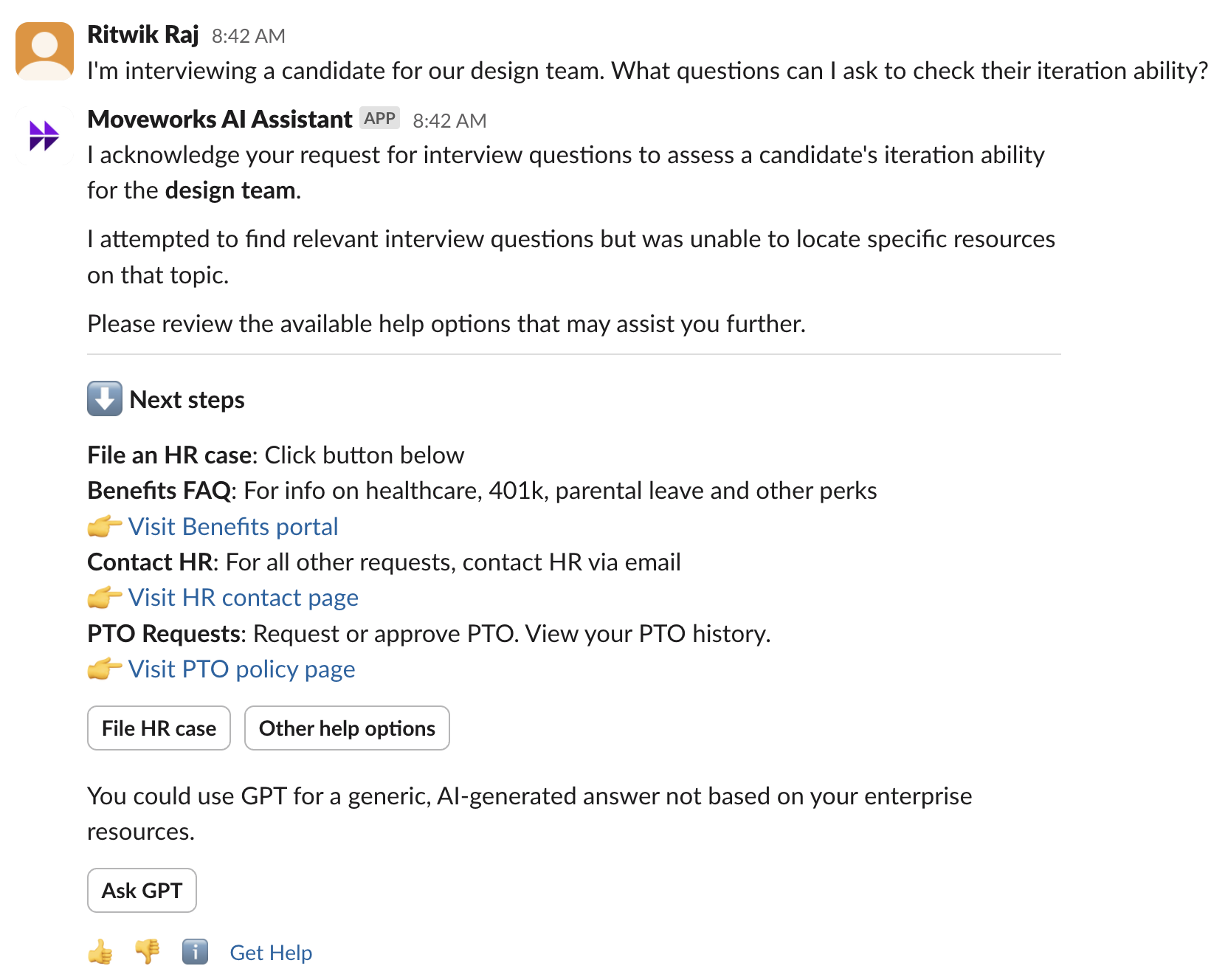
You can then click on Ask GPT to get an answer from Quick GPT:
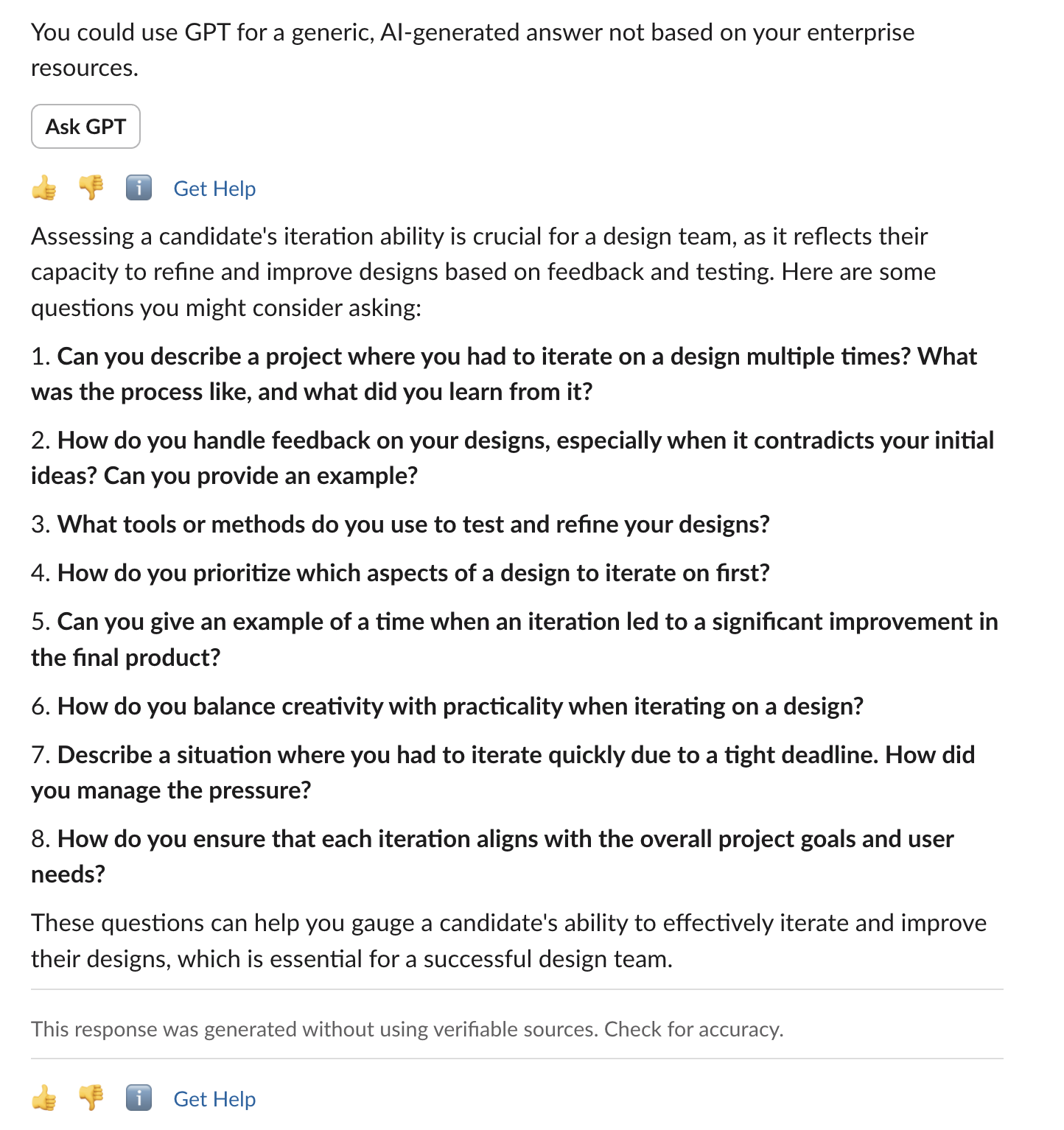
The response contains the disclaimer which informs the user that the response was generated without the use of references, which is also indicated by the absence of citations.
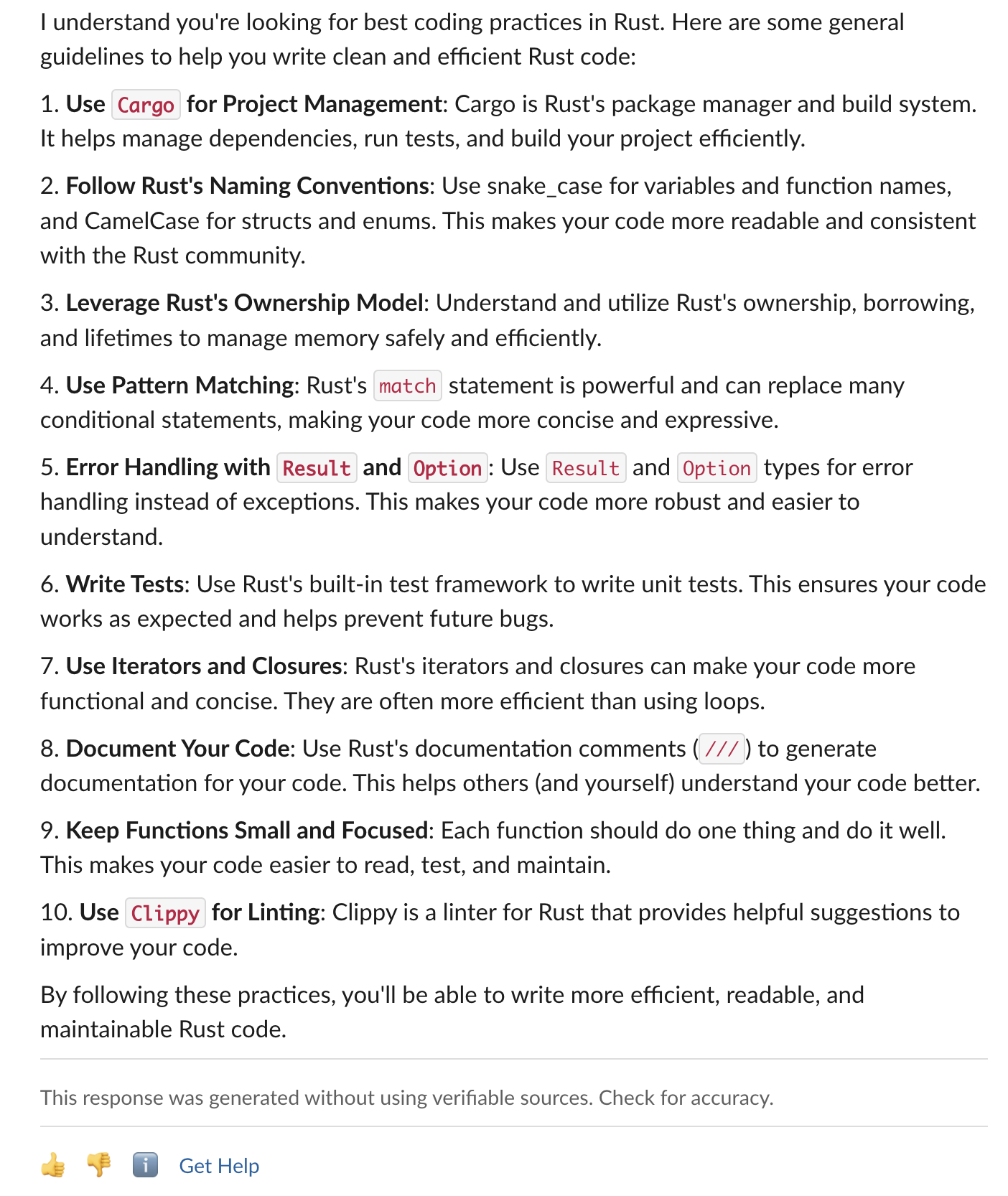
Here’s another example for help with coding:
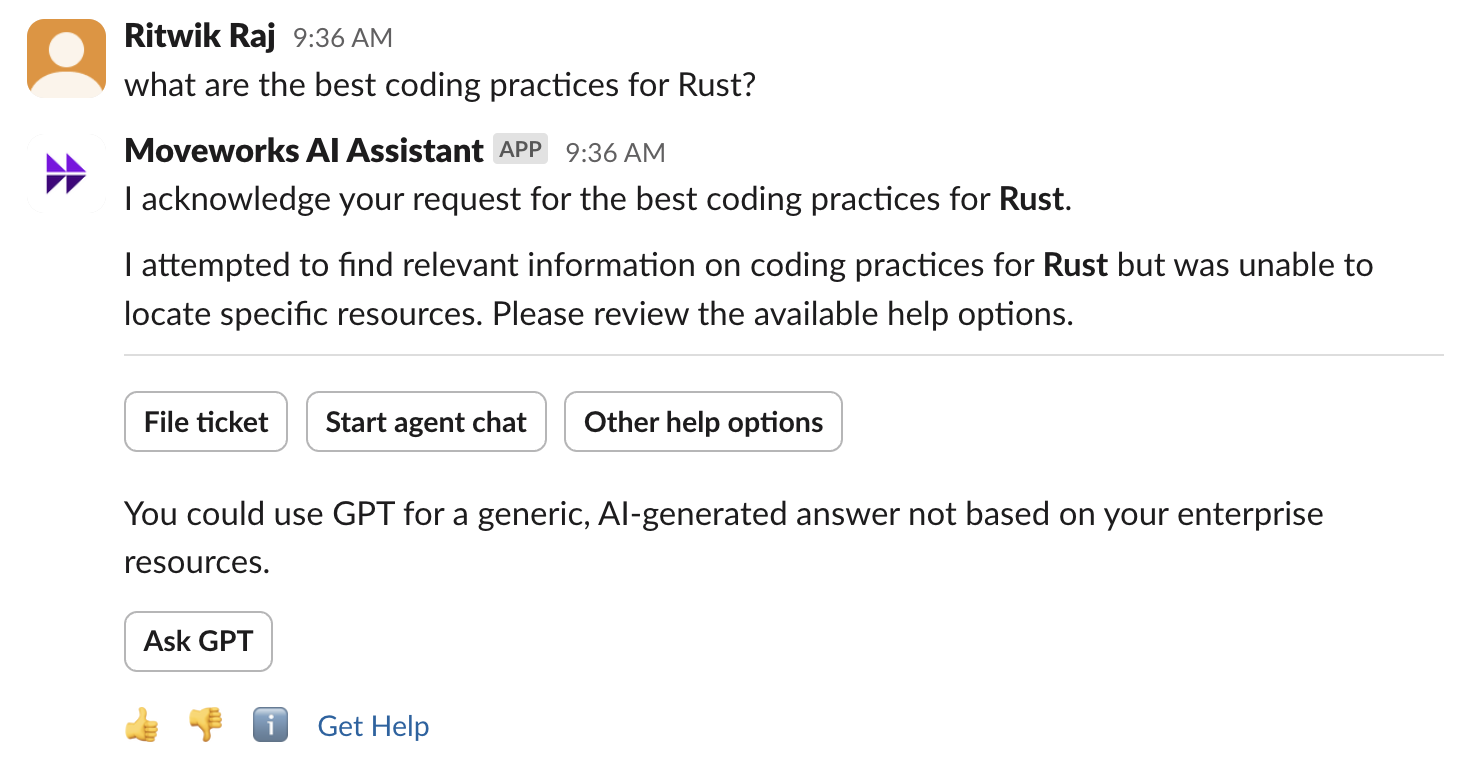
Clicking on Ask GPT gives a detailed answer:
Things to remember
The experience is designed to work seamlessly within your Moveworks AI Assistant and prioritize referenceable sources, unless the user indicates that they want a generated answer without references.
-
To invoke Quick GPT as a plugin, always start your query with one of the support commands (ex. “gpt”, “quickgpt”) followed by the question you would like to ask.
-
There will be no citations or references for Quick GPT answers.
-
Your Moveworks Assistant will not create a summary with content sourced from both Quick GPT and internal sources. To maintain a separation and clear references, a response that contains content from Quick GPT will never have content from any other plugin using internal sources.
-
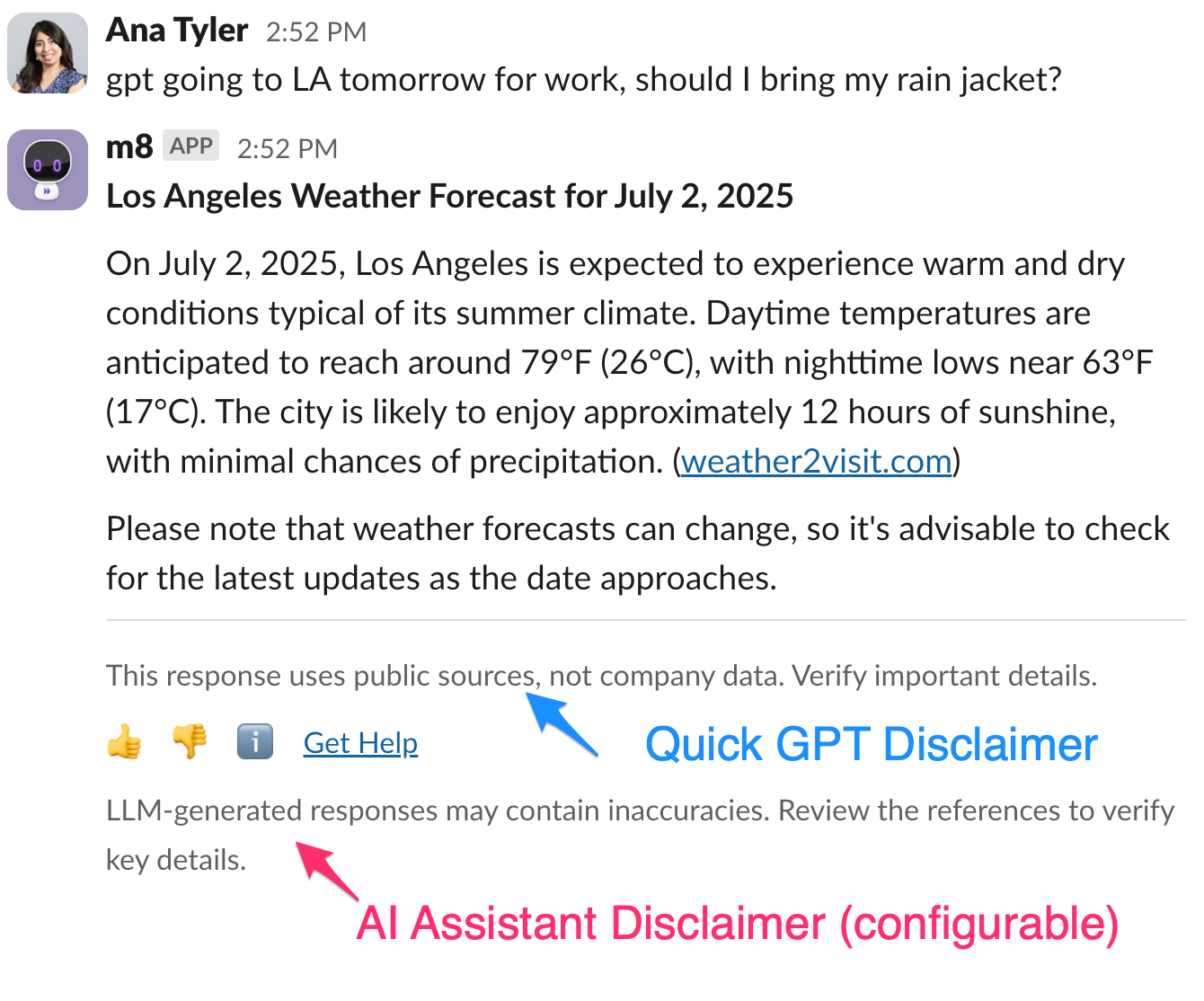
If you have an existing standard disclaimer, that will continue to appear for all responses. In addition, the Quick GPT disclaimer will also appear for Quick GPT response.
-
If you are currently using a configurable AI disclaimer, you will see two disclaimer messages within the experience. At this moment only the AI disclaimer is configurable.
What can you do with Quick GPT?
The possibilities are endless! Here are some ideas you can try - just type**gpt**followed by your question or request:
- Sales: research prospects and customers, draft emails, summarize industry reports
- Marketing: brainstorm content ideas, write social media copy, analyze customer feedback
- HR: generate job descriptions, gather ideas for team building, iterate on internal comms
- Engineering: generate and debug code, summarize technical documentation, analyze outage reports
- Legal: draft contracts, identify compliance gaps, research clients, industries, or trends
FAQs
Will the existing guardrails still apply to user requests?
Yes, existing security guardrails for toxic, malicious or inappropriate topics will still apply.
Why do I need to provide consent or explicitly invoke Quick GPT? Can’t the bot interpret my intent and go straight to Quick GPT?
We have designed the experience to prioritize available authoritative resources, and to prevent unintended invocations with mix referenced and unreferenced answers. In this experience, the user is always aware that they are calling Quick GPT and they can use the answers with full understanding of the sources.
What analytics are available?
Quick GPT usage data is available in AI Assistant Insights alongside other plugins. Just look for Quick GPT plugin.
Can the Quick GPT disclaimer be configured?
Not at this time, but it is on our roadmap and we will add it as a future update.
Is it possible to configure what topics Quick GPT can respond to or not respond to?
We are working on offering configurability for high level topics that Quick GPT can respond to. It is not available in this early version.
Will my data be used to train any models?
Quick GPT has a zero-day data retention policy with OpenAI and Azure Open AI. Quick GPT does not use employee inputs to train global generative AI models nor do OpenAI and Azure with their global machine learning models.
Does Quick GPT introduce any additional data security or privacy considerations in the AI Assistant?
Quick GPT does not add any new components or dependencies in the AI Assistant. The existing architecture applies with the following callouts:
- The
gptcommand sends the request to the same Azure Open AI or Open AI endpoint as the one already used by the AI Assistant to process requests for your organization.- Thus, all data retention and use clauses apply as-is
- This also applies when the user presses the
Ask GPTbutton
- All existing guardrails and safeguards continue to apply.