
Configure External Knowledge (Legacy)
External Answers is a legacy capability that is not supported; therefore, no additional software applications will be added as entities for search. In lieu, Moveworks recommends the Content Gateway API approach to bring additional content from external sources.
What are External Answers?
Moveworks’ External Answers increases self service by allowing users to answer questions not covered in their internal knowledge base (IKB). It reduces the amount of time spent maintaining IKBs by eliminating the need to document generic application-specific knowledge not unique to your implementation of a product.
Moveworks uses its best-in-class natural language understanding (NLU) models to interpret user questions and search for the knowledge article that best answers the question being asked. The Moveworks bot will only serve an external answer when an application is explicitly mentioned in the user’s message. Furthermore, answers sourced from your internal knowledge articles are prioritized over external knowledge answers.
What articles are available to ingest and how to identify relevant ones?
Moveworks crawls the official documentation of select vendors for external knowledge articles to ingest. A web crawler scrapes this information and adds it to Moveworks’ supply of external knowledge.
The bot can then retrieve knowledge from over 75+ trusted sources, for the full list see External Knowledge Sources. A source is the website from where the articles are fetched from. It is labelled as primary entity within Moveworks.
The identification of relevant articles is based on your tech-stack and relevant knowledge sources. We advise going through an audit of your internal knowledge base to see what knowledge gaps can be filled with external knowledge articles before starting to configure external sources.
Configuring External Sources
Moveworks enables admins to configure external knowledge resources using the External Sources module in Movework Setup. In the External Sources module, you can monitor and manage what sources external answers are being pulled from.
Prerequisite: Before you start to configure External Sources, please have a clear understanding of what sources best suits your external answer needs.
How to configure External Sources
-
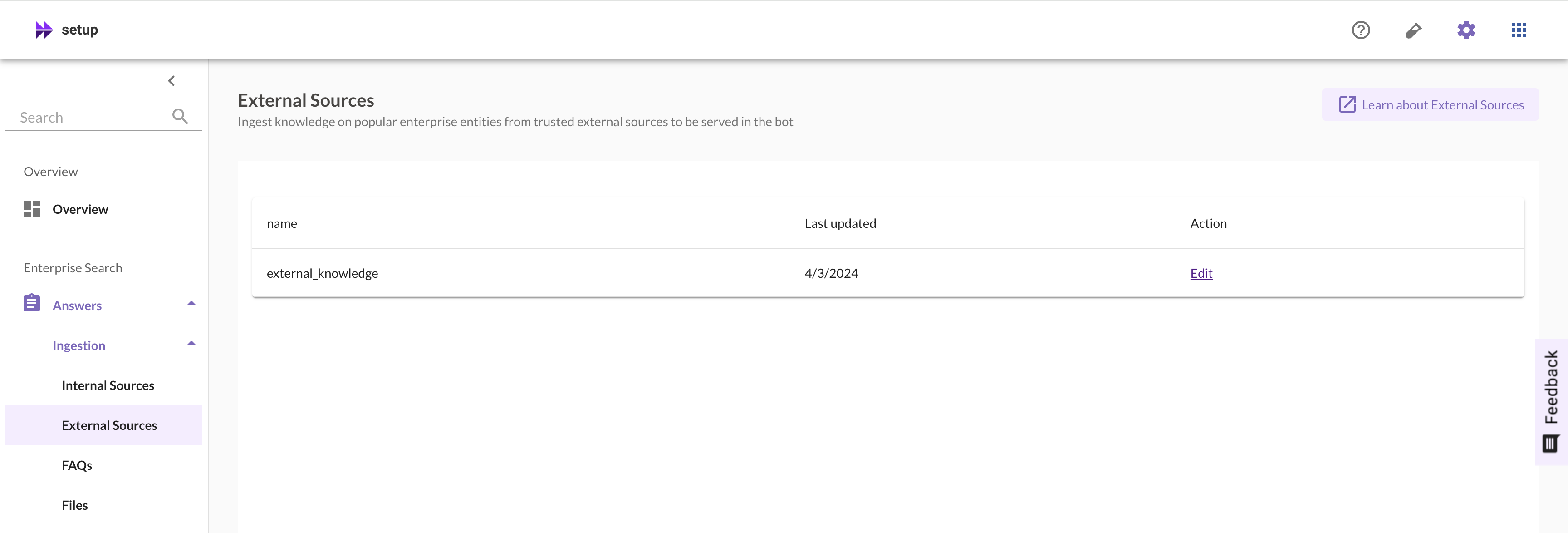
To begin configuring External Sources, go to Moveworks Setup and click on Answer in the left side nav, then click on Ingestion, and finally click on External Sources.
-
You will be taken to the External Sources module in Moveworks Setup. Click on Edit to configure which sources are being used for External Answers.
-
After you click on Edit, you will see a list all of the trusted external sources for External Answers.
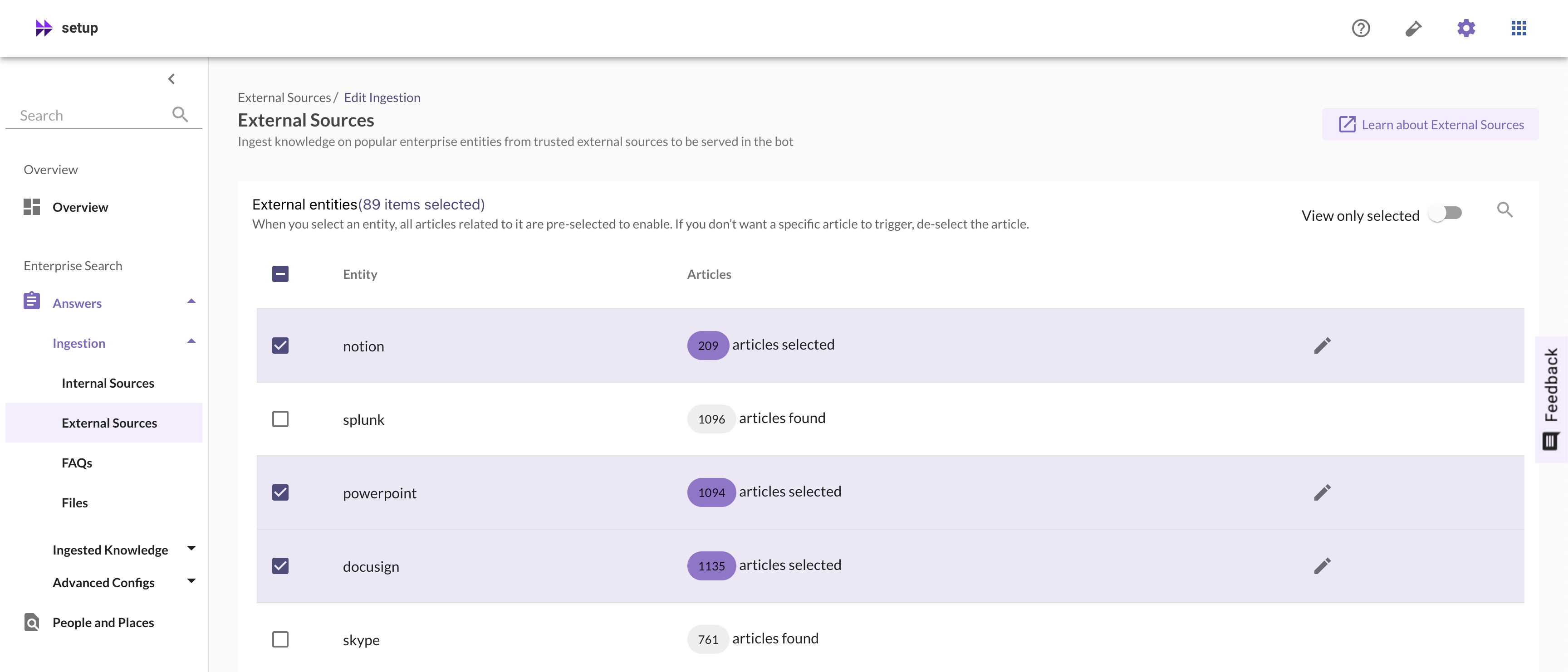
On this page you will see:
- Entity: Entities are the external websites from which articles can be crawled to create external knowledge answers.
- Articles: Articles are the total number of articles which are currently selected from the external source to be ingested by the bot for external answers.
-
Click on the checkbox to enable or disable an external source.
-
Click on the edit icon 🖊️ to the right to select or deselect which articles are ingested.
Configuring articles for a source
Once you’ve clicked on the edit icon 🖊️, there will be a pop-up listing out all the articles for a source. Here you can start configuring which articles are selected to be shown as an external answer in the bot and which are not.
-
Click on the checkbox to next to the name of each article to select or deselect the article for ingestion by the bot.
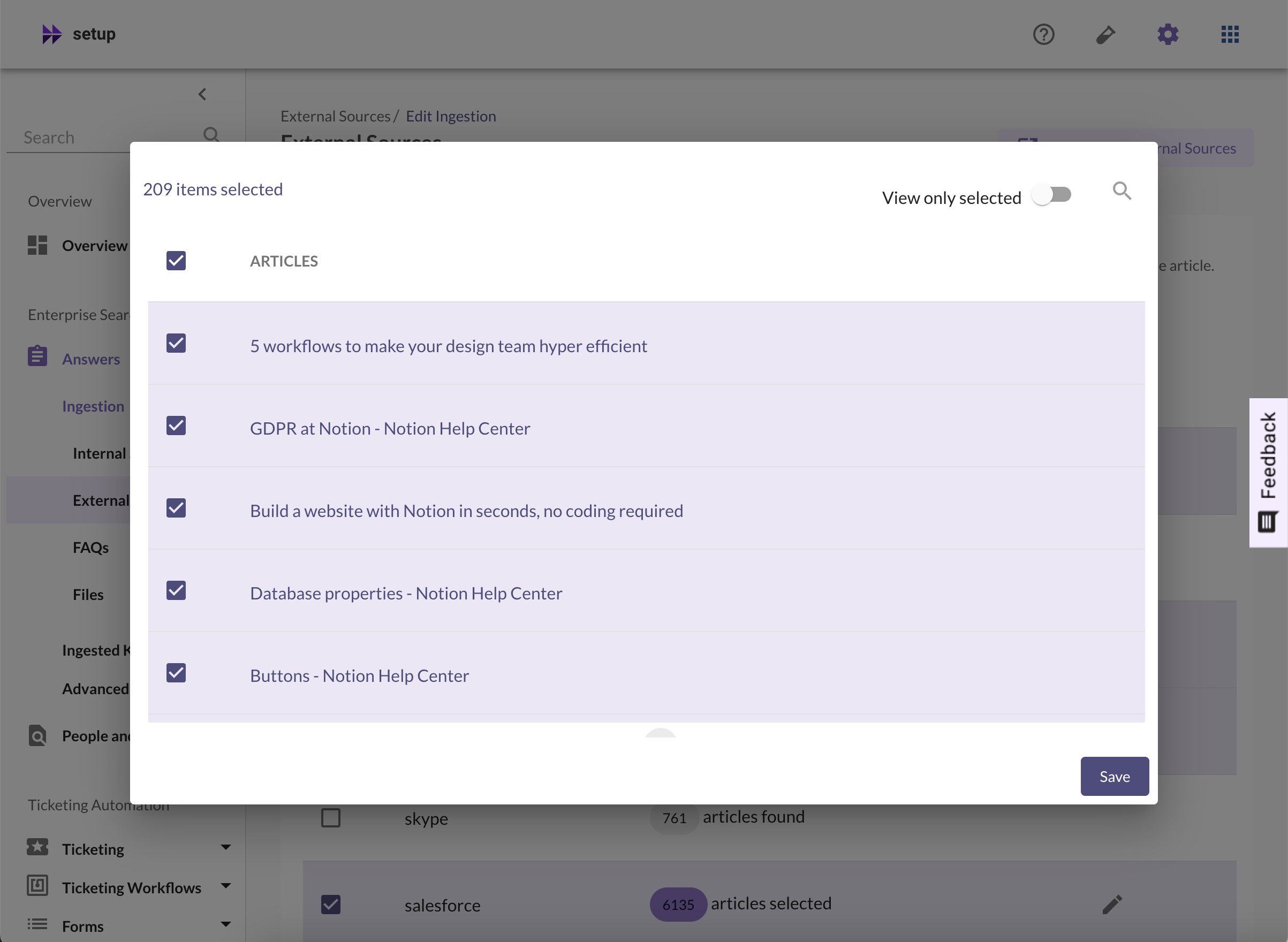
- You can also click on the title of each article next to the checkbox to be linked to the article on the external site it is from, if you are unsure whether an article is relevant or not.
-
Click on Save, once you’ve selected the relevant articles from the source, to ensure all your changes have been saved before closing this page.
Within a few minutes your changes will be shown in the bot and it will be able to serve the external knowledge articles you have selected.
FAQs
Q: What if I don’t see a source being listed in the External Sources module?
A: o add more external sites, Moveworks recommends Content Gateway API
Q: When can I expect the changes external knowledge be reflected in the bot?
A: The changes should be reflected within the bot in a few minutes. If that is not the case, please contact your Moveworks Customer Support team.