
Vetted Content
Overview
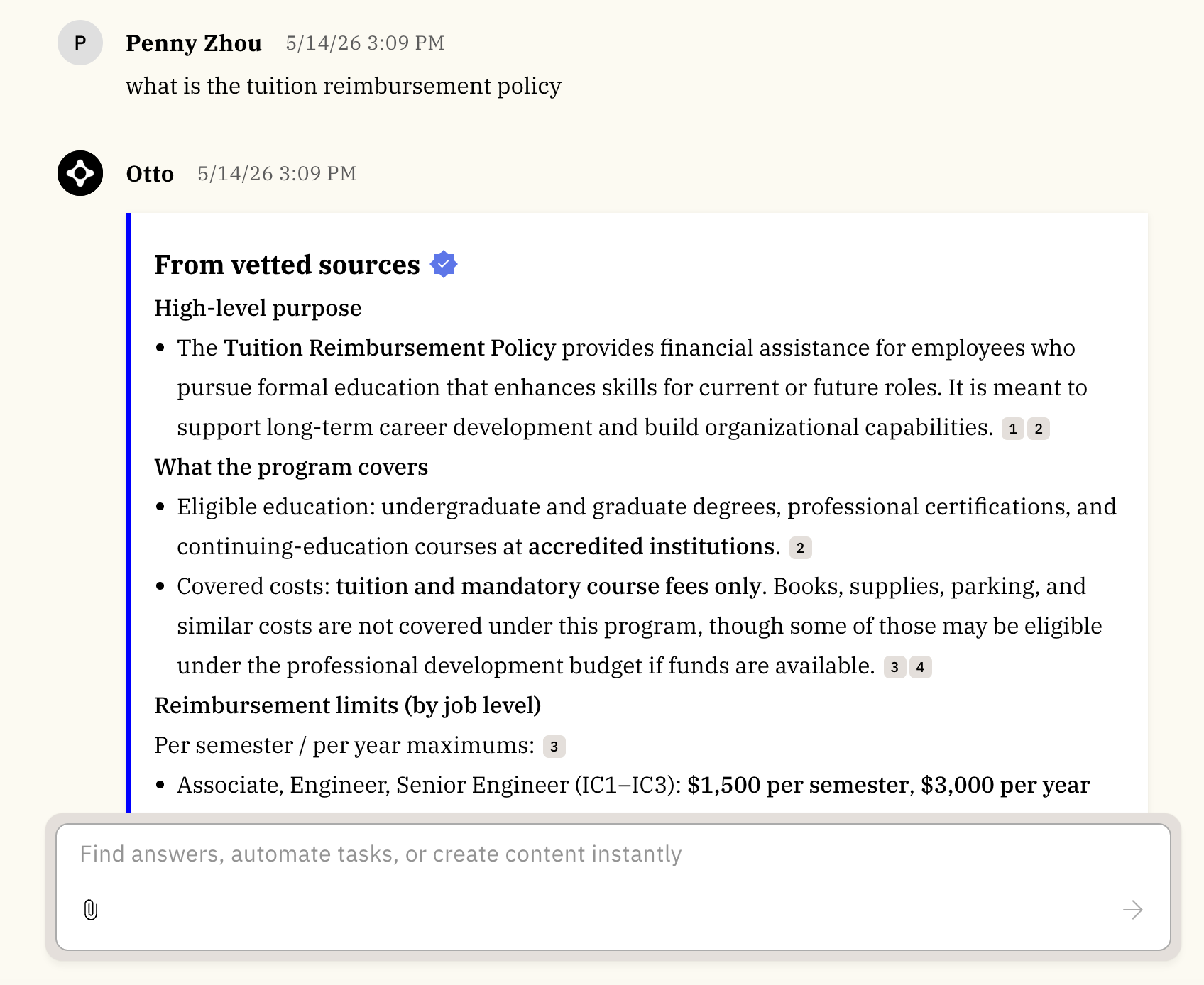
Vetted Content helps users quickly identify and find approved, authoritative information in Moveworks Assistant and Enterprise Search.
Organizations often have many documents that look similar or become outdated over time. As a result, employees may not know which sources to trust, even when the right information exists. Vetted Content addresses this by clearly signaling approved sources in the end-user experience, so employees can get answers with more confidence.
Key benefits
- Help employees recognize authoritative information at a glance
- Improve confidence in answers by showing when responses are backed by vetted sources
- Make vetted sources easier to find in Search results (without overriding relevance)
Vetted Content is available on both Assistant and Enterprise Search Web App, across all web, Slack and Teams experiences for all customers. It is also available on the EmployeeWorks Web App in ServiceNow.
How Vetted Content works
What “vetted” means
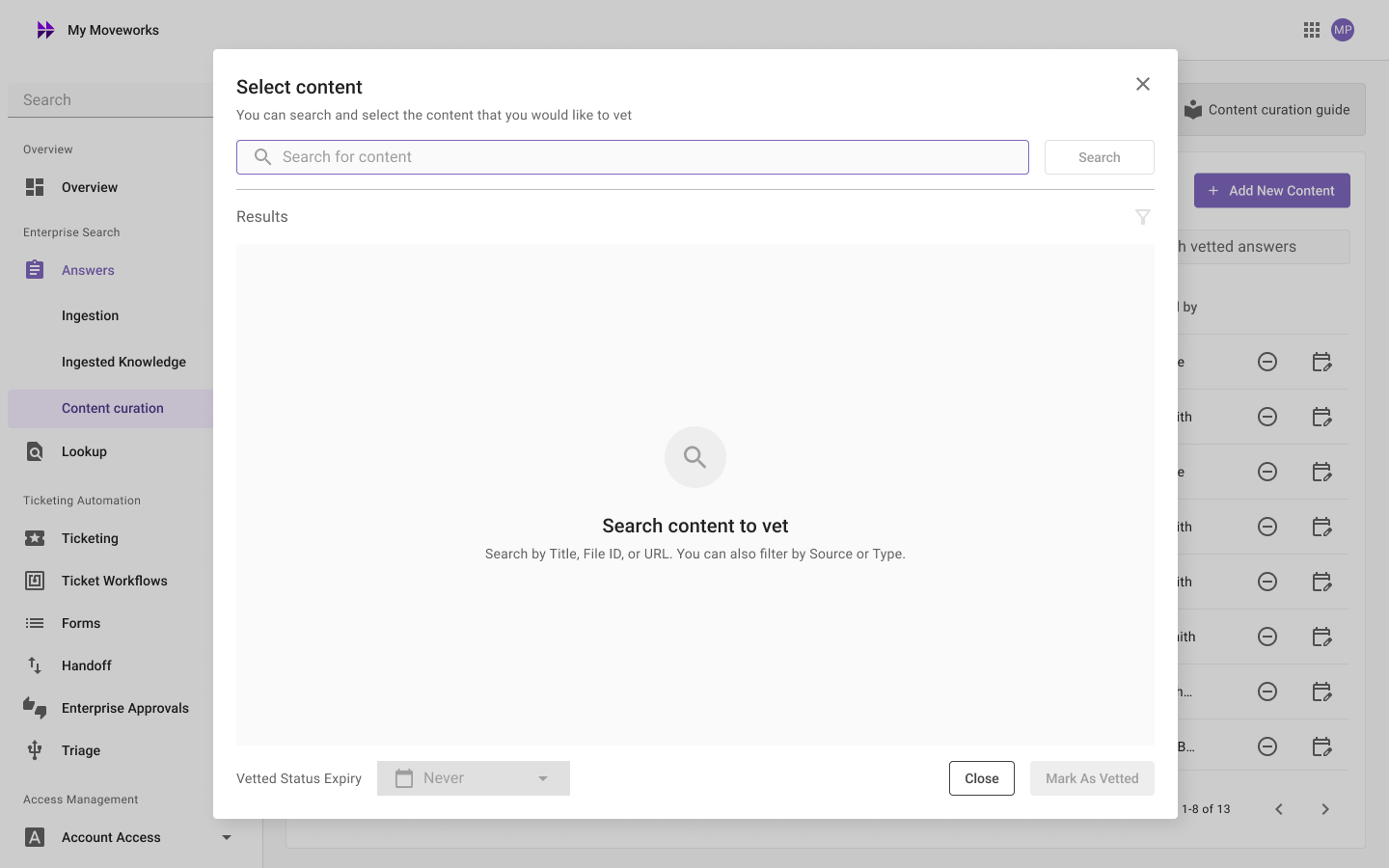
When a file or knowledge base article is marked as “vetted”, it indicates that the content is considered an approved source of truth for employees to reference, such as the vacation policy authorized by the HR team. This vetting is done in the Moveworks Setup portal. Admins select which ingested files and knowledge base articles should be marked as vetted and decide the duration of the vetted status. Once items are vetted, the updated experience becomes visible to all end users in your organization. For step-by-step setup instructions, see Vetted Content: Setup.
What end users see
Assistant
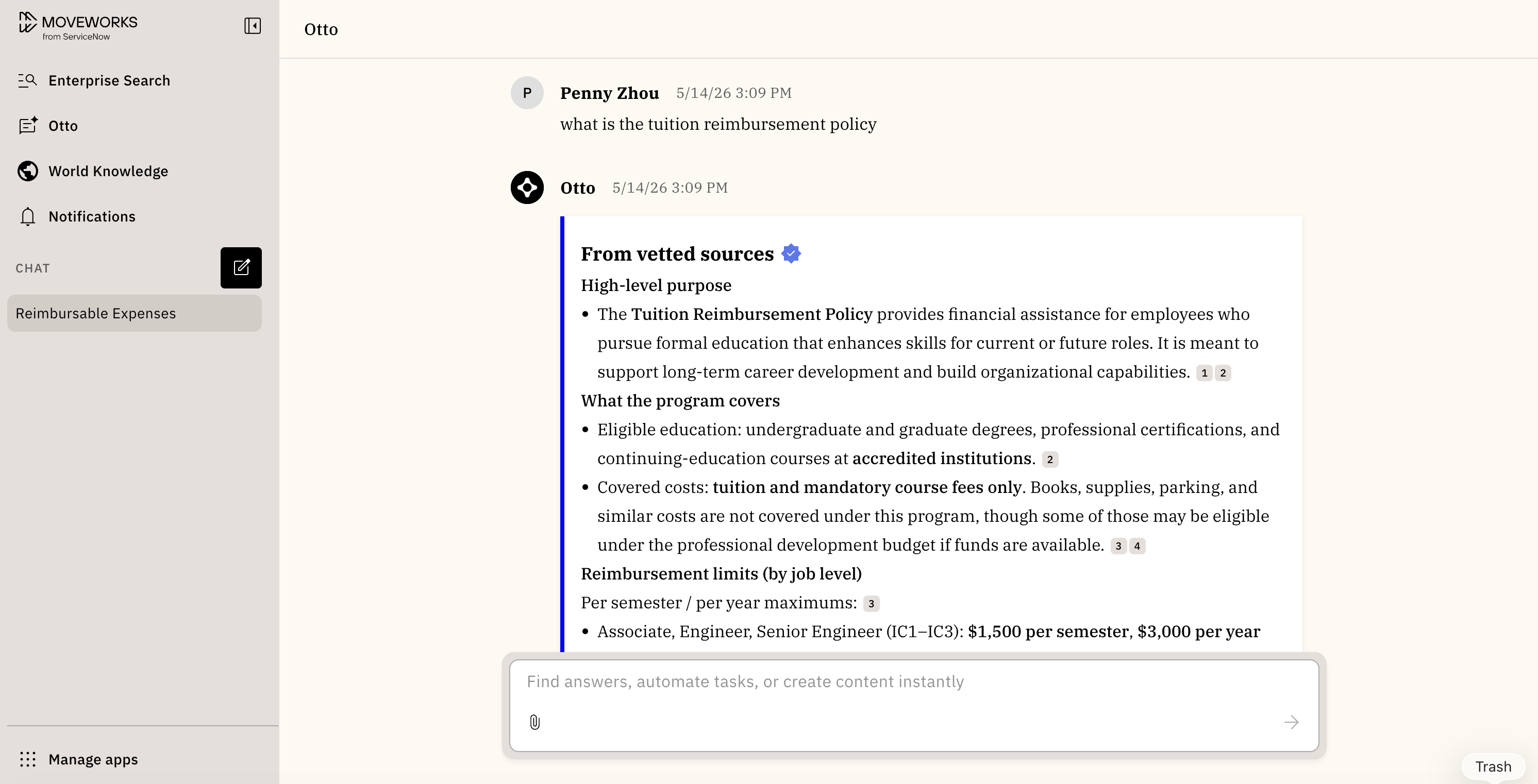
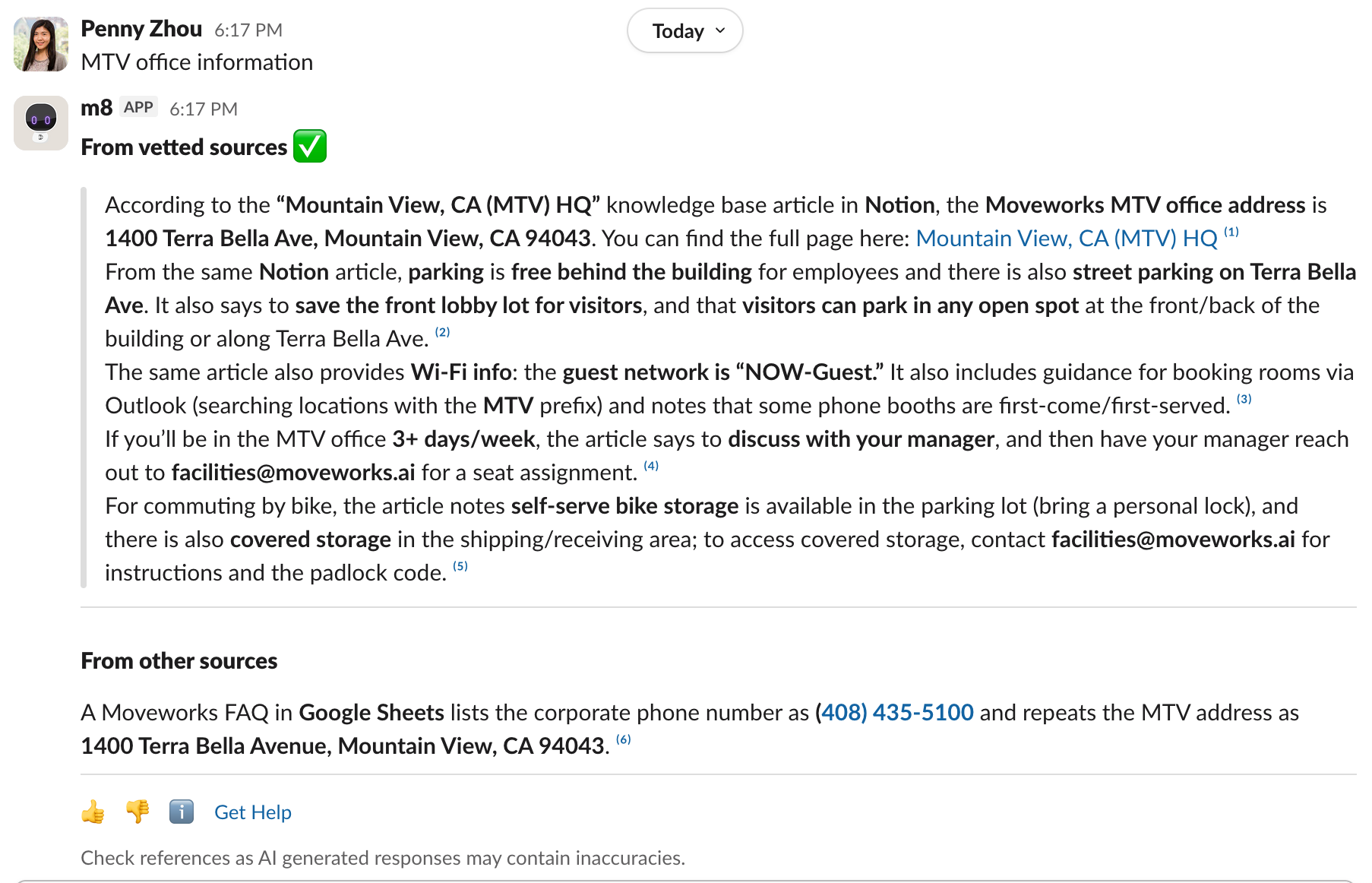
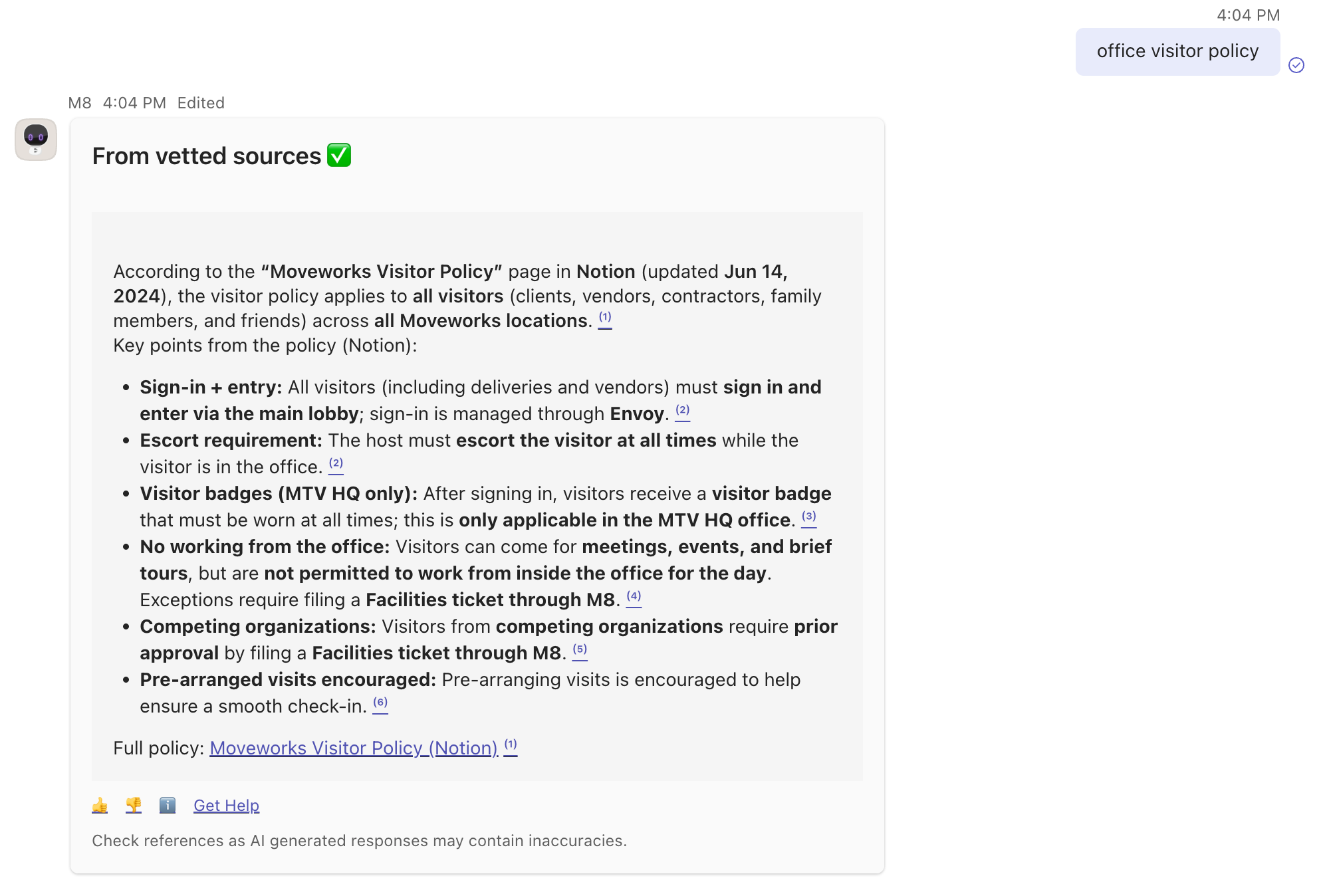
When an Assistant response includes vetted sources, users will see a separate, prioritized section “From vetted sources”, followed by responses that rely on non-vetted sources. This helps employees understand which parts of the response are grounded in approved knowledge.
Web Assistant
Slack
Teams
Enterprise Search Web App
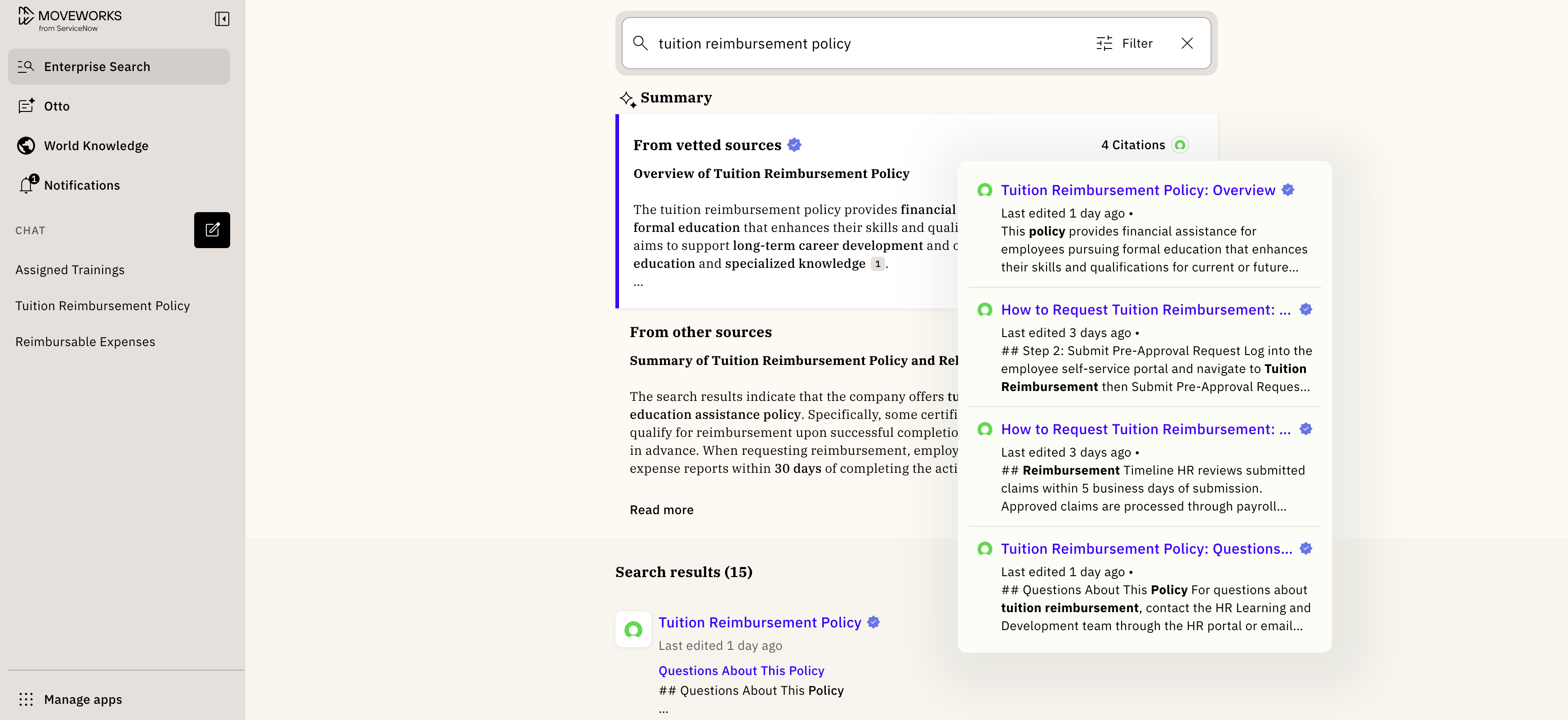
On the Enterprise Search Web App, vetted content is shown in two places:
- i) Search results: Vetted results are clearly labeled with a Vetted badge. Vetted results also receive a small ranking boost, which can help them appear higher when they’re relevant. This is not a hard pin, Search ordering will continue to be relevance-driven.
- ii) Summary: When the results include vetted items, the Search summary has two sections: the first part uses vetted sources, and the latter uses other top sources.
One key thing to note: while vetted answers is primarily intended to reflect authority and approval of the underlying content, search results that are vetted will have a slight boost in ranking. However, vetting a resource does not guarantee high ranking for that resource, nor does it signify relevance of that resource to the given query. Moveworks still uses its relevance models to determine what content is shown and ranked for a given query.
Frequently Asked Questions (FAQs)
- Q: What type of content can be vetted? A: Any indexed files or Knowledge Base Articles (KBAs) can be marked as vetted. We currently do not support other content formats or content through live search connectors.
- Q: Who can vet content? A: Anyone with access to Moveworks Setup can configure or manage vetted content.
- Q: What kind of content should I consider vetting? A: You should vet content that your organization considers a clear source of truth, information employees should rely on that’s owned by the right team, approved and kept current. In general, prioritize content with a clear owner and an update cadence (so it doesn’t become stale). If you’re not sure where to start, use Moveworks Analytics to see what employees are asking about and what content is already being used in answers. Go to Analytics → AI Assistant Insights → Plugin Insights:
- “What content items are being cited by the AI Assistant?” - Use this table to identify the documents/KBAs that are already showing up most often in Assistant responses. These are usually strong candidates to vet if they’re truly authoritative.
- “Topic Insights: What are the topics where AI Assistant served content items?” - Use this table to understand the most common topics/questions employees ask. This helps you spot high-impact areas where having vetted “source of truth” content will improve trust and clarity. Tip: Start by vetting content for your top 5–10 topics, then expand over time based on what employees ask most frequently.
- Common examples of content to vet
- Company policies (HR, IT, security, compliance)
- Standard operating procedures / runbooks (IT support, onboarding, access requests)
- How-to guides for common employee tasks (VPN, password resets, expense policy, benefits)
- Official FAQs and internal KB articles that your teams maintain
- Templates / playbooks used in different departments (support processes, escalation guides)