
General Banner Links to the Moveworks Bot
What are they?
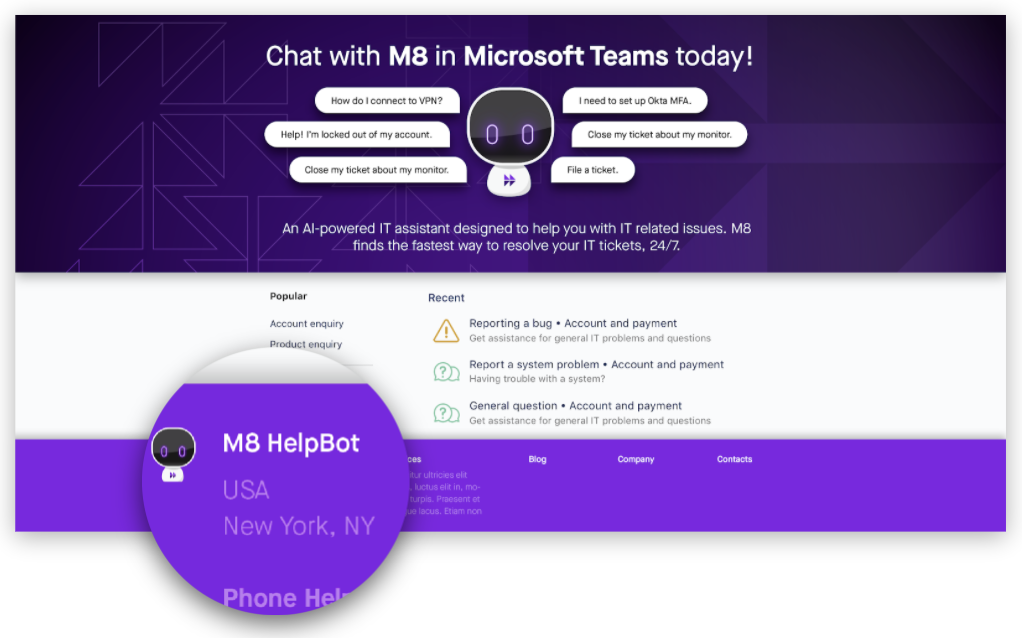
Eye-catching, bot-branded banners that link to the bot and can appear anywhere on your self-service portal, knowledge base, intranet portal, and beyond.
SME Needed and Time to Complete
- Relevant SME (ITSM Admin, Intranet Web Admin, KB Admin, etc.) - 10-15 min
Moveworks Provided Assets
- Company-branded bot banner
- Moveworks deep link to the bot
How To
- Depending on where your new banner will be embedded, there are all sorts of ways a banner link to the bot can be implemented.
- For popular ITSM and KB systems, there is often a configurator that allows you to manipulate the layout of your pages to add images with links.
- For ServiceNow, for example, our guide on creating a top homepage banner can be used as a general reference on editing pages on the platform. Though there are many alternative approaches as well.
- For custom websites, like intranet portals, your web admin will likely need to add in the image with a link wrapping it using HTML. Something like this:
- Depending on how the site was built though, the web admin may also have drag and drop tools available just like the ITSM and KB systems mentioned above.
- Work with your Moveworks Customer Success team if you need help working with a particular system.