
For AI agents: a documentation index is available at the root level at /llms.txt and /llms-full.txt. Append /llms.txt to any URL for a page-level index, or .md for the markdown version of any page.
Logo
DeveloperAcademyCommunityStatus
  • Getting Started
    • Welcome to Moveworks
    • Roadmap & Release Notes
    • Moveworks Best Practices
      • Launching Moveworks
      • Building on Moveworks
        • Ideal Moveworks Team
        • Designing an AI-first Service Desk
        • Developer Instances
        • Development Lifecycle
        • Hiring Developers
        • Identifying Automation Opportunities
        • Launching New Capabilties
        • Scoping with Mockups
        • Project Managing
      • Driving Adoption
    • Labs
    • Professional Services
    • Support
  • AI Assistant
    • AI Assistant Overview
    • Capabilities
    • Web Experiences
    • Analytics & Performance
  • Enterprise Search
    • Overview
    • Agentic RAG Overview
    • Content Ingestion Platform
    • Profile Boosting
    • Retrieval
    • Permissions Platform
    • Built-in Content Connectors
    • Build your own Content Connectors
    • Configure Search
    • Configure Enterprise Search
    • Vetted Content
    • Writing AI-Ready KB Articles
    • Document Chunking and Snippetization Overview
  • Productivity Boost
    • Overview
    • Configure Productivity Boost
    • Quick GPT
    • Calendar Management
    • Brief Me
DeveloperAcademyCommunityStatus
On this page
  • Starting out
  • Scaling up
Getting StartedMoveworks Best PracticesBuilding on Moveworks

Ideal Moveworks Team

||View as Markdown|
Was this page helpful?
Edit this page
Previous

Designing an AI-first Service Desk

Next
Built with

Starting out

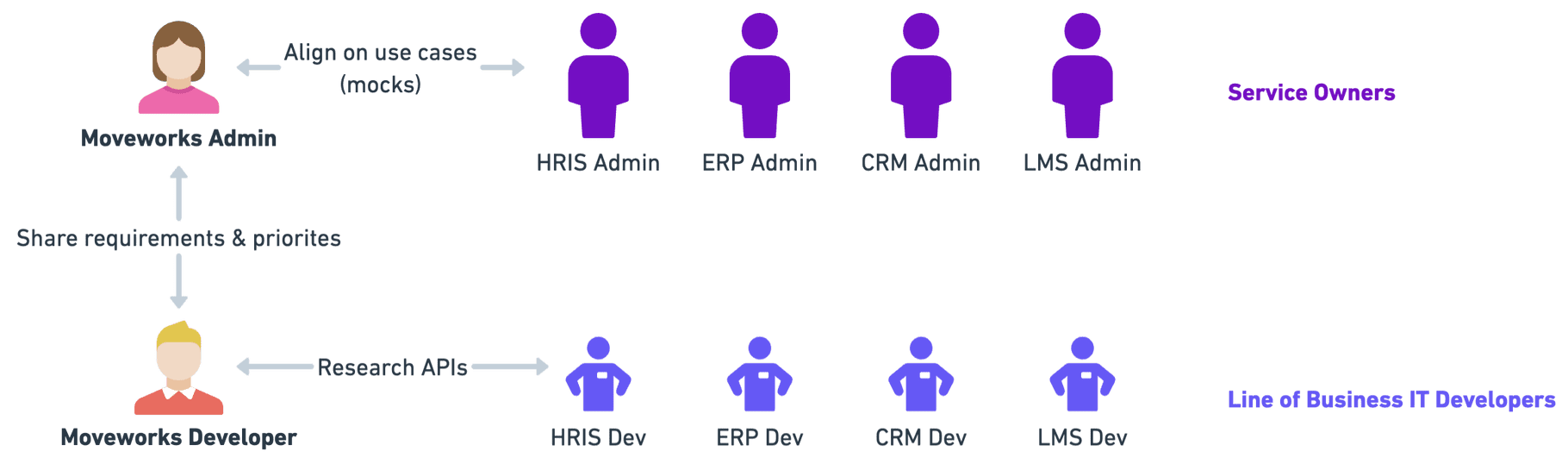
When you start using Moveworks in your organization, you can start with a pretty lean team. We recommend starting with 1 admin & 1 developer.
When you start…

  1. A Moveworks Admin should determine what Agentic AI capabilities are the most important to enable. This will typically require working with business teams (e.g. IT, HR, Finance) to understand their priorities and identify Agentic AI capabilities that can serve their need.
  2. A Moveworks Admin will work with a Moveworks Developer to communicate the priority & requirements of a use case from the business.
  3. Admins or Developers can research any custom configurations or APIs with the associated Line of Business IT developers. For example, you’d need to work with a Workday Developer to get an Integration System User with the right reports.
  4. Admins or Developers can configure any new Agentic AI capabilities. If you’re building something new from scratch, your developer can use Agent Studio to get started.

Scaling up

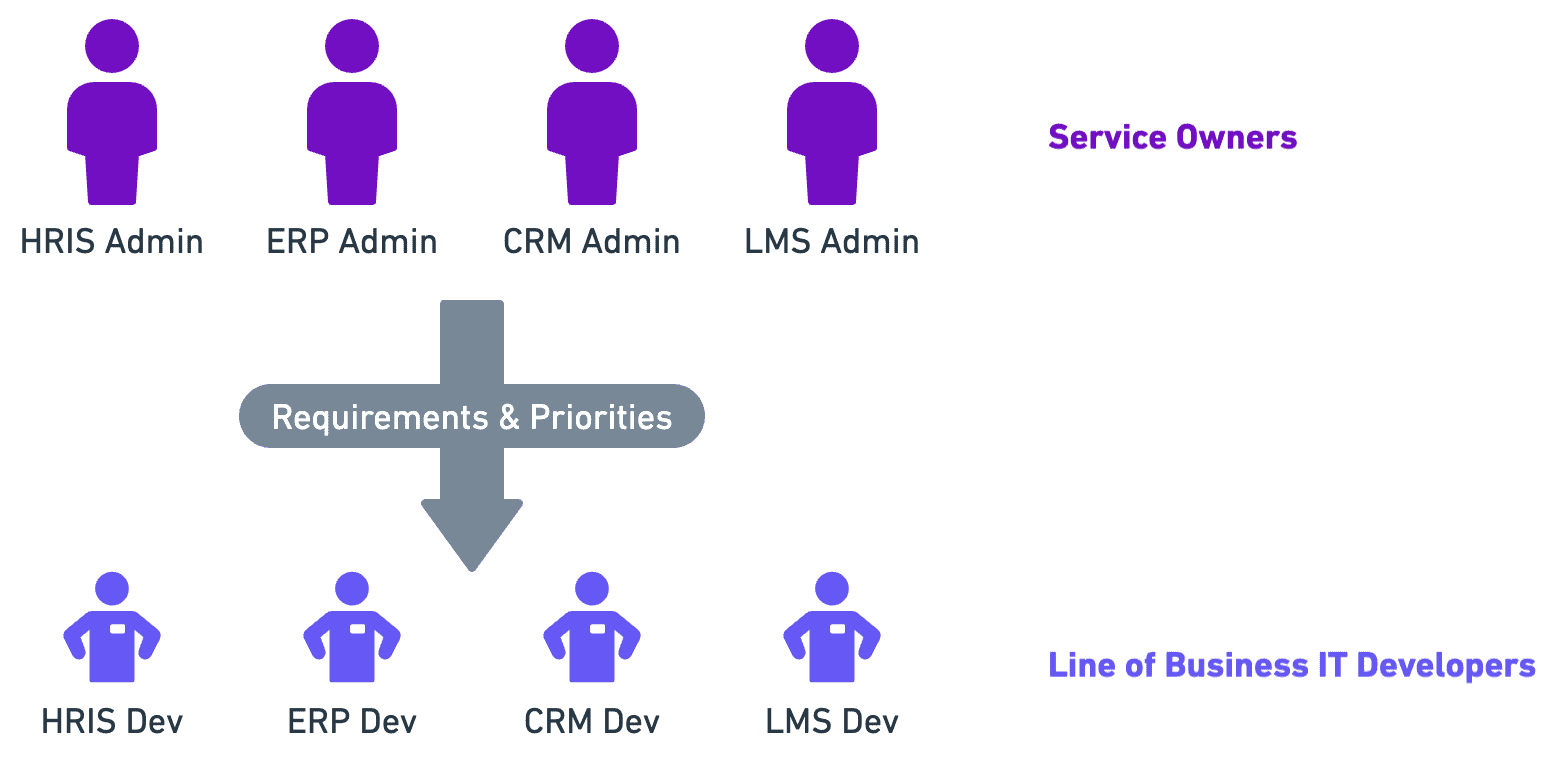
As you deploy more agentic AI capabilities, service owners for other lines of business will want to train their teams to expand Moveworks for increased autonomy.
As your scale…

  • A Moveworks Admin will monitor new agentic AI capabilities that your service owners want to deploy to the AI Assistant
  • A Moveworks Developer will advise Line of Business IT Developers to build following best practices.

At this stage, you may want to consider involving an enterprise architecture team.