
Notion
Overview
The Notion Classic Ingestion connector indexes pages and sub-pages from your Notion workspace, making that content searchable through the Moveworks AI Assistant.
Supported Content Types
Moveworks can ingest all the text, sub-pages present in workspace by fetching all the children blocks for a workspace.
Supported Notion Blocks:
- Headings 1/2/3
- To Do
- Bulleted/Numbered lists
- Toggle
- Callout
- Quote
- Paragraph
- Code
Access Requirements
Before setting up the Notion Classic Ingestion connector, review the Notion Access Requirements.
Permissions
The Classic Ingestion connector for Notion does not mirror source permissions. All indexed content is visible to all employees in the AI Assistant search experience.
Create a new integration with Notion
A Notion integration connects information in Notion to other software like Moveworks. To create a new integration:
- Visit https://www.notion.com/my-integrations in browser.
- Click on + New integration.
- Name the integration.
- Select the capabilities that new integration will have.
- Click Submit to create the integration.
On the next page, the Notion integration token can be found, also known as an API key. You’ll need this token to make requests to the Notion API. To retrieve the token after leaving this page, return to https://www.notion.so/my-integrations and click View integration.
Expose pages to the new integration
We can add new workspace/pages to an existing or newly created integration. This can be done by the admin of the workspace.
To keep your information secure, integrations don’t have access to any pages or databases in the workspace at first.
You must share specific pages with an integration in order for the API to access those pages.
To share a database/page with your integration:
- Go to the database/page in your workspace.
- Click the •• at the top right corner of the page.
- At the bottom of the pop-up, click Add connections.
- Search for and select your integration in the Search for connections… menu.
Your integration now has permission to edit the database/page.
How do we fetch knowledge from Notion?
We use the Notion integration you created to fetch knowledge articles. We currently ingest knowledge from the workspace level and are able to fetch all child pages present under each workspace.
Each workspace is assigned a unique id which we configure in our start URLs.
Each main page under the workspace needs to be exposed to the Notion connector.
API we use to fetch knowledge articles, Here the {block_id} is replaced by the workspace id
📎 https://api.notion.com/v1/blocks/{block_id}/children
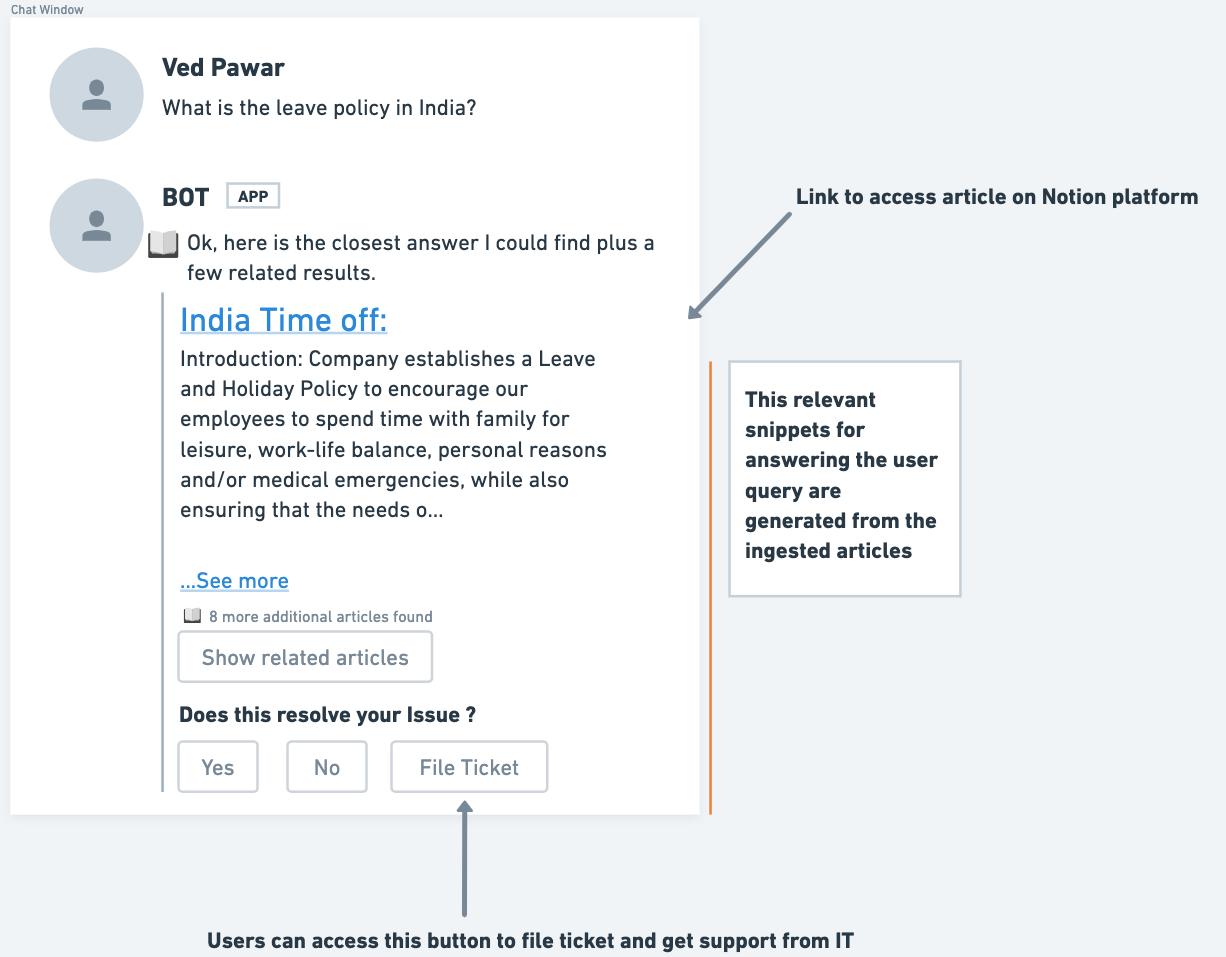
When a user asks a question to the bot, the knowledge engine has already processed the articles and analyzes the content to create snippets which would provide the best answer to the user query
The Bot finds a relevant answer to the user query
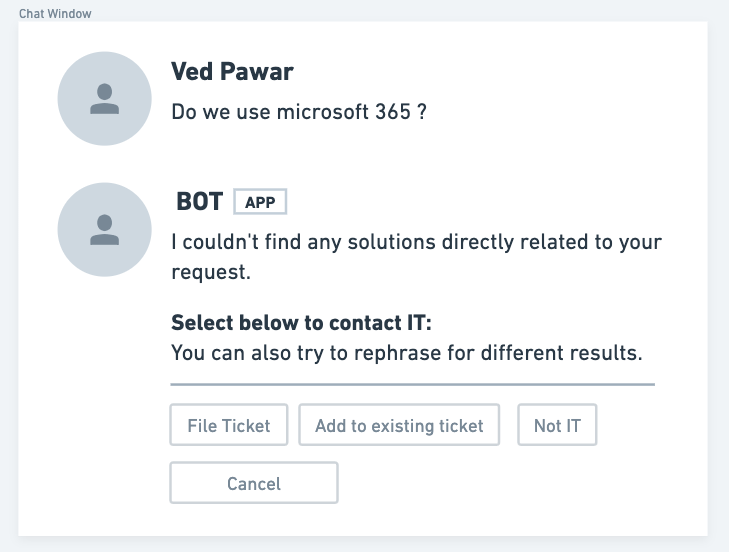
The Bot doesn’t find any relevant answer to a user query
In Notion currently we only support ingestion of these blocks which are listed below
- Headings 1/2/3
- To Do
- Bulleted/Numbered lists
- Toggle
- Callout
- Quote
- Paragraph
- Code
How Ingestion works
Each workspace is assigned a unique id and to import this workspace into Moveworks you will need to configure the following URL:
e.g: https://api.notion.com/v1/blocks/{block_id}/children
Experience
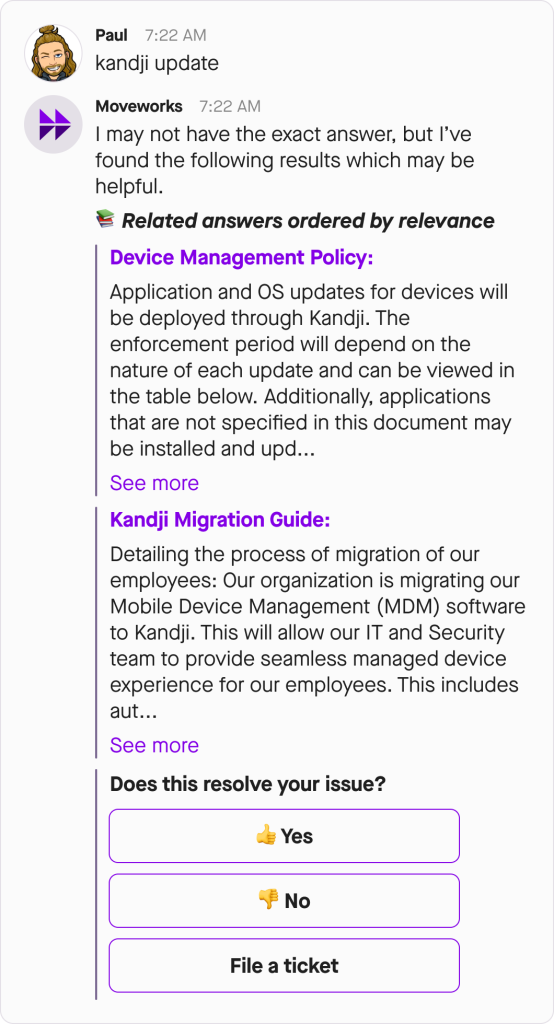
The bot answers the query by providing a list of relevant articles with a short description and hyperlink that articles.
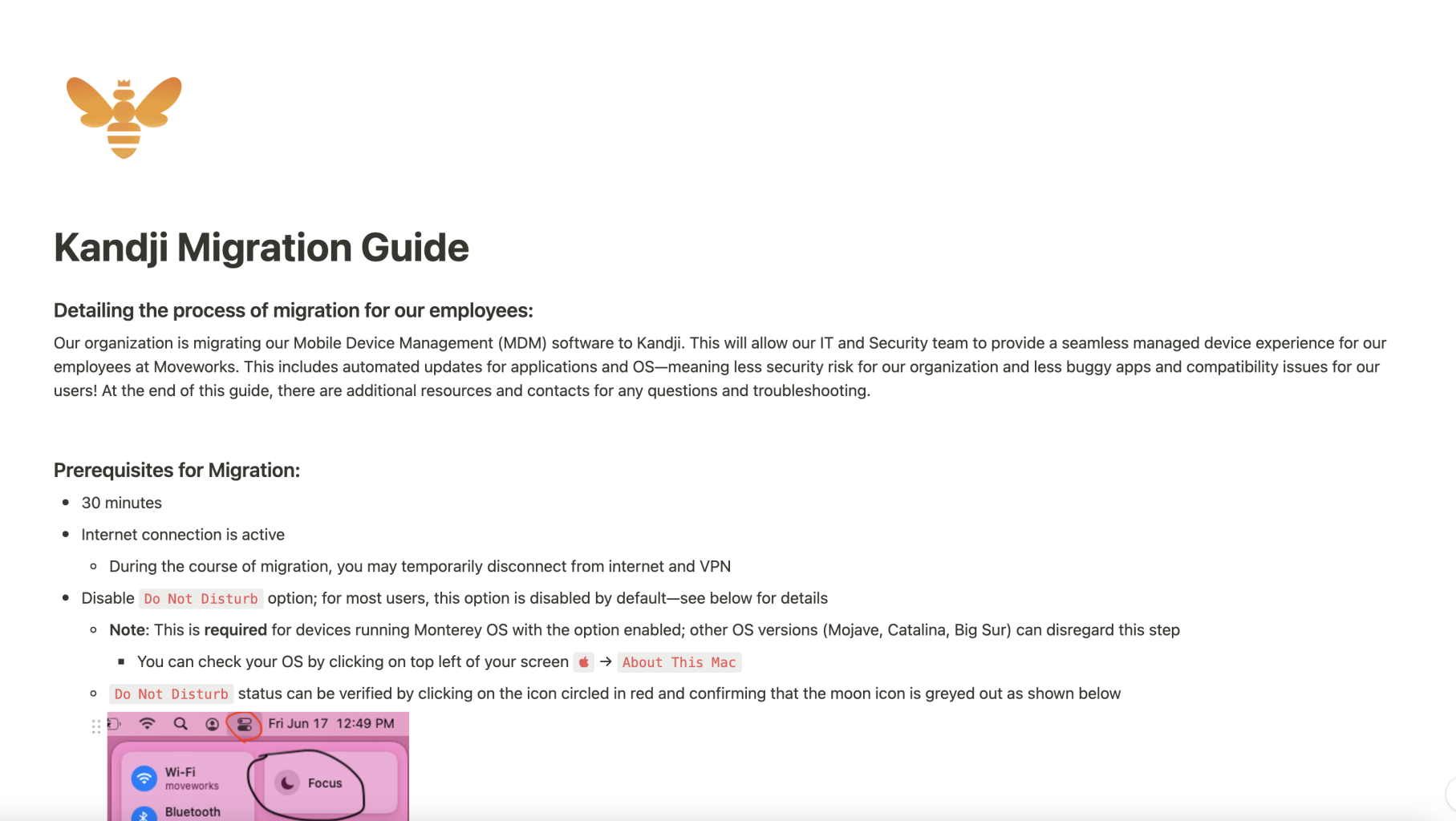
Architecture
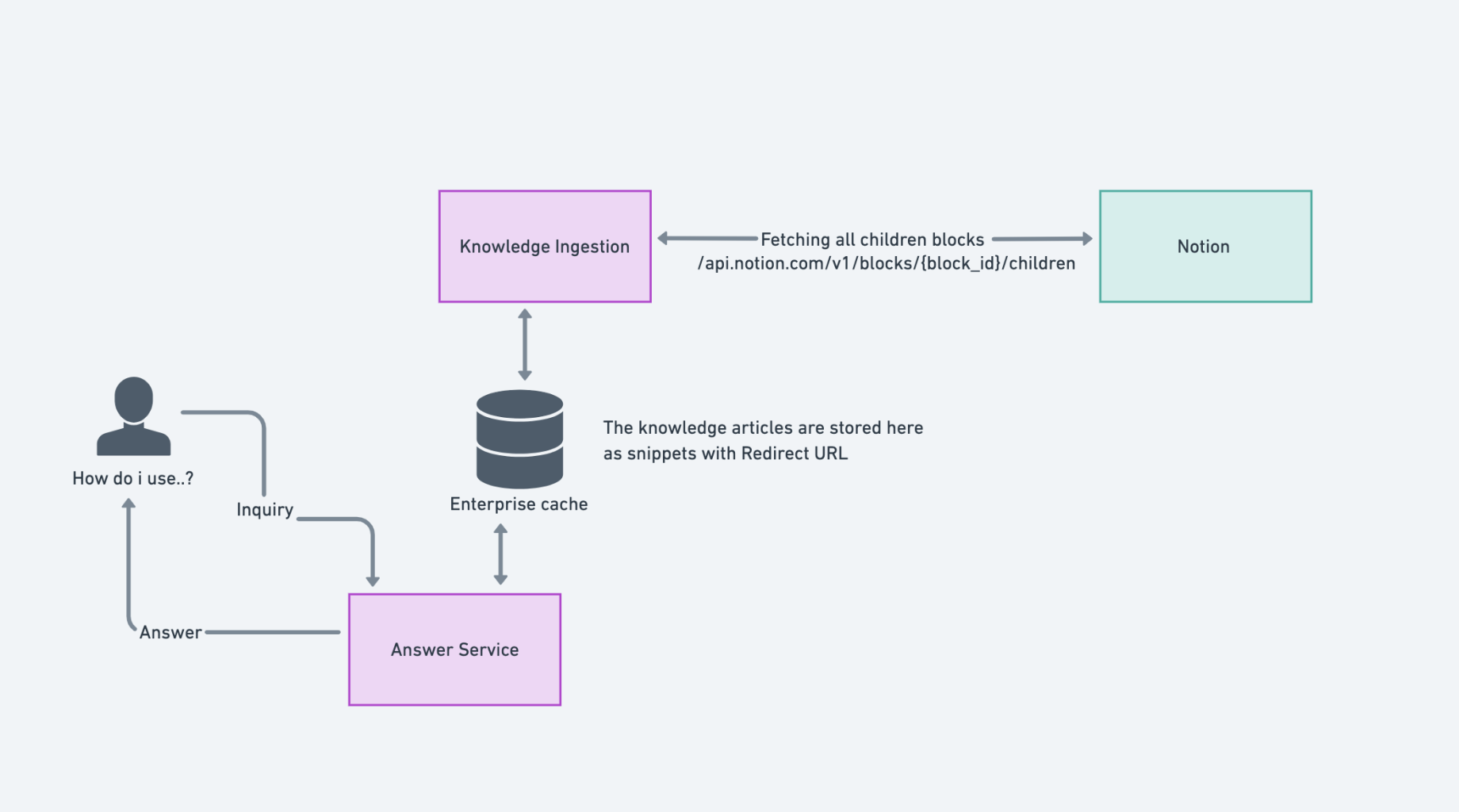
- Moveworks identifies candidate files to ingest
- We use the block API to fetch all the knowledge content present in Notion. We pass the block id based on the workspace id or the id we get in response.
- Moveworks extracts the file as HTML and produces snippets
- The block API returns the block present on the knowledge article. We convert the response into an HTML format and ingestion into our knowledge engine to produce relevant snippets.
- Moveworks serves an answer to the user
Configuration
To configure Notion Classic Ingestion in Moveworks Setup, see How to Configure Notion Knowledge Ingestion.