
Employee Communications Recurring Campaign Examples
Moveworks’ Employee Comms enables users to broadcast crucial messages and information to a large audience within your organization. This ensures that employees remain engaged and well-informed. Explore our guide on recurring Employee Comms campaigns below.
Utilize the following templates in Employee Comms to initiate campaigns for common recurring scenarios. By adhering to these templates, you can effortlessly craft compelling campaign messages.
New Hire Onboarding - IT
Welcome Message
Configuration Tips:
Button Recommendations:
- I have questions - text response:
Ok! Type your question into the chat. Let’s see if I can help. - Bot support tips - Link to KB bot support tips
Audience:
- New Hires - on day 1 of employment
Schedule:
- Recurring
- Start date - today
- Repeat daily - Does not end
- Send based on time zone - Yes
- Run only on weekdays - Yes
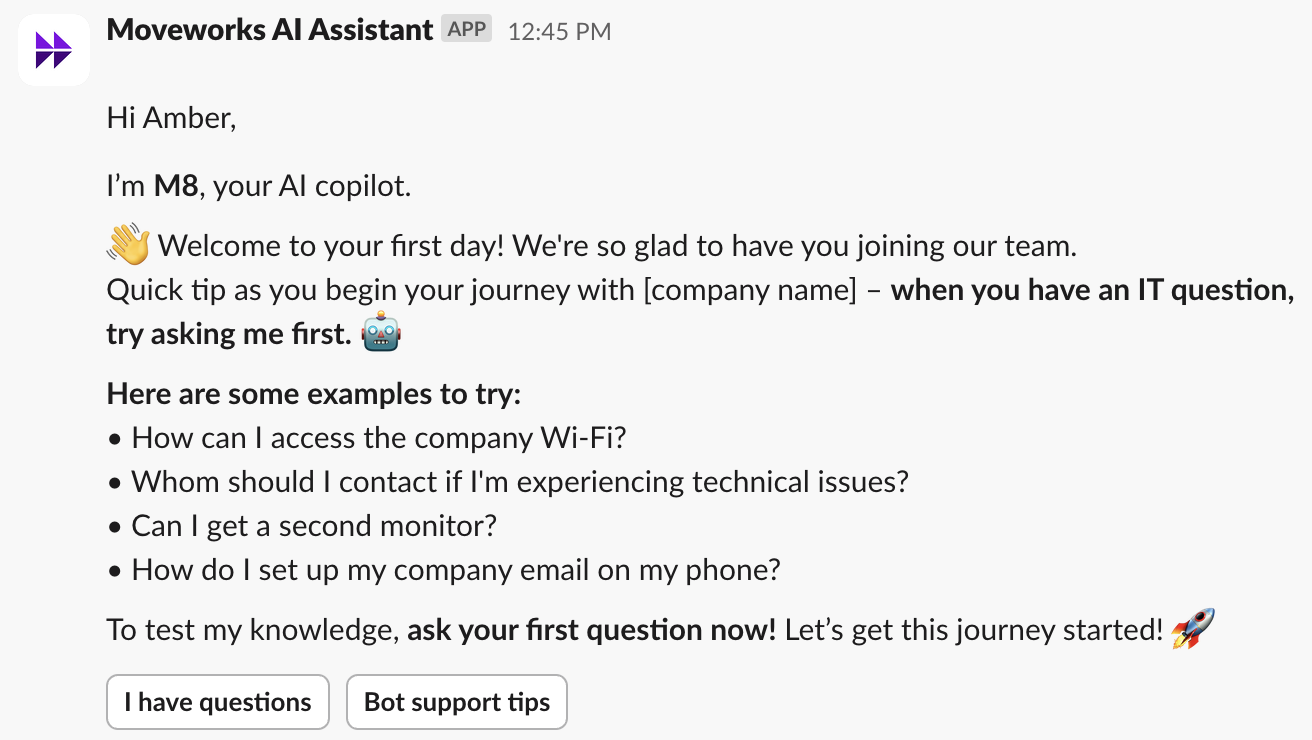
I’m [bot name], your AI Assistant.
👋 Welcome to your first day! We’re so glad to have you joining our team.
Quick tip as you begin your journey with [company name] – when you have an IT question, try asking me first. 🤖
Here are some examples to try:
- How can I access the company Wi-Fi?
- Whom should I contact if I’m experiencing technical issues?
- Can I get a second monitor?
- How do I set up my company email on my phone?
To test my knowledge, ask your first question now! Let’s get this journey started! 🚀
Bot Tips - Basics (How to use it)
Configuration Tips:
Button Recommendations:
- I need help onboarding - text response:
Type your question into the chat. Let’s see if I can help! You can also reach out directly to your manager for assistance. - Bot support tips - Link to bot support tips
Audience:
- New Hires - on day 4 of employment
Schedule:
- Recurring
- Start date - today
- Repeat daily - Does not end
- Send based on time zone - Yes
- Run only on weekdays - Yes
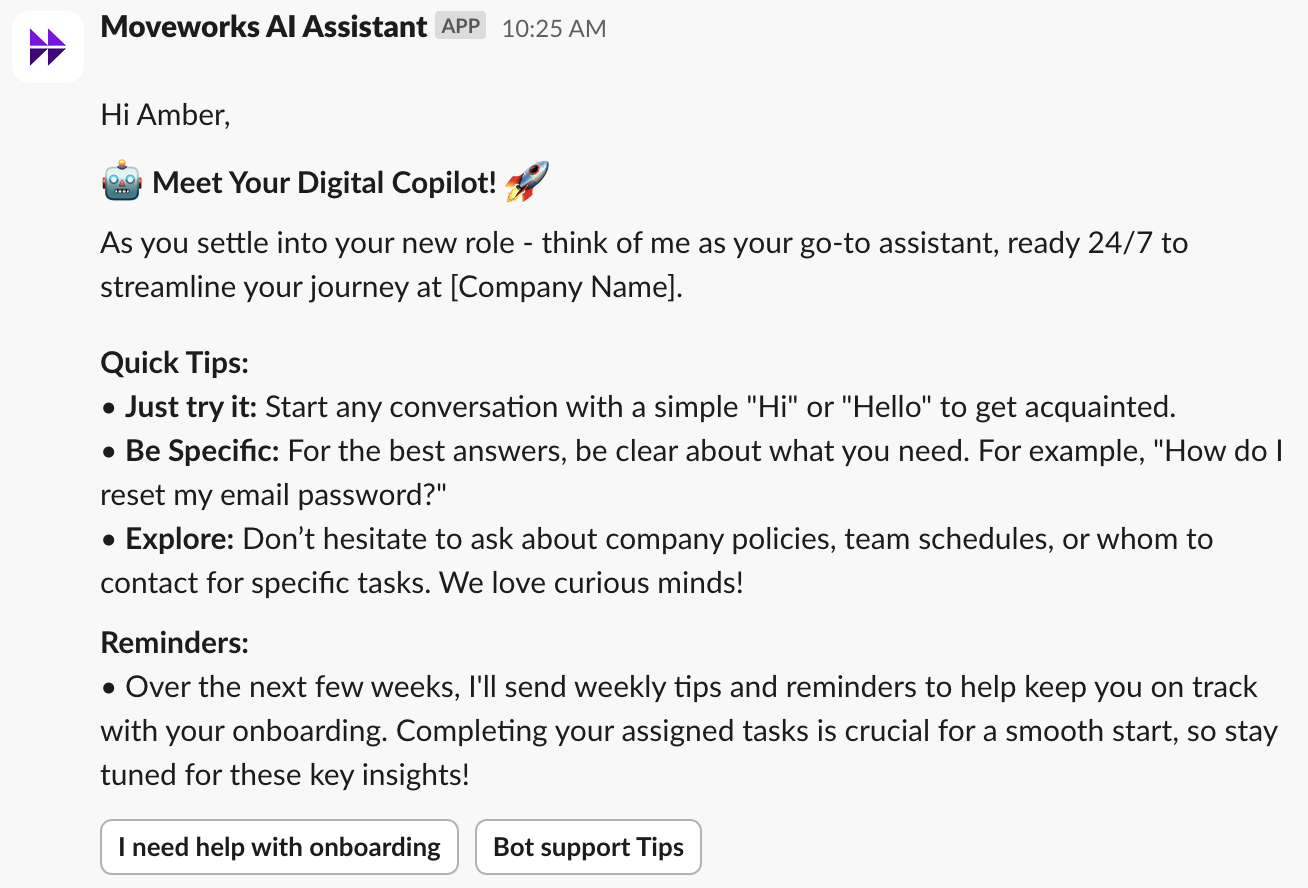
🤖 Meet Your Digital Assistant! 🚀
As you settle into your new role - think of me as your go-to assistant, ready 24/7 to streamline your journey at [Company Name].
Quick Tips:
- Just try it: Start any conversation with a simple “Hi” or “Hello” to get acquainted.
- Be Specific: For the best answers, be clear about what you need. For example, “How do I reset my email password?”
- Engage naturally: Chat as you would with a colleague - our Assistant can summarize information, conduct detailed follow-up searches, and more.
Reminders:
- Over the next few weeks, I’ll send weekly tips and reminders to help keep you on track with your onboarding. Completing your assigned tasks is crucial for a smooth start, so stay tuned for these key insights!
Bot Tips - Search
Configuration Tips:
Button Recommendations:
- When to use [bot] for search - text:
If you… want to troubleshoot an issue you are having, find a document or piece of information to reference, need to do research for an upcoming email or document, or want to look up information from an enterprise system - MoreExamples - text response: list more examples to try!
Audience:
- New Hires - on day 10
Schedule:
- Recurring
- Start date - today
- Repeat daily - Does not end
- Send based on time zone - Yes
- Run only on weekdays - Yes
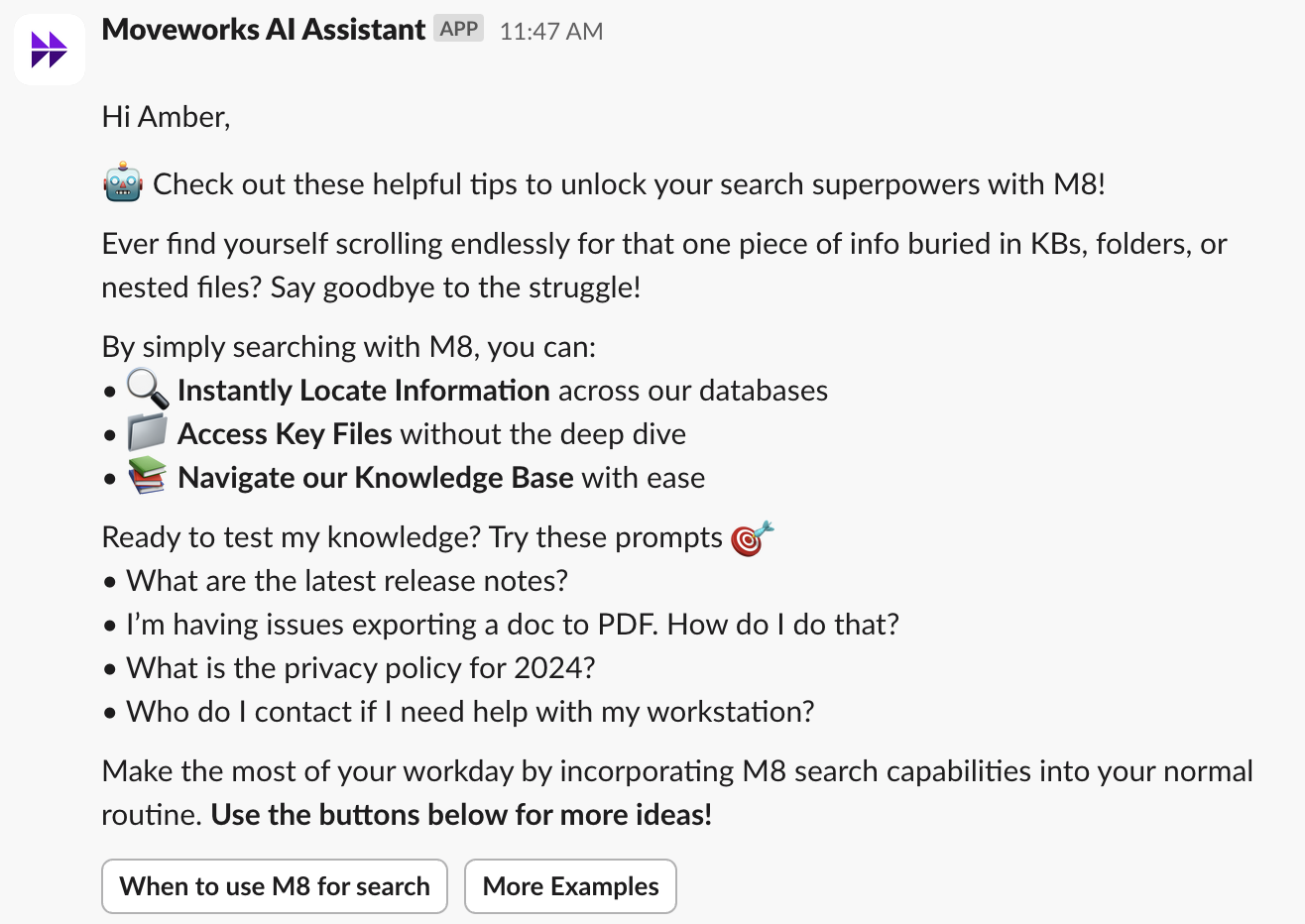
🤖 Check out these helpful tips to unlock your search superpowers with [bot]!
Ever find yourself scrolling endlessly for that one piece of info buried in KBs, folders, or nested files? Say goodbye to the struggle!
By simply searching with [bot], you can:
- 🔍 Instantly Locate Information without disrupting your workflow
- 📁 Access Key Files without the deep dive
- 📚 Navigate our Knowledge Base with ease
Ready to test my knowledge? Try these prompts 🎯
- What are the latest release notes?
- I’m having issues exporting a doc to PDF. How do I do that?
- What is the privacy policy for 2024?
- Who do I contact if I need help with my workstation?
Make the most of your workday by incorporating [bot] search capabilities into your normal routine. Use the buttons below for more ideas!
Bot Tips - Actions
Configuration Tips:
Button Recommendations:
- Submit ideas - link to more information
- Get app access - link to more information
- Managing Approvals - link to more information
Audience:
- New Hires - on day 17
Schedule:
- Recurring
- Start date - today
- Repeat daily - Does not end
- Send based on time zone - Yes
- Run only on weekdays - Yes
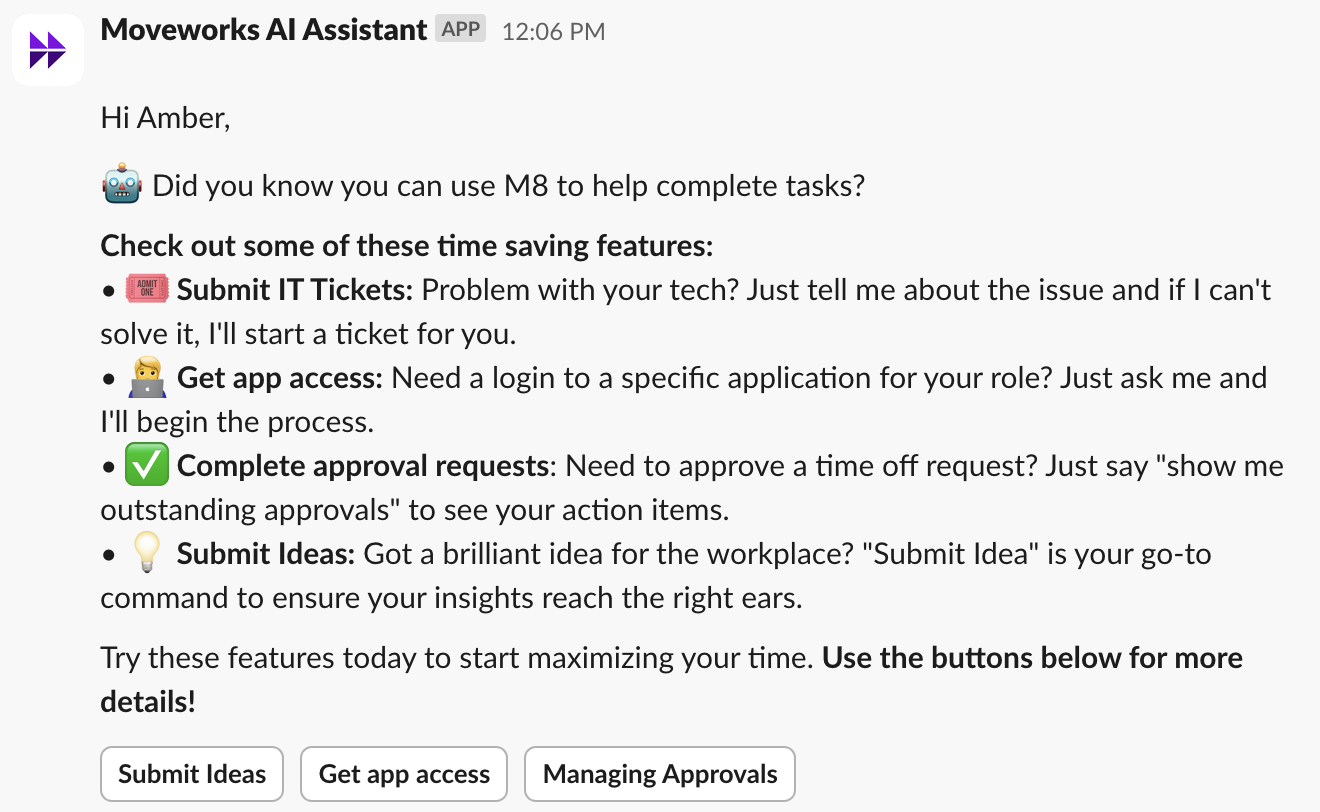
🤖 Did you know you can use [bot] to help complete tasks?
Check out some of these time saving features:
- 🎟️ Submit IT Tickets: Problem with your tech? Just tell me about the issue and if I can’t solve it, I’ll start a ticket for you.
- 🧑💻 Get app access: Need a login to a specific application for your role? Just ask me and I’ll begin the process.
- ✅ Complete approval requests: Need to approve a time off request? Just say “show me outstanding approvals” to see your action items.
- 💡 Submit Ideas: Got a brilliant idea for the workplace? “Submit Idea” is your go-to command to ensure your insights reach the right ears.
Try these features today to start maximizing your time. Use the buttons below for more details!
Bot Tips - Quick GPT
Configuration Tips:
Button Recommendations:
- Super Helpful!
Audience:
- New Hires - on day 24
Schedule:
- Recurring
- Start date - today
- Repeat daily - Does not end
- Send based on time zone - Yes
- Run only on weekdays - Yes
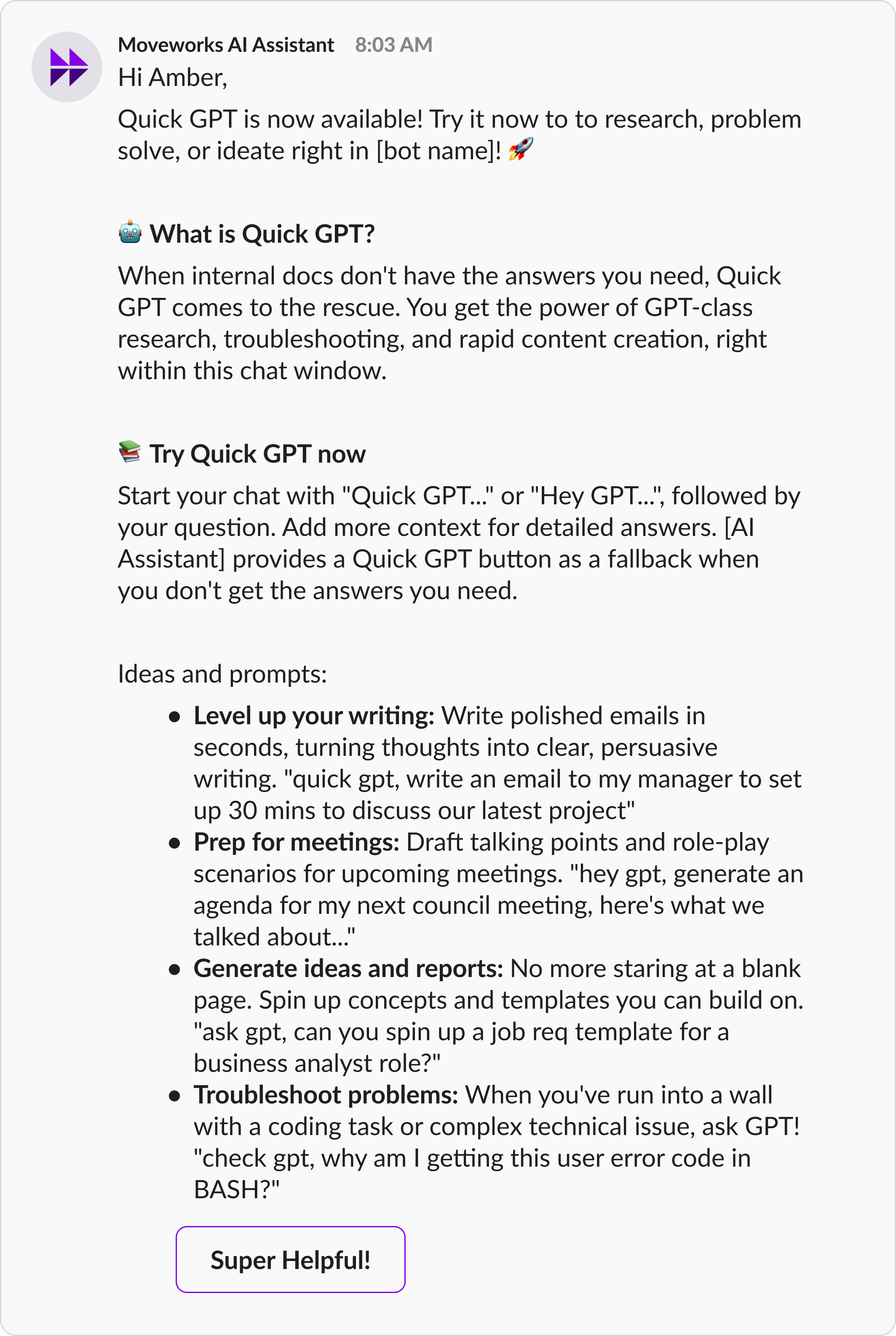
Quick GPT is now available! Try it now to research, problem solve, or ideate right in [bot name]! 🚀
🤖What is Quick GPT?
When internal docs don’t have the answers you need, Quick GPT comes to the rescue. You get the power of GPT-class research, troubleshooting, and rapid content creation, right within this chat window.
Try Quick GPT now
Start your chat with “Quick GPT…” or “Hey GPT…”, followed by your question. Add more context for detailed answers. [AI Assistant] provides a Quick GPT button as a fallback when you don’t get the answers you need.
Ideas and prompts:
- Level up your writing: Write polished emails in seconds, turning thoughts into clear, persuasive writing. “quick gpt, write an email to my manager to set up 30 mins to discuss our latest project”
- Prep for meetings: Draft talking points and role-play scenarios for upcoming meetings. “hey gpt, generate an agenda for my next council meeting, here’s what we talked about…”
- Generate ideas and reports: No more staring at a blank page. Spin up concepts and templates you can build on. “ask gpt, can you spin up a job req template for a business analyst role?”
- Troubleshoot problems: When you’ve run into a wall with a coding task or complex technical issue, ask GPT! “check gpt, why am I getting this user error code in BASH?”
Bot Tips - Context Clearing
Configuration Tips:
Button Recommendations:
- Super Helpful!
Audience:
- New Hires - on day 24
Schedule:
- Recurring
- Start date - today
- Repeat daily - Does not end
- Send based on time zone - Yes
- Run only on weekdays - Yes
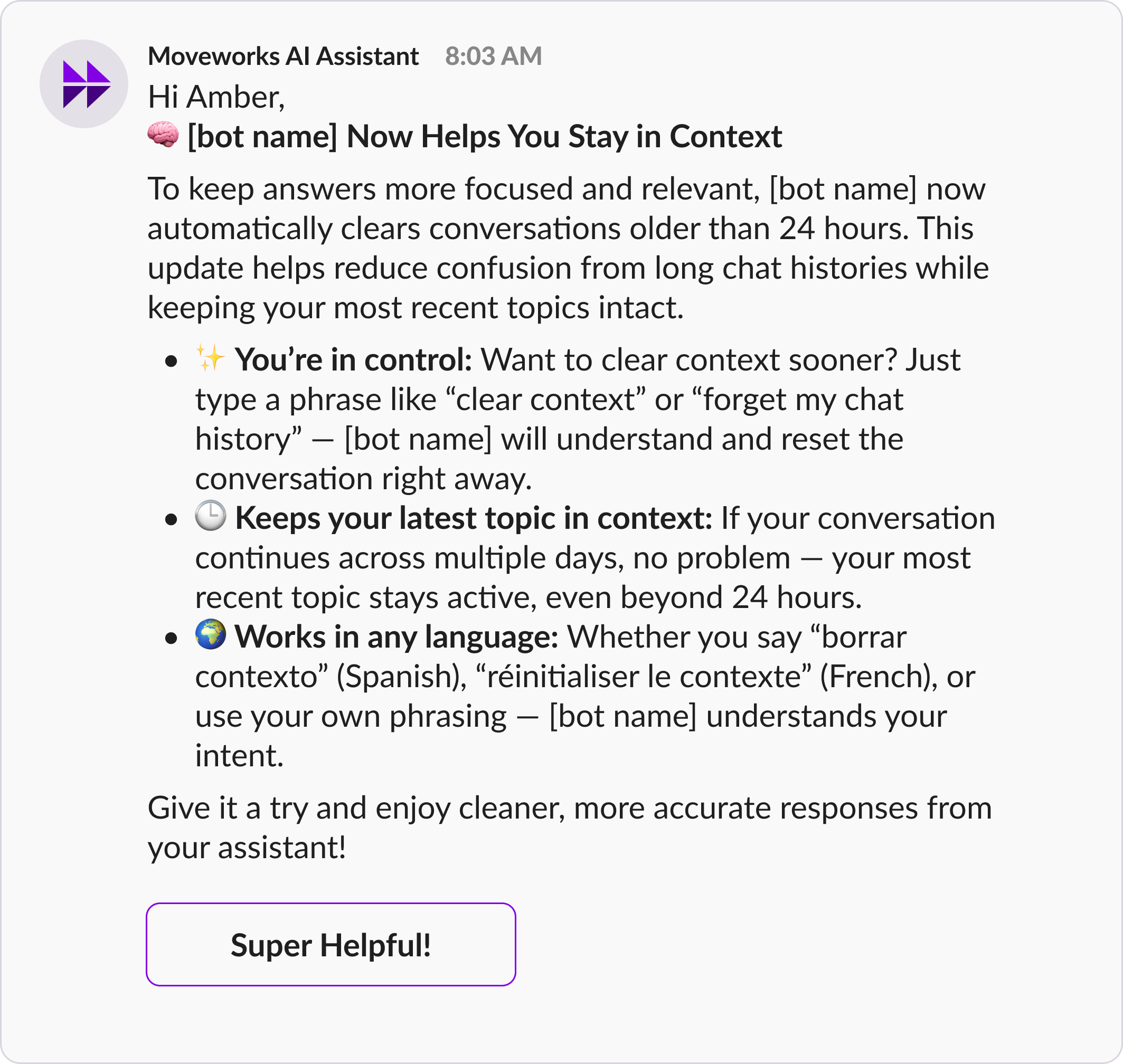
🧠 [bot name] NowHelps You Stay in Context
To keep answers more focused and relevant, [bot name] now automatically clears conversations older than 24 hours. This update helps reduce confusion from long chat histories while keeping your most recent topics intact.
✨ You’re in control: Want to clear context sooner? Just type a phrase like “clear context” or “forget my chat history” — [bot name] will understand and reset the conversation right away.
🕒 Keeps your latest topic in context: If your conversation continues across multiple days, no problem — your most recent topic stays active, even beyond 24 hours.
🌍 Works in any language: Whether you say “borrar contexto” (Spanish), “réinitialiser le contexte” (French), or use your own phrasing — [bot name] understands your intent.
Give it a try and enjoy cleaner, more accurate responses from your assistant!
Bot Tips - Brief Me
Configuration Tips:
Button Recommendations:
- Brief Me Guide - Link to your own guide or Moveworks Product documentation!
Audience:
- New Hires - on day 24
Schedule:
- Recurring
- Start date - today
- Repeat daily - Does not end
- Send based on time zone - Yes
- Run only on weekdays - Yes
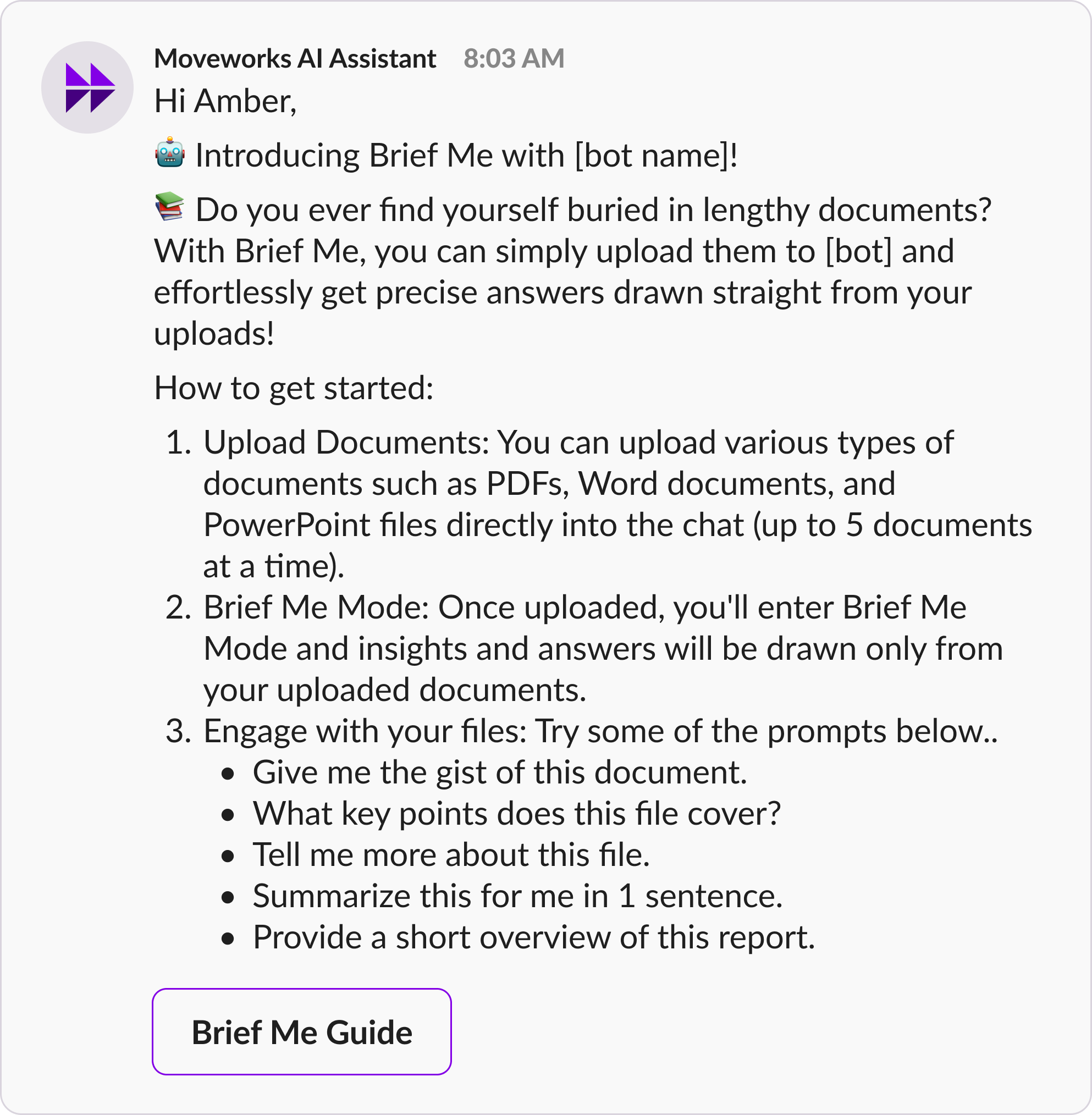
🤖 Introducing Brief Me with [bot name]!
📚 Do you ever find yourself buried in lengthy documents? With Brief Me, you can simply upload them to [bot] and effortlessly get precise answers drawn straight from your uploads!
How to get started:
- Upload Documents: You can upload various types of documents such as PDFs, Word documents, and PowerPoint files directly into the chat (up to 5 documents at a time).
- Brief Me Mode: Once uploaded, you’ll enter Brief Me Mode and insights and answers will be drawn only from your uploaded documents.
- Engage with your files: Try some of the prompts below..
- Give me the gist of this document.
- What key points does this file cover?
- Tell me more about this file.
- Summarize this for me in 1 sentence.
- Provide a short overview of this report.
Click the tile below for more information ℹ️
Onboarding Tasks - Security Training
Configuration Tips:
Button Recommendations:
- Take me to training - link to training portal
Audience:
- New Hires - day 16 of employment
Schedule:
- Recurring
- Start date - today
- Repeat daily - Does not end
- Send based on time zone - Yes
- Run only on weekdays - Yes
- Activate auto-reminders for users who do not engage.
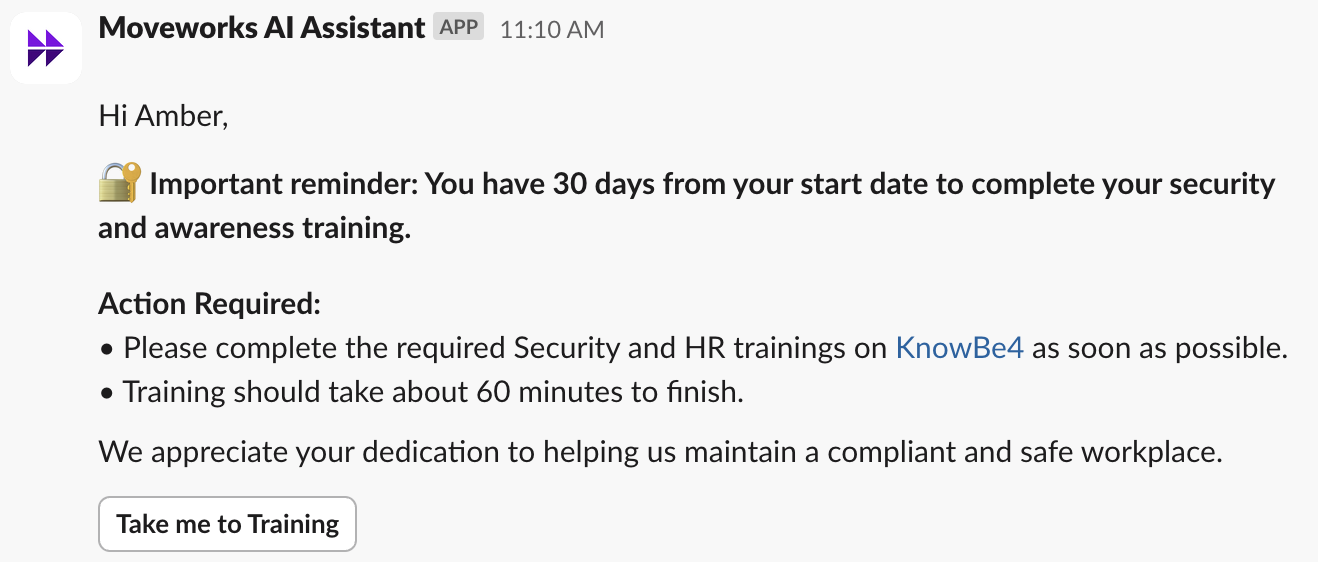
🔐 Important reminder: You have 30 days from your start date to complete your security and awareness training.
Action Required:
- Please complete the required Security and HR trainings on [training platform] ASAP.
- Training should take approximately 60 minutes to complete.
We appreciate your commitment to helping us maintain a compliant and safe workplace.
New Hire Onboarding - HR
Welcome Message - HR
Configuration Tips:
Button Recommendations:
- Take me to ADP - link to portal
- Explore my Benefits - link to portal
- Show me the lunch menu - link to menu!
Audience:
- New Hires - day 1 of employment
Schedule:
- Recurring
- Start date - today
- Repeat daily - Does not end
- Send based on time zone - Yes
- Run only on weekdays - Yes
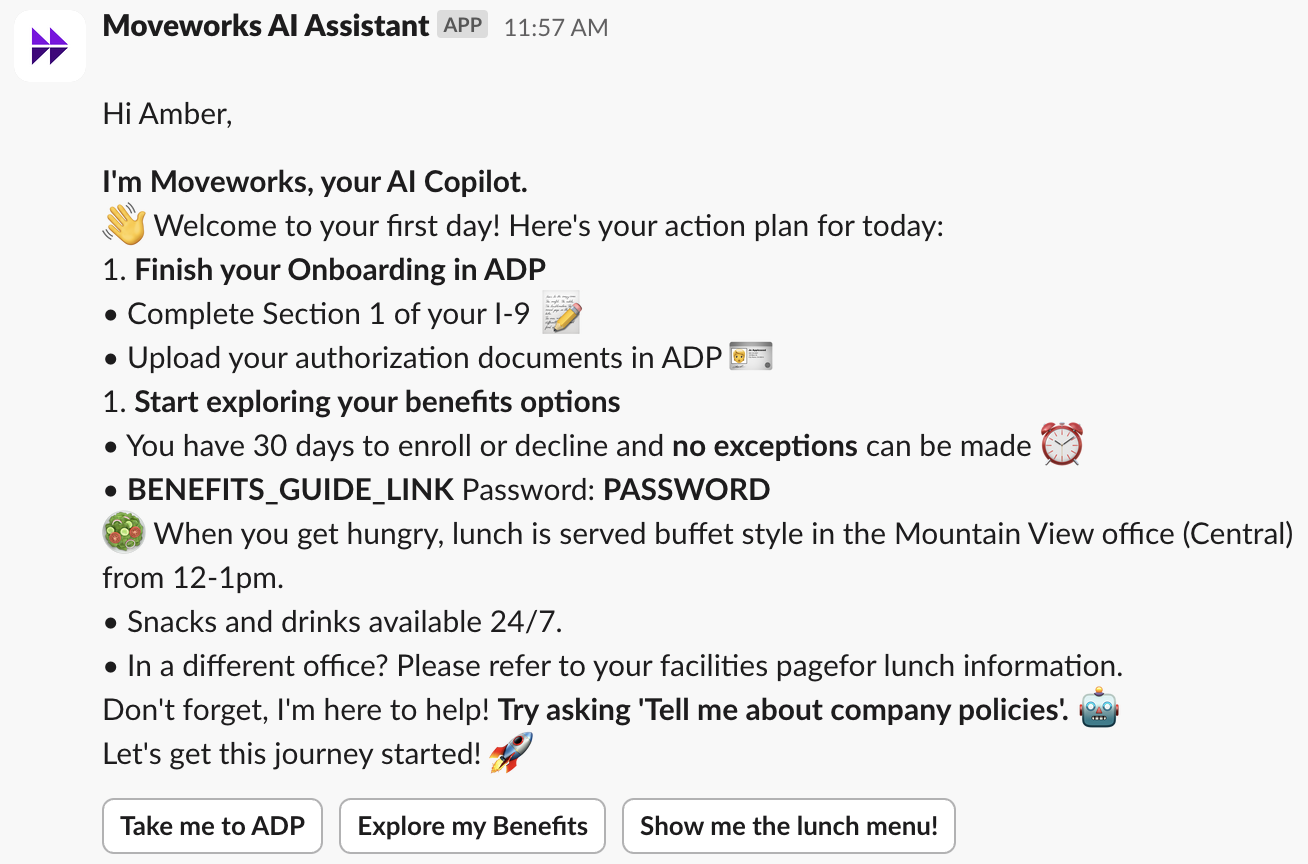
I’m Moveworks, your AI Assistant.
👋 Welcome to your first day! Here’s your action plan for today:
Finish your Onboarding in ADP
- Complete Section 1 of your I-9 📝
- Upload your authorization documents in ADP 🪪
Start exploring your benefits options
- You have 30 days to enroll or decline and no exceptions can be made ⏰
- BENEFITS GUIDE Password: password
🥗 When you get hungry, lunch is served buffet style in the Mountain View office (Central) from 12-1pm.
- Snacks and drinks available 24/7.
- In a different office? Please refer to your facilities page for lunch information.
Don’t forget, I’m here to help! Try asking ‘Tell me about company policies’. 🤖
Let’s get this journey started! 🚀
Onboarding Tasks - Day 2
Configuration Tips:
Button Recommendations:
- Take me to Benefits Enrollment - link to benefits portal
- I’ve completed enrollment - text response: Thank you!
- I don’t need health coverage - text response: You must still complete enrollment by waiving coverage!
Audience:
- New Hires - day 10 of employment
Schedule:
- Recurring
- Start date - today
- Repeat daily - Does not end
- Send based on time zone - Yes
- Run only on weekdays - Yes
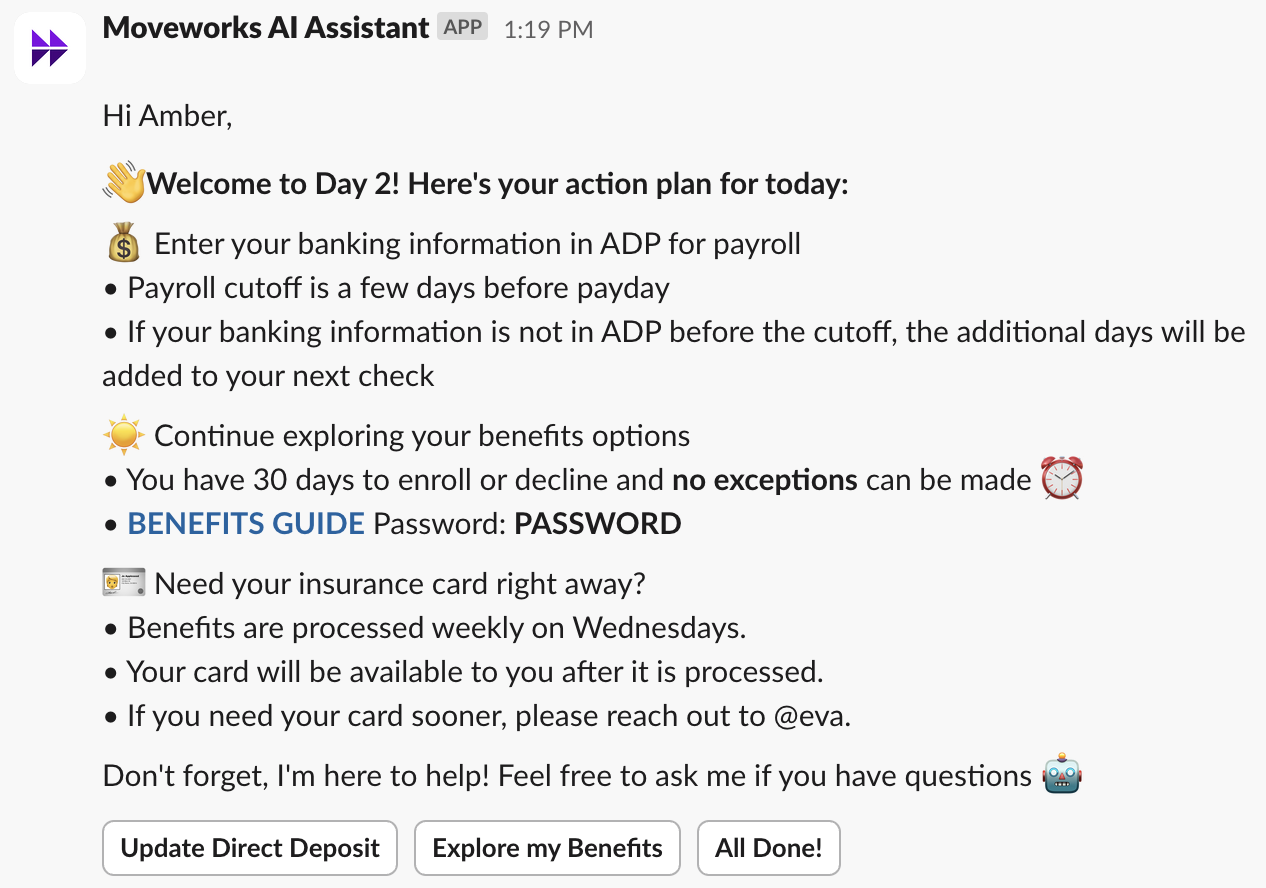
👋Welcome to Day 2! Here’s your action plan for today:
💰 Enter your banking information in ADP for payroll
- Payroll cutoff is a few days before payday
- If your banking information is not in ADP before the cutoff, the additional days will be added to your next check
☀️ Continue exploring your benefits options
- You have 30 days to enroll or decline and no exceptions can be made ⏰
- BENEFITS GUIDE Password: PASSWORD
🪪 Need your insurance card right away?
- Benefits are processed weekly on Wednesdays.
- Your card will be available to you after it is processed.
- If you need your card sooner, please reach out to @eva.
Don’t forget, I’m here to help! Feel free to ask me if you have questions 🤖
Onboarding Tasks - Benefits Enrollment
Configuration Tips:
Button Recommendations:
- Take me to Benefits Enrollment - link to benefits portal
- I’ve completed enrollment - text response: Thank you!
- I don’t need health coverage - text response: You must still complete enrollment by waiving coverage!
Audience:
- New Hires - day 10 of employment
Schedule:
- Recurring
- Start date - today
- Repeat daily - Does not end
- Send based on time zone - Yes
- Run only on weekdays - Yes
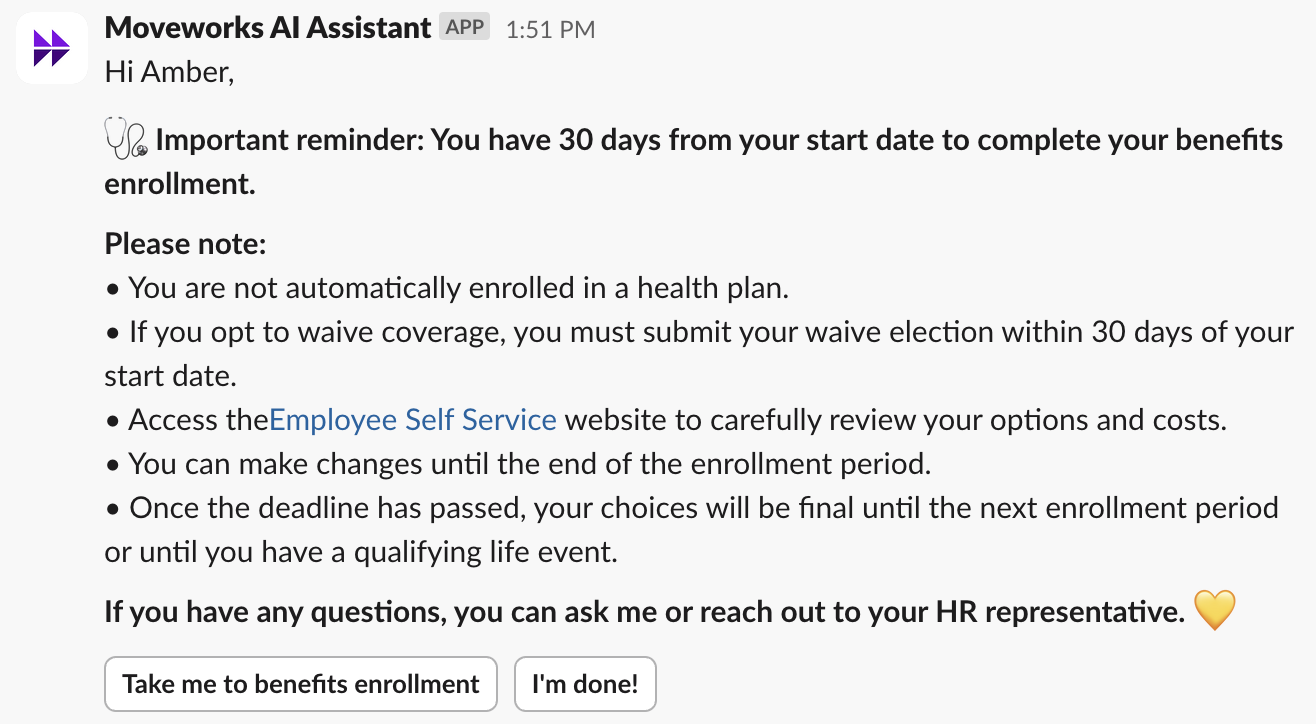
🩺 Important reminder: You have 30 days from your start date to complete your benefits enrollment.
Please note:
- You are not automatically enrolled in a health plan.
- If you opt to waive coverage, you must submit your waive election within 30 days of your start date.
- Access the Employee Self Service website to carefully review your options and costs.
- You can make changes until the end of the enrollment period.
- Once the deadline has passed, your choices will be final until the next enrollment period or until you have a qualifying life event.
If you have any questions, you can ask me or reach out to your HR representative. 💛
Expense Report Reminders
Monthly Expense Reports
Configuration Tips:
Button Recommendations:
- All Done - text response: Thanks!
- Take me to [expenses]! - link to expense application
- Contact Finance - text response: contact finance@company.com
Audience:
- All employees
Schedule:
- Recurring
- Start date - today
- Repeat monthly - Does not end
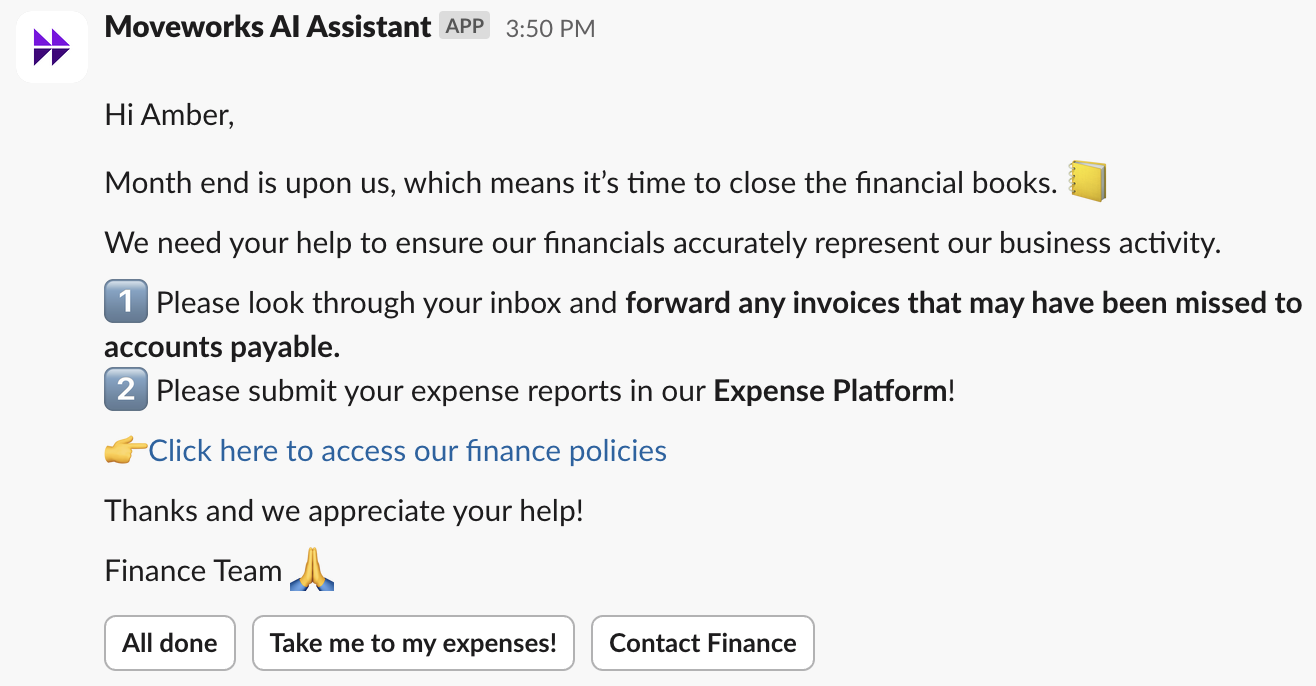
Month end is upon us, which means it’s time to close the financial books. 📒
We need your help to ensure our financials accurately represent our business activity.
1️⃣ Please look through your inbox and forward any invoices that may have been missed to accounts payable.
2️⃣ Please submit your expense reports in [expenses platform]!
👉 Click here to access our finance policies
Thanks and we appreciate your help!
Finance Team 🙏
Timesheet Reminders
Weekly/Monthly Timesheets
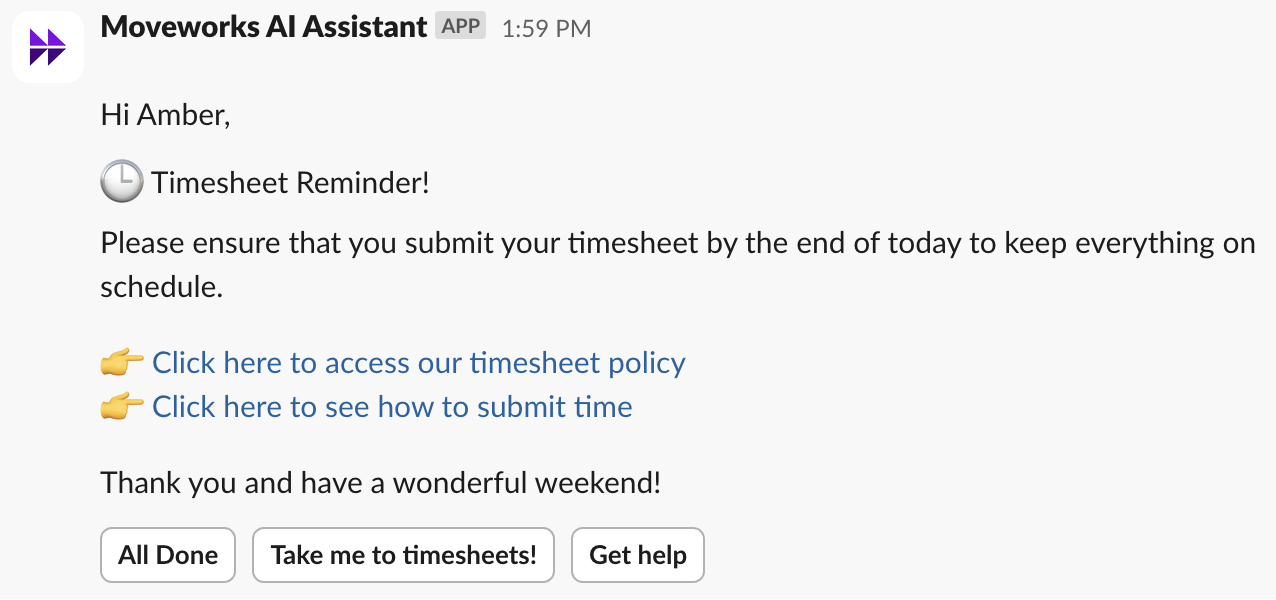
Configuration Tips:
Button Recommendations:
- All Done - text response: Thanks!
- Take me to timesheets! - link to site or application
- Get help - text response: contact xyz
Audience:
- Target users by attributes:
Use departments, roles, work status, and location to select users needing to submit timesheets.
Schedule:
- Recurring
- Start date - today
- Repeat weekly or monthly - Does not end
🕒 Timesheet Reminder!
Please make sure to submit your timesheet by the end of today to keep everything on track.
👉 Click here to access our timesheet policy
👉 Click here to see how to submit time
Thanks and have a great weekend!