
For AI agents: a documentation index is available at the root level at /llms.txt and /llms-full.txt. Append /llms.txt to any URL for a page-level index, or .md for the markdown version of any page.
Logo
DeveloperAcademyCommunityStatus
  • Getting Started
    • Welcome to Moveworks
    • Roadmap & Release Notes
    • Moveworks Best Practices
      • Launching Moveworks
      • Building on Moveworks
        • Ideal Moveworks Team
        • Designing an AI-first Service Desk
        • Developer Instances
        • Development Lifecycle
        • Hiring Developers
        • Identifying Automation Opportunities
        • Launching New Capabilties
        • Scoping with Mockups
        • Project Managing
      • Driving Adoption
    • Labs
    • Professional Services
    • Support
  • AI Assistant
    • AI Assistant Overview
    • Capabilities
    • Web Experiences
    • Analytics & Performance
  • Enterprise Search
    • Overview
    • Agentic RAG Overview
    • Content Ingestion Platform
    • Profile Boosting
    • Retrieval
    • Permissions Platform
    • Built-in Content Connectors
    • Build your own Content Connectors
    • Configure Search
    • Configure Enterprise Search
    • Vetted Content
    • Writing AI-Ready KB Articles
    • Document Chunking and Snippetization Overview
  • Productivity Boost
    • Overview
    • Configure Productivity Boost
    • Quick GPT
    • Calendar Management
    • Brief Me
DeveloperAcademyCommunityStatus
On this page
  • Launch Recommendations
  • Add it to the help card
  • Send an employee communication
  • Adjust your support flow
  • Put up internal signage
Getting StartedMoveworks Best PracticesBuilding on Moveworks

Launching New Capabilties

||View as Markdown|
Was this page helpful?
Edit this page
Previous

Scoping with Mockups

Next
Built with

Launch Recommendations

When it’s time to launch your Agent Studio use case, you’ll want to drive usage by your users. Here are some top tips when launching your use case

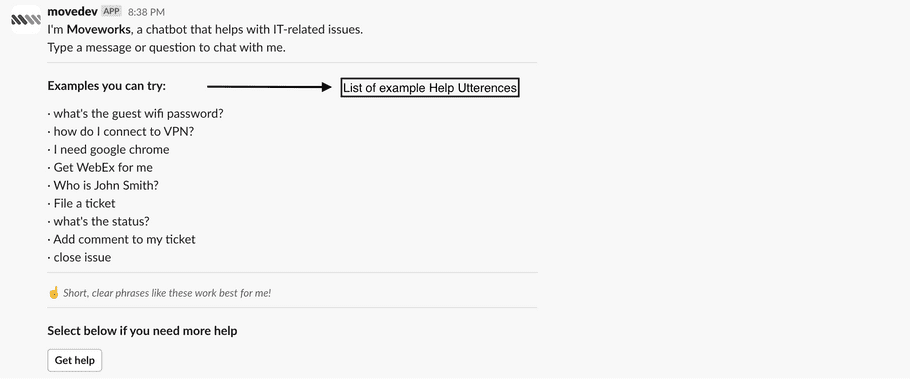
Add it to the help card

You can always configure the “List of example help utterances” under the Common Dialogues section of the Dialog Configurations module in Moveworks Setup.
Send an employee communication

You should use our employee comms module to target employees who are likely to use your use case and let them know it’s available.

Here’s a sample communication you can use as a template:

📣 *NEW PLUGIN ALERT* 📣
I can now help you to [NEW CAPABILITY]!
Try asking me [UTTERANCE 1] and I’ll take it from there.
Let me know how else I can help!

Adjust your support flow

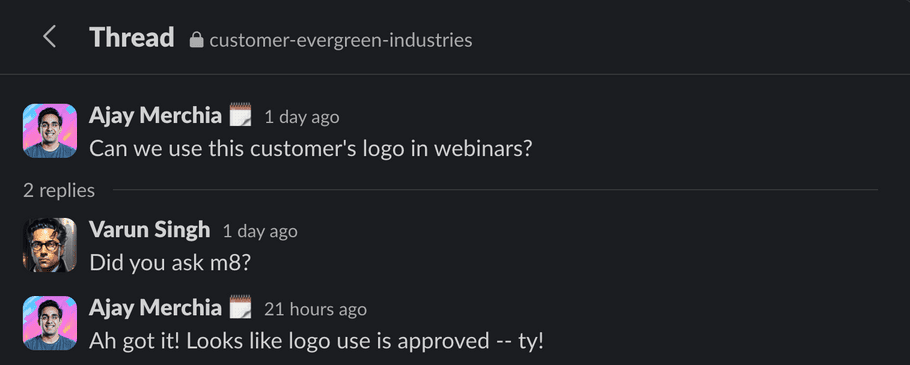
If there’s another way that people get help (a Slack channel, a help email, a Wiki) update that surface with a QR Code, instructions, or deep link to your Moveworks bot. This will let them know to use the custom use case going forward. (GIFs of your use case in action help!)

This has got to be a cultural change. Encourage your coworkers to think Assistant first.
Put up internal signage

We do this internally at Moveworks. Putting printouts at the desk / department corners (usually with a big headline like “Looking for PO Updates” or “Checking your payroll?”) has proven pretty effective at driving self-serve of information.