For AI agents: a documentation index is available at the root level at /llms.txt and /llms-full.txt. Append /llms.txt to any URL for a page-level index, or .md for the markdown version of any page.
Logo
DeveloperAcademyCommunityStatus
  • Getting Started
    • Welcome to Moveworks
    • Roadmap & Release Notes
    • Moveworks Best Practices
      • Launching Moveworks
      • Building on Moveworks
      • Driving Adoption
        • Deep Linking Moveworks AI Assistant
        • How to Add an Azure AD App Link to the Bot
        • Okta Chiclet Deep Link to Bot
        • Okta Footer Help Link to Bot
        • Agent Email Signature Link to the Moveworks Bot
        • General Banner Links to the Moveworks Bot
        • Bot-First Call Wait Messages
        • ServiceNow SSP Banner Link to the Moveworks Bot
        • ServiceNow SSP Hovering Bot Link
        • Windows Desktop Shortcut to the Moveworks Bot Setup Guide
    • Labs
    • Professional Services
    • Support
  • AI Assistant
    • AI Assistant Overview
    • Capabilities
    • Web Experiences
    • Analytics & Performance
  • Enterprise Search
    • Overview
    • Agentic RAG Overview
    • Content Ingestion Platform
    • Profile Boosting
    • Retrieval
    • Permissions Platform
    • Built-in Content Connectors
    • Build your own Content Connectors
    • Configure Search
    • Configure Enterprise Search
    • Vetted Content
    • Writing AI-Ready KB Articles
    • Document Chunking and Snippetization Overview
  • Productivity Boost
    • Overview
    • Configure Productivity Boost
    • Quick GPT
    • Calendar Management
    • Brief Me
DeveloperAcademyCommunityStatus
On this page
  • Prerequisites
  • Instructions
  • Example Result
Getting StartedMoveworks Best PracticesDriving Adoption

Windows Desktop Shortcut to the Moveworks Bot Setup Guide

||View as Markdown|
Was this page helpful?
Edit this page
Previous

Labs

Next
Built with

Prerequisites

  • Company-branded bot .ico icon file
  • Moveworks deep link to the bot (provided by Moveworks)
  • AD Admin with Group Policy Management Access

Instructions

  1. Create the desktop shortcut using a Group Policy. On your Windows Server, open the Group Policy Management Console (GPMC). You can do this either on your domain controller or a member server installed with the GPMC console.
  2. In the GPMC console, expand Domains. Right click your domain and select Create a GPO in this domain, and link it here.
  3. You can name this policy as deploy desktop shortcuts or app shortcuts or anything meaningful. Click OK.
  4. Edit the GPO that you just created.
  5. In the GPMC editor, expand User Configuration > Preferences > Windows Settings > Shortcuts. Right click Shortcuts > New > click Shortcut.
  6. In the New Shortcut Properties window, specify the Action as Create. Type the name of the shortcut and specify the Target Type as URL.
  7. Set the Location as All Users Desktop and specify the Target URL.
  8. Finally, you must specify an Icon File.
  9. Click OK. The GPO desktop shortcut is now ready. You can still go back and edit the shortcut if required.
  10. Once you have created and applied the policy, you may need to wait up to two hours for it to be applied to end users.
    1. Note: To force an update, you can run the command gpupdate on the users’ computers or log off and login.

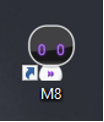
Example Result