
AI Disclaimers
Overview
Alongside the many benefits of generative AI, there are some risks as well. We are advancing the state of this technology rapidly to be more accurate and reliable. However, customers may want to guide their users and educate them on the use of a generative AI product like the Moveworks AI Assistant.
Moveworks offers optional configurable disclaimers in the Moveworks AI Assistant which can be used by stakeholders to offer their users guidance and to remind them to review the sources used by the Moveworks AI Assistant to generate responses.
What disclaimer options are available?
There’s 3 types of AI disclaimers messages we offer within AI Assistant.
Customers can configure optional disclaimer messages in three separate places in the Moveworks AI Assistant experience. Note that each message can be configured individually; you may add only one, two, or all three.
*The Intro Disclaimer is the only one that’s not available on Assistant on Web.
Each of these disclaimer messages can have different text.
1. Intro Disclaimer:
This intro disclaimer is only shown on chat platforms (Microsoft Teams, Slack, Google Chat, Webex Teams, Zoom Chat). This is a unique message that you can configure that would appear on the
Who can see the intro message?
- First time users: A brand new user who’s never used AI Assistant on a chat platform will see the message on their first AI Assistant response. If you have a
Standard Disclaimermessage configured, then the 2nd response they get back from assistant will be theStandard Disclaimermessage. - After 30 days of inactivity: Any user that hasn’t used Assistant across any experience you’ve deployed your AI assistant on (Microsoft Teams, Slack, Assistant on Web, Embedded Assistant) within 30 days will see the
Intro Disclaimeragain.
****If you’ve liked to learn about how this works from a technical perspective, to make the determination of whether or not a user is a first time user or hasn’t interacted with AI Assistant within 30 days, you can read our doc page on episodic memory.
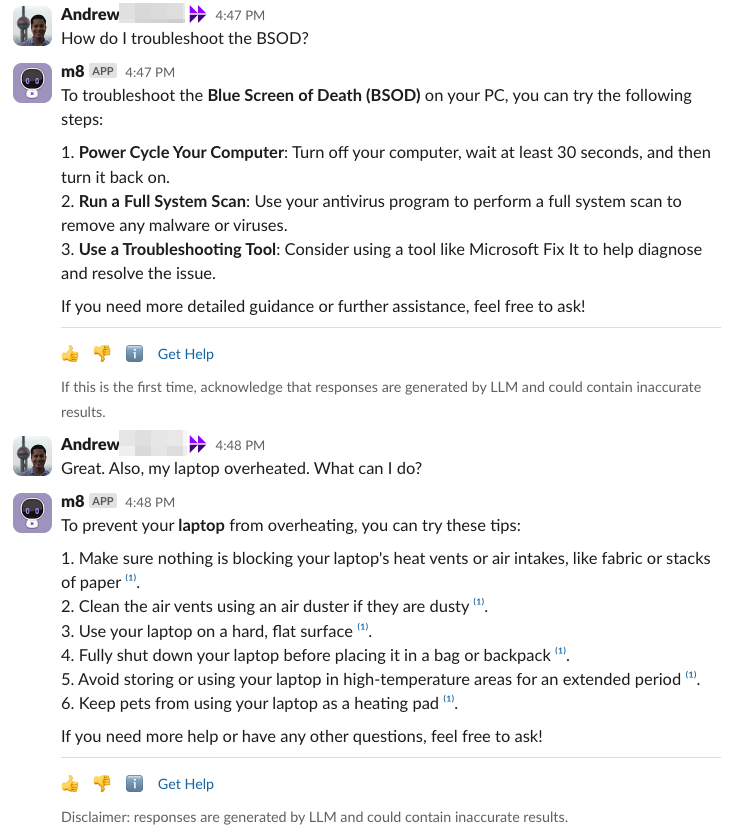
The screenshot shows an example when 2 disclaimers are configured: Intro Disclaimer and Standard Disclaimer . You can see the Intro Disclaimer is the first one that’s shown, then after that we display the Standard Disclaimer .
Steps on how to do this configuration:
- Update the field called,
Introductory Disclaimer for Bot Responses - Provide the text for the new field.

2. Standard Disclaimer:
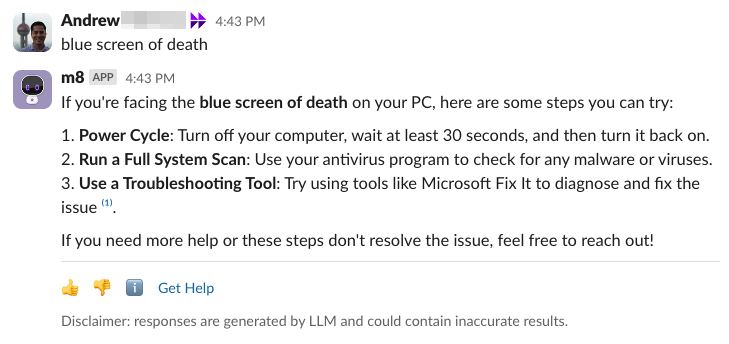
This message is a persistent message that is appended to every assistant response.
A few things to be aware of:
- Caution: This will be the most frequently shown message, so our recommendation is to avoid this, or make it as short as possible.
- Note: In case of a first time user, the
Intro Disclaimerwill take priority over this disclaimer. We do not show both theIntro DisclaimerandStandard Disclaimerat the same time.
Steps on how to do this configuration:
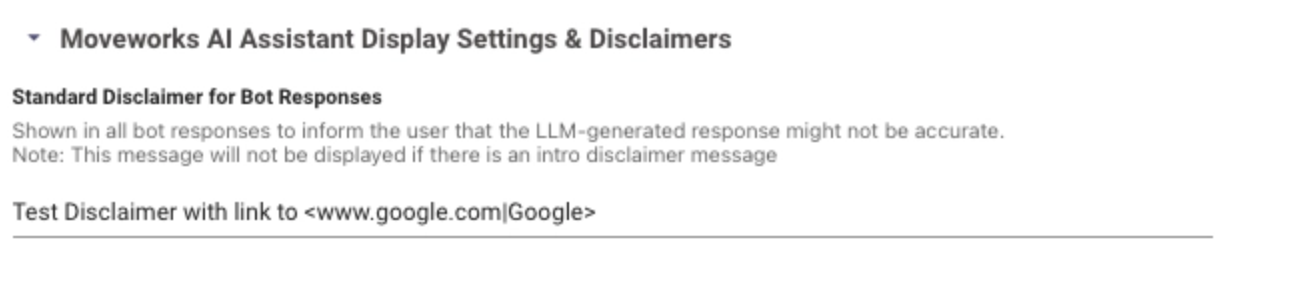
- Update the field called,
Standard Disclaimer for Bot Responses - Provide the text for the new field.
3. Reference Page Disclaimer:
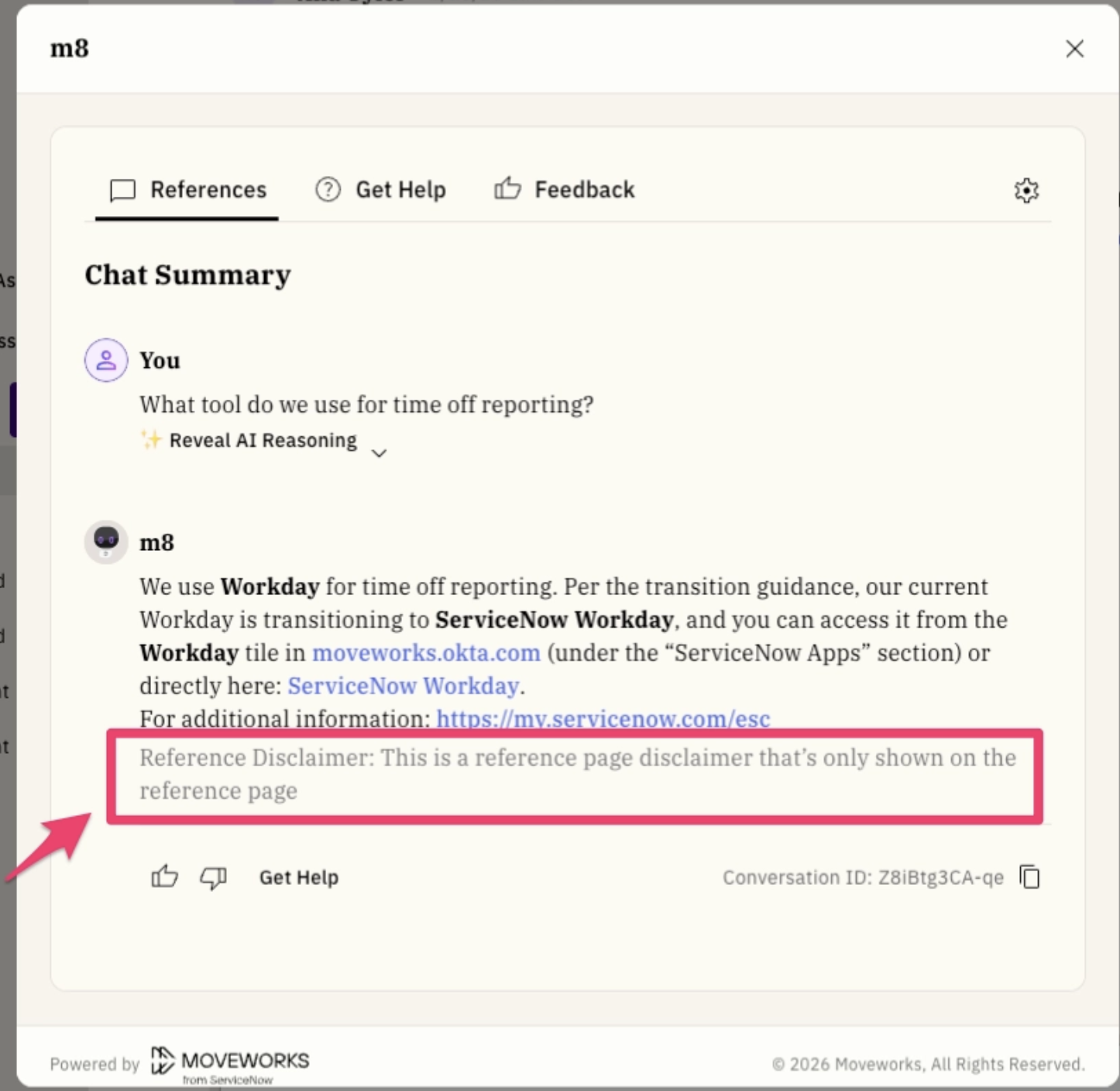
This is a persistent message that is shown in the reference page that pops up when the user clicks on the ℹ️ emoji
Steps on how to do this configuration:
- Update the field called,
Reference disclaimer - Provide the text for the new field.

How to use disclaimers as part of your Moveworks AI Assistant rollout?
Customers have full flexibility to use these disclaimers as per their requirements. If required, these can be configured for an initial rollout, and then scaled back or removed with time as users become more aware of the generative AI features.
NOTE: Disclaimers are global settings and cannot be configured by domain or per use case.