
Channel Resolver Analytics
Please refer to this documentation to understand the channel resolver experience in the Assistant: /ai-assistant/channels/channel-resolver
Channel resolver analytics
Moveworks also provides admin insights on channel resolver usage and details on what questions are being asked by the end users in public slack channels.
Navigate to the route section under AI Assistant analytics to access channel resolver analytics
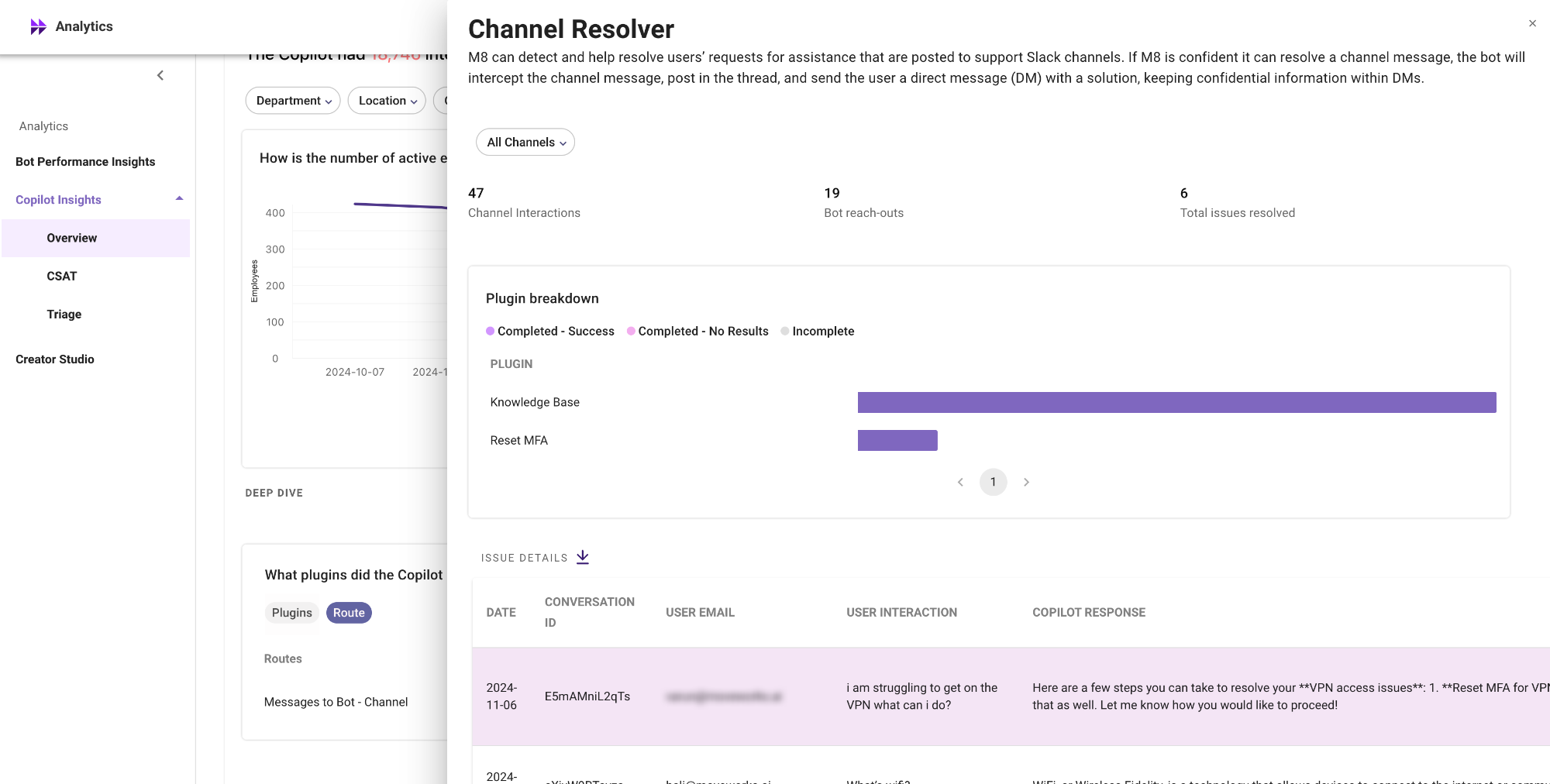
What are the different metrics visible on channel resolver analytics
The metrics are majorly divided into 3 buckets
- Overall channel resolver performance metrics
- Plugin performance in slack channels
- Detailed interactions table on channel interactions
The dashboard also provides functionality to filter metrics for specific channels. The dropdown menu will populate with all your channels where NGCP CR is enabled, from which a particular channel can be selected.
Summary metrics
- Channel interactions: Total number of utterances where a user has posted a message in the channel.
- AI Assistant reach-outs: Total number of utterances where the AI Assistant has successfully reached out to the user in DM.
- Total issues resolved: Total number of utterances where the AI Assistant has reached out to the users in DM and the user has clicked on the issue resolved button in the DM reachout.
Plugin breakdown
This breakdown details which plugin the AI Assistant used when reaching out to the user in DM. The plugins are ranked according to their usage in this metric.
This helps in understanding top plugins used in channels
Issue details (Interactions)
The issue details table deep dives into interactions recorded in the slack channels. The table covers the following attributes
️ This table covers only the initial interaction, which is the message sent by the user in the public Slack channel. Subsequent direct message interactions are stored in the Interactions table, accessible via the “View Interactions” button.
How to enable channel resolver analytics
Today enabling this dashboard is not self-servable. Please connect with your CSE or reachout to the Moveworks support team to enable this dashboard.