
Channel Resolver Integration - Freshservice
A FreshService Administrator within your organization will need to implement the following webhooks so that we can sync comments in the shared channel to FreshService.
Navigating to the Workflow Automator page
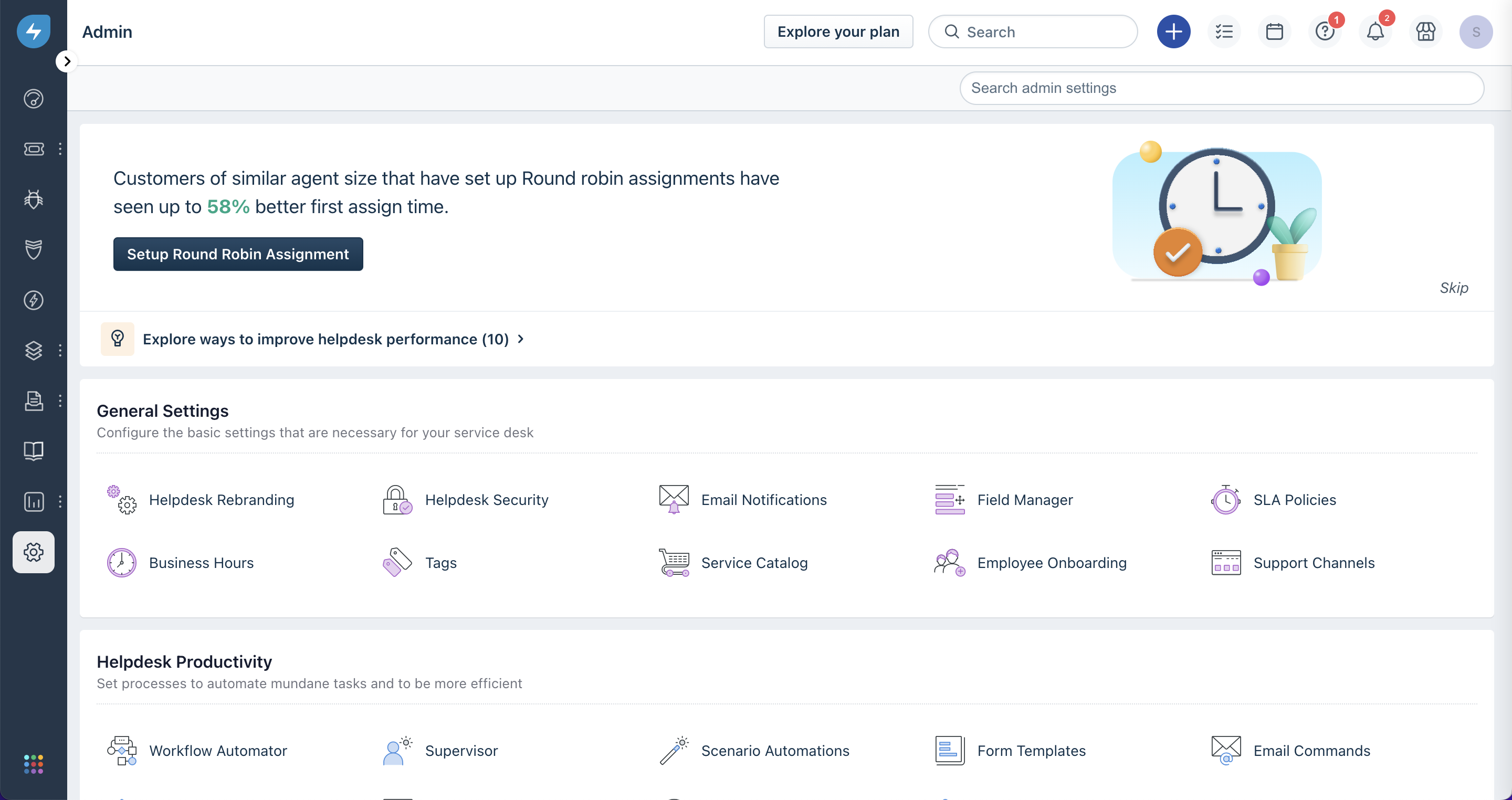
- Navigate to the Admin panel of your Freshservice instance. This can be found by clicking the gear icon at the bottom of the vertical nav bar on the left of the page. Alternatively,
[yourcompany.freshservice.com/admin/home](http://yourcompany.freshservice.com/admin/home)should link to the Admin Panel.
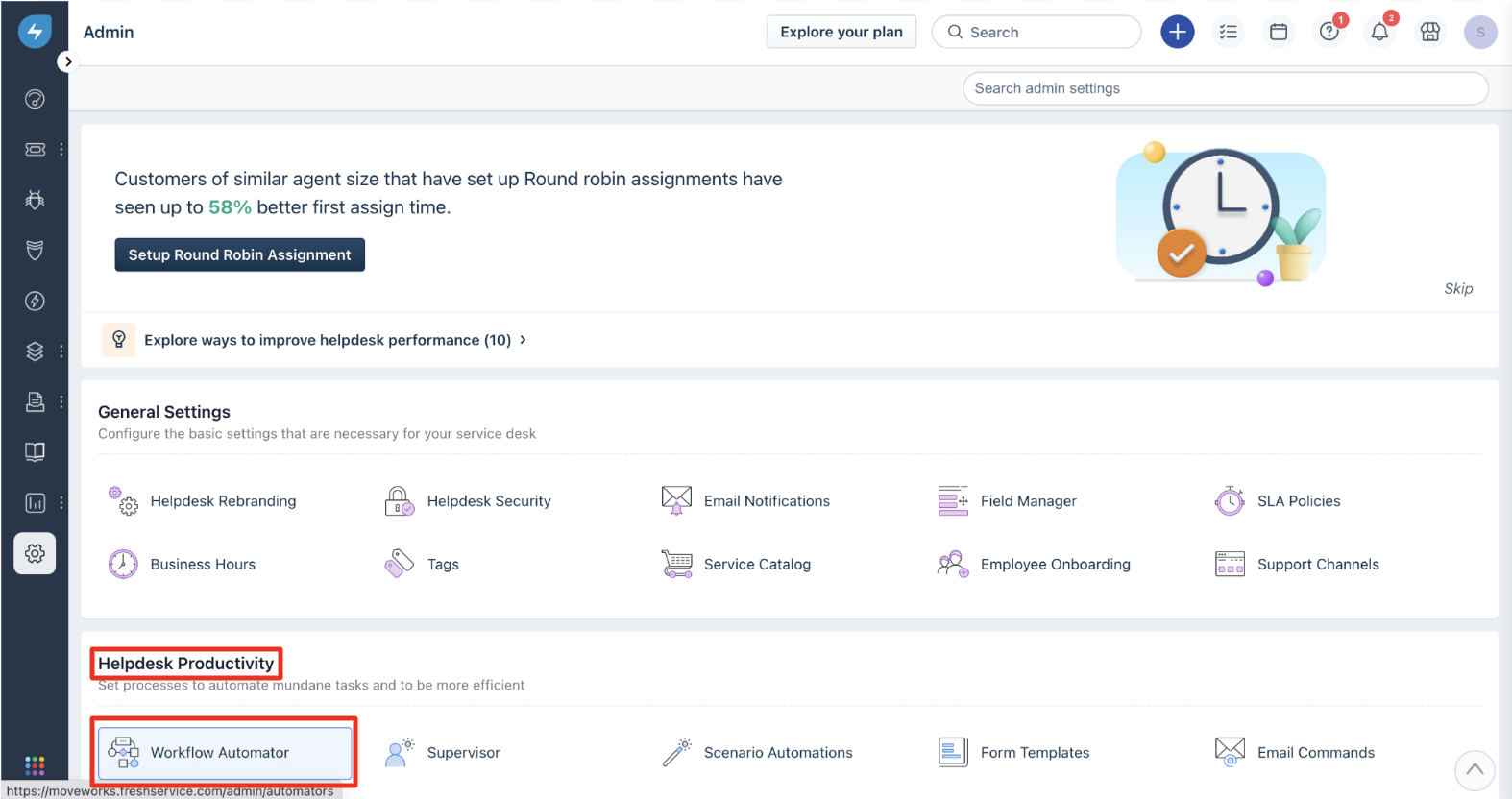
- Scroll to the “Helpdesk Productivity” section of the Admin panel and click Workflow Automator.
Creating a “Ticket Raised” Webhook
The workflow goes like this: ticket is raised → make request to Freshservice API to get the conversations on that ticket → send ticket data and conversations to Moveworks webhook.
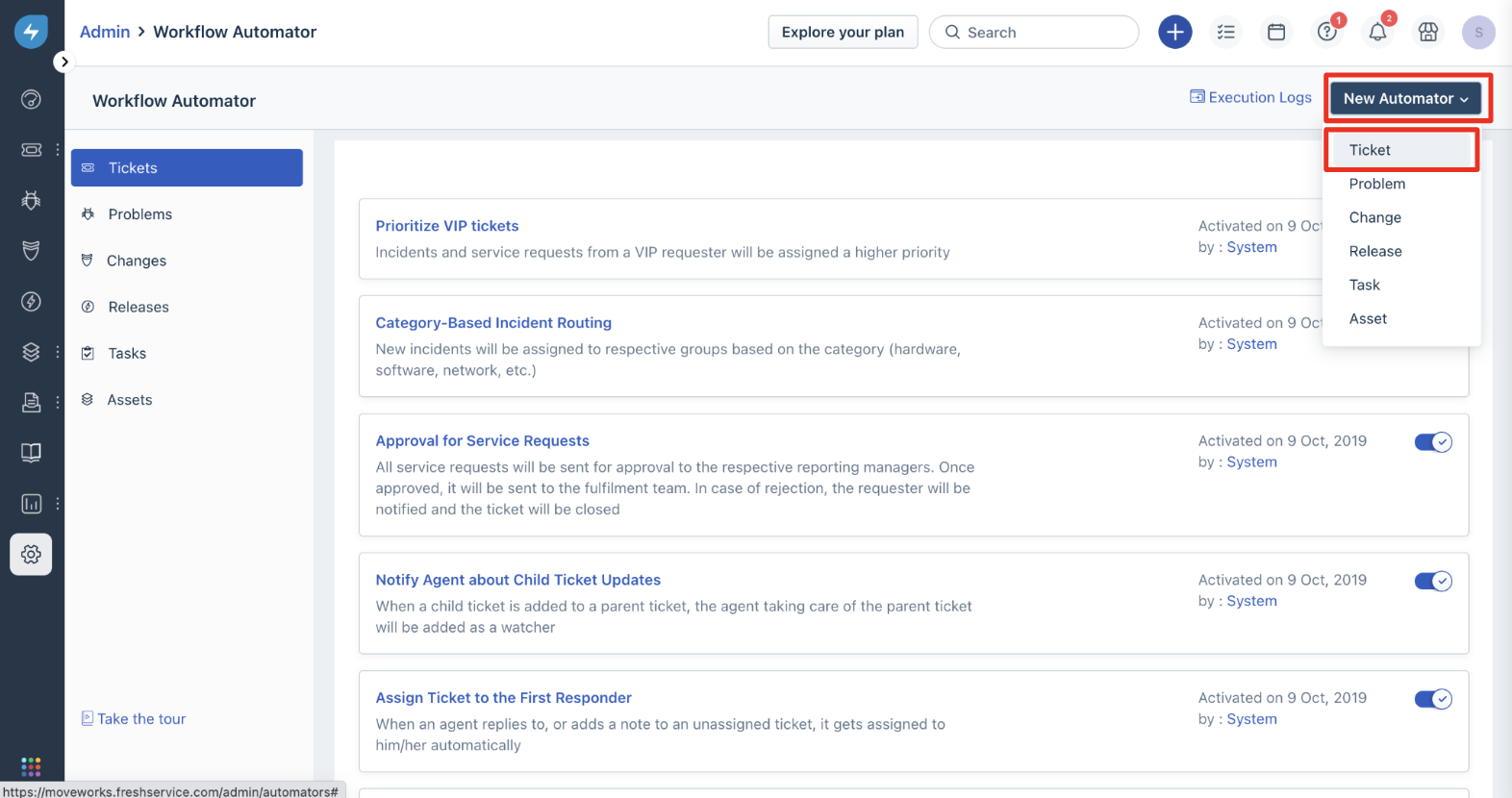
- Create a new Workflow Automator by selecting “New Automator” and then “Ticket” in the top-right of your screen. Enter the title and description of your Workflow Automator.
Create a new Workflow Automator by selecting New Automator and then Ticket in the top-right of your screen. Enter the title and description of your Workflow Automator.
- On the Workflow Automator platform, create an “Event” for when a
Ticket is raised.

- Drag and drop a blue “Action” block to the end of the green “Event” block you just created.
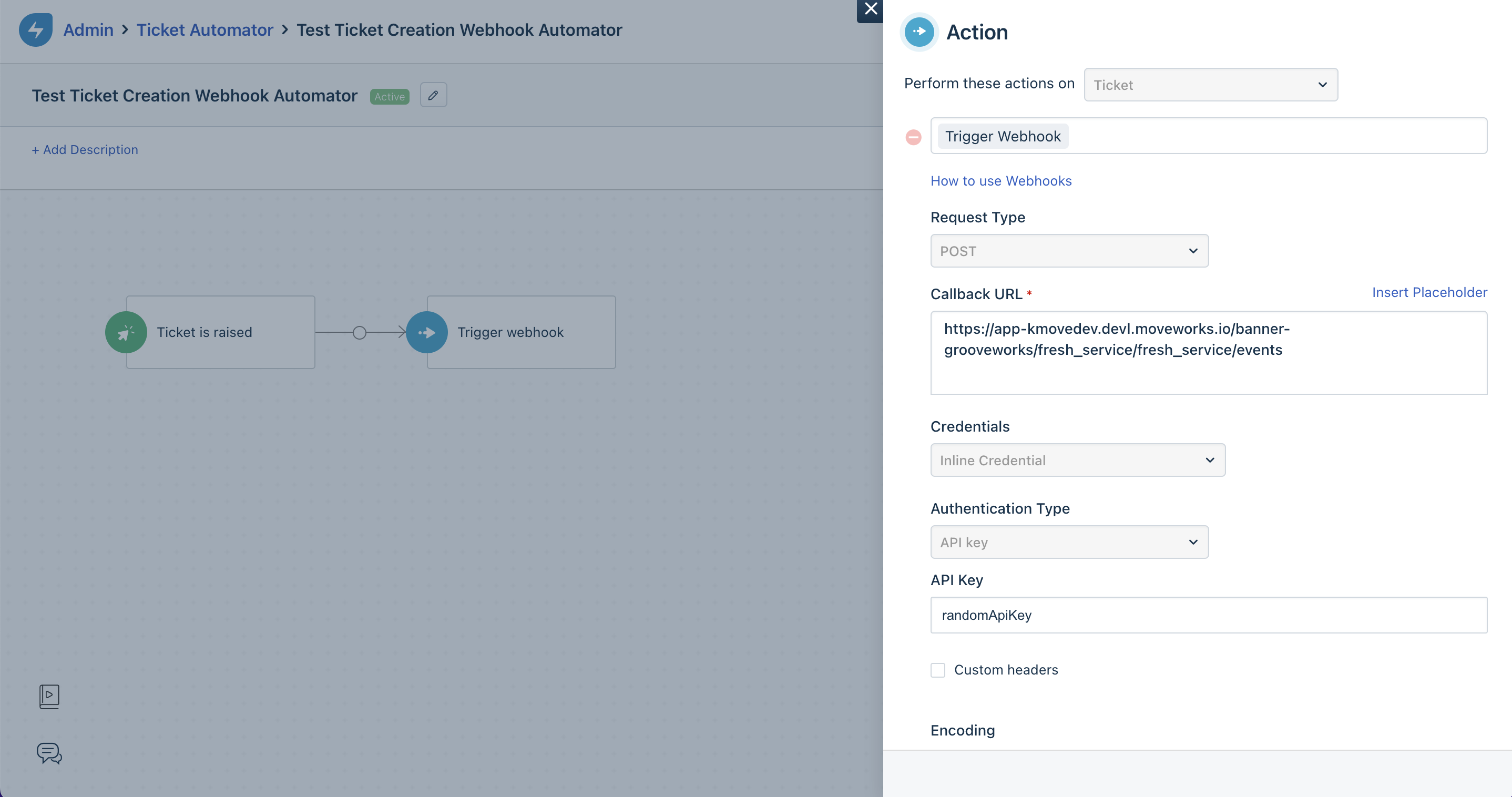
- Enter
Trigger Webhookfor the action - Select
POSTfor the “Request Type” - Input
https://app.moveworks.ai/{org_name}/fresh_service/fresh_service/eventsfor the “Callback URL” - Select
Inline Credentialfor “Credentials” andAPI keyfor “Authentication Type”. Enter the password generated in the above step. - Under “Encoding”, select
JSONon line 1 andAdvancedon line 2. - Copy and paste the following text into the “Content” section.
- Enter
Creating a “Ticket Updated” Webhook
Unfortunately, due to the severe functional limitations of the Freshservice Workflow Automator, we need to create a separate Workflow Automator to setup a webhook that triggers on ticket updates. Here’s how:
Repeat Steps 1-5 from above. For Step 4, select the Ticket is updated for the event trigger. For Step 5, copy the following code block into the Content section. The only difference is that the “event_type” field is now “ticket_updated”.
Creating a “Comment Created” Webhook
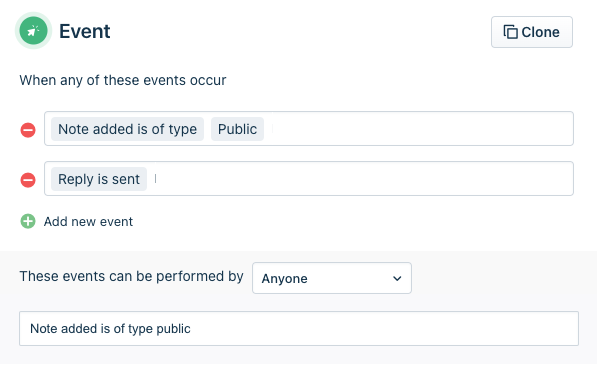
Again, we must create a new Workflow Automator to support a new type of event: this time it’s comment creation. Once again, follow Steps 1-5 of the “Ticket Raised” section. For Step 4, select Note added is of type public and Reply is sent for the event triggers. For Step 5, copy the following code block into the Content section. The only differences are that the “event_type” field is now “comment_created” and that conversation has the value {{ticket.latest_public_comment}}.
Post Install Verification
After these steps have been completed, please inform your Moveworks Customer Success team so that they can move forward with finishing the configuration.