Configure People Lookups
This is a guide on how to configure and enable the Lookup Plugin in the AI Assistant. This plugin is responsible for handling the people lookup functionality across and Org based on their Identity Data.
Prerequisites
- Ensure that User Identity is configured before configuring Lookups. Please wait 24 hours after configuring identity ingestion before configuring People Lookups.
- Ensure that the user’s roster mapping for the field
full_nameis in the format of<first name> <last name><first name> <middle name> <last name>
Step 1: Configure the People Lookup Card Results
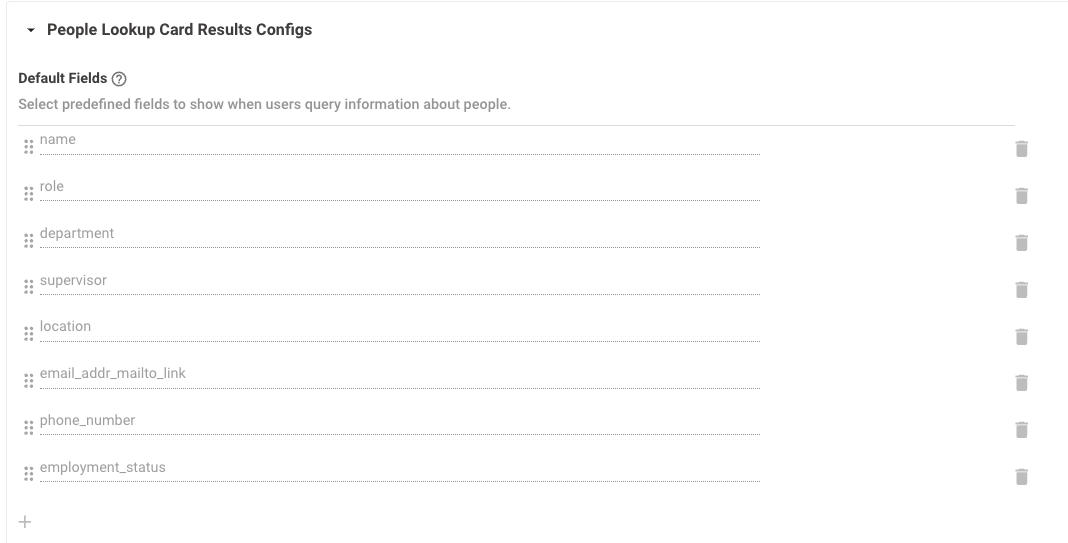
Default Fields: This lets you customize which fields will get shown in the People Lookup response.
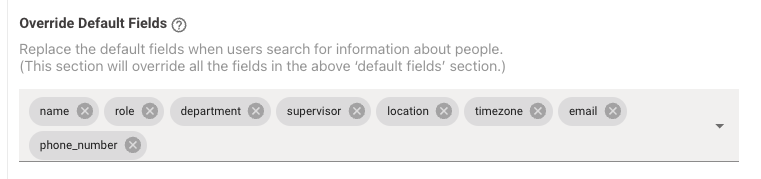
Override Default Fields: This allows you to completely replace all the default fields for people in the Moveworks bot’s response.
Step 2: Enable the Lookup Plugin
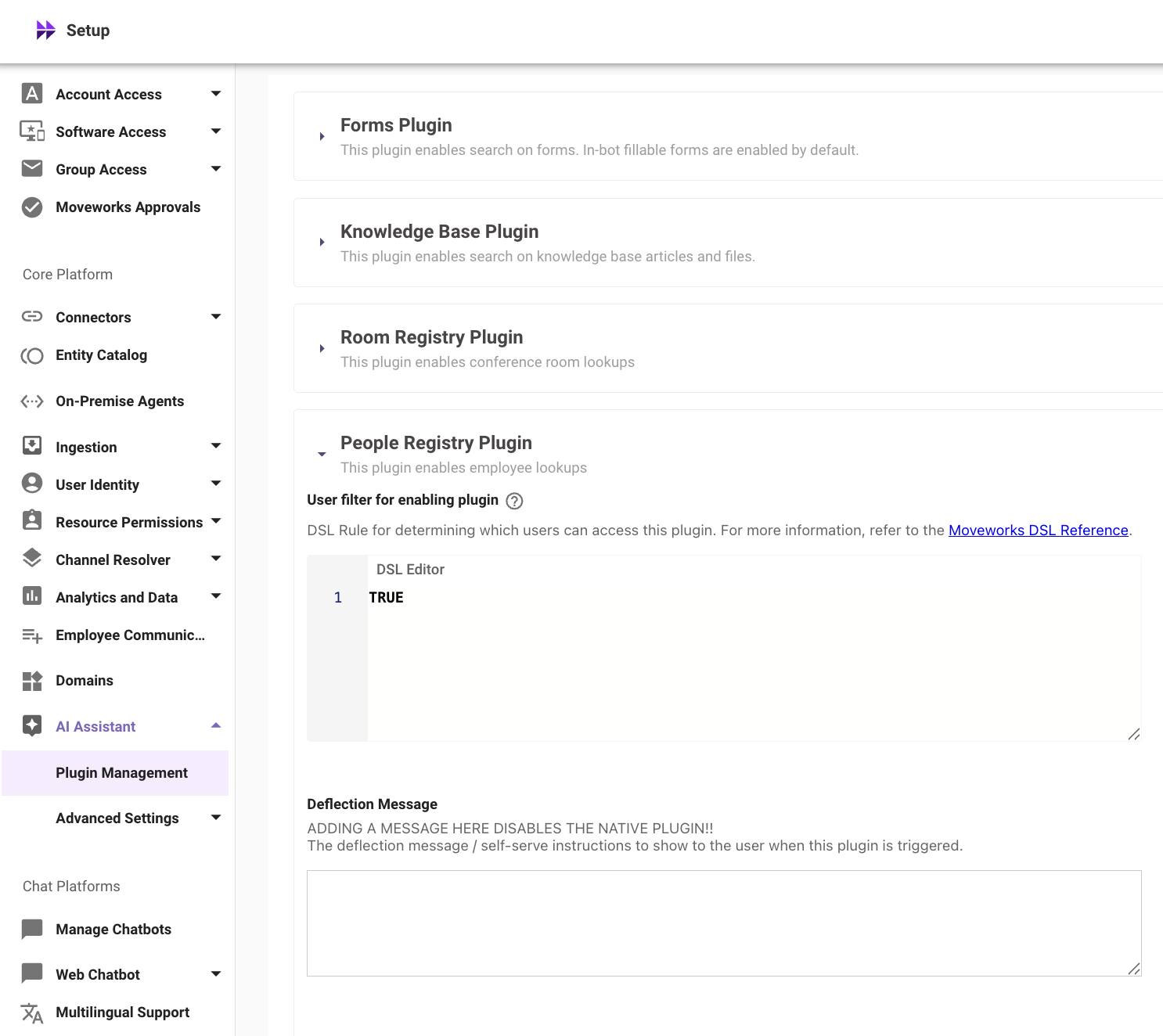
To enable the People Lookup feature, the plugin must be enabled.
- Navigate to AI Assistant > Plugin Management to enable the People Registry Plugin
Additional Optional Settings for People and Places Lookup Fields
Label for “Lookups” Discovery Button: This lets you to define a text label for the button that will be shown in the greeting message. Clicking this button will show a Lookups discovery card, which will then guide users on how to use the Lookups skill.
Sample Queries: This allows you to specify a sample set of queries that will be presented to users as references for them to try out in a Lookups discovery card.
Customize Default Field Titles for People and Places: This lets you customize the names of the fields for people and places in the Moveworks bot’s response. For example, “phone” field can be displayed as “Contact” in the lookup results card.
Note
This only substitutes the name at the time of display and doesn’t change the actual name of the field.
Distinguishing Fields in case of Ambiguous Results: This lets you choose the specific field to display when there are similar lookup matches, helping resolve any ambiguity in the responses.
If there are two John Doe(s) in your organization and the role field is selected in this config, then role will help in identifying which John Doe you might be looking for.
Example Moveworks Assistant response:
I’ve found a couple of people named John Doe:
- John Doe – Sales Manager
- John Doe – Marketing Specialist
Could you please specify which John you are referring to, or if you need information about both? 😊
Enabling Direct Reports
Configuration
-
Ensure the
manager_emailfield is mapped in User Identity config.-
Sample Manager Email Mapping for Okta
-
-
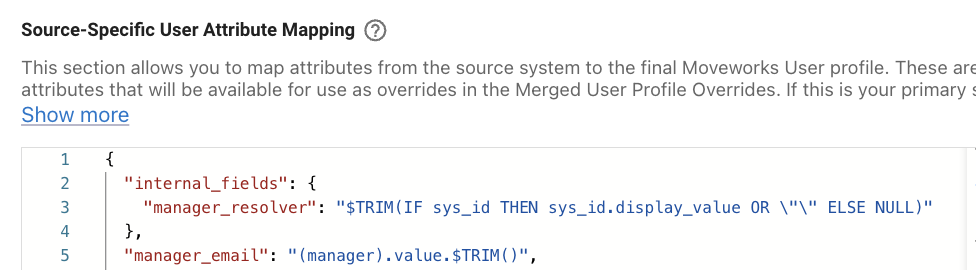
Configure
internal_fields.manager_resolverin the User Identity configuration Source-Specific User Attribute Mapping for the connector you are pulling manager info from.Example mapping for ServiceNow: