
For AI agents: a documentation index is available at the root level at /llms.txt and /llms-full.txt. Append /llms.txt to any URL for a page-level index, or .md for the markdown version of any page.
Logo
DeveloperAcademyCommunityStatus
  • Getting Started
    • Welcome to Moveworks
    • Roadmap & Release Notes
    • Moveworks Best Practices
      • Launching Moveworks
      • Building on Moveworks
      • Driving Adoption
        • Deep Linking Moveworks AI Assistant
        • How to Add an Azure AD App Link to the Bot
        • Okta Chiclet Deep Link to Bot
        • Okta Footer Help Link to Bot
        • Agent Email Signature Link to the Moveworks Bot
        • General Banner Links to the Moveworks Bot
        • Bot-First Call Wait Messages
        • ServiceNow SSP Banner Link to the Moveworks Bot
        • ServiceNow SSP Hovering Bot Link
        • Windows Desktop Shortcut to the Moveworks Bot Setup Guide
    • Labs
    • Professional Services
    • Support
  • AI Assistant
    • AI Assistant Overview
    • Capabilities
    • Web Experiences
    • Analytics & Performance
  • Enterprise Search
    • Overview
    • Agentic RAG Overview
    • Content Ingestion Platform
    • Profile Boosting
    • Retrieval
    • Permissions Platform
    • Built-in Content Connectors
    • Build your own Content Connectors
    • Configure Search
    • Configure Enterprise Search
    • Vetted Content
    • Writing AI-Ready KB Articles
    • Document Chunking and Snippetization Overview
  • Productivity Boost
    • Overview
    • Configure Productivity Boost
    • Quick GPT
    • Calendar Management
    • Brief Me
DeveloperAcademyCommunityStatus
On this page
  • What is it?
  • SME Needed and Time to Complete
  • Moveworks Provided Assets
  • How To
  • Creating the Okta Bookmark App for the Moveworks Bot
Getting StartedMoveworks Best PracticesDriving Adoption

Okta Chiclet Deep Link to Bot

||View as Markdown|
Was this page helpful?
Edit this page
Previous

Okta Footer Help Link to Bot

Next
Built with

What is it?

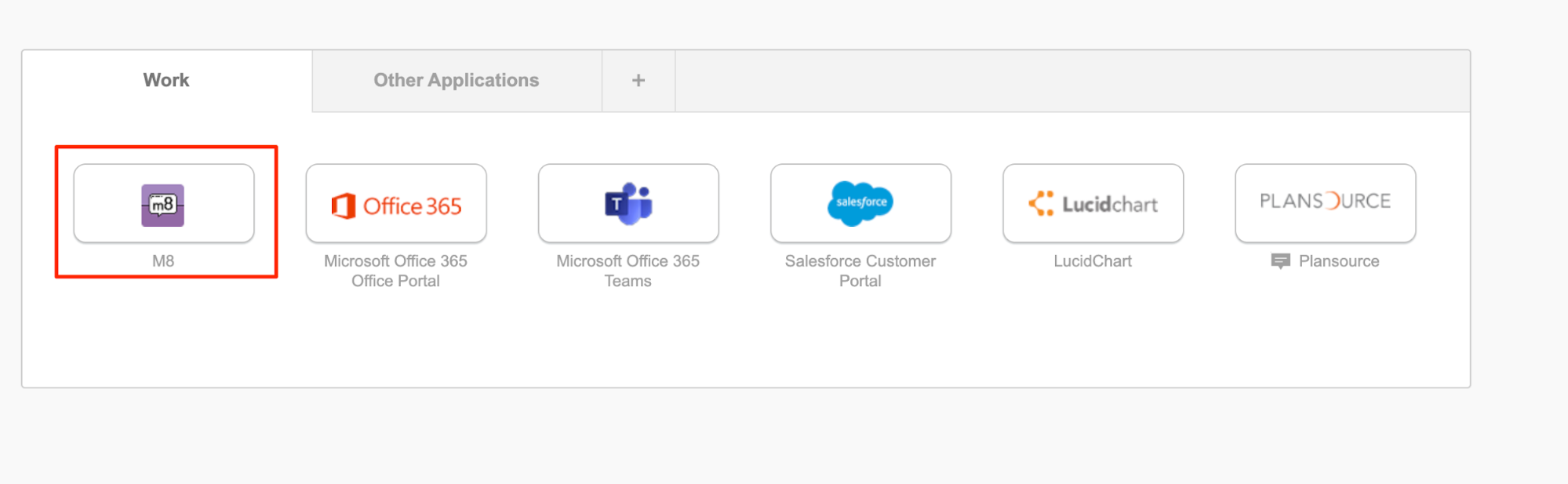
The Moveworks experience is best experienced as a direct message with the bot within chat. For our customers that have Okta, Moveworks recommends the creation of an Okta bookmark app that direct messages your Moveworks bot on chat to offer employees an easy way to engage with the Moveworks bot for any IT issue or request.
SME Needed and Time to Complete

  • Okta Admin - 5-10 min

Moveworks Provided Assets

Company-branded bot icon

Moveworks deep link to the bot

How To

Creating the Okta Bookmark App for the Moveworks Bot

  1. Within the Okta Admin UI navigate to the Applications Tab

  2. Click on Add Application.

  3. Search for Bookmark App.

  4. Add the Bookmark App as an Application.
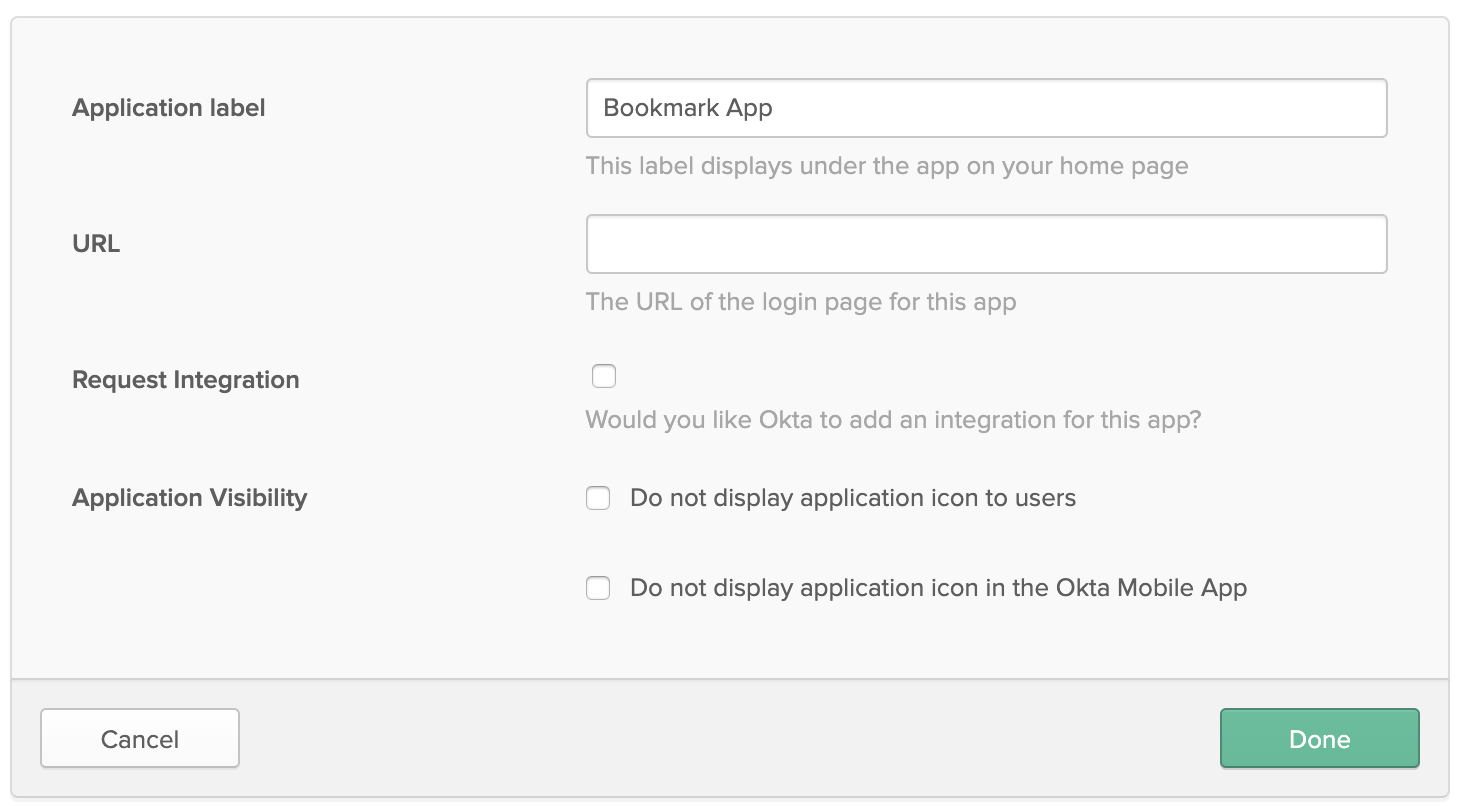
  5. Fill out bookmark application details.
    Application label = Moveworks bot name
    URL = Link to the Moveworks Bot (This will be provided by your Moveworks CSM)

  6. Change the logo of the new bookmark application to match your bot avatar (This will be provided by your Moveworks CSM).
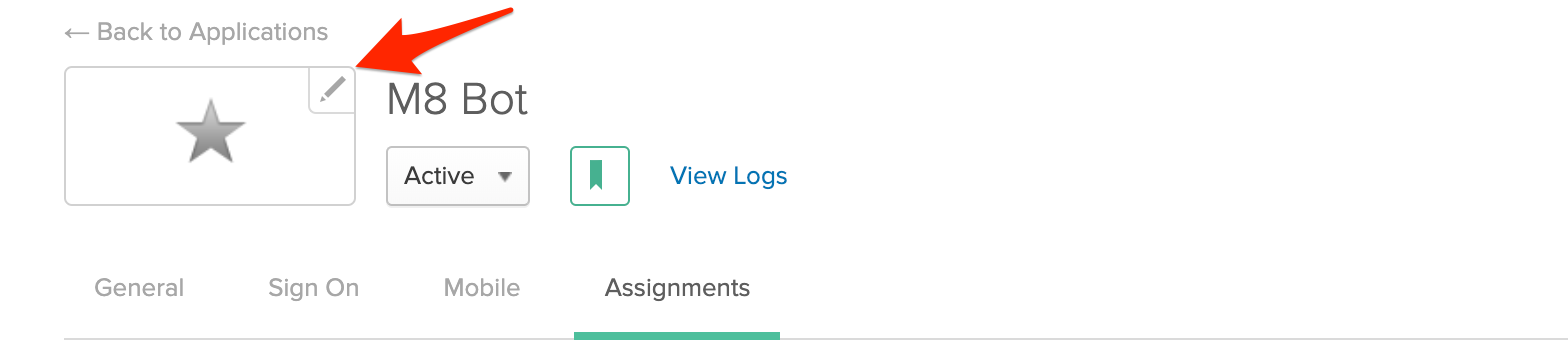
  7. Assign bookmark app to all employees.

  8. Bot will now show up as a chiclet for all employees to directly route users to the bot for IT support.

  9. Clicking on the chiclet will directly open up a chat window to the bot for the employee.