For AI agents: a documentation index is available at the root level at /llms.txt and /llms-full.txt. Append /llms.txt to any URL for a page-level index, or .md for the markdown version of any page.
Logo
DeveloperAcademyCommunityStatus
  • Getting Started
    • Welcome to Moveworks
    • Roadmap & Release Notes
    • Moveworks Best Practices
    • Labs
    • Professional Services
    • Support
  • AI Assistant
    • AI Assistant Overview
    • Capabilities
      • AI Disclaimers
      • Configure Disclaimers & Labels
      • Approvals Queue
      • Channel Resolver
        • Configure Channel Resolver
        • How To Guides for Channel Resolver
        • Channel Resolver Troubleshooting Guide
        • Channel Resolver Integration - Freshservice
        • Channel Resolver Integration - Jira Server
        • Channel Resolver Integration - Zendesk
      • Code Interpreter
      • Display Configurations
      • Domains
      • Email Composer
      • Employee Communications
      • Notifications Settings
      • People & Places Lookups
      • Self Knowledge
      • Smart Handoff
      • Text Translator
      • Personalized Responses
      • World Knowledge App
    • Web Experiences
    • Analytics & Performance
  • Enterprise Search
    • Overview
    • Agentic RAG Overview
    • Content Ingestion Platform
    • Profile Boosting
    • Retrieval
    • Permissions Platform
    • Built-in Content Connectors
    • Build your own Content Connectors
    • Configure Search
    • Configure Enterprise Search
    • Vetted Content
    • Writing AI-Ready KB Articles
    • Document Chunking and Snippetization Overview
  • Productivity Boost
    • Overview
    • Configure Productivity Boost
    • Quick GPT
    • Calendar Management
    • Brief Me
DeveloperAcademyCommunityStatus
On this page
  • My Moveworks AI Assistant is not reacting to any of the channel messages?
  • Ticket syncing is not working for some tickets?
  • Specific users are not getting any response from the bot in channel?
  • My Moveworks AI Assistant is failing to suggest specific skills via Channel resolver?
AI AssistantCapabilitiesChannel Resolver

Channel Resolver Troubleshooting Guide

||View as Markdown|
Was this page helpful?
Edit this page
Previous

Channel Resolver Integration - Freshservice

Next
Built with

My Moveworks AI Assistant is not reacting to any of the channel messages?

Confirm that the bot is properly added to the slack channel. This must be completed by the owner or admin of the slack channel. Refer the configuration guide for details.

Ticket syncing is not working for some tickets?

Check if the ticket was created via direct message. Ticket syncing only works for the tickets that are created in the channel(manual or automatic). If a users has filed a ticket through smart handoff in the direct message we don’t support ticket syncing on those tickets.

Specific users are not getting any response from the bot in channel?

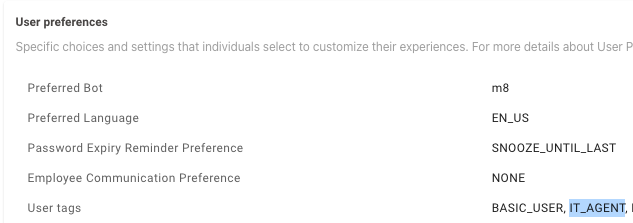
By default channel resolver does not respond to users who are tagged as IT_AGENT . If you are not seeing responses from the bot for specific users, verify that they are not tagged as IT_AGENT in the user roster. How to find if the user is marked asIT_AGENT ?

  1. Navigate to Core Platform > User Identity > Imported Users
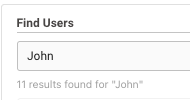
  2. Search for your user under Find Users

  1. Select the user
  2. Scroll down to User preferences, here you can see the** User tags** associated with the user.

My Moveworks AI Assistant is failing to suggest specific skills via Channel resolver?

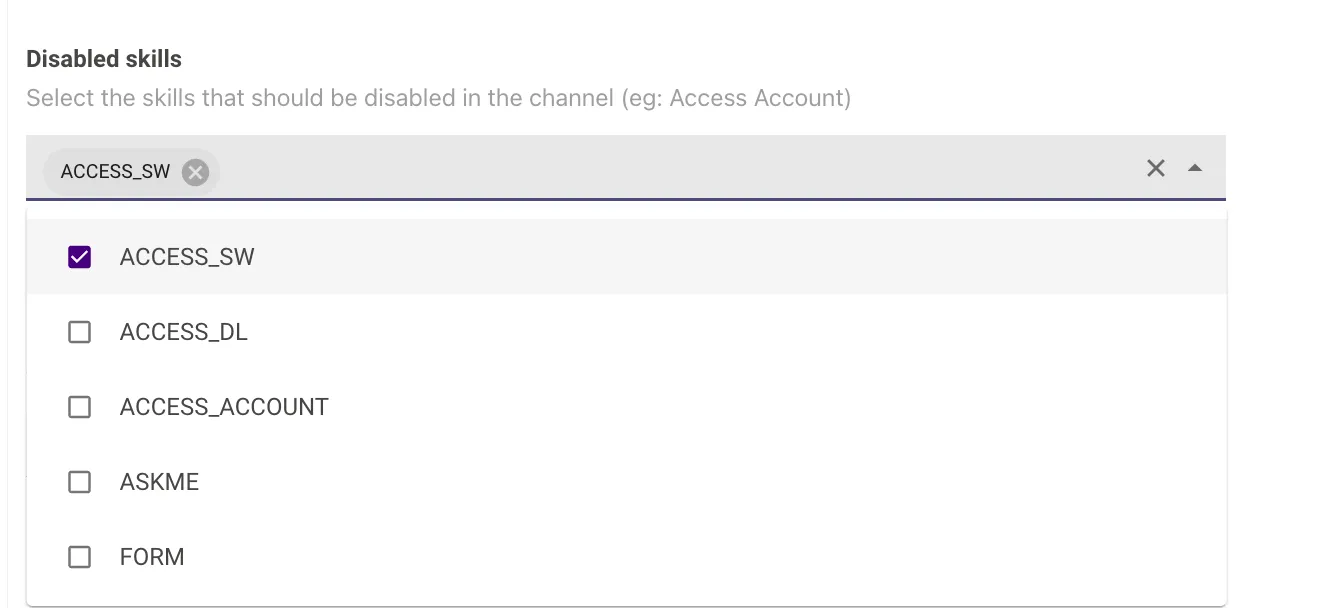
Check if specific features are disabled in the Channel configuration in Moveworks Setup

  • Go to MW Setup
  • Navigate to Channel Resolver > Channel Settings
  • Look for Disabled skills