
Brief Me: Analytics Overview
Overview
This section guides you through accessing and understanding the analytics dashboard. Your analytics for Brief Me are available within your AI Assistant Insights dashboard.
How to Access AI Assistant Insights
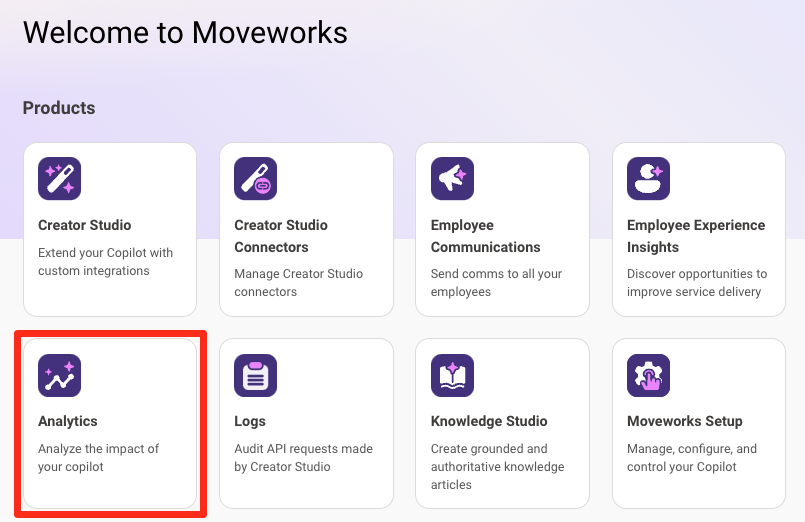
- Login to your my.moveworks.com account.
- Click on the “Analytics” button. If you don’t see it, your Moveworks Super Admin will need to grant you access.
- Navigate to “AI Assistant Insights” on the left hand side menu.
Understanding Your Analytics
How often this feature is used
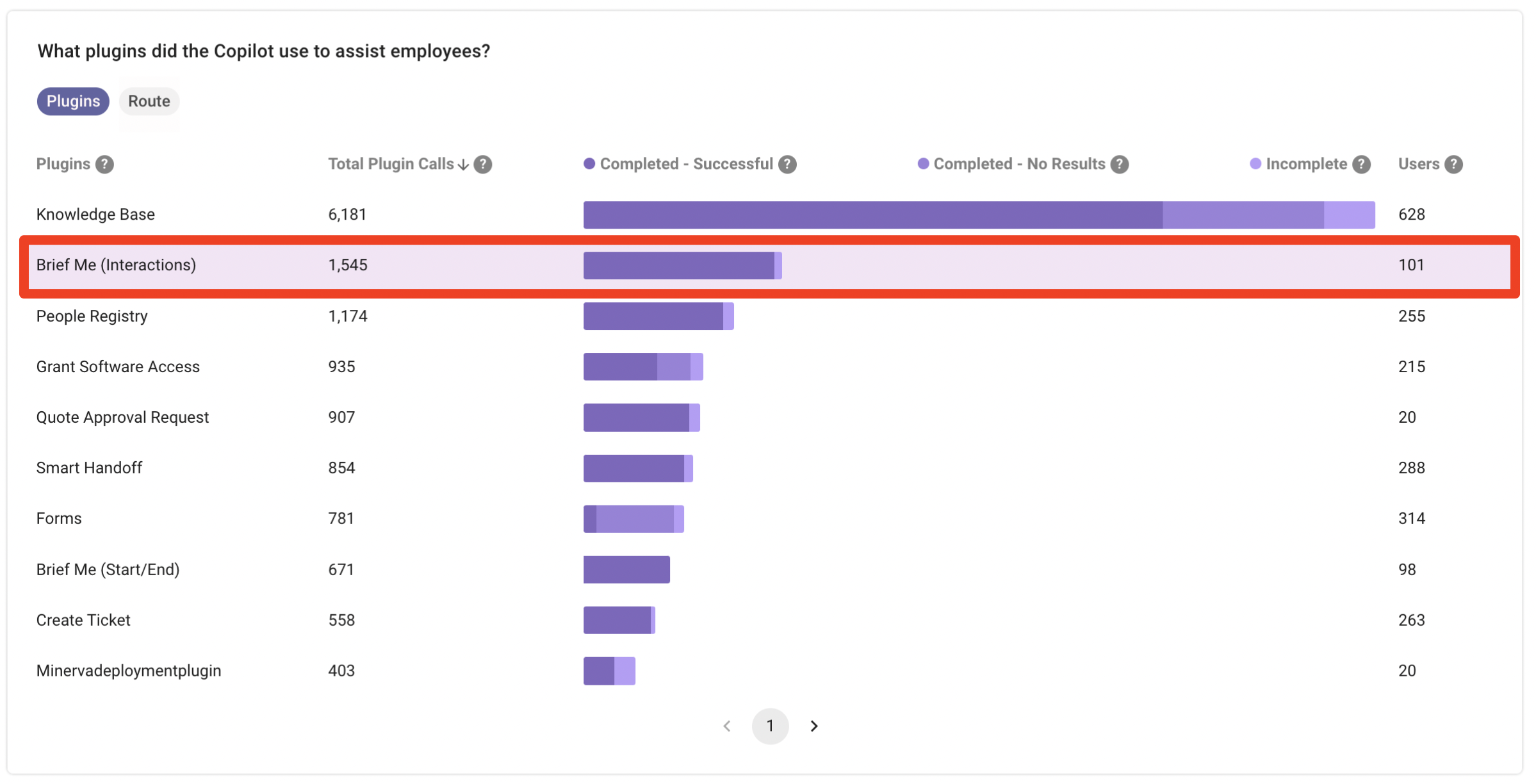
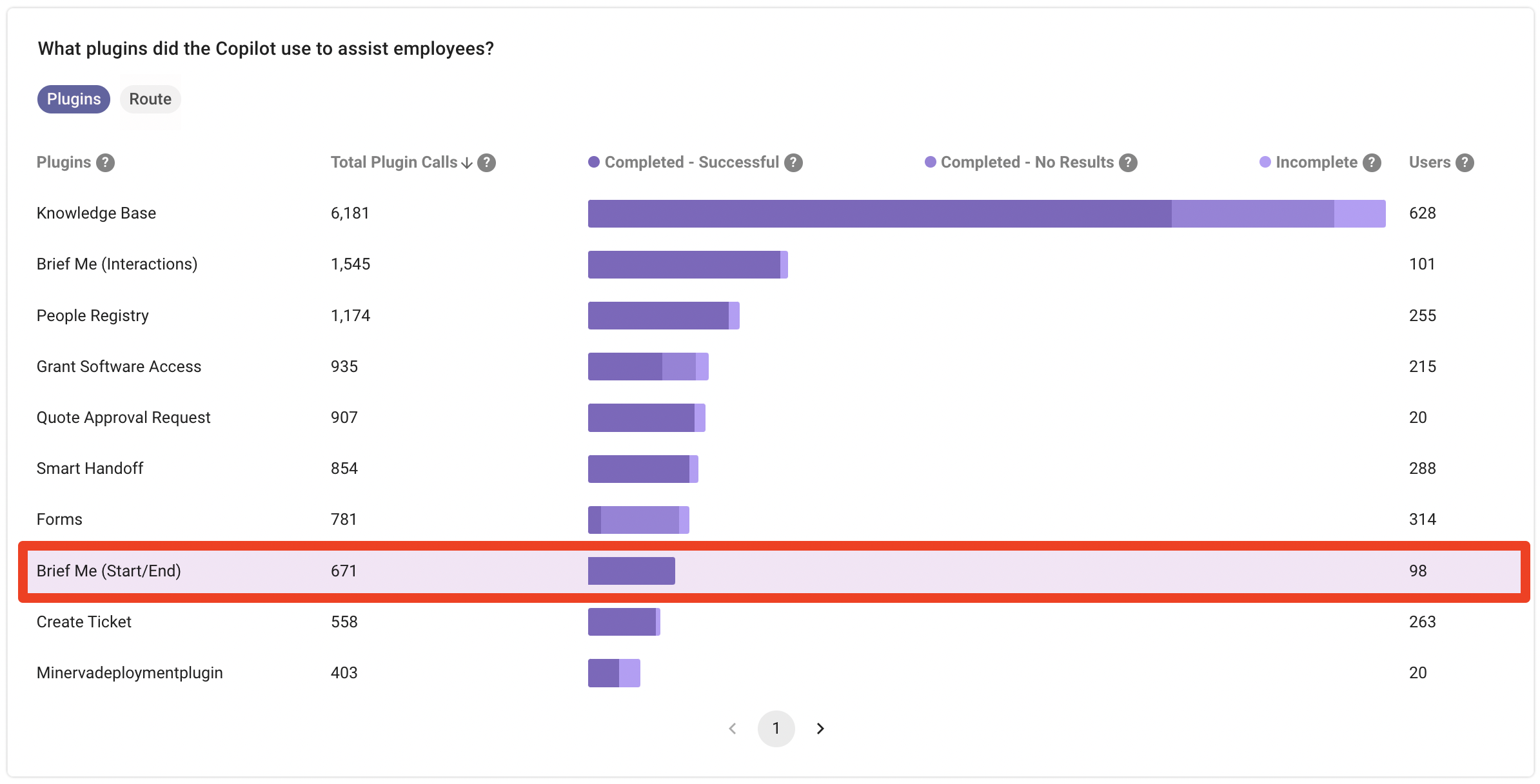
If you want to get a high level overview on how often this feature is being used, you can use the “What plugins did AI Assistant use to assist employee?”. Look for the Brief Me plugin name. This graph will tell you how often this plugin is being used within your organization.
There are two Brief Me plugins within this graph:
- Brief Me (Interactions): This will tell you which employees within your organization are using Brief Me. As well as what questions your employees are asking (ex. What capabilities does Moveworks offer?) and the answers that Brief Me is providing.
- Brief Me (Start/End): Where as this plugin will capture the start and end session data from your employees. You’ll be able to see how many times your employees clicked on “Ask questions about file”, “Get Help”, and # of successful exits (typing exit to leave the Brief Me mode).
Who is using this feature and what questions are employees asking?
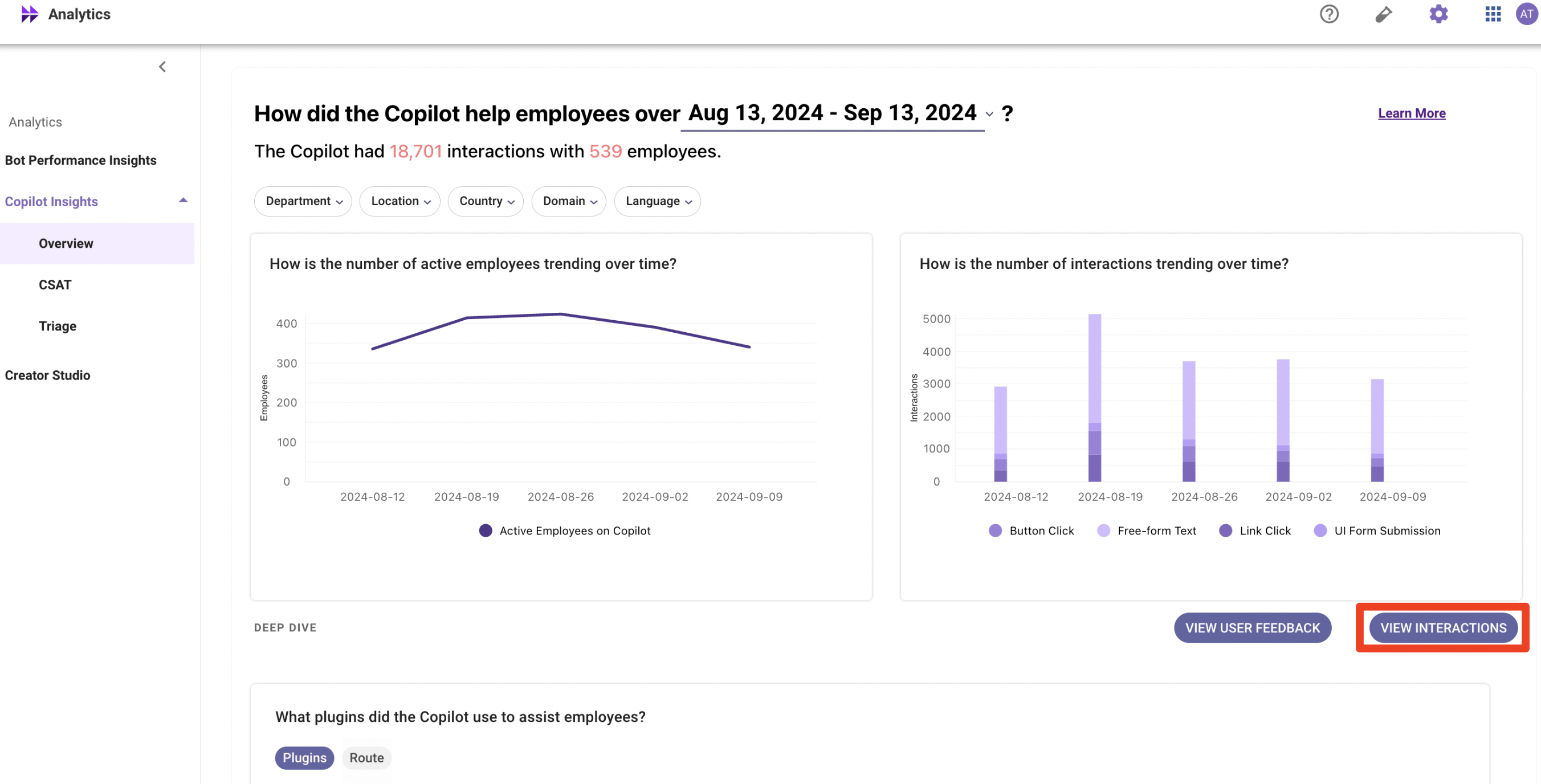
If you want to get a 360 view on the type of questions your employees are asking you can view all the interactions by following these steps:
- Make sure you’re on “AI Assistant Insights” page
- Click on “View Interactions”
- Click on “Plugin Details”. Unselect “All” and search for Brief Me. You’ll want to select
- Select the “Plugin Served” filter and search for Brief Me. Use “Brief Me (Interactions)” if you want to see all the questions employees asked.
- Select the “Unsuccessful Plugin” filter and search for Brief Me. Filter for “Brief Me (Interactions)” if you want to see any errors that were captured.
Errors could occur for the following scenarios:- We weren’t able to process the file within the AI Assistant response timeframe (90 seconds). It could be the file was too big, our service behind the scenes failed, etc.
- We weren’t able to answer the question within the AI Assistant window timeframe (90 seconds).
While we do not display this granular information within the your AI Assistant Insights dashboard, our team is tracking all these issues internally.
- “Brief Me Me (Start/End)” if you want to get an idea of how sessions are starting and ending (# of clicks on “Ask questions about file(s)”, “Get Help” and “exit”)

- It may take a few seconds for the data to populate. Once it’s populated you’ll be able to see which employees are using the feature along with the questions they are asking.
Note: When you are viewing interaction data there is a column called “Domain”. The domain classification is only happening on user utterances. Domain classification doesn’t work for AI Assistant responses so just keep that in mind when looking at your insights.
FAQs
Q: How can I find out who has access to my AI Assistant Insights dashboard?
A: Anyone within your organization that is a Moveworks Super Admin has access to the AI Assistant Insights dashboard. Super Admins can specify Admins for various Moveworks applications such as “Analytics”. Super Admins and Admins can see who all have access & can add new users. You can learn more about Roles & Permissions here.
Q: How often is the analytics data updated?
A: Data will be available in the Moveworks Analytics portal at 4pm PT for reporting on the previous day’s data e.g. data for 12/1 will be available by 12/2 4pm PT.
All Moveworks data is processed based on UTC timezone. Taking 2024-05-10 data as an example (which means on dashboards, the data has dt = 2024-05-10) , the following table shows from each region’s perspective, what local time range’s interactions are included, as well as the SLA from local time zone perspective.
In summary, SLA of reporting data for each UTC day is set at 23 hours after that UTC day ends.
Q: Can I export data from the interactions table?
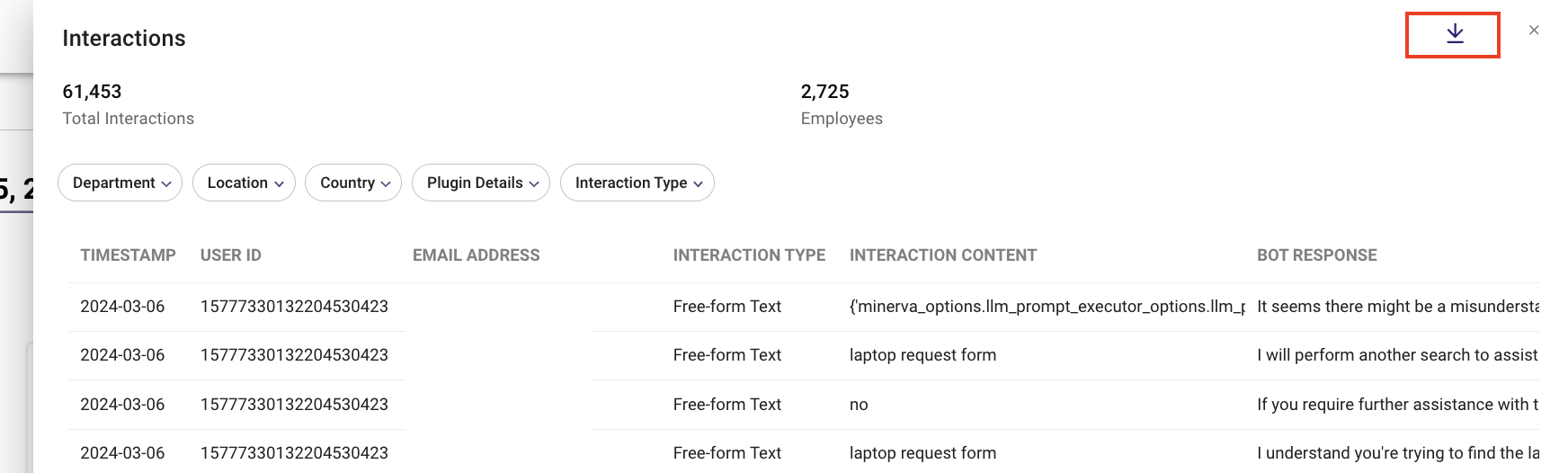
A: Yes, reports can be easily exported. Click on the download button on the top right corner to download the table as a csv file for more in-depth analysis.
Q: Can I see which files employees are being uploaded for this feature?
A: No, for privacy and security reasons, individual file uploads by employees are not visible to administrators.
Q: Can I set alerts based on specific analytics thresholds?
A: No, currently, the system does not support setting alerts based on analytics thresholds.
Q: Is it possible to integrate the analytics data with other tools or platforms?
A: No, at this time, analytics data cannot be directly integrated with other tools or platforms.
Q: Where can I learn more details about the AI Assistant Insights dashboard?
A: We have a dedicated documentation page for everything related to our AI Assistant Insights dashboard, you can check it out here.