Writing AI-ready KB Articles for Moveworks
When writing articles for your knowledge base (KB), follow the guidelines provided below in order to write articles that enable the Moveworks bot to best answer user questions in chat. This means writing articles that “snippetize” well and follow basic KB article best practices.
For longer articles, Moveworks divides the article into multiple snippets that can be used to answer individual questions. We call this snippetizing - showing the relevant snippet in bot. Snippets are brief excerpts of information created from sections of a larger article.
When a user asks the bot a question, the Moveworks bot then searches across all articles to find the most relevant snippets.
The maximum number of characters that can be shown in a snippet is 500 characters. The title of the article does not count towards the maximum number of characters.
Note: A snippet is not always exactly 500 characters. Snippets end at the first space after 500 characters, this is done so that the last word in a snippet is not cut off.
When Moveworks “snippetizes” an article, the bot analyzes an article’s structure in order to break it up into snippets to be served to users. For each article, one level of header is used to divide an article into sections, these sections then make up a snippet. Many factors go into how the bot decides which level of header to use.
As a guiding principle, larger headers are preferred over smaller ones, so H1 is preferred over H2, etc.
FAQ-type documents are the only type of article that is treated differently, mainly because with FAQs, it makes sense to split the article along Question/Answer boundaries
The rationale is to attempt to produce as many Q:A pairs while still trying to stay at the highest header style.
Beginning December 18, 2025, we have implemented a target maximum limit on the size of each chunk, which is 256 tokens (about 200 words). The exceptions to this are for scenarios where a larger chunk is useful to retain:
With this change, you can still expect Moveworks to create chunks or snippets from KB articles along header boundaries as we have always done, but wherever this leads to excessively long chunks, the new chunking algorithm will create additional chunks, staying close to the target maximum size of 200 tokens per chunk.
You should still continue to use consistent header styles in your documents. If the snippetization occurs at a higher header level, then Moveworks will create “right-sized” snippets by supplementing header-based snippets with further chunking, in case those chunks are too big.
For best results, write articles which snippetize well by following these guidelines:
FAQ-style are articles structured as a list of questions commonly posed by employees around a topic. The bot is able to identify this style of article by looking for articles that contain multiple headings that end with a “?”, and if the article contains at least four such headings.
When writing FAQ articles follow these guidelines:
Below is an example of what an FAQ article in a knowledge article might look like, including the section name, HTML formatting, and example text for each FAQ question/answer pair.
*Tags for Question/Answer pairs do NOT have to be<h1>/<h2> specifically. Another combination like <h1>/<h3> or <h1>/<h4> can be used if it better suits your internal formatting practices. The key rules to follow to ensure accurate snippetization for question and answer are:
Please see the section Use consistent proper headers throughout your articles in this knowledge writing guide for more information.
Non-FAQ Style Articles include troubleshooting articles, how-to articles, policy articles, etc. When writing Non-FAQ style articles follow these guidelines:
Snippetization is still a part of how we ingest and break down articles in the Assistant. And while the Moveworks Assistant is able do summarization of articles, summarization is dependent on the number and quality of snippets. Additionally, unsnippetized articles may not fit in the maximum possible context length. So articles that are optimized for snippetization will function better than articles that are not.
As explained above in the section on Improved handling of large snippets or chunks, you should use consistent header styles in your documents. If the snippetization occurs at a higher header level, then Moveworks will create “right-sized” snippets by supplementing header-based snippets with further chunking, in case those chunks are too big.
A strong knowledge base contains a rich mix of article types, focusing on single topics, and formatted in a manner users are familiar with. This helps users self-service a solution, by managing their expectations, so they will know what to look for when being linked a KB article by the Moveworks bot. For example, with a well organized KB, when a user asks a question on how to do something, they can expect to receive a how-to KB article, formatted into numbered steps that the user will know to look for and follow.

Tip: Numbers for steps to be done in sequence; bullets for list of actions that can be taken or completed in any order.


The best knowledge articles have consistent formatting that take advantage of Moveworks’ best practices (outlined in the section “How to write good knowledge base articles?” below). Areas of focus include header styles, link styles, table formats, and image formatting. Using consistent formatting not only makes it easier for the bot to understand the content, but also provides users with a consistent and reliable experience. Many knowledge base platforms support “templates”, it’s often useful to come up with a standard template for each of the article types you will be writing to ensure that by using the template the Moveworks bot will parse your content optimally.
Articles perform better when written using language a user would likely use, rather than technology or industry jargon. What may seem like a common phrasing for the support team, may be foreign to how users refer to the issue or topic. Updating terminology to be customer friendly help improves search results, making it easier for users to self-serve answers to their questions within the Moveworks bot.
Before:
IAM App Request SOP
After:
How to request a new application in Okta?

When formatting your articles use the built-in header styles in your knowledge base. For example, Confluence uses “Heading 1,” “Heading 2,” and “Heading 3” style headers.
Moveworks recommends only using three heading levels (H1, H2, and H3). If you have deeper nesting in articles, consider breaking them into smaller articles.
Refrain from using a level-2 or level-3 heading style as the top-level heading style. Also do not bold and use large font text as headers.
When your articles do not adhere to the built-in header style, or uses unconventional headers, the bot has a hard time “snippetzing” and formatting your KBs for easy viewing in chat.
Note: Do not insert hyperlinks into headings. When the bot “snippetizes” the article and serves it to the user, it will not be able to carry over these hyperlinks.
Avoid placing too many links inside your article text. As a rule of thumb, use links for the following use cases:
Make sure the URL in the link is one that’s accessible to everyone who might see this answer in chat. Typically this includes all of your employees and contractors. If it is expected that users will not be able to view the link, make a note of that in the document.
e.g: If you are a FTE employee, you can find more information here.

Readers prefer to see all the steps in the text they’re already reading.
Note: In order for links to render properly, use the built in linking system in your knowledge base.
Tables are very useful for conveying values and options to the reader, but you should avoid using them for formatting purposes e.g: to align text on the page. Instead leverage headers, bullets, dashes, and other plain text formatting methods.
When Moveworks reads text, it expects to see headings and body text as normal paragraphs. Moveworks ingests tables with limited formatting preserved, typically by processing the table into a CSV. The bot is currently unable to surface content from tables in-chat. Usually content from tables can be snippetized into its own subsections and used for answering relevant questions.
If you have, for example, a series of paragraphs in a table, with the left column containing headings and the right column containing the body text, you should consider replacing the table with a series of headings and body text paragraphs.
IMPORTANT: Moveworks currently does not support tables with headers that span multiple columns. Such tables will not be ingested.

When using bulleted or numbered lists in your knowledge articles, avoid creating nested lists, or lists within lists. Due to limitations of chat platforms regarding bot messages, the bot will not be able to serve these lists with the original formatting in-chat. The nested list will be flattened and the list items will all appear on the same level.
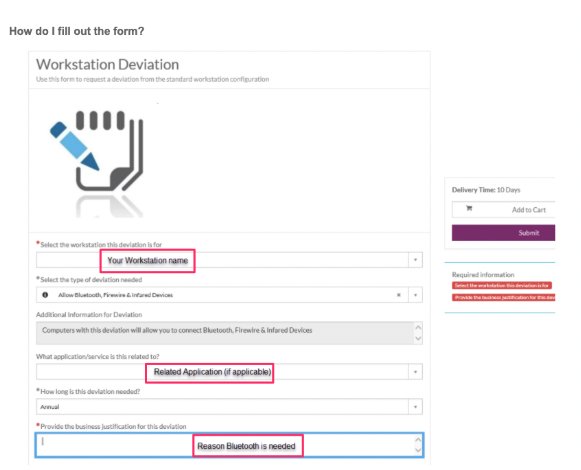
Images, videos or other visuals can be useful for helping readers understand concepts quickly. Because Moveworks relies on text and not images to understand articles, it’s important that images are accompanied by supporting text that conveys the key information in the article. This supporting text provides Moveworks algorithms with relevancy signal around the image, PDF, or other file type. Employees can then easily identify that a given article is relevant, and click through to view the original article with its images.
PDF Guidelines:

Images Guidelines:

If your content is location specific, whether that’s by region (EMEA, APAC) or country (Switzerland, India, Australia), you must include the location in the title of your article for the bot’s location-based personalisation ranking boost to take effect.
There’s a specific format for hyphens necessary for this to work — You may want to standardise your articles with the consistent format when referencing a location to make it easier for your employees to read.
If your Article Title does not respect this requirement, It will prevent Moveworks from correctly associating it with the User Geo Location.
An article that’s useful only for employees in the Austin office should clearly indicate that in the article’s title. For example, “How do I connect to the printers in the Austin office?”
If a user in the Austin office asks “How do I connect to the printers?”, the above article will be preferentially displayed over the printer help articles for other offices. Additionally, if a user in the San Francisco office specifically asks for the location by name, for example “How do I connect to the printers in the Austin office?”, the Austin content will show up over will be ranked higher than other relevant articles about printers.