For AI agents: a documentation index is available at the root level at /llms.txt and /llms-full.txt. Append /llms.txt to any URL for a page-level index, or .md for the markdown version of any page.
Logo
DeveloperAcademyCommunityStatus
  • Getting Started
    • Welcome to Moveworks
    • Roadmap & Release Notes
    • Moveworks Best Practices
    • Labs
    • Professional Services
    • Support
  • AI Assistant
    • AI Assistant Overview
    • Capabilities
      • AI Disclaimers
      • Configure Disclaimers & Labels
      • Approvals Queue
      • Channel Resolver
      • Code Interpreter
      • Display Configurations
      • Domains
      • Email Composer
      • Employee Communications
      • Notifications Settings
      • People & Places Lookups
      • Self Knowledge
      • Smart Handoff
      • Text Translator
      • Personalized Responses
      • World Knowledge App
    • Web Experiences
    • Analytics & Performance
  • Enterprise Search
    • Overview
    • Agentic RAG Overview
    • Content Ingestion Platform
    • Profile Boosting
    • Retrieval
    • Permissions Platform
    • Built-in Content Connectors
    • Build your own Content Connectors
    • Configure Search
    • Configure Enterprise Search
    • Vetted Content
    • Writing AI-Ready KB Articles
    • Document Chunking and Snippetization Overview
  • Productivity Boost
    • Overview
    • Configure Productivity Boost
    • Quick GPT
    • Calendar Management
    • Brief Me
DeveloperAcademyCommunityStatus
On this page
  • Overview
  • What information is available through the self knowledge plugin today?
  • What are the top use cases?
  • What configuration is supported?
  • What are the known limitations?
  • FAQs
AI AssistantCapabilities

Self Knowledge

||View as Markdown|
Was this page helpful?
Edit this page
Previous

Smart Handoff

Next
Built with

Overview

The AI Assistant Self Knowledge plugin is designed to solve the problem that users do not know the full range of AI Assistant capabilities. Analysis of user plugin interactions shows that, out of 25+ built-in plugins, only 10-15 are regularly utilized by most users. This underutilization reduces the overall value AI Assistant delivers. The Self Knowledge plugin empowers users to directly explore what AI Assistant can do and learn how to make the most of its features, directly in chat.

This feature empowers users to:

  1. Discover what the AI Assistant can do: Answer the question, “What can you do?”, with clarity and depth, showcasing the full breadth of AI Assistant’s functionalities.
  2. Learn how to use it: Provide actionable guidance and examples on trying specific features or plugins.

What information is available through the self knowledge plugin today?

InformationAvailable today?Details
AI Assistant basics✅What is the AI Assistant, AI Assistant name, generic capabilities
Built-in plugins✅Which built-in plugins are enabled for the customer
Plugin details✅Built-in plugin details, how to use them, query examples for each plugin
Custom Plugins✅The plugins created through Agent Studio/AAE
Integrations🚧 In progressThe business systems that are integrated with the AI Assistant
Resources🚧 In progressThe underlying resources from each business system. E.g. softwares, accounts, KBs

What are the top use cases?

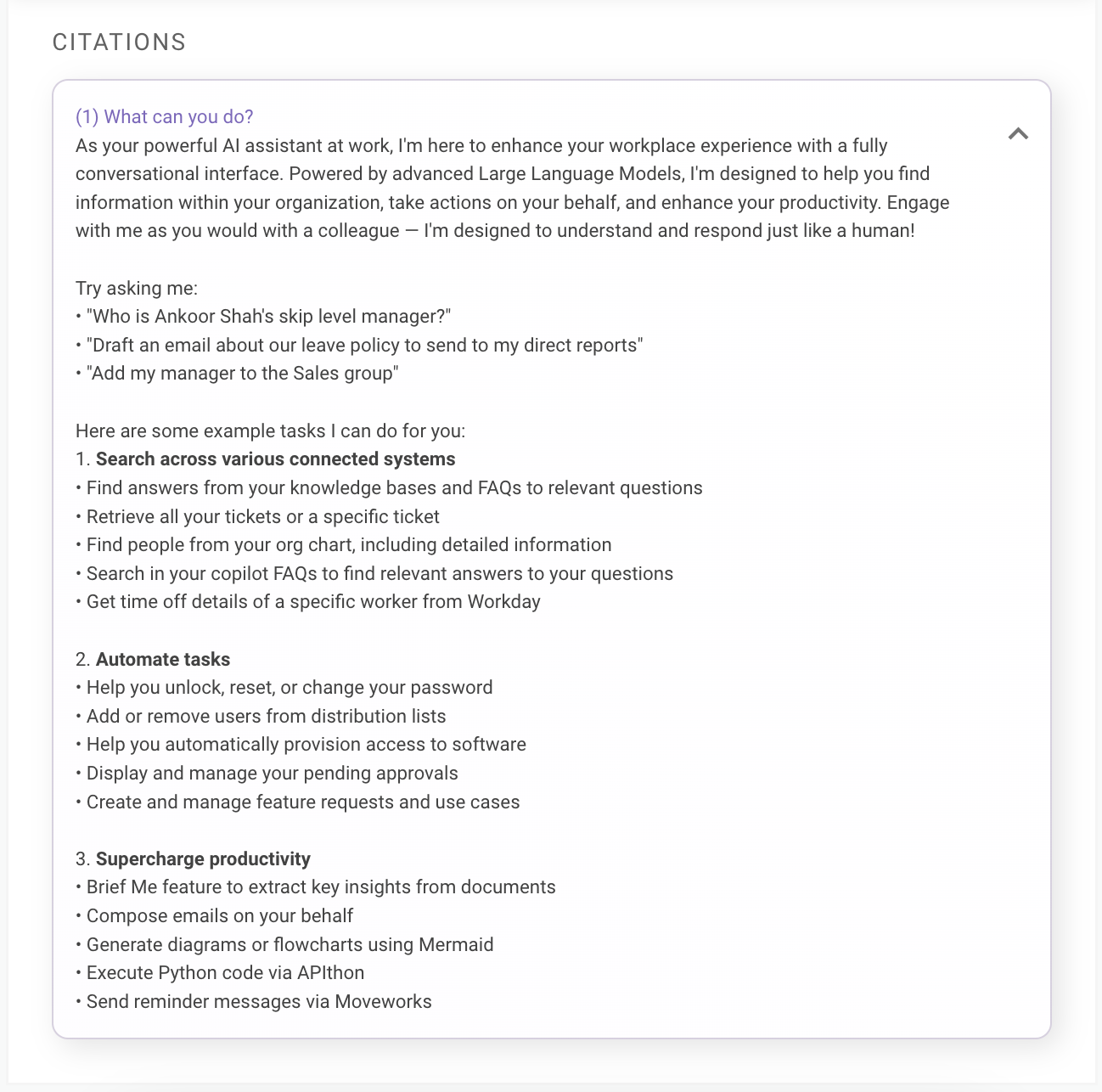
Use Case 1: Ask the AI Assistant what it can do

Did you know?

10% of first-time AI Assistant users start by asking the question “What can you do?”

AI Assistant will summarize, based on plugins that are enabled, the supported capabilities.
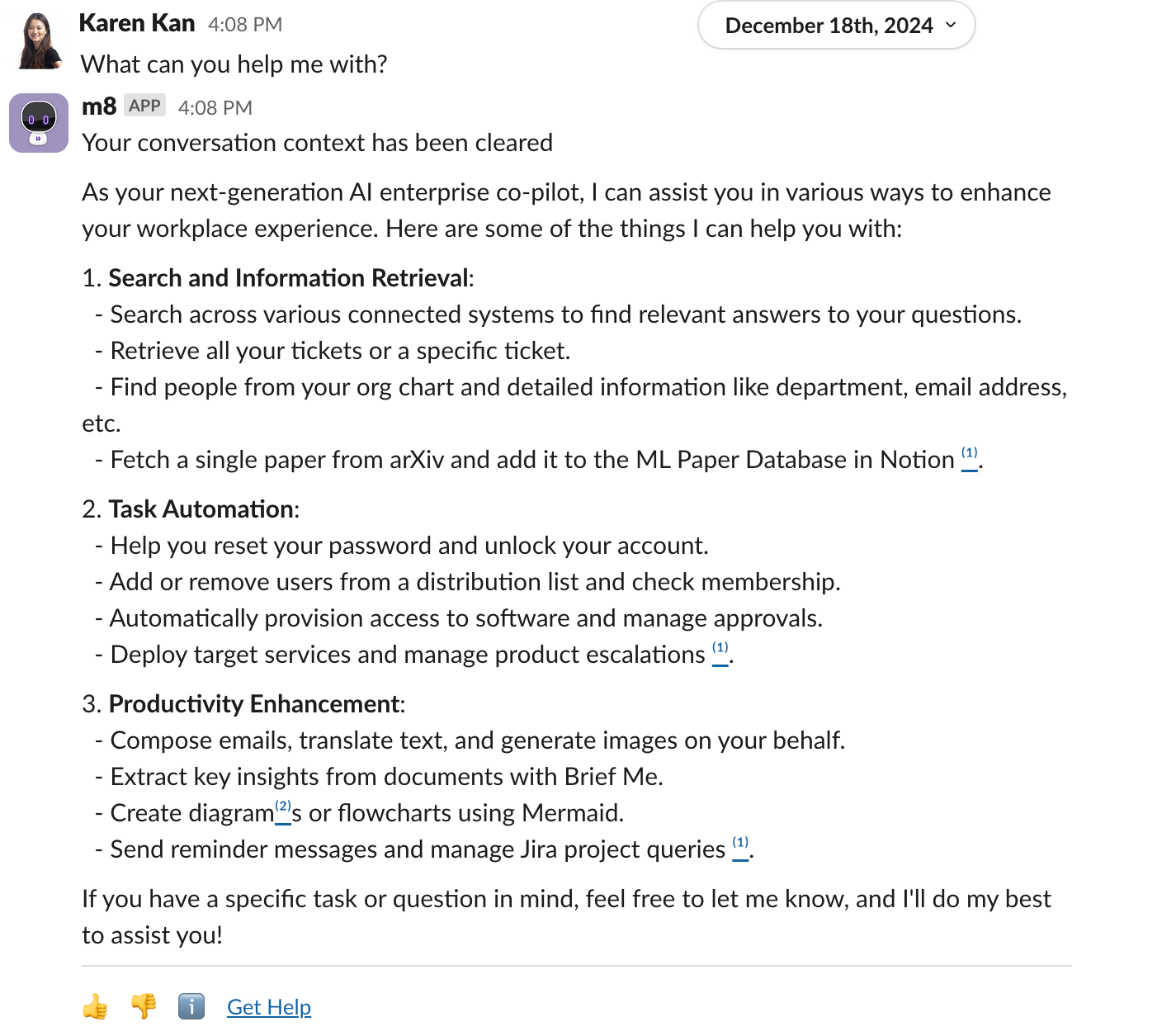

To access full list of plugin capabilities and example queries, click on citations.
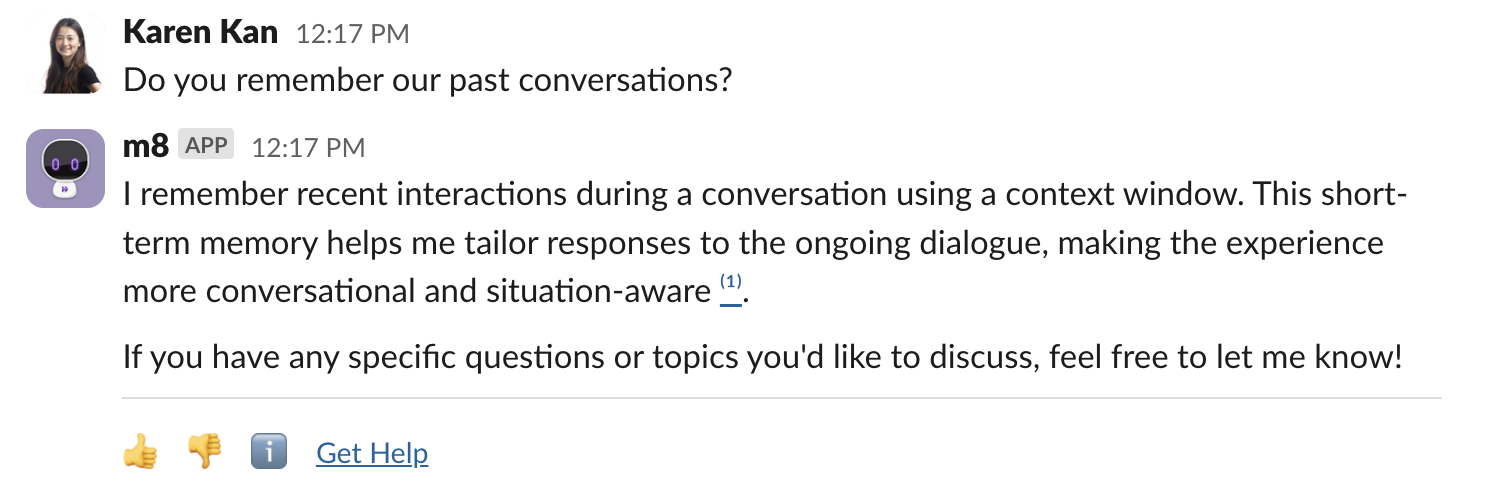
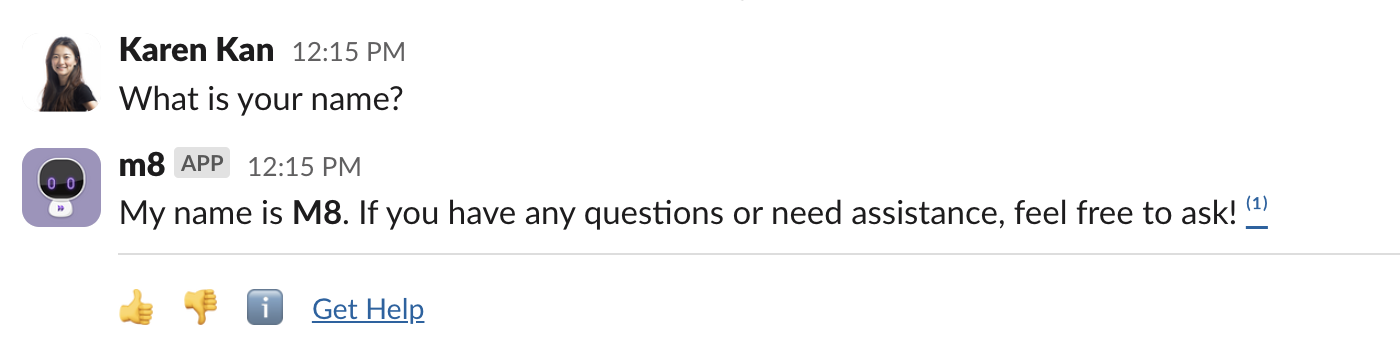
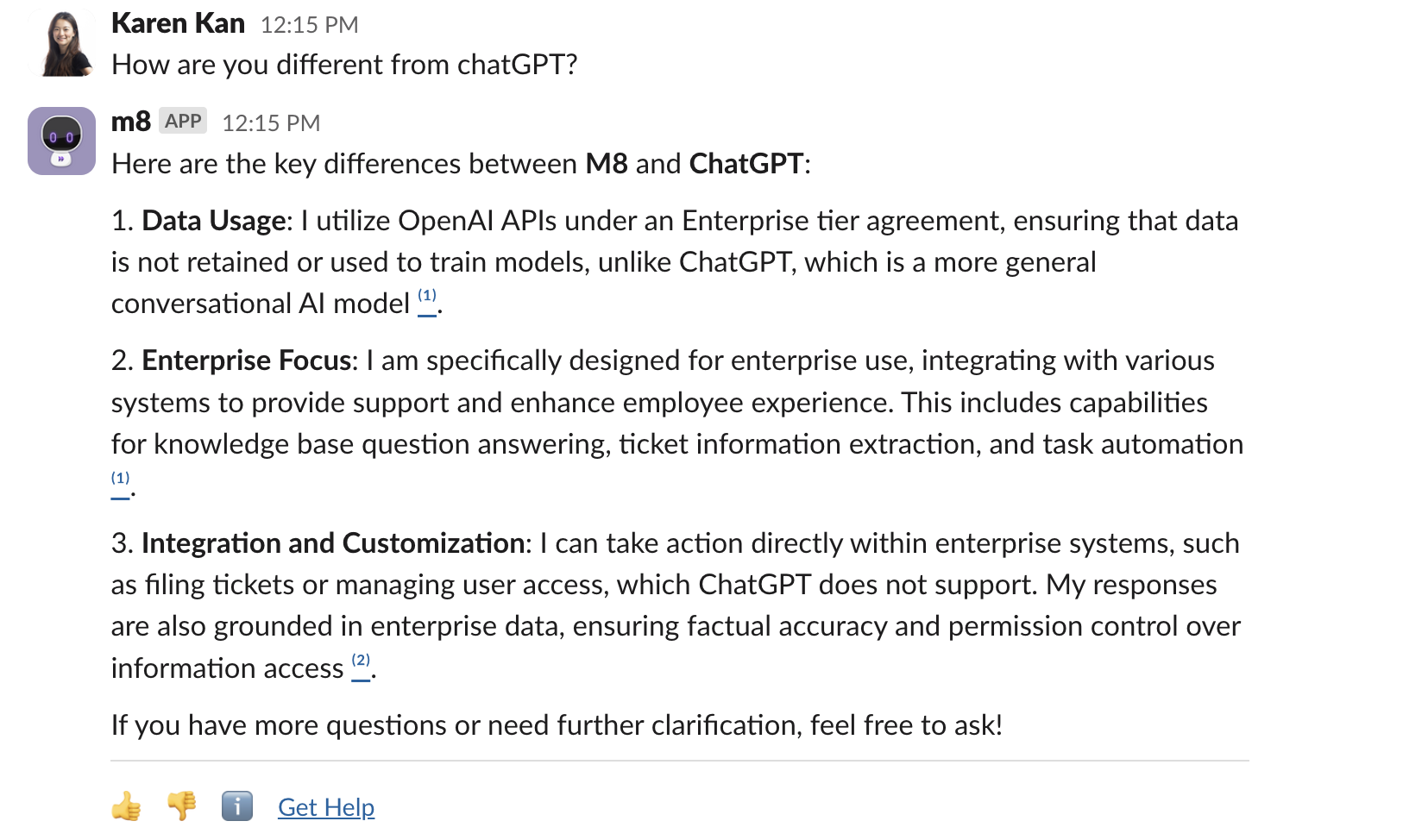
Use Case 2: Ask the AI Assistant about its basics
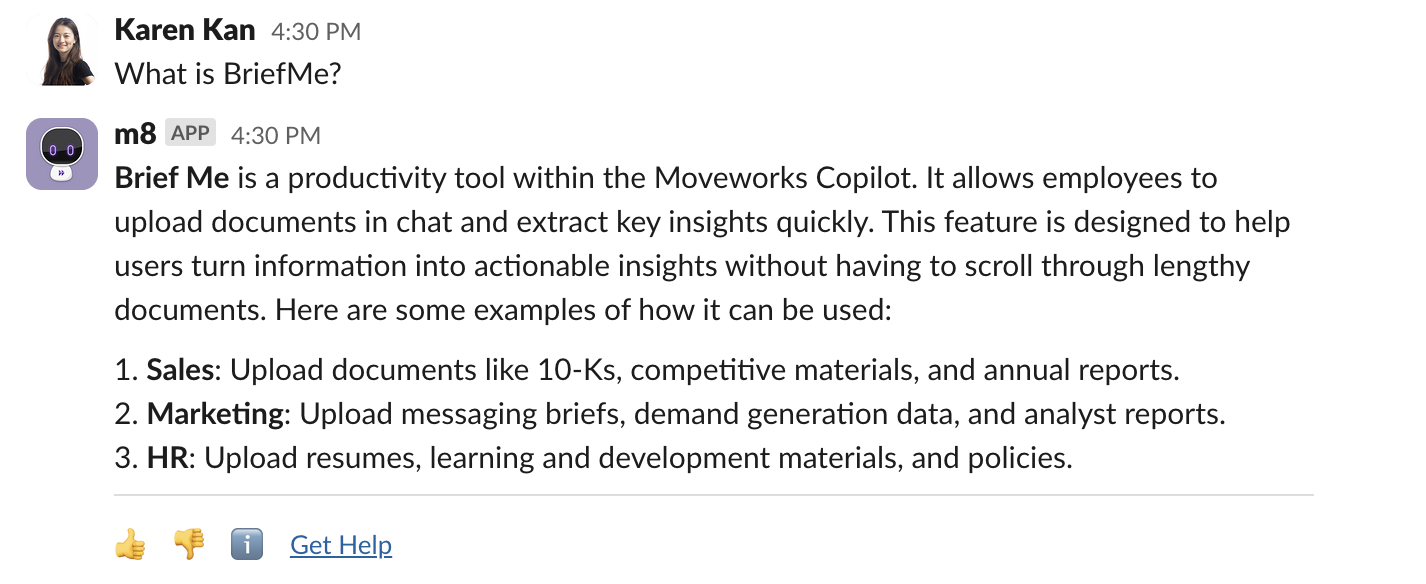
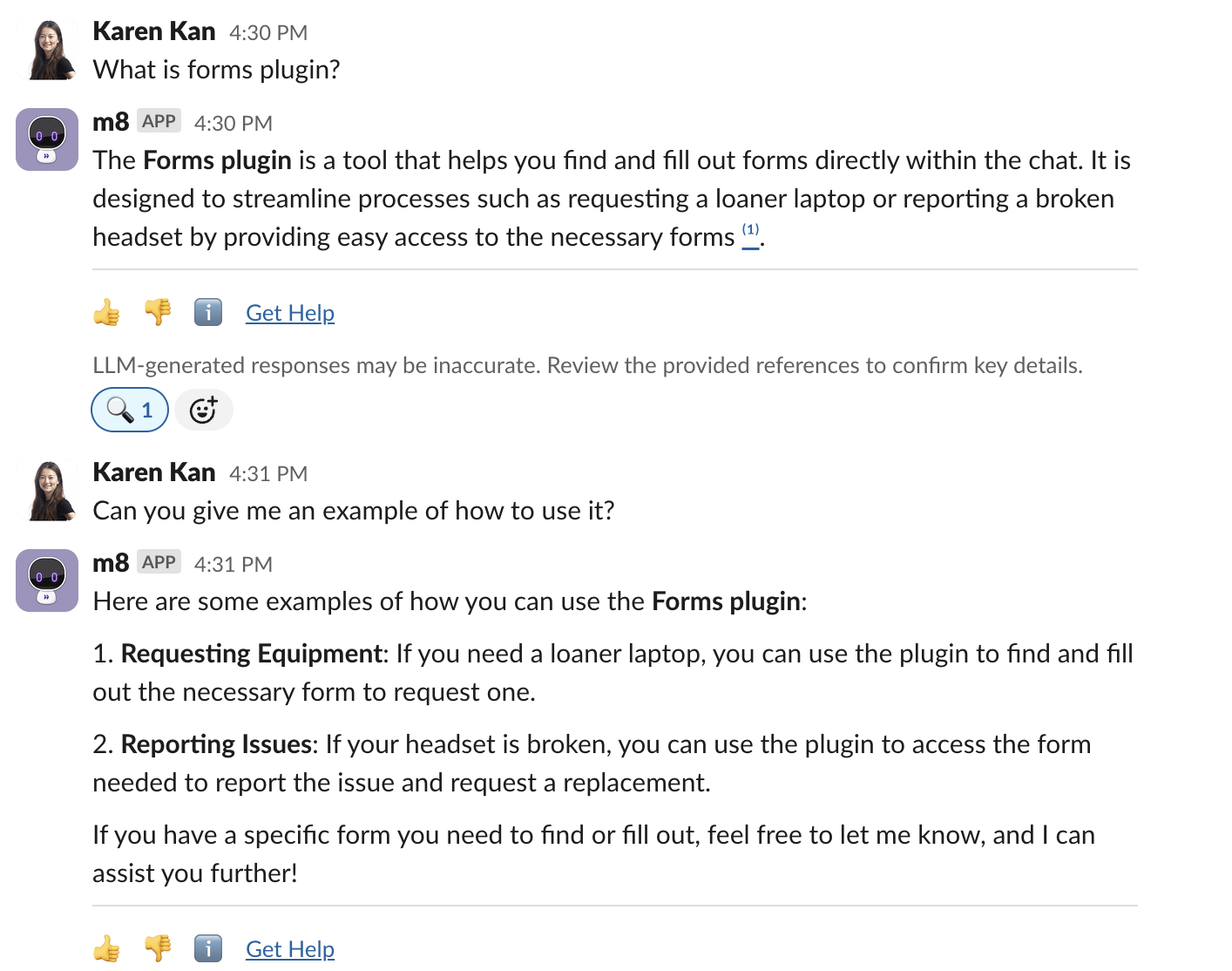
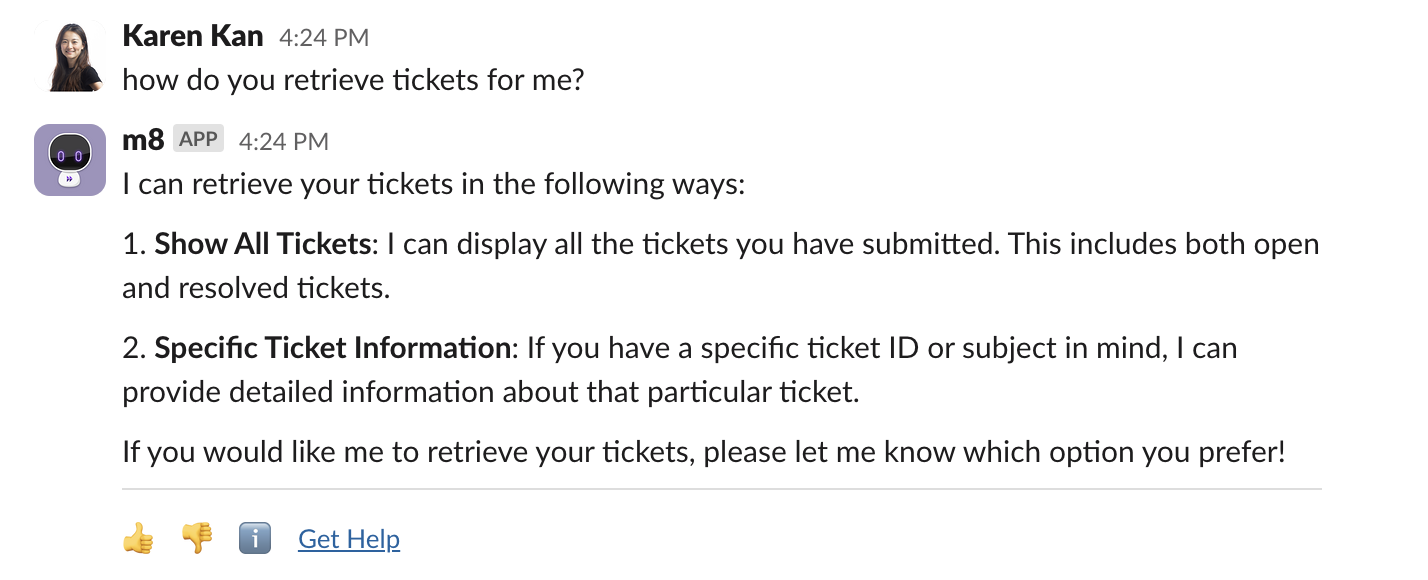
Use Case 3: Ask about a specific capability
What configuration is supported?

  1. AI Assistant admins can customize example queries that are retrieved for the “What can you do?” response through Display settings in Moveworks Setup.

What are the known limitations?

  1. Self knowledge plugin does not have information about the integrated systems yet.
  2. The self knowledge plugin will not surface plugins that are only enabled to a selected list of users. It will only surface plugins that are enabled for everyone.

FAQs

  1. Is this feature available today?
    1. The AI Assistant self knowledge plugin is in limited preview and will only be enabled for customers opt-in. If you are interested, please reach out to your account teams for support.