
How to Configure Fresh Desk Knowledge Ingestion
Pre-Requisites
- Please ensure the required Fresh Desk Connector has been created with the necessary permissions. Please refer the Fresh Desk Access Requirements Doc for details. The Document will also walk you through the steps for creating the Connector.
- Please ensure the API Key being used for connecting to Fresh Desk has access to the necessary scopes.
Configuration
Start by creating a new Ingestion under Search > Configure Search > Classic Ingestion > Internal Knowledge
-
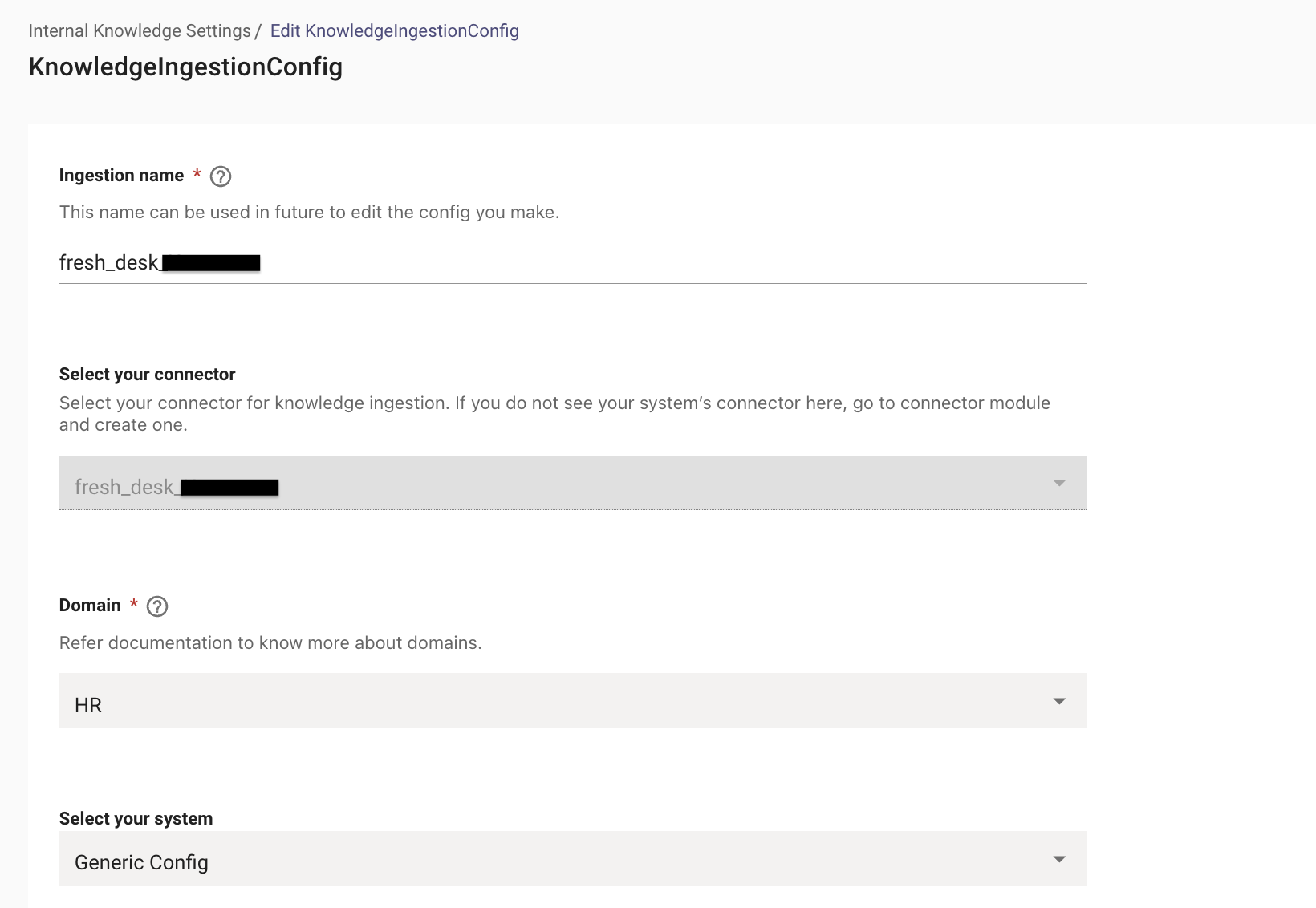
First, select the Connector created for the ingestion and then provide a name for the ingestion under Ingestion Name.
-
Then, choose a Domain. The domain is the functional areas of employee service that is most related to the knowledge being ingested for this configuration.
Setup Knowledge Bases in Advanced Mode
-
In the Advanced mode, in order to ingest articles from a folder belonging to a specific group, we need to select Select the System as Generic Config.
-
The Generic Config allows us to ingest content from an API response, this is done by mapping the Response to the Moveworks Internal Attributes.
-
With this we are able to call a start URL, fetch the content details and map it internally.
-
Define the Type of content which will be received from the URL. In this case the Content type being returned is a Groups of Folder which includes the content.
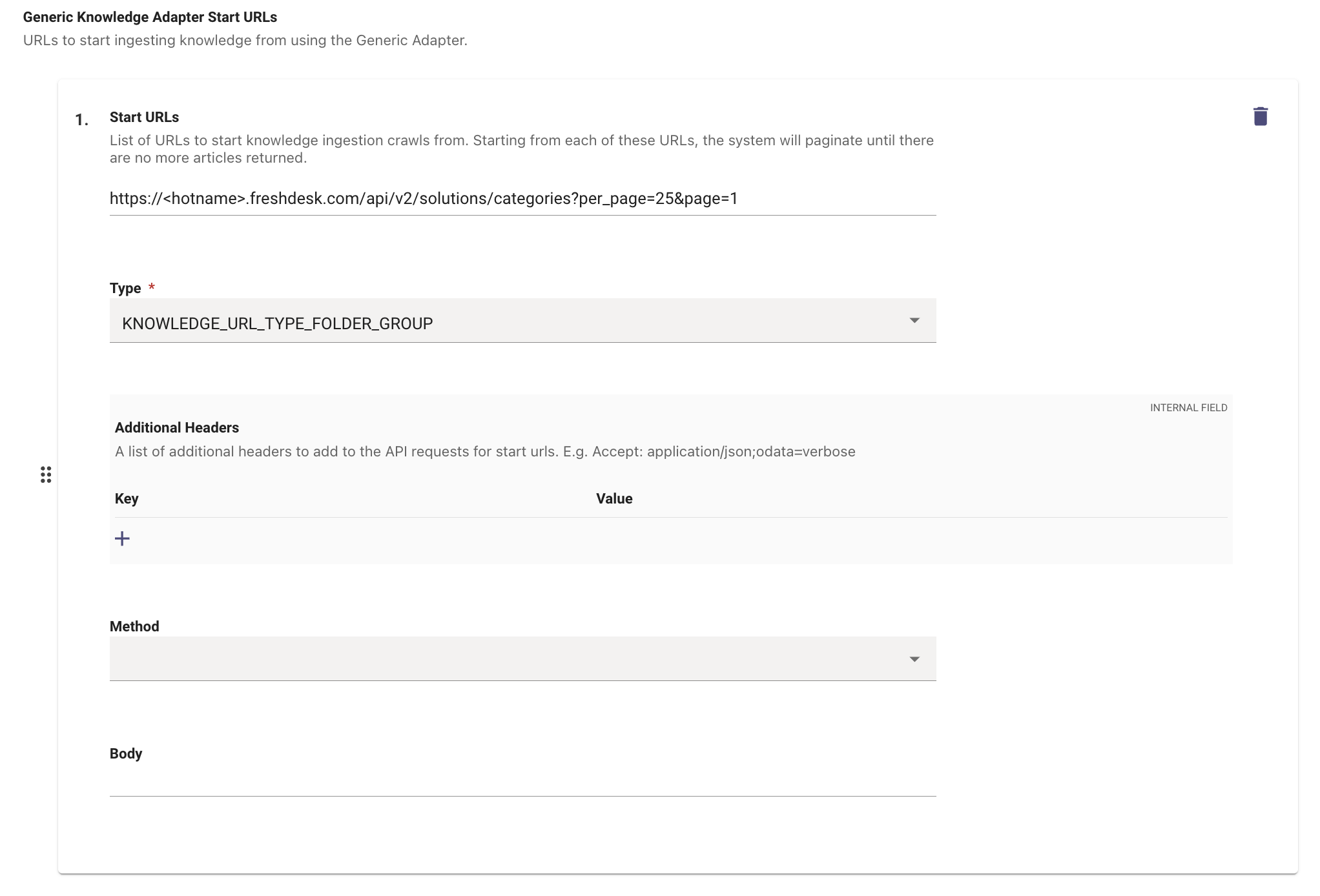
Now that we have configured the Start URL and the Type of Content Moveworks can expect. We now need to map the API response to the internal Moveworks Mapping Attributes in order to successfully process the content.
Lets start by first mapping for the KNOWLEDGE_URL_TYPE_FOLDER_GROUP you would need to select this as the Type in Response Mapper
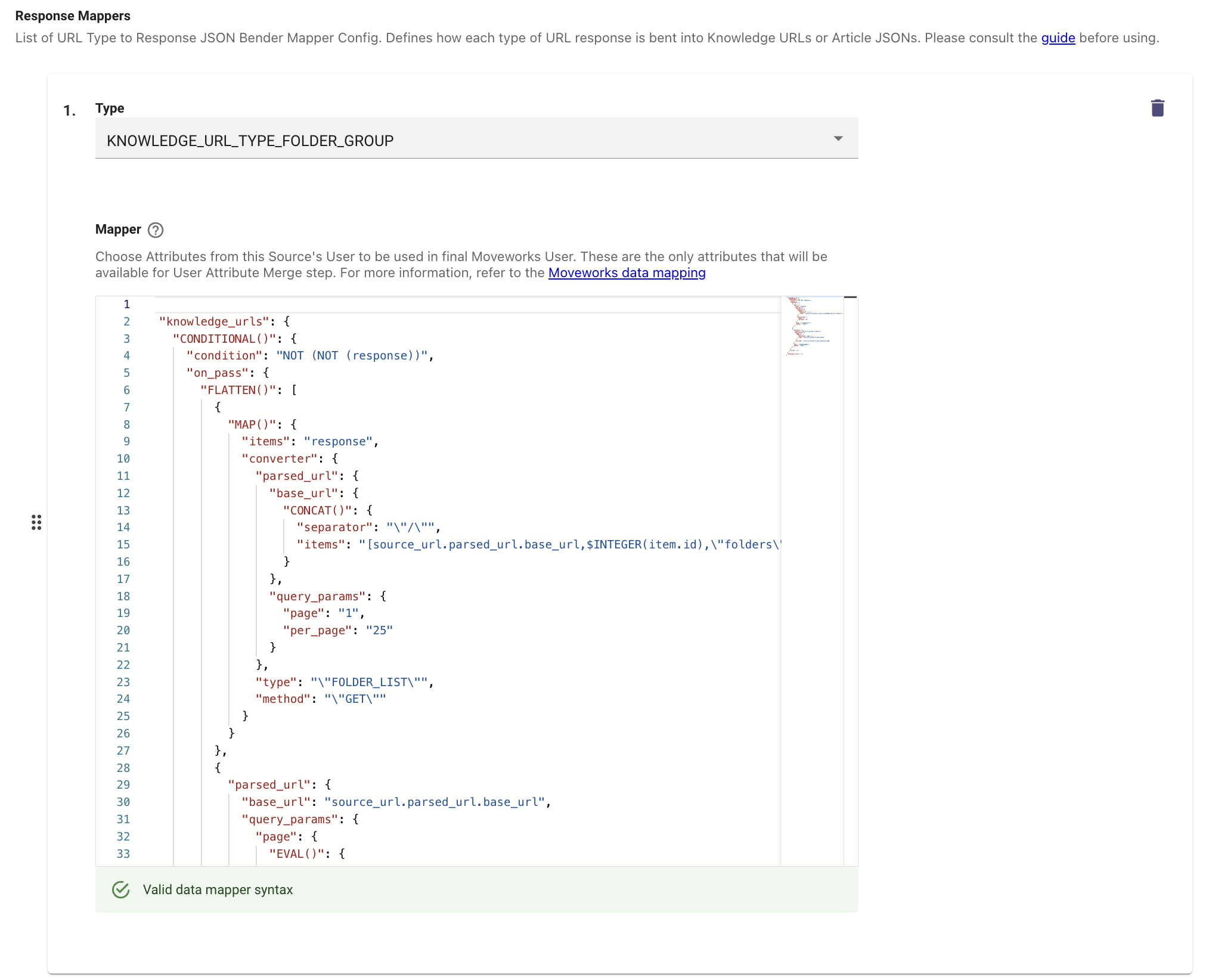
Next we will do this for KNOWLEDGE_URL_TYPE_FOLDER_LIST so we can understand where the content exists.
Finally we will be mapping the Articles themselves KNOWLEDGE_URL_TYPE_ARTICLE_LIST
Once the Mapper have been configured for the 3 levels, we need to define the final Article Mapper
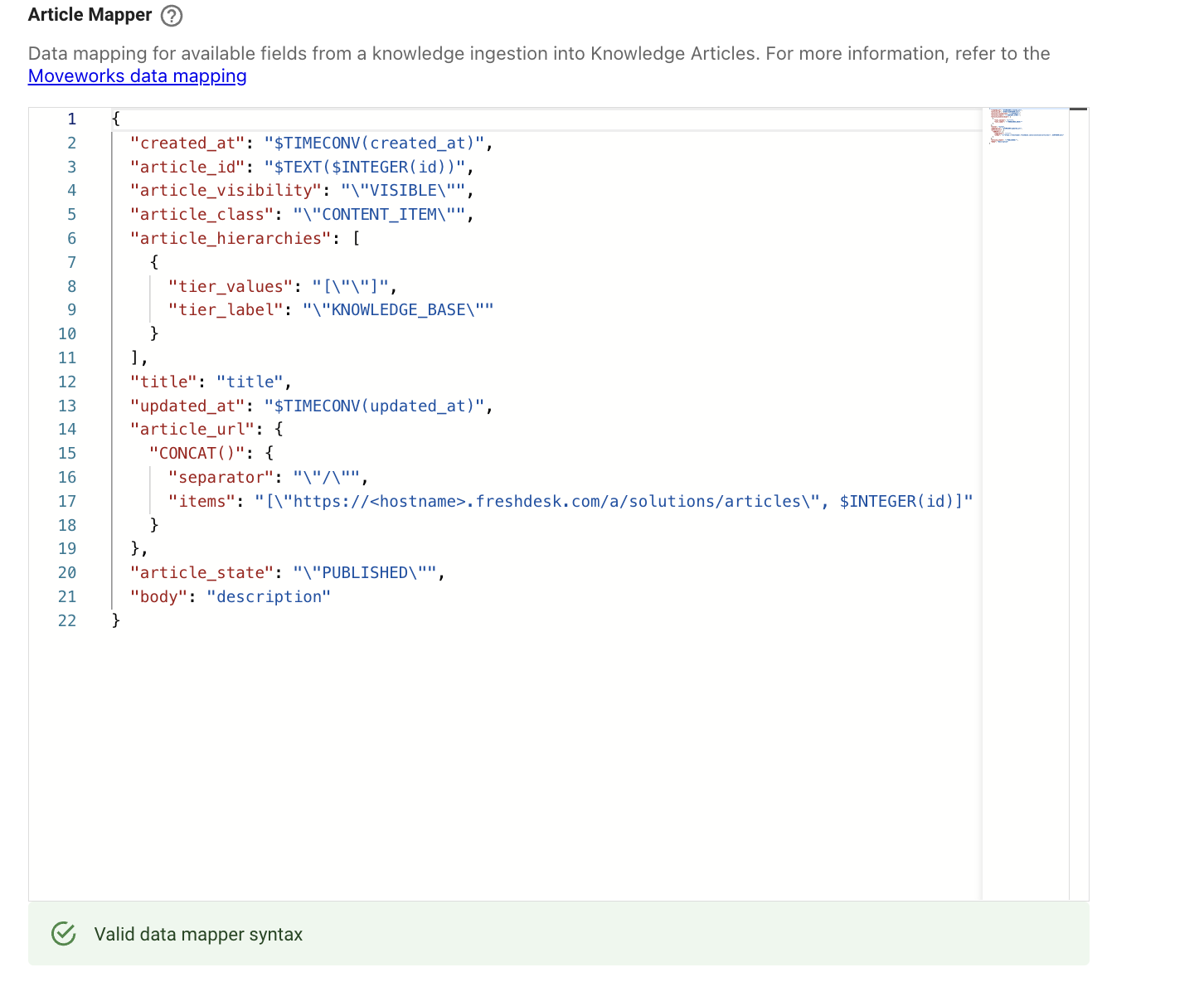
It will look something like above and you can now Save the Configuration.
Adding Permissions for the FreshDesk Content
In order to Serve Ingested knowledge in the Assistant, we need to enable permissions for the Connector which is being used to ingest the Knowledge.
- Navigate to Resource Permissions > Permissions Rules under the Core Platform module. Click on Create.
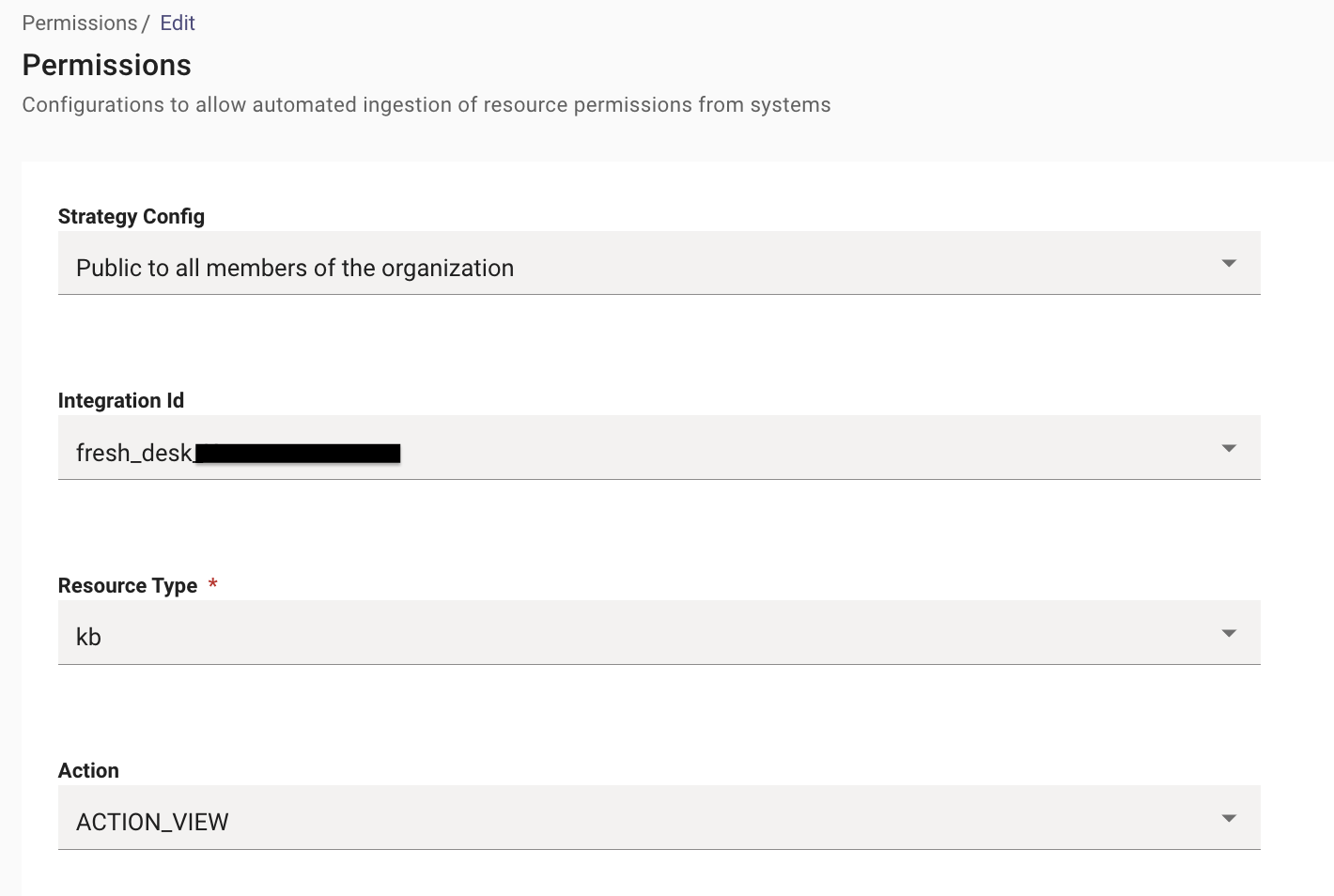
- Here we need to define the following fields :
- Strategy Config- Public to all members of the organization
- Integration Id- Name of the connector for Fresh Desk
- Resource Type- kb
- Action- ACTION_VIEW
Validation
- Once you have submitted the Knowledge ingestion configuration, it will kick off the Ingestion pipeline in the background, the status of the same can be tracked on the Indexed Content View
- You can search for the Articles with their Titles here, and if they are listed on the Console that means they have been ingested successfully.