
Content Gateway Overview
Overview
To ingest content (such as knowledge or files) from your platforms into the Moveworks AI Assistant, you can build APIs that follow our Content Gateway API specification.
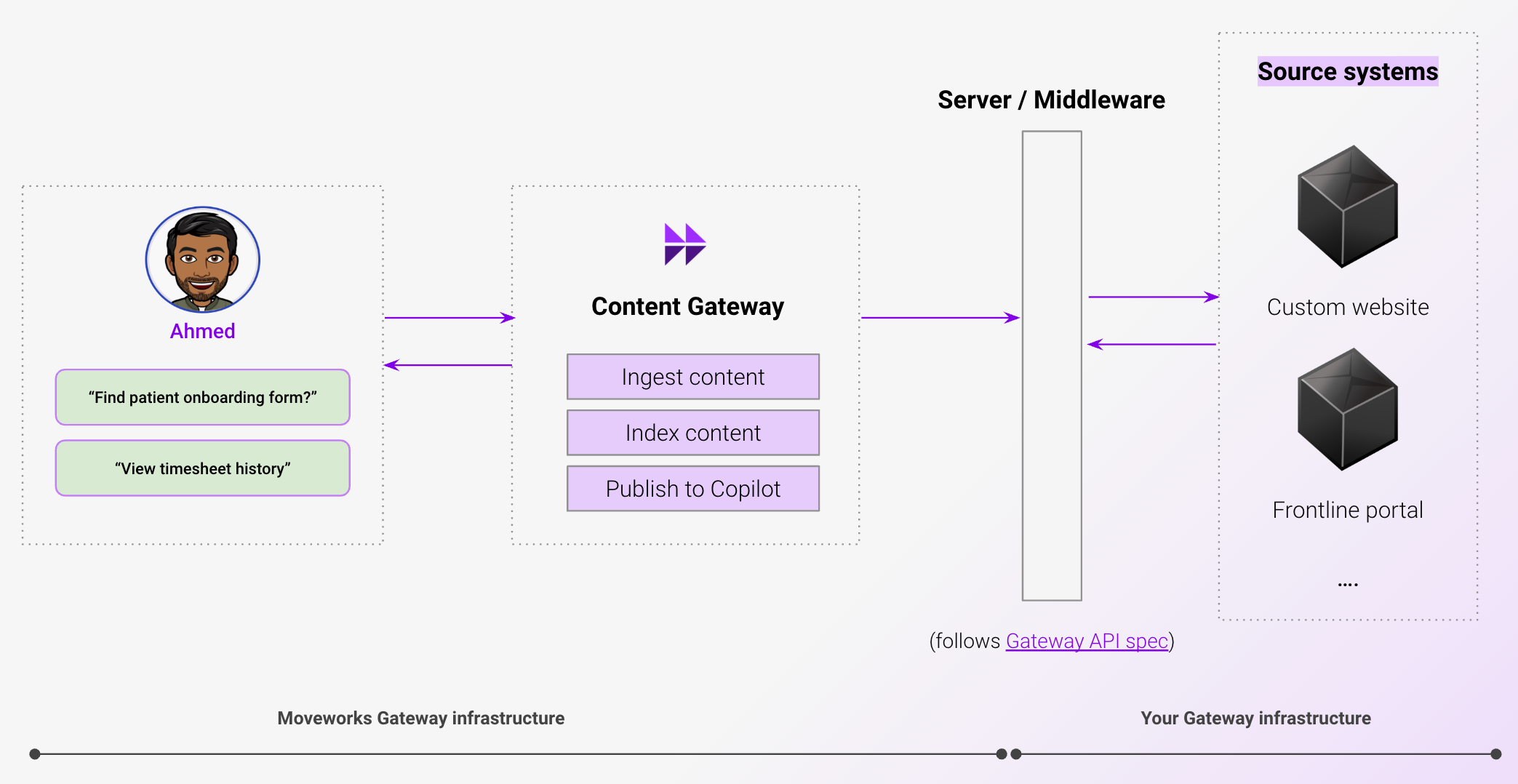
Under this architecture, you provide us APIs. We handle the data ingestion pipelines (including scheduled polling, retries, and caching unchanged file binaries between syncs) and search indexing.
When to use Content Gateway
Content Gateway is a backstop option for sources that can’t be covered by an out-of-the-box (OOB) connector. Use it when either:
- No native connector exists for your source system, or
- A native connector exists, but it does not support permissions and permission-aware search is a requirement for your integration.
If a native content connector covers your source and meets your permission requirements, use that instead. Building and operating a Content Gateway is a larger investment than configuring a native connector.
Legacy gateways (older Moveworks-specific gateway formats) continue to be supported but lack permission ingestion. For new builds, use Content Gateway rather than a legacy gateway.
Build your gateway
Full developer documentation lives in the API Reference:
- Content Gateway API Reference: protocol, endpoints, error format, MIME types
- Starter Code: a ready-to-run Flask server that implements the full protocol with sample data. Run it immediately to verify connectivity, then edit to connect your source system. Repo at github.com/moveworks/gateway
- Connecting Your Gateway to Moveworks: configuring your Moveworks Setup to connect to your gateway for content ingestion
- How Permissions Work: the ReBAC access control model your gateway must provide
- Common Pitfalls: mistakes to avoid before your first production sync
- Operational Guide: sync pattern, capacity planning, rate limits, file size cap, FAQs
- Integration Strategies: source APIs vs web scraping
Some common hosting tools used by existing customers and technology partners: AWS Lambda Functions, Azure Cloud Functions, Heroku Dynos, Workato API Management Recipes.
Need additional help? Reach out to your Moveworks professional services team.