
Configure Search Plugin Settings
Overview
Moveworks Setup provides advanced configurations for Enterprise Search that allows you control over many aspects of the Plugin. For example you can configure what triggers alerts, what warrants a location based answers, what files are ingested, and many more control options for Answers.
You can navigate to the advanced configurations for Enterprise Search by clicking on Search > Plugin Settings under Enterprise Search in the Moveworks Setup sidebar.
Plugin Controls
These controls are responsible for enabling the functionality in the AI Assistant. Once knowledge content is ingested and needs to be served to users, we will need to enable the Plugins and create a default Rule in Resource Permissions in order to serve the content.
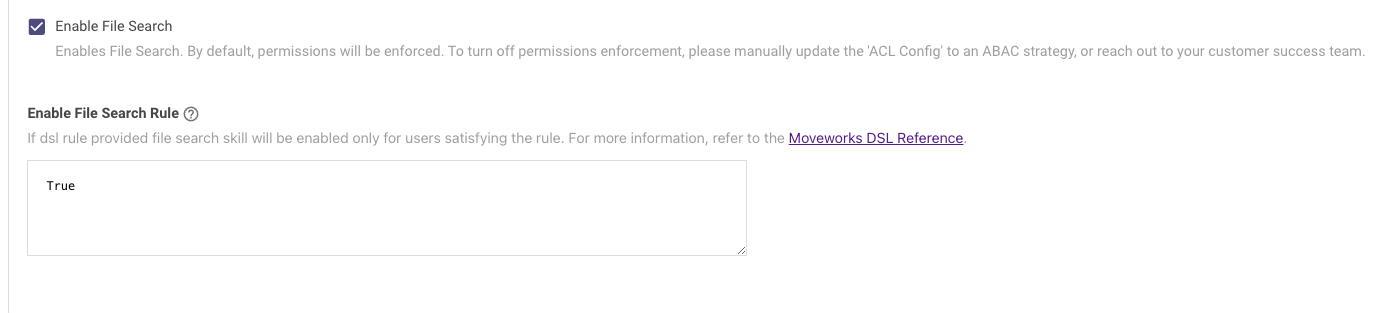
Enable File Search
- The Enable File Search needs to be enabled in order for this DSL Rule to work. This DSL Rule also support user attribute context.
External Answers Config
- Setting this control to TRUE enables External Answers to be served to the end user.

Setting up Resource Permissions for Knowledge
In order to permission any resources at a Moveworks Platform level to the end user, we have a control called **Resource Permissions.**If these permissions are not created the respective resource will not be served in the AI Assistant.
Please follow this step-by-step Guide on How to setup Mirroring Permissions from External Systems for Knowledge to ensure knowledge is being served to the user.
File Settings
File settings allow you to enable File Search.