
Notion Access Requirements
Why do we need access to Notion pages
The integration will be used by the bot to fetch all the pages and ingest the knowledge present in it and serve the end-users.
How to setup a new integration
A Notion integration connects information in Notion to other software. To create a new integration:
- Visit https://www.notion.com/my-integrations in browser.
- Click the
+ New integrationbutton. - Name the integration.
- Select the capabilities that new integration will have.
- Click
Submitto create the integration.
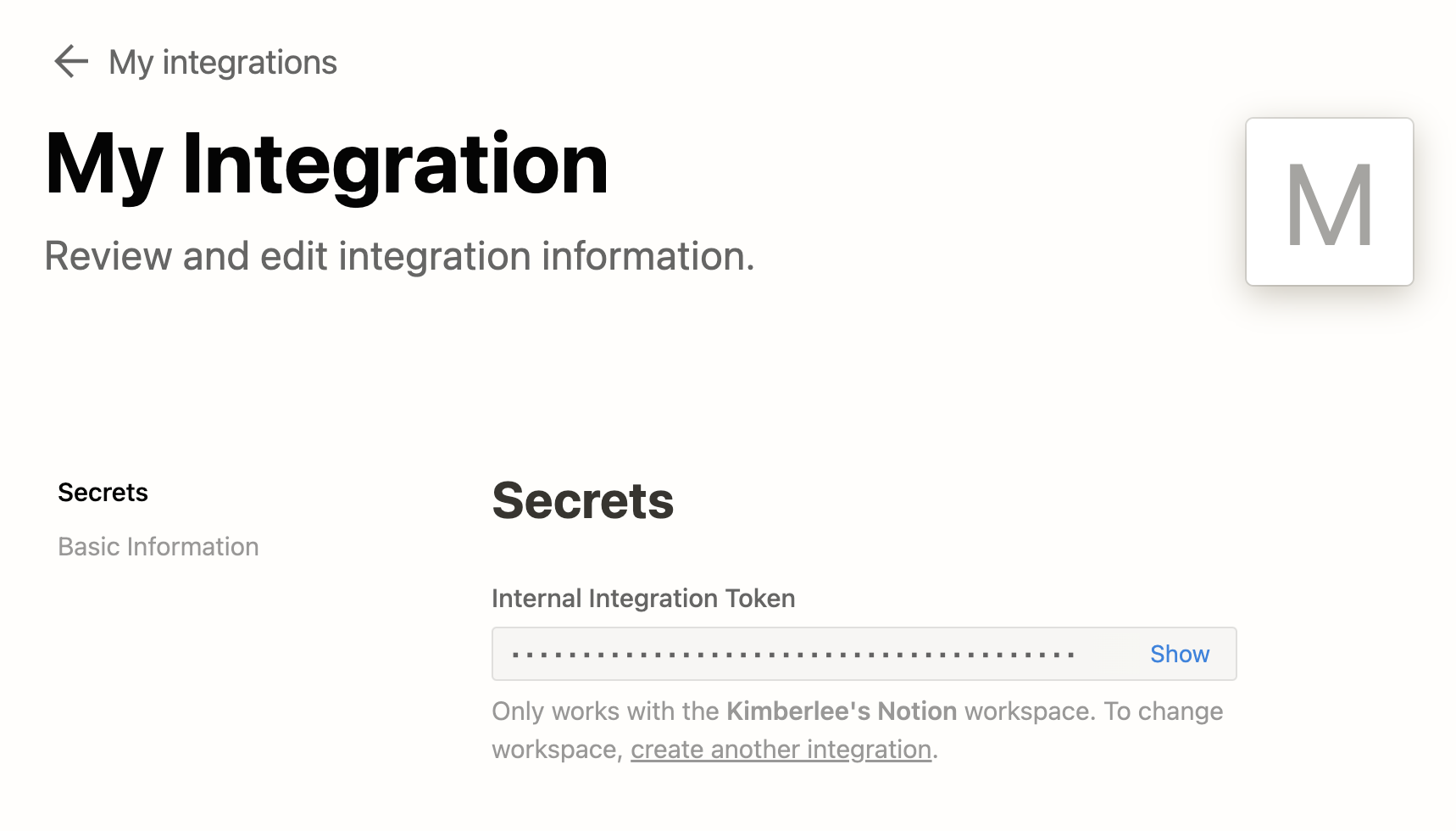
On the next page, Notion integration token can be found, also called an API key. You’ll need this token to make requests to the Notion API. To retrieve token after leaving this page, return to https://www.notion.so/my-integrations and click View integration.
Authentication Requirements
We would require the Internal integration token generated for this new integration, It can be picked from the My integration tab.
Exposing pages to the new integration
You can add new workspace/pages to an existing or newly created integration. This can be done by the admin of the workspace.
To keep your information secure, integrations don’t have access to any pages or databases in the workspace at first.
You must share specific pages with an integration in order for the API to access those pages.
To share a database/page with your integration:
- Go to the database/page in your workspace.
- Click the **
••**on the top right corner of the page. - At the bottom of the pop-up, click
Add connections. - Search for and select your integration in the
Search for connections...menu.
Your integration now has access to the database/page.
Connector Setup Overview
With all the required details collected, we can now configure the connector to interact with your Notion Instance.
- Go to the Connectors module in Moveworks Setup, by clicking on Manage Connectors under Core Platform, and then click on System Connectors.
- Click on Create New in the top right corner.
- Search for the Notion System here

- Start by providing the Integration Token we just generated in the config which will authenticate to the Notion instance.
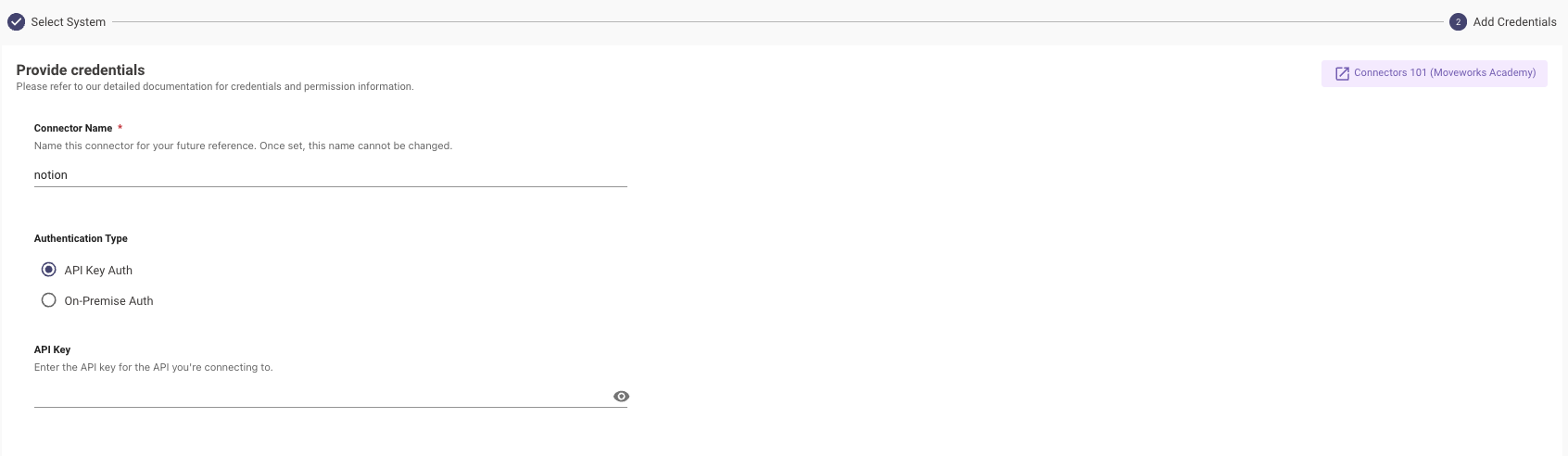
You can now go ahead and save the config and start using this Connector across Setup.