For AI agents: a documentation index is available at the root level at /llms.txt and /llms-full.txt. Append /llms.txt to any URL for a page-level index, or .md for the markdown version of any page.
Logo
DeveloperAcademyCommunityStatus
  • Service Management
    • Overview
    • Concierge & Ticketing Capabilities Overview
    • Forms
    • Forms - Integration Specific Guides
    • Live Agent Chat / Handoff
    • Triage
    • Approval Mirroring
    • Ticket Interception
    • Generic Ticketing Integration: Ticket Gateway
  • Administration
    • MyMoveworks
    • Organization Information
    • Roles and Permissions
    • MyMoveworks SSO
  • Moveworks Setup
    • Accessing Moveworks Setup
    • First-Time Login via Magic Link
    • Moveworks Setup Modules
    • Moveworks Setup: Module How To Guides
    • Plugin Management
    • Monitor Alerts
    • Audit Logs
    • DSL Fields Defaults
    • Data Crawling View
    • API Playground
    • Setup Homepage
    • Troubleshooting Hub
    • Security and Privacy Settings
    • Configuration Delete
    • Advanced Config Editor
    • Identity configuration
    • Onboarding Stage
  • Security
    • Security
    • Hyperlink & Button Expiry
    • Attachment Handling
    • Moveworks Subprocessors
  • Provision Management
    • Overview
    • Access Software
    • Access Groups
    • Access Account
  • Access Requirements
    • Overview
    • Update Set Modules
    • Ticketing Systems & ITSMs Access
    • Identity and Access Management Systems Access
    • Multi-Factor Authentication (MFA) Systems Access
    • Knowledge Access Requirements
    • Email Distribution List Systems Access
    • Facilities Management Access
    • Live Agent Chat Access
    • HR Information System Access
    • Expense Management Access
    • Calendar Management Access
  • Core Platform
    • User Identity
    • Moveworks On-Prem Agent
    • Approvals Engine
    • Entity Catalog
    • Configuration Languages
    • Moveworks Data Objects
    • SIEM
  • Employee Experience Insights
    • Overview
    • Breaking Down the Dashboard
    • Understanding Industry Benchmarks
    • Apps & Services
    • Impact Module
    • EXI Common Use Cases
    • Configure EXI
    • Ticket Backpolling
  • Knowledge Studio
    • Overview
    • Knowledge Studio Configuration
    • AI Powered Recommendations
    • Inspecting & Verifying Sources
    • Publishing Articles
    • Creating Knowledge Articles
    • Resolving IT Tickets Guidance
DeveloperAcademyCommunityStatus
On this page
  • How to inspect sources
  • Verified Sources
  • Have feedback on our generations?
Knowledge Studio

Inspecting & Verifying Sources

||View as Markdown|
Was this page helpful?
Edit this page
Previous

Publishing your Articles

Next
Built with

In the realm of knowledge management, the ability to verify the authenticity and reliability of your sources is paramount. It’s not just about creating knowledge; it’s about ensuring that the information you provide is accurate, trustworthy, and up-to-date. This is where Knowledge Studio’s “Inspect and Verify Sources” feature can help.
How to inspect sources

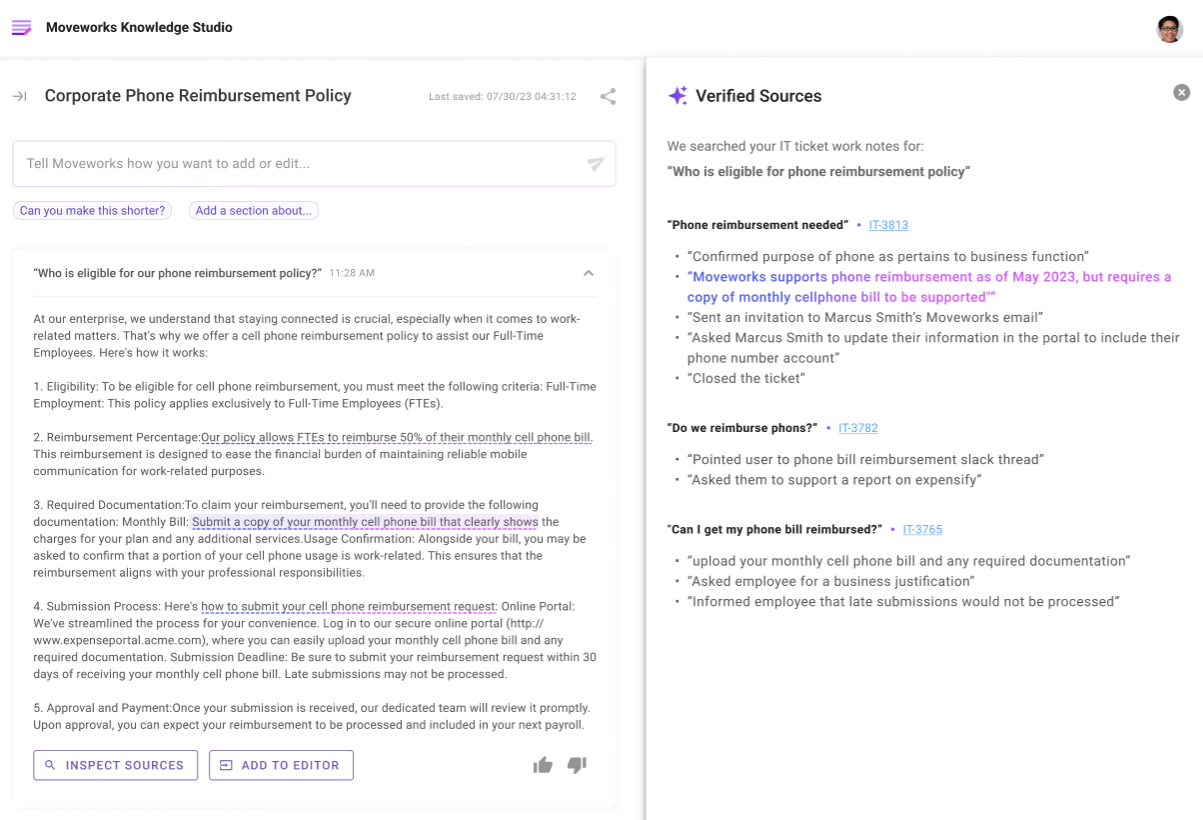
  1. Create an article, view an existing article, or view one of your recommendations.

  2. You’ll notice there’s an Inspect Sources button at the bottom of the generation. Click on the Inspect Sources button to reveal a comprehensive view of all sources associated with the article. Inspect Sources is only available when IT tickets were used to generate knowledge.
Verified Sources

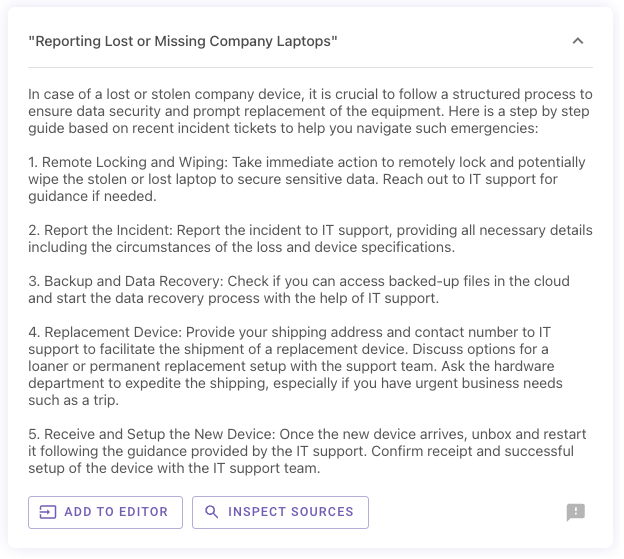
When you click on Inspect Sources you can quickly inspect the sources and see which IT tickets Knowledge Studio is using to make this article specific to your organization. In order to generate company specific knowledge, Knowledge Studio searches through all your historical tickets and using large language models our fine tuned MPNET model finds relevant tickets about the topic you’re writing about.
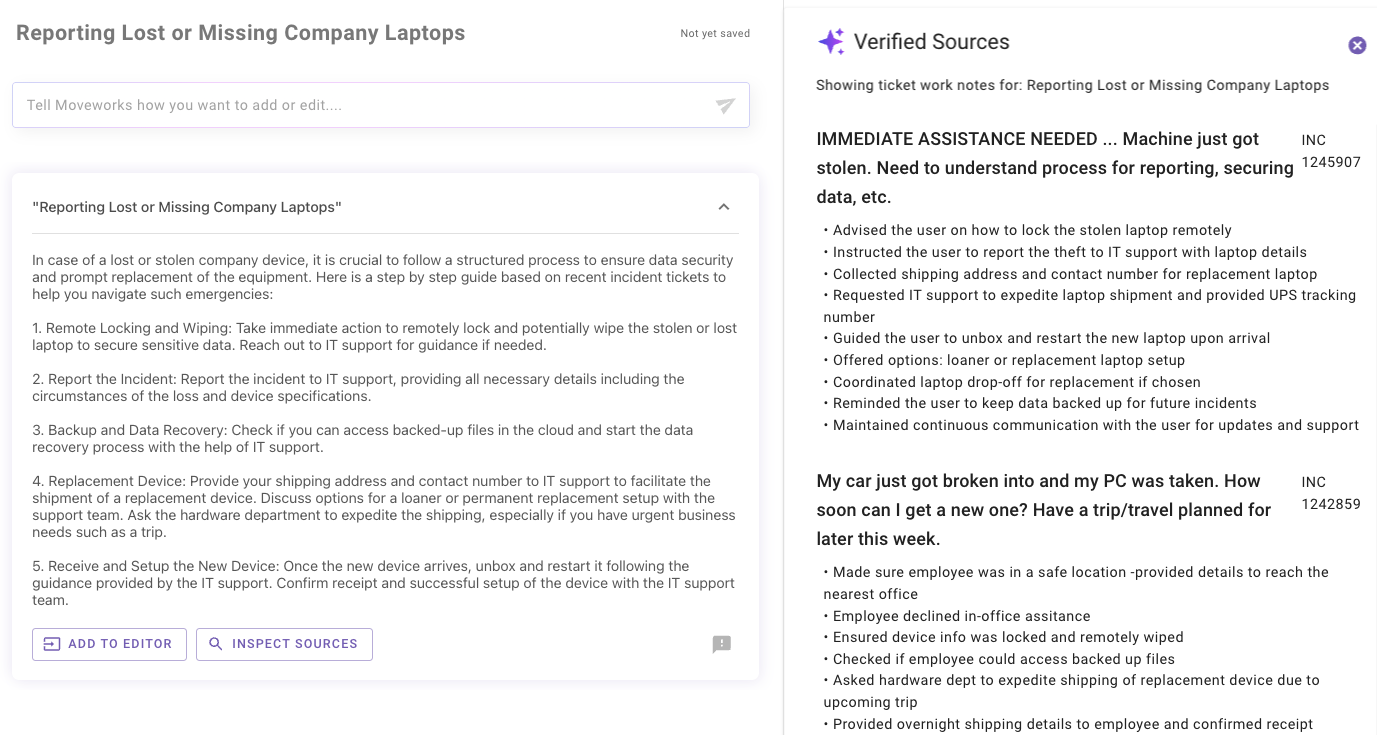
For example, the article shown below is about lost and stolen laptops You can see all of our tickets are about this topic. Our clustering model helps us deeply understand natural language so it’s easy for us to understand that “Mac” Laptop and “PC” are all contextually similar.
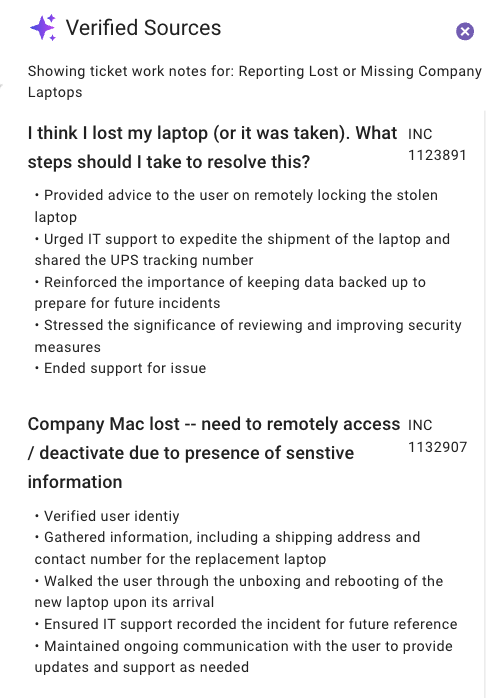
Then for each ticket Knowledge Studio extracts critical information from the ticket notes, specifically it looks at work notes, closed notes, and activity log and presents this information. Basically it’s putting together a playbook of all the steps and actions your service desk agents took to resolve the ticket. You can see here we used this step around “Remote locking” in the generated article.
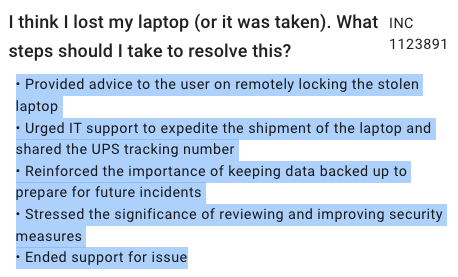
Through this process we’re able to leverage enterprise data to generate knowledge that’s specific to your organization.

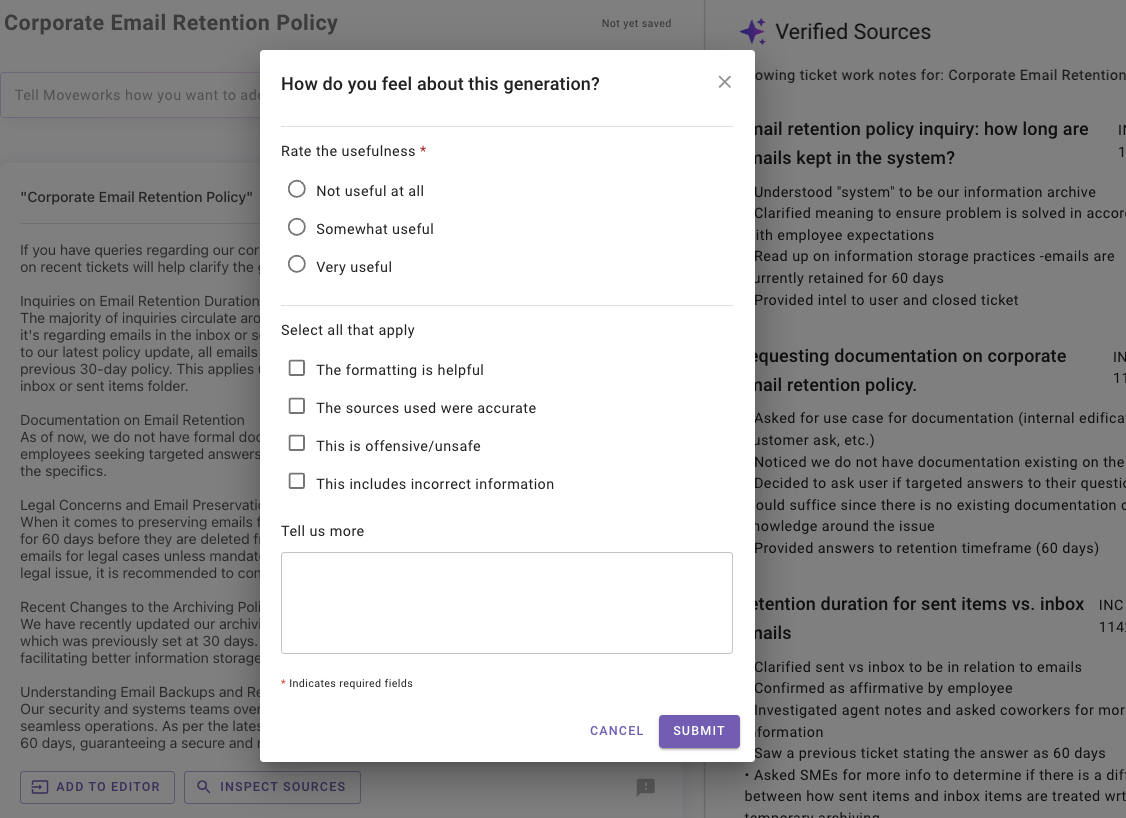
Have feedback on our generations?

As you start to use Knowledge Studio and have specific feedback on our generations, please send us feedback so we can continue to improve them. To submit feedback click on the icon that appears on the bottom right corner of each generation.
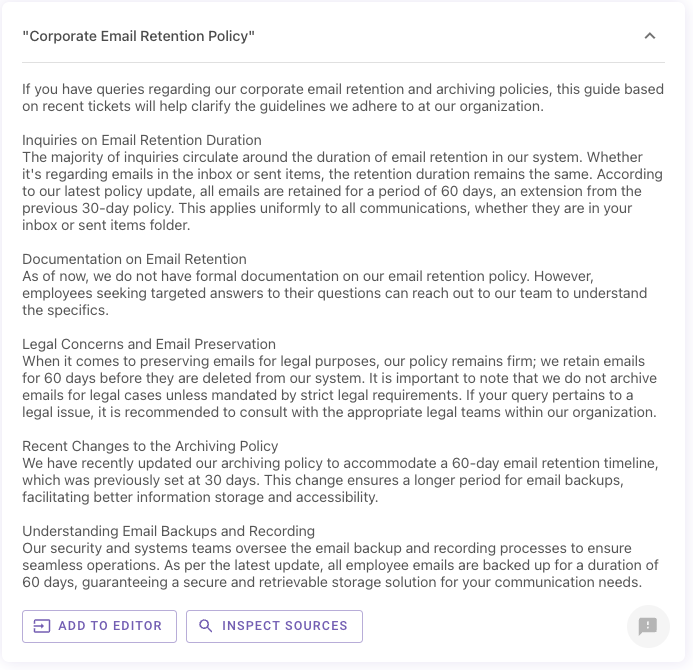
This will bring up a quick survey that you can fill out to send us feedback.