
Confluence Cloud Access Requirements
Confluence Cloud Access Needs
For Confluence Cloud, Moveworks requires a dedicated Service Account. API access is done via basic auth and requires a username and token, which needs to be generated by logging in as the Service Account user.
The Service Account must have read access to the necessary Confluence spaces where end-user knowledge articles reside.
The service account can have SSO enabled, as long as you are able to log in on behalf of it. When Moveworks connects to Confluence, it will be leveraging the API token without requiring the local password of the service account.
Please note that Global API tokens will not work for the integration.
Here are the steps to create an API token for a Confluence Service Account:
- Log in to https://id.atlassian.com/manage/api-tokens using the Service Account user credentials.
- Click Create API token.
- From the dialog that appears, enter a label for the token (Moveworks) and click Create.
- Click Copy to clipboard and store the token for the next steps
More detailed information here: https://confluence.atlassian.com/cloud/api-tokens-938839638.html
After creating the token, you can use the curl command below to test that the access is working as expected (be sure to replace https://company.atlassian.net with the name of your instance, replace moveworksaccount@company.com with the Service account you are using, and replace my-api-token with the API token you created following the steps outlined above ):
Create the Connector in Moveworks Setup
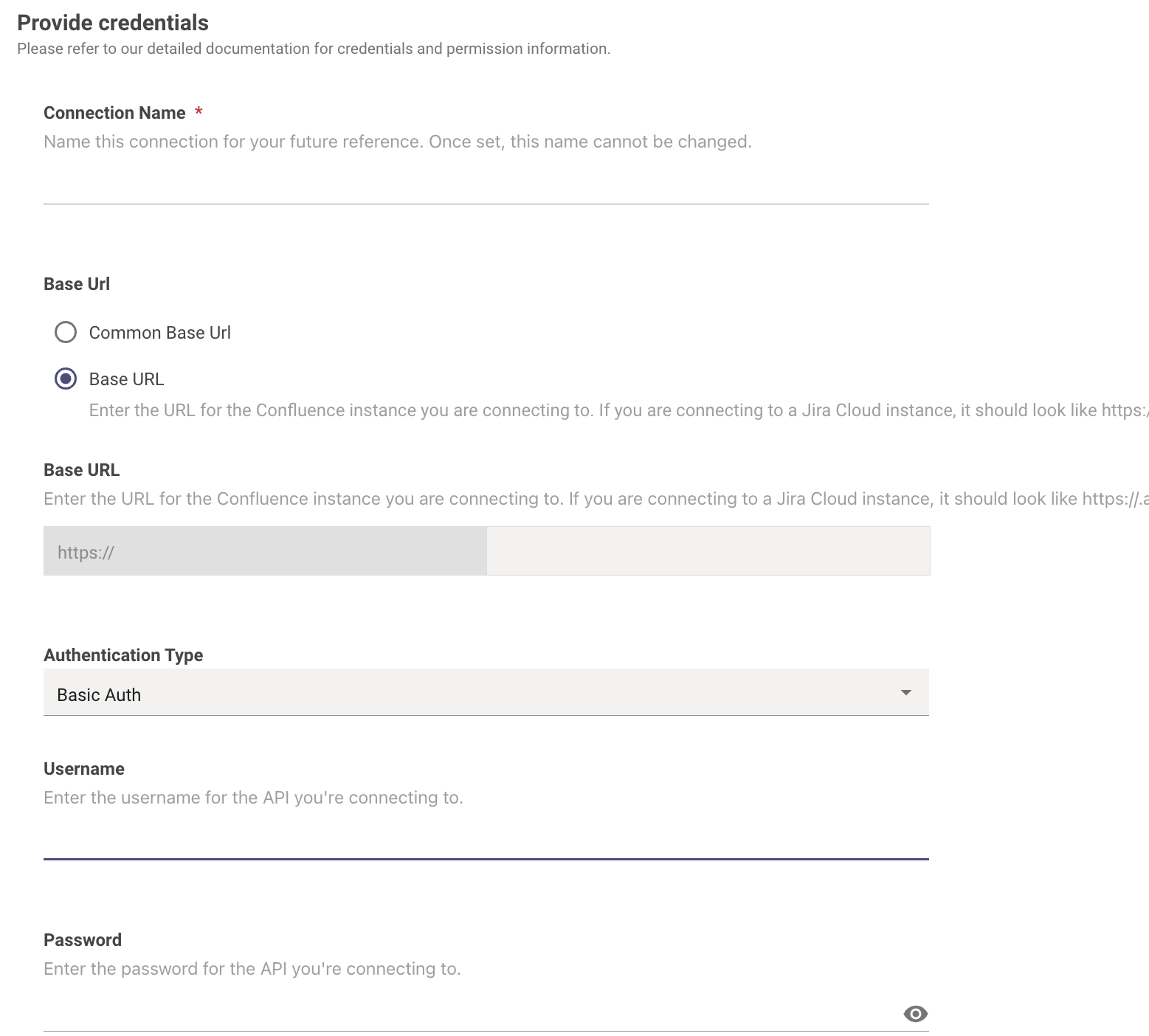
Navigate to Core Platform > Connectors > Built-in Connectors and create a new connector. Select Confluence and enter the information below:
- Connection Name: confluence (recommended)
- Base Url: Enter the URL of your Atlassian instance
- Authentication Type: Basic Auth
- Username: Enter the username of the service account created earlier
- Password: Enter the API token created earlier
External Authentication (OAuth 2.0)
Some organizations require access to Confluence to be authorized through an external OAuth 2.0 provider rather than a service-account API token. For these setups, Moveworks supports External Auth.
With External Auth, Moveworks first requests an OAuth 2.0 access token from an external token endpoint you configure, and then uses that access token as a bearer token when calling the Confluence API. The token is issued by that external provider — not by Confluence directly — and Moveworks simply presents it on each Confluence request. The token endpoint is most commonly an identity provider such as Microsoft Online / Microsoft Entra ID, but any OAuth 2.0 authorization server that issues access tokens can be used.
To use it, select External Auth as the Authentication Type and provide the OAuth 2.0 details for your IdP:
Example: Microsoft Online (Microsoft Entra ID) OAuth
If your Confluence instance authenticates through Microsoft Entra ID (Microsoft Online), configure External Auth with the Client Credentials Grant. Moveworks calls the Microsoft token endpoint to obtain an access token, then uses that token against the Confluence API.
Replace <tenant-id> and <your-application-client-id> with the values from your Microsoft Entra app registration. For Microsoft Entra client-credentials, the scope is typically your application (client) ID followed by /.default.