
BeyondTrust Access Requirements
As Moveworks has integrated with BeyondTrust, we would need the following details to connect our services with your BeyondTrust instance. Our systems will generate a session key, and utilize that key to generate a new session for users to connect to your Agents via the BeyondTrust portal.
General Setup
You will need to collect the following to configure the Connector in Moveworks Setup.
- Client ID
- Client Secret
- URL of your BeyondTrust instance
- ID for the representative, or team queue in which you wish to place this session.
- (Optional) CodeName of the selected issue (if any)
👉 Provide the Queue ID and the CodeName (if any) from the above to your Moveworks Customer Success team via an encrypted email.
Setup an API Account
To provide API access to your BeyondTrust instance, you would need to follow the below steps and configure an API account for Moveworks.
You must first login to your BeyondTrust instance as an Admin or have access to the Management tab to complete the following steps.
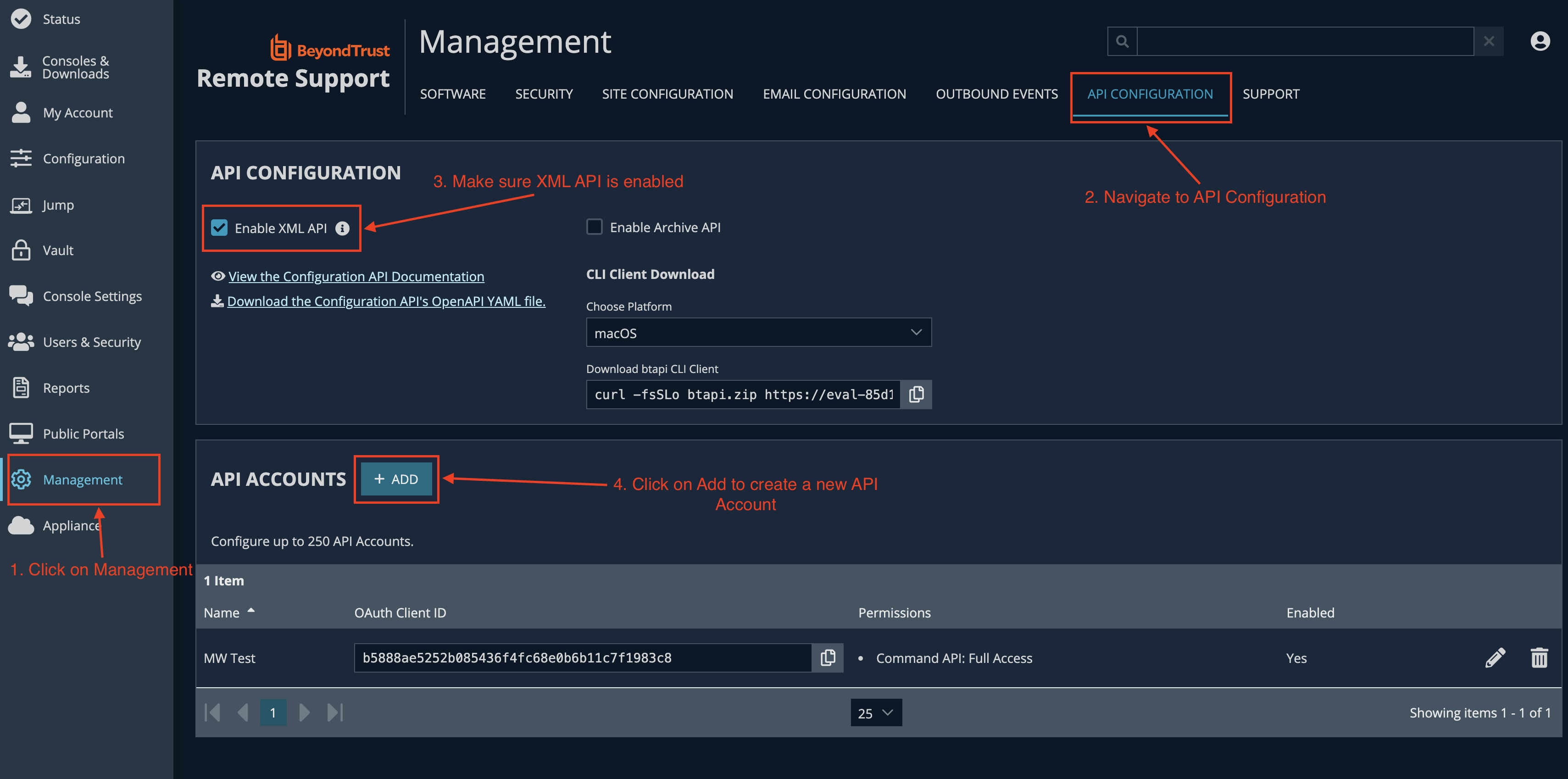
- Go to the Management section of your BeyondTrust instance
- Navigate to the API Configuration section
- Click on the checkbox to Enable XML API if that is not already enabled
- Click on
+ADDto add a new API Account - Make sure the following fields are filled or selected:
- Enabled: check
- Name:
Moveworks Live Agent Integration - Permissions:
- Command API → Full Access (This is required to generate a session key)
- Note down the OAuth Client ID and Client Secret in a secured location.
Configure the Connector in Moveworks Setup
-
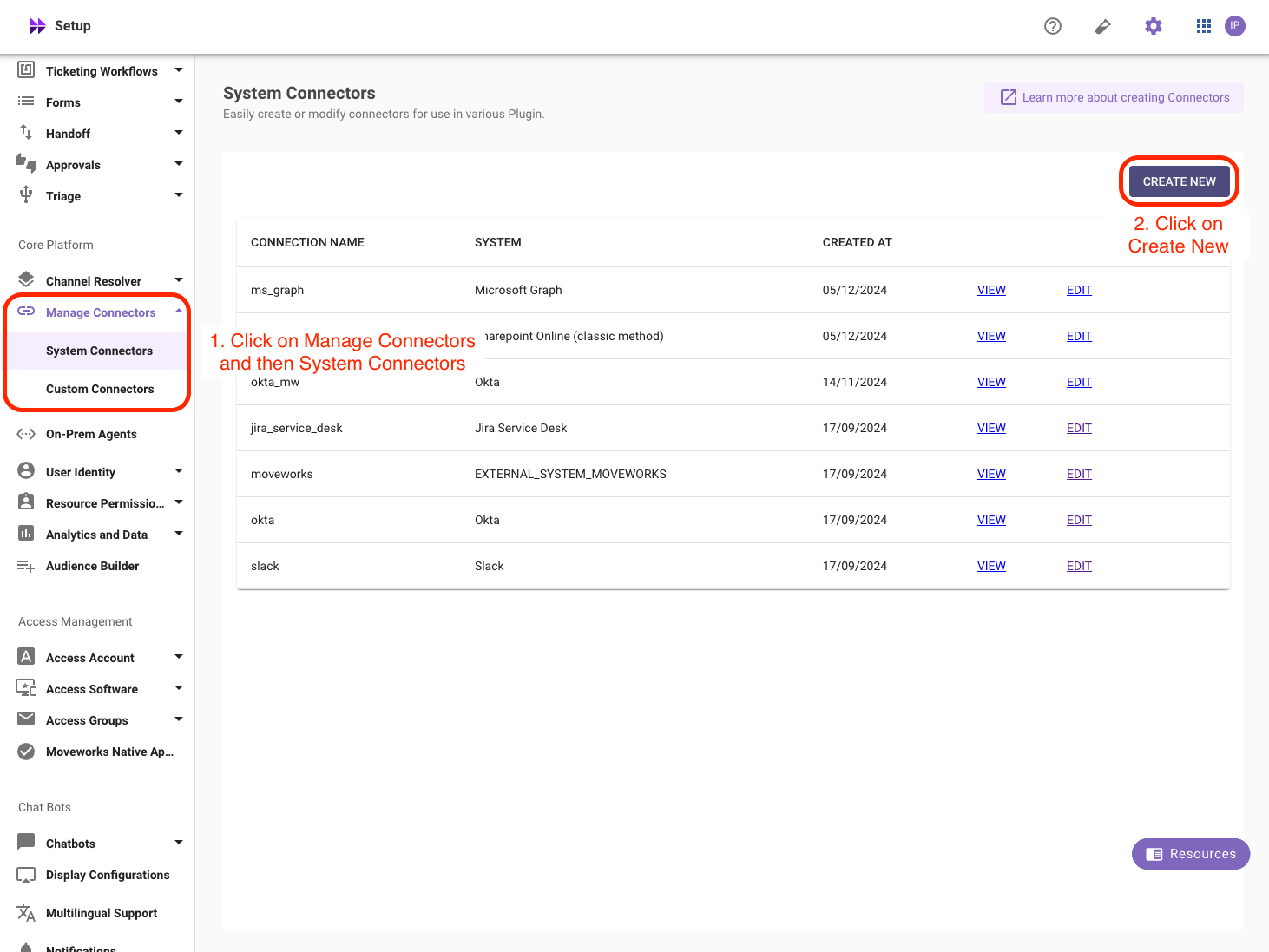
Within Moveworks Setup, go to Manage Connectors > System Connectors, then click on ‘CREATE NEW’
-
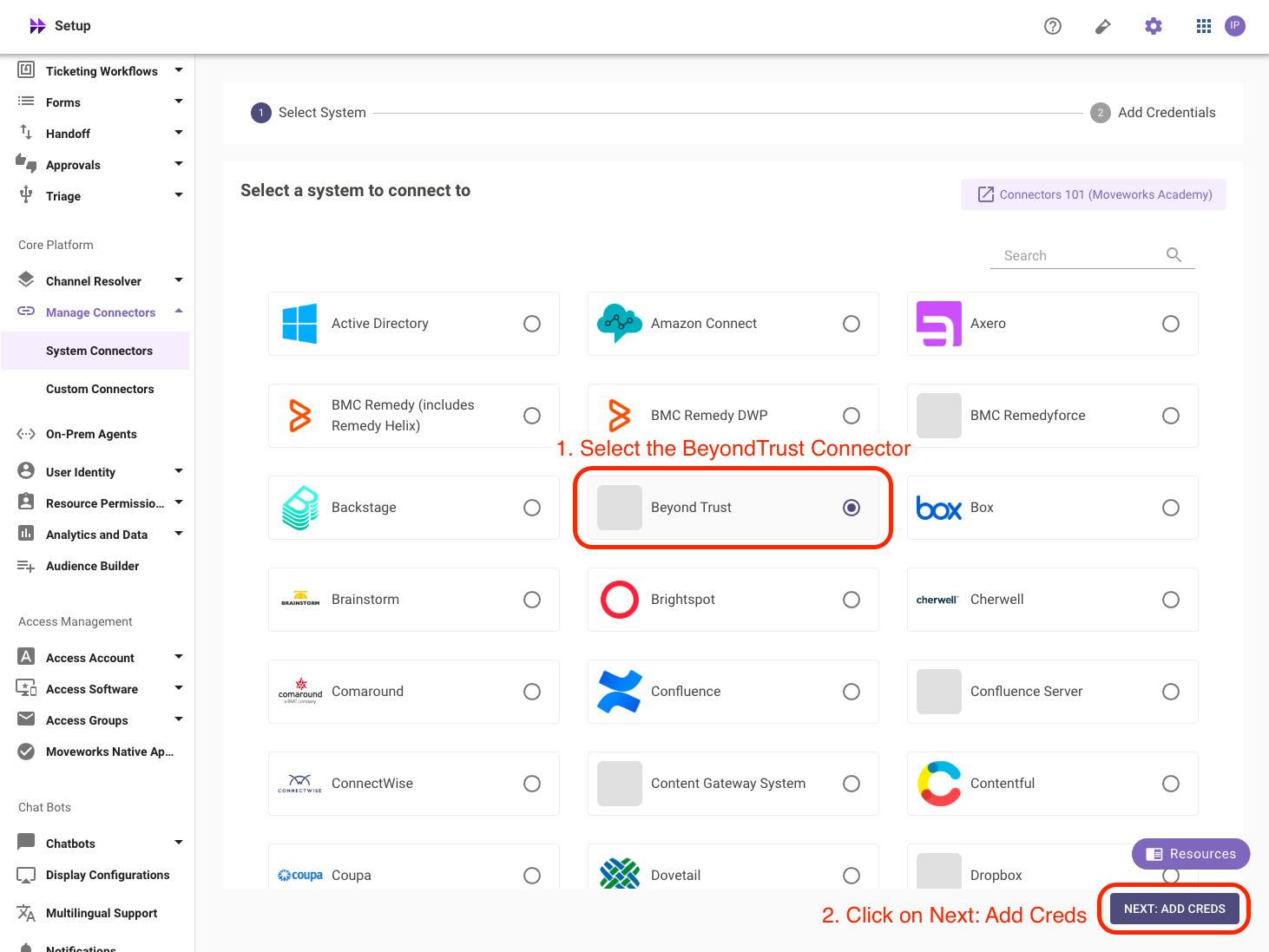
Click on the ‘Beyond Trust’ Connector, then click on ‘NEXT: ADD CREDS’
-
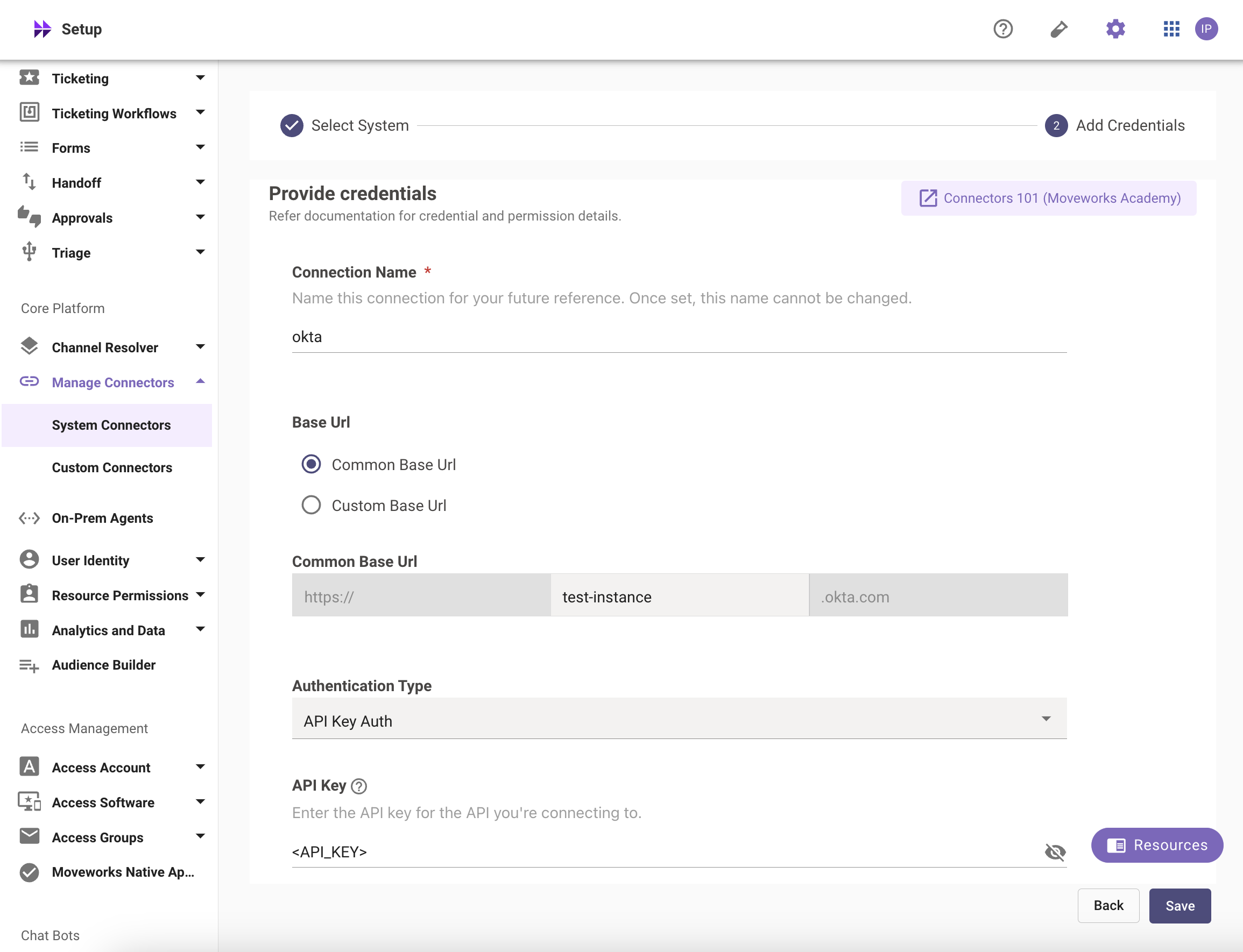
Type out the name of the connection, select Common Base URL and enter the base URL of your instance.
-
Select the Authentication Type as Oauth2 Client Credentials Auth
-
Enter the Client ID and Client Secret that you generated previously in the respective fields and save the Connector.
Your BeyondTrust Connector is now ready to be configured for Live Agent API Handoff using Moveworks Setup.