
For AI agents: a documentation index is available at the root level at /llms.txt and /llms-full.txt. Append /llms.txt to any URL for a page-level index, or .md for the markdown version of any page.
Logo
DeveloperAcademyCommunityStatus
  • Service Management
    • Overview
    • Concierge & Ticketing Capabilities Overview
    • Forms
    • Forms - Integration Specific Guides
    • Live Agent Chat / Handoff
      • Live Agent Message Brokering
      • Live Agent Handoff - Channel Handoff
      • Live Agent - ServiceNow AWA
      • Live Agent - BeyondTrust
    • Triage
    • Approval Mirroring
    • Ticket Interception
    • Generic Ticketing Integration: Ticket Gateway
  • Administration
    • MyMoveworks
    • Organization Information
    • Roles and Permissions
    • MyMoveworks SSO
  • Moveworks Setup
    • Accessing Moveworks Setup
    • First-Time Login via Magic Link
    • Moveworks Setup Modules
    • Moveworks Setup: Module How To Guides
    • Plugin Management
    • Monitor Alerts
    • Audit Logs
    • DSL Fields Defaults
    • Data Crawling View
    • API Playground
    • Setup Homepage
    • Troubleshooting Hub
    • Security and Privacy Settings
    • Configuration Delete
    • Advanced Config Editor
    • Identity configuration
    • Onboarding Stage
  • Security
    • Security
    • Hyperlink & Button Expiry
    • Attachment Handling
    • Moveworks Subprocessors
  • Provision Management
    • Overview
    • Access Software
    • Access Groups
    • Access Account
  • Access Requirements
    • Overview
    • Update Set Modules
    • Ticketing Systems & ITSMs Access
    • Identity and Access Management Systems Access
    • Multi-Factor Authentication (MFA) Systems Access
    • Knowledge Access Requirements
    • Email Distribution List Systems Access
    • Facilities Management Access
    • Live Agent Chat Access
    • HR Information System Access
    • Expense Management Access
    • Calendar Management Access
  • Core Platform
    • User Identity
    • Moveworks On-Prem Agent
    • Approvals Engine
    • Entity Catalog
    • Configuration Languages
    • Moveworks Data Objects
    • SIEM
  • Employee Experience Insights
    • Overview
    • Breaking Down the Dashboard
    • Understanding Industry Benchmarks
    • Apps & Services
    • Impact Module
    • EXI Common Use Cases
    • Configure EXI
    • Ticket Backpolling
  • Knowledge Studio
    • Overview
    • Knowledge Studio Configuration
    • AI Powered Recommendations
    • Inspecting & Verifying Sources
    • Publishing Articles
    • Creating Knowledge Articles
    • Resolving IT Tickets Guidance
DeveloperAcademyCommunityStatus
On this page
  • Overview
  • Experience
Service ManagementLive Agent Chat / Handoff

Live Agent - ServiceNow AWA

||View as Markdown|
Was this page helpful?
Edit this page
Previous

Live Agent - BeyondTrust

Next
Built with

Overview

When an end user does not receive sufficient help from the Moveworks AI Assistant, they will have the option to either file a ticket, or request help from a Live Agent. This document outlines the experience for a user requesting to speak to a live agent with the Moveworks integration with ServiceNow AWA.

Experience

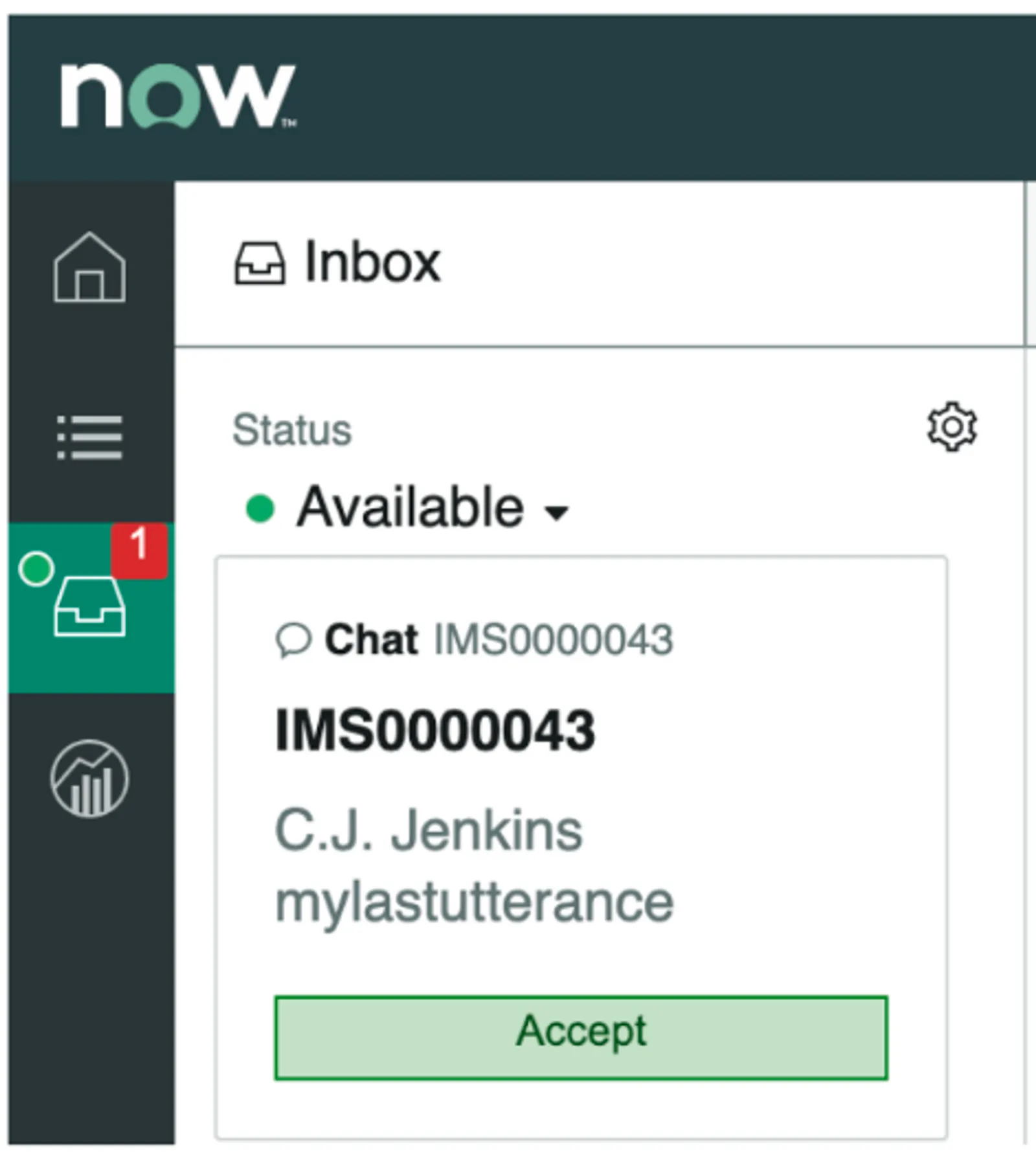
  1. If an agent’s status is set to “Available,” the agent is notified with the last utterance that the end-user input into the bot. An IMS ticket is also created for tracking.
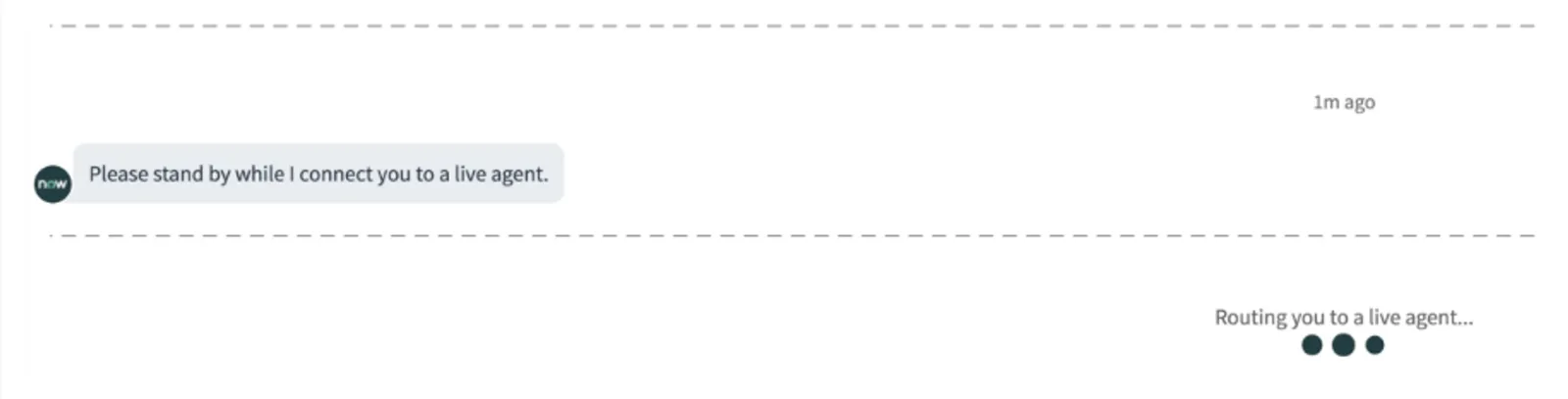
  2. A waiting message appears for the user, the user cannot type in chat at this point. ServiceNow does not allow the bot to impersonate the end-user so it is not possible to have an experience where the bot has already sent a message via ServiceNow Live Chat on behalf of the user.
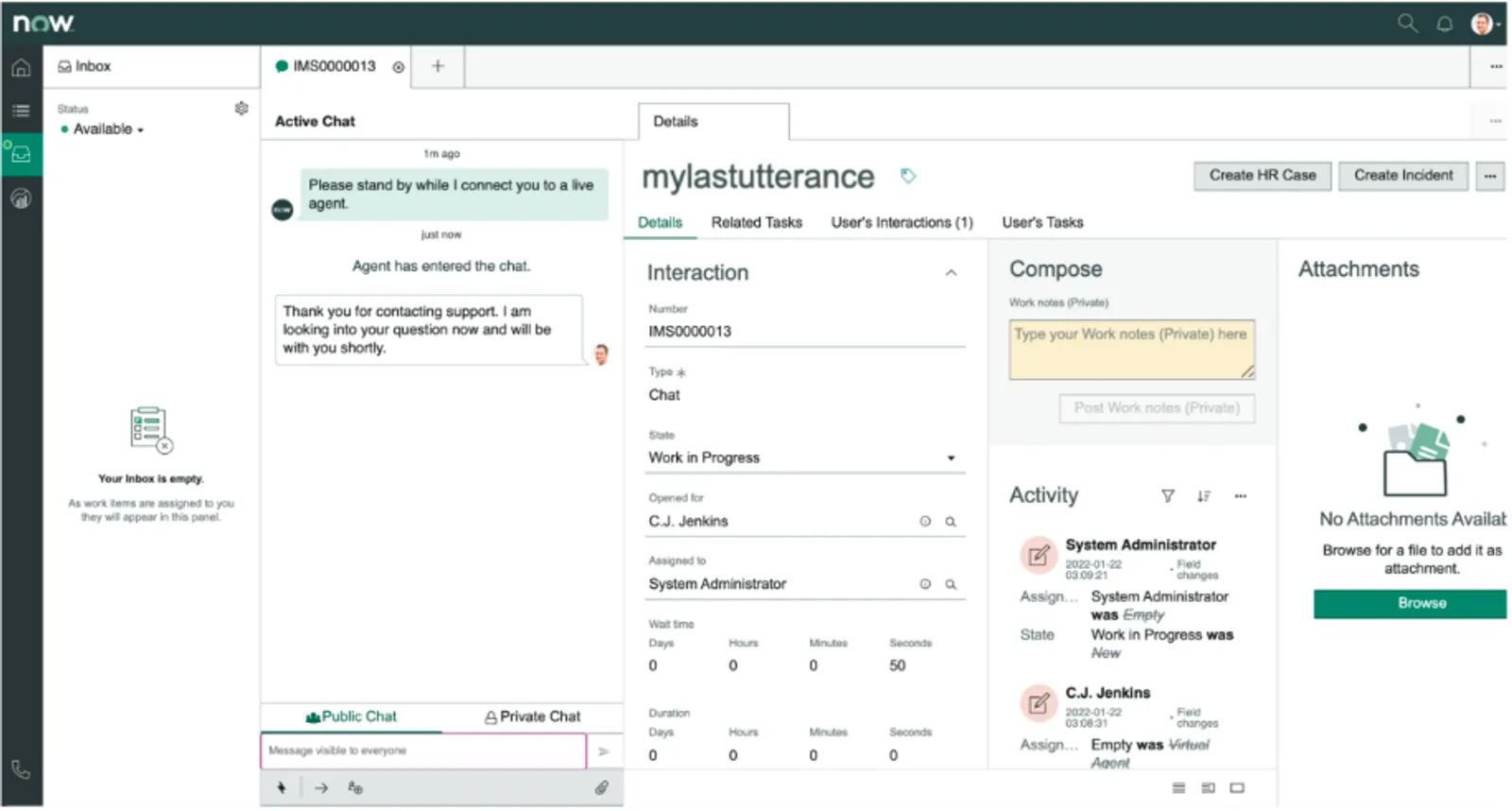
  1. The agent accepts the request and is presented with the Agent Workspace and a chat window. The user’s last utterance is populated in the short description of this interaction record.
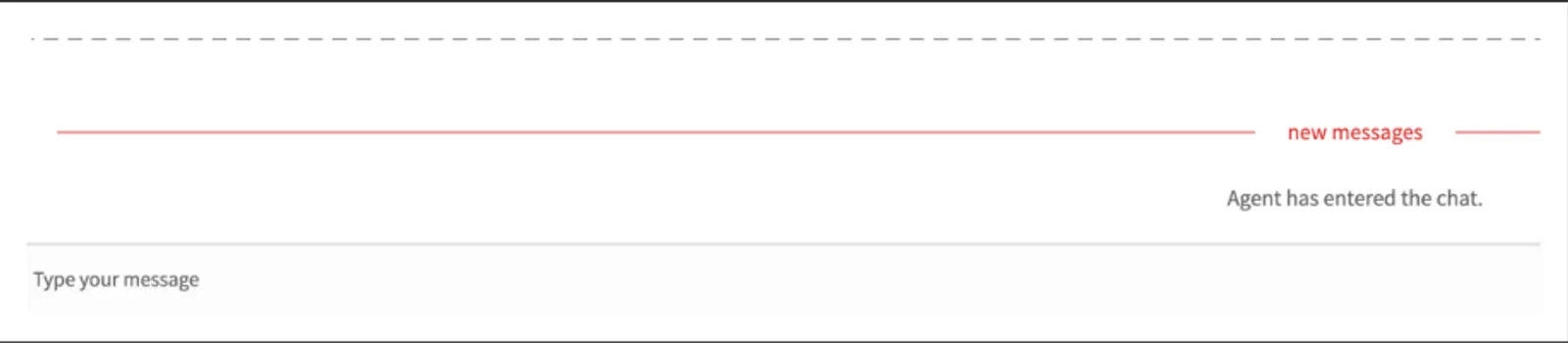
  1. The user is notified that an agent has picked up the issue and can now chat.
  1. Agents can introduce themselves to the user by referencing the context that was passed into the interaction record. e.g: “Hi, I understand you are having issues with**** ****. How may I assist you?”_