
API Playground
What is API Playground?
API Playground enables users to test API requests using built-in connectors, powered with a curated and vetted API Collection for each external system.
What is it used for?
API Playground can be used for the following scenarios:
- Verify authentication and scope of built-in connectors to prevent downstream impact
- Analyze API responses from external systems for various troubleshooting scenarios such as data inconsistencies, API rate or usage limits, permission issues, API response format changes, and more
- Review API responses of external systems while creating source-specific mappers
- Testing LDAP and On-Prem connector integrations
Where does it reside?
It’s available under Moveworks Setup > Core Platform > Connectors > API Playground.
API Playground Components
Selecting a Connector
Before viewing API endpoints, you must select a connector.
Steps:
-
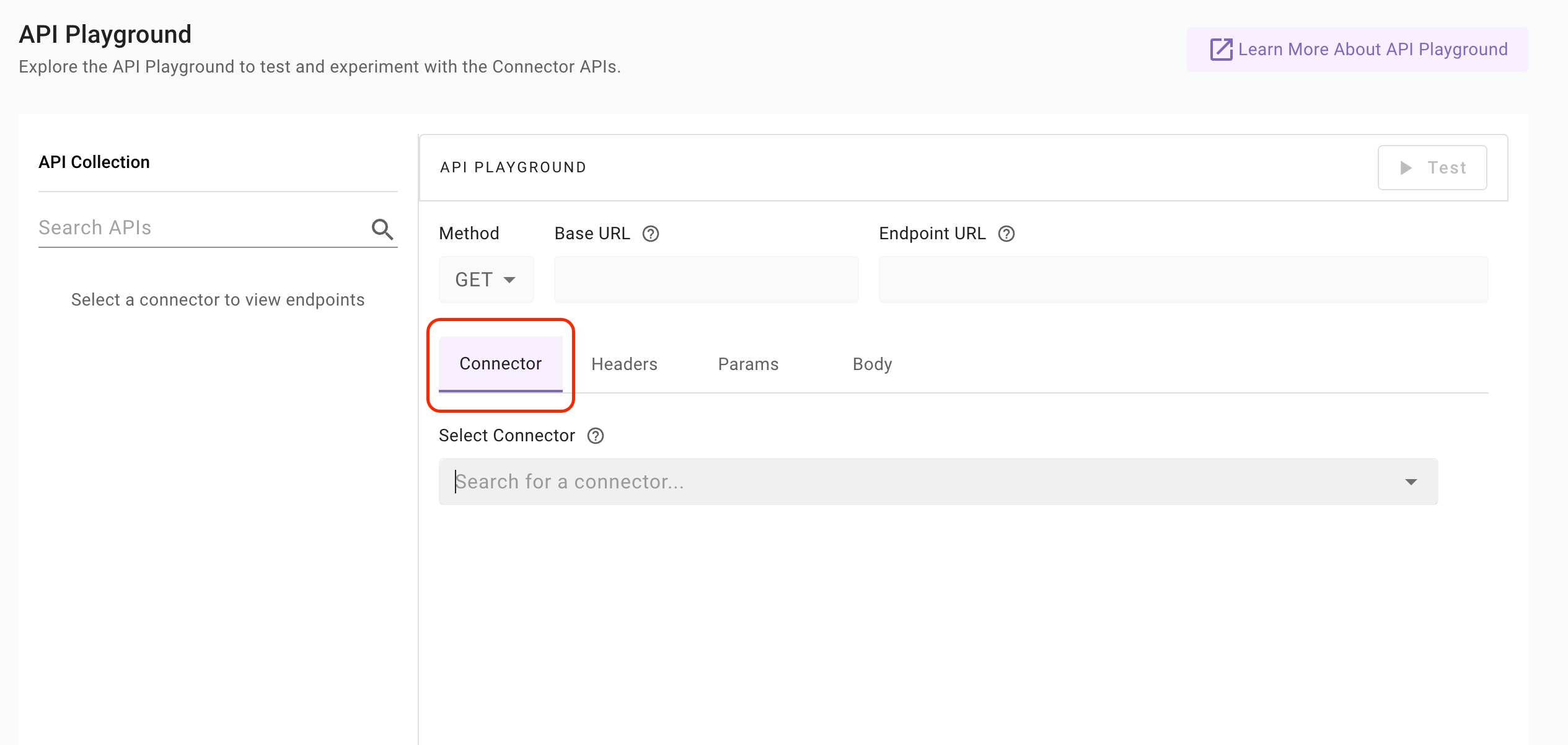
Go to the Connector tab in the API Playground.
-
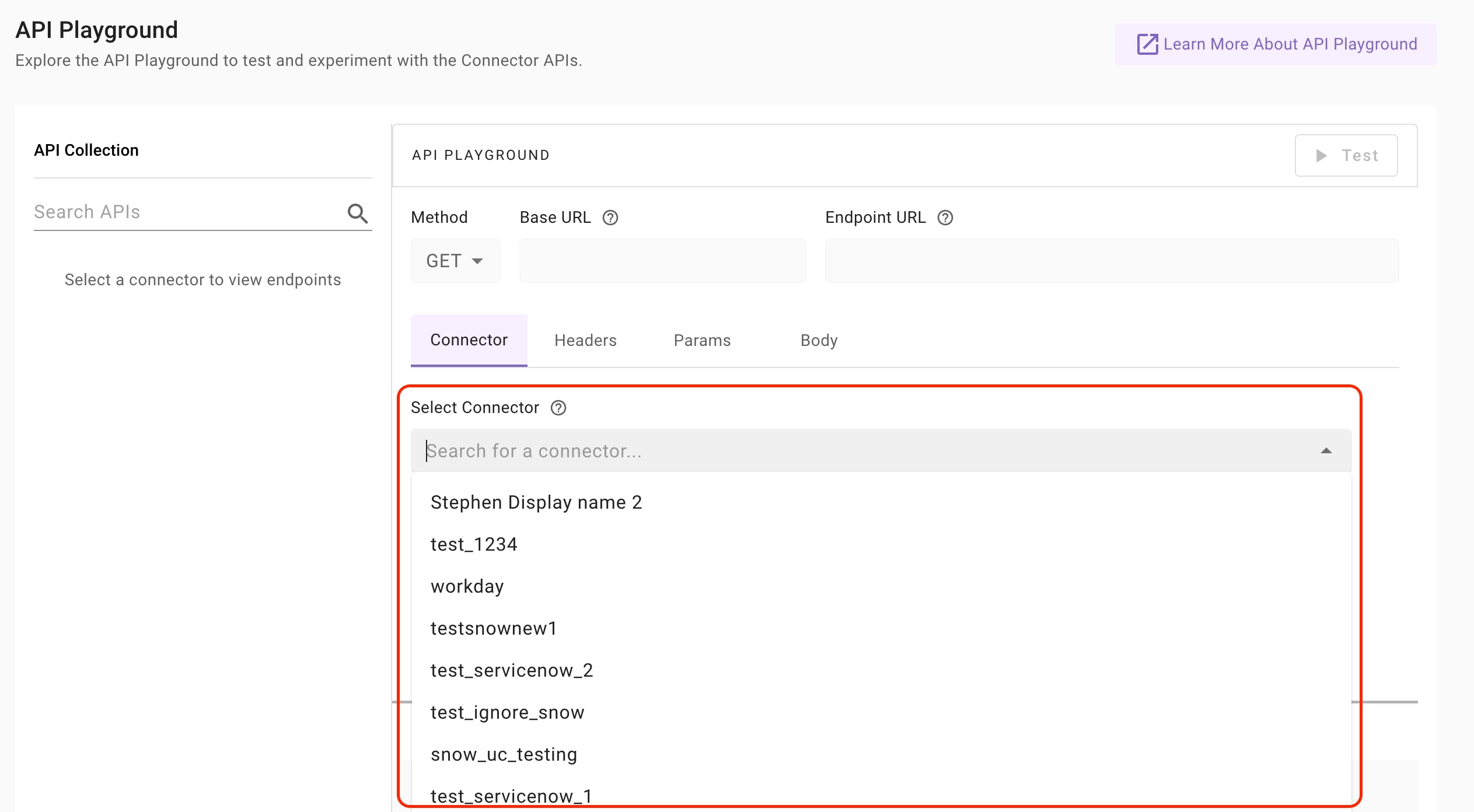
Use the Select Connector dropdown to choose the specific connector for the external system whose APIs you want to test.
-
Once a connector is selected:
- The Base URL is automatically derived from the connector configuration.
- Authentication is automatically applied.
- API Collections for that system become visible in the left panel.
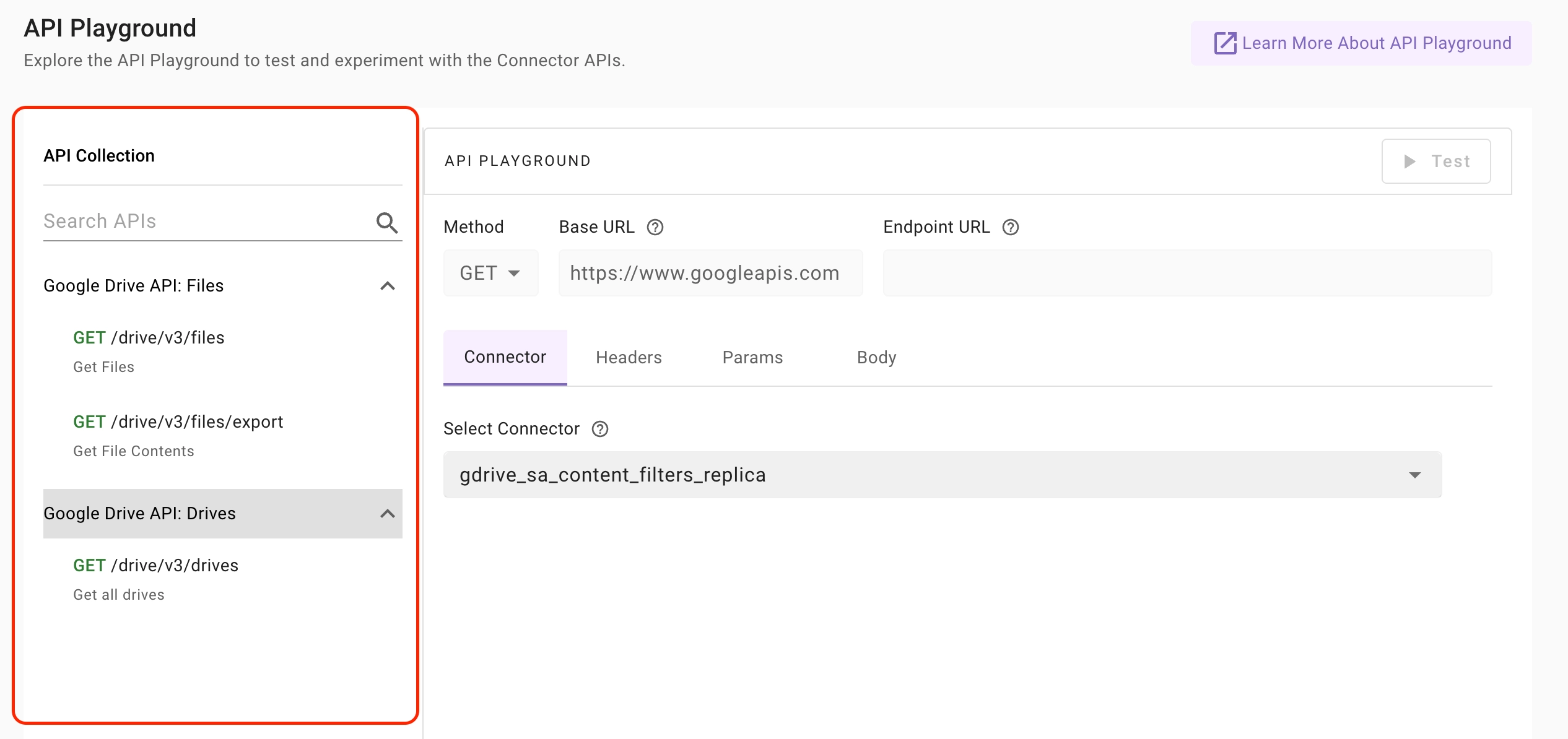
You can switch connectors at any time using the same dropdown.
API Collection Panel (Left Side)
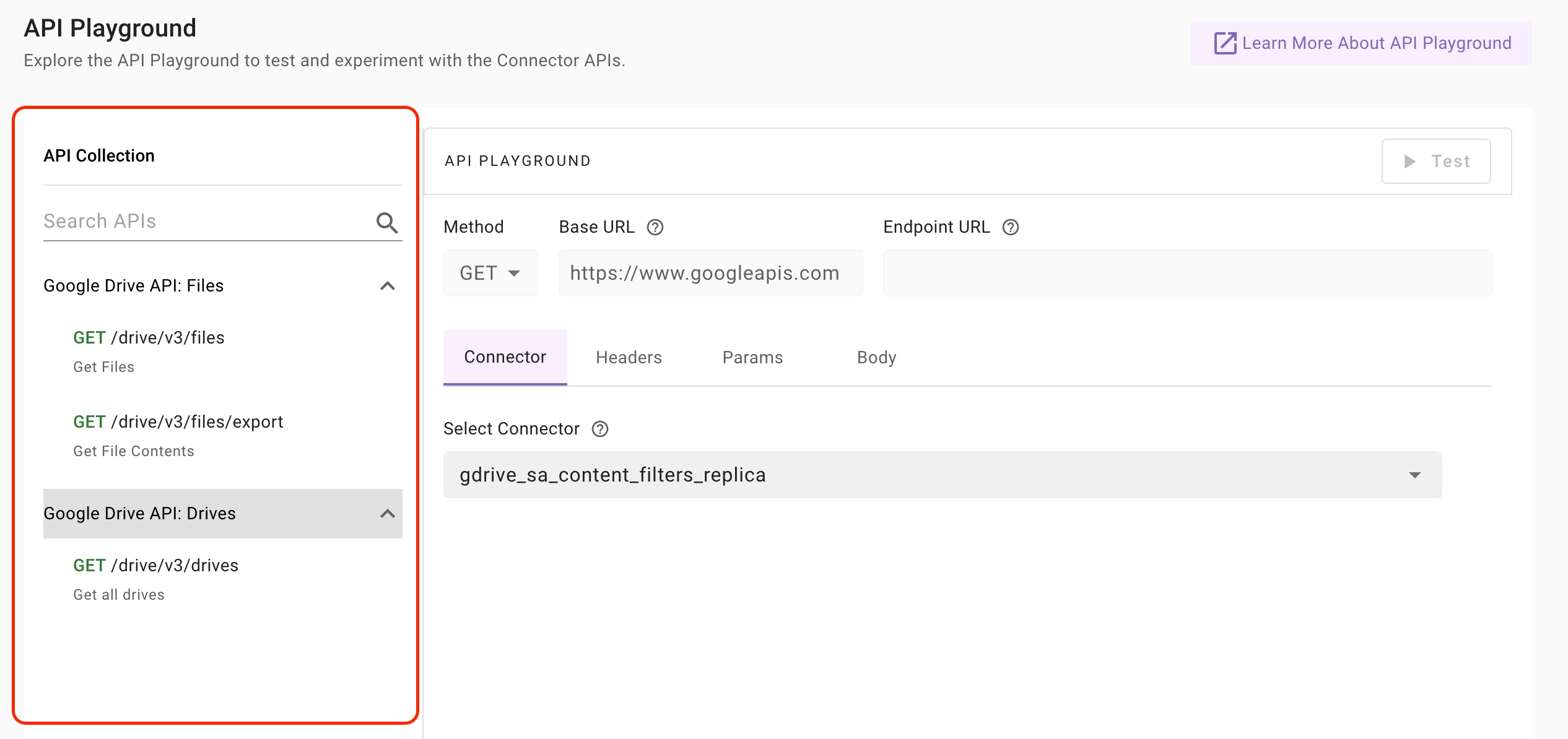
After selecting a connector, the API Collection panel displays a library of curated and vetted API endpoints from external systems used by Moveworks internally for various use cases such as fetching, creating, or updating resources.
For example, in Okta, the /api/v1/users endpoint is used to retrieve all users in the system for importing users into Moveworks.
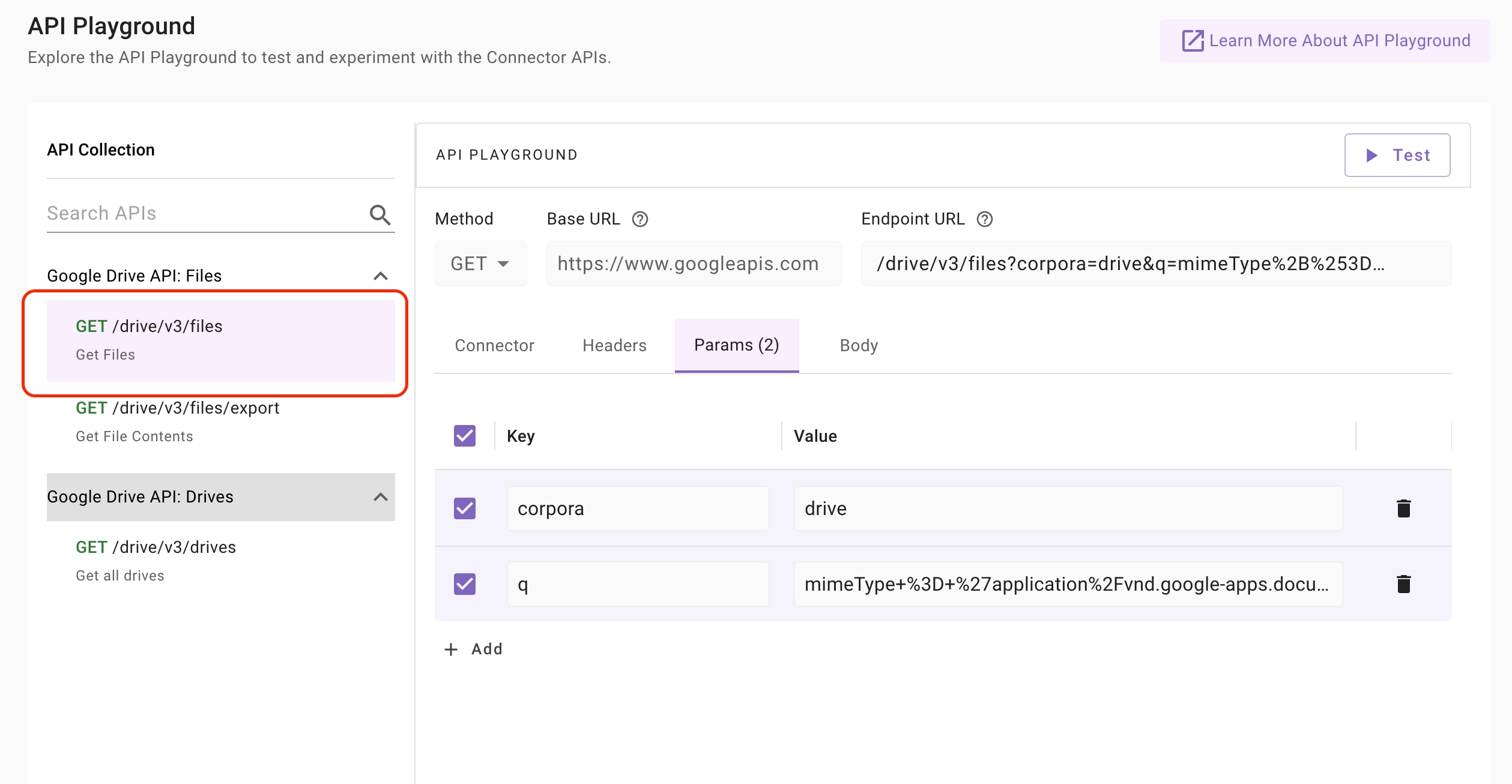
When you select an API endpoint from a collection, the HTTP method is automatically selected, the Base URL is automatically resolved, the endpoint path is populated and query parameters and request body are pre-populated where applicable. This helps ensure APIs are executed with the correct configuration without requiring manual setup.
Features:
-
APIs are organized into logical collections such as Users, Groups, Content, Permissions..etc
-
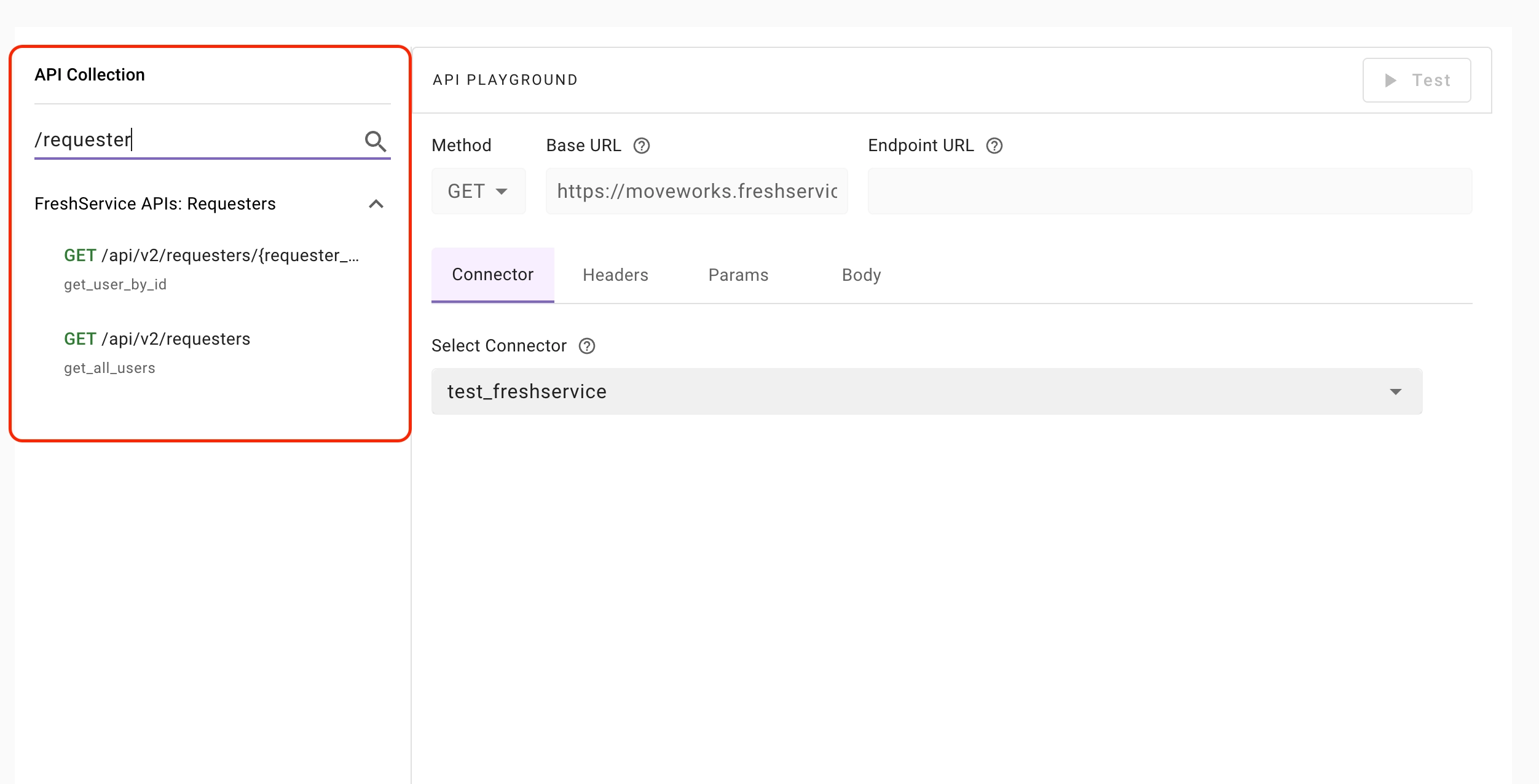
Use the Search APIs field to quickly find endpoints.
-
Click on any API to load it into the editor.
When an API is selected:
-
The HTTP method is auto-selected.
-
The Base URL is automatically resolved.
-
The Endpoint path is populated.
-
Query parameters (if applicable) are pre-filled.
-
Request body (if applicable) is pre-populated.
-
The correct authentication profile is inferred and applied.
API Playground Editor (Right Side)
The right panel allows you to review, modify and test the API request.
Method
An API method defines the type of action the client wants the server to perform on a resource. The supported API methods in API Playground are:
GET: Retrieve data from the server (read operation)POST: Create new resources or submit data to the serverPUT: Update or replace an existing resource entirelyPATCH: Partially update an existing resourceDELETE: Remove a resource from the server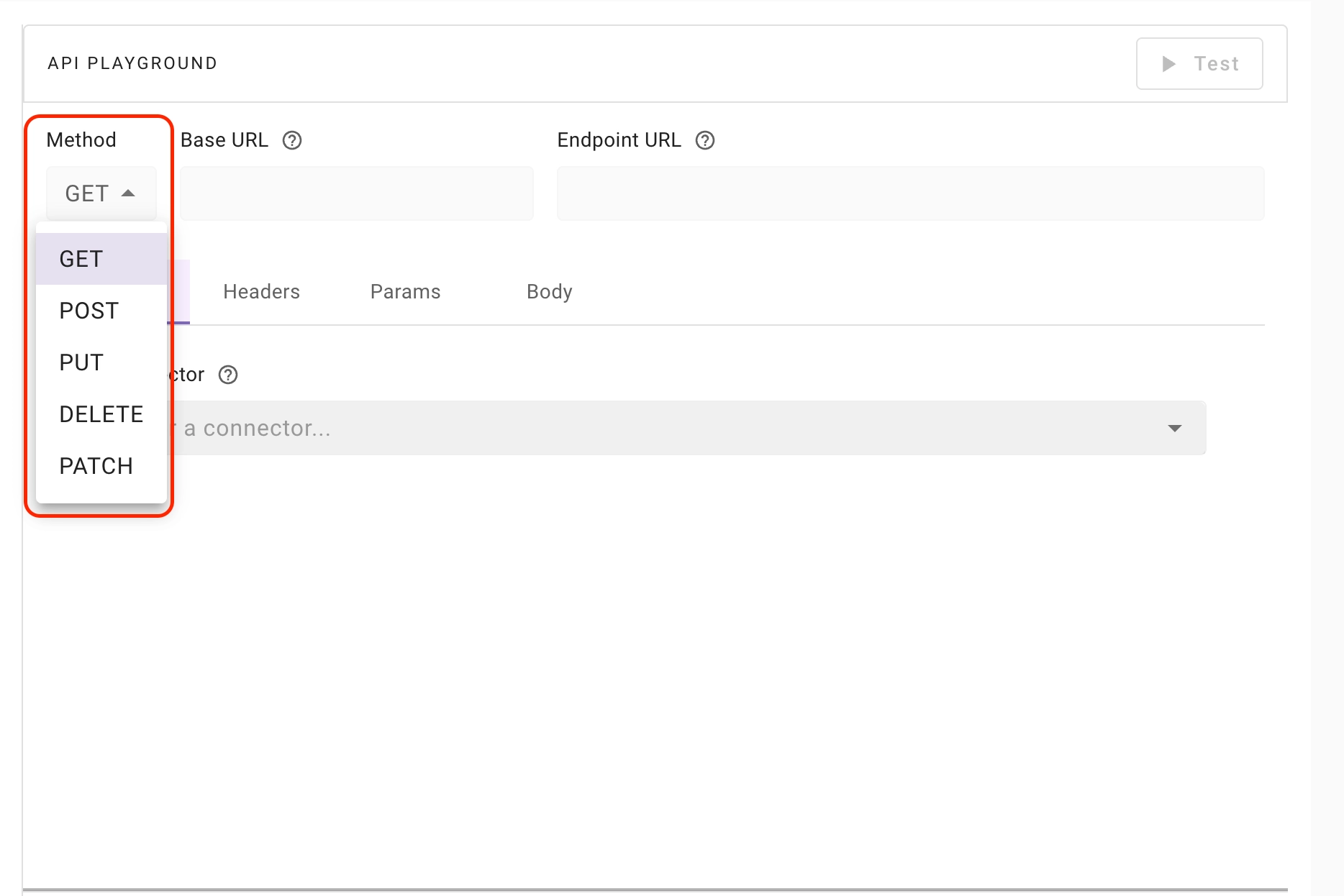
Base URL
-
The Base URL represents the root endpoint of an API. For example, in the URL
https://api.example.com/v1/users, the base URL ishttps://api.example.com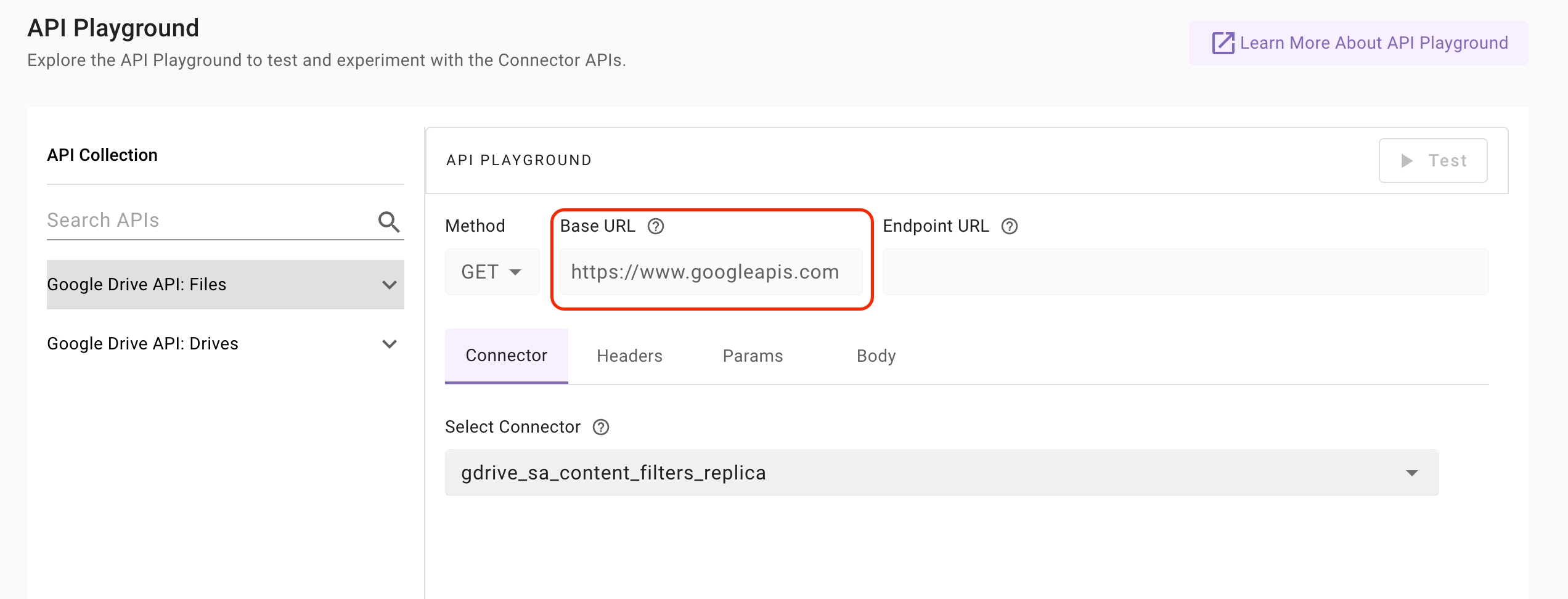
-
It is used to construct API endpoints by appending paths such as
/users,/products, or/ordersto access different resources -
In API Playground, the Base URL field is not editable, as it is automatically resolved based on the selected API from the API Collection of the chosen connector.
Endpoint URL
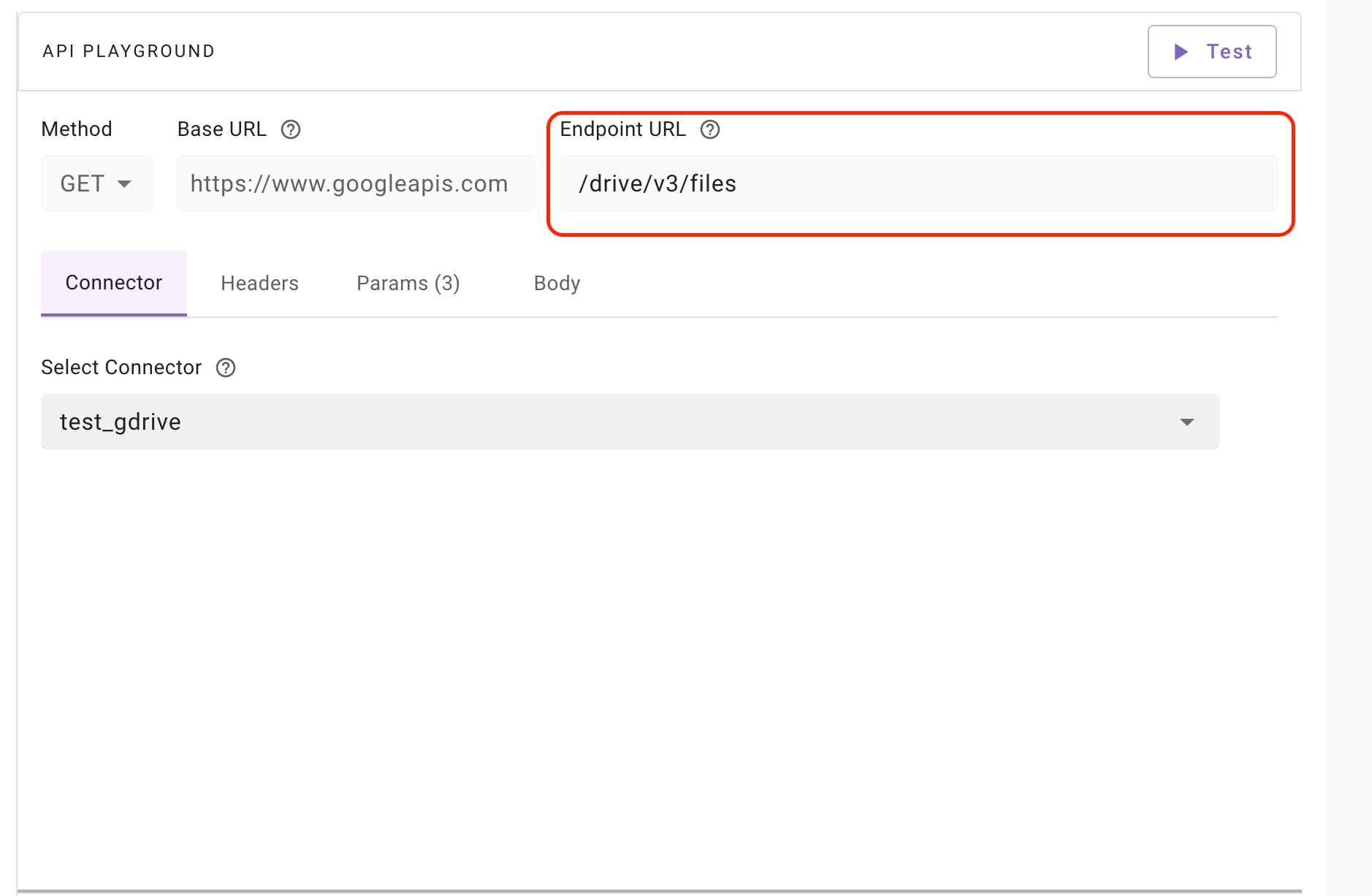
The Endpoint URL represents the specific API path being called.
- An API endpoint is a specific URL path that represents a particular resource within an API. For example, in the URL
https://api.example.com/v1/users, the endpoint is/v1/users. - The Endpoint URL is populated when you select an API from the API Collection.
- If the API you want to test is not available in the API Collection, you can manually edit the Endpoint URL field to enter the desired API path.
Headers
API Headers contain additional metadata in key-value pairs about the request or response, such as content type, authorization, and other information exchanged between the client and server.
- Authorization headers are automatically populated when you select an API from the API Collection.
- You can manually add, edit, or remove header fields if required for your API request.
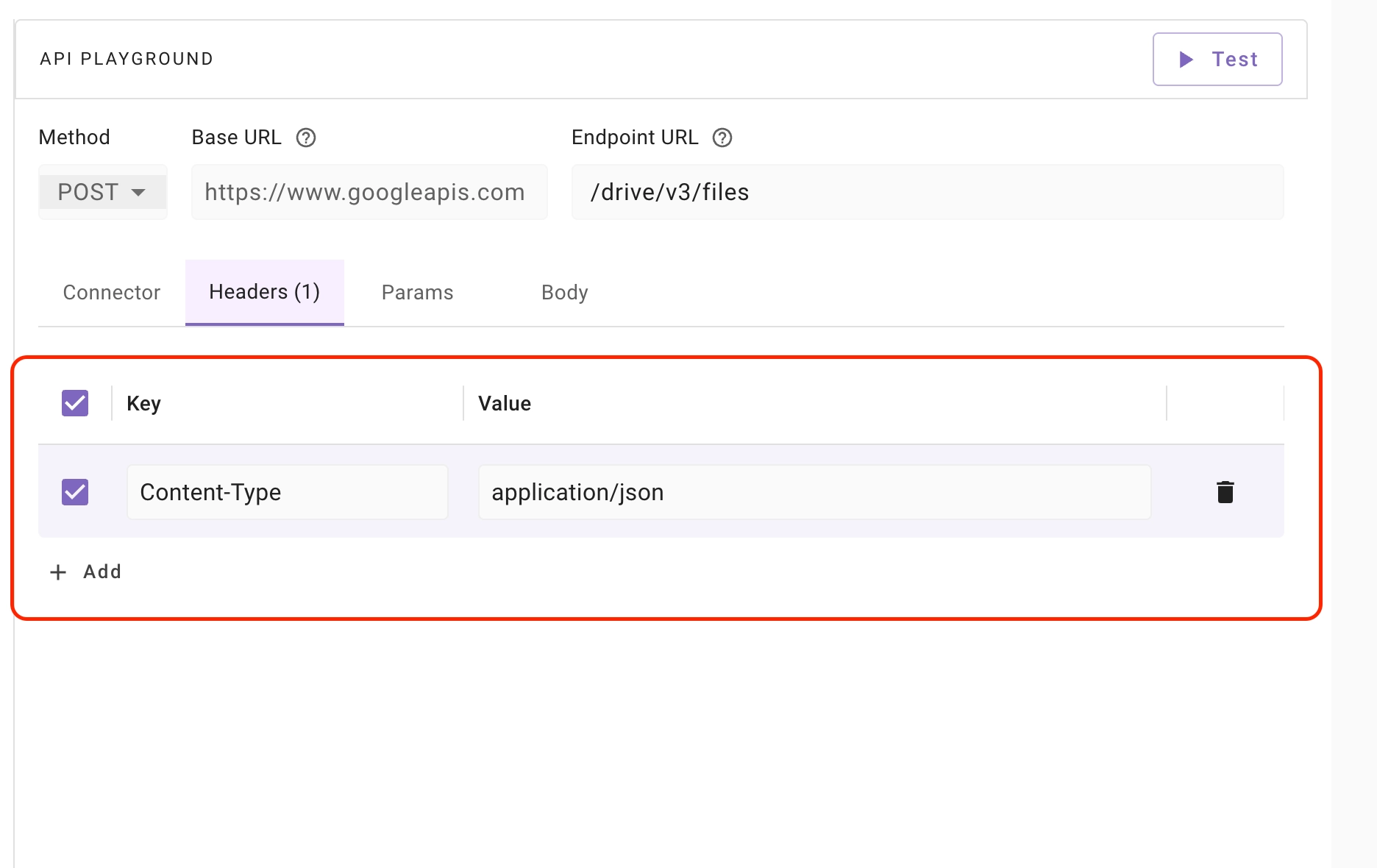
After importing built-in connectors, there’s no need to add Authorization field as an API Header.
Query Params
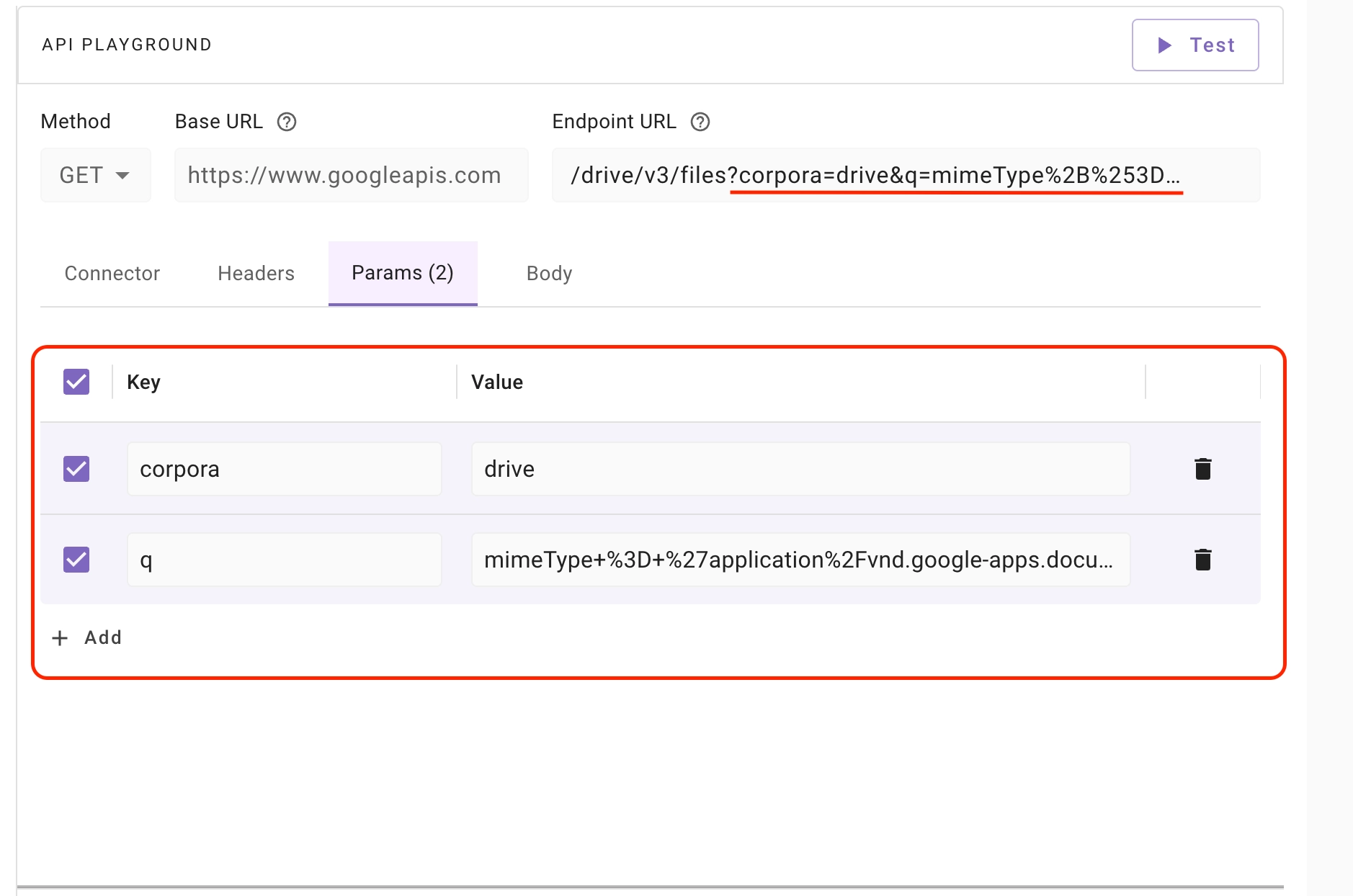
Query parameters contain additional data in key-value pairs appended to the URL to filter, sort, or modify the API request. These may include search terms, pagination limits, or other criteria sent from the client to the server.
For example, in the URL https://example.com/items?sort=price&order=asc, sort and order are query parameters. sort is the key with value price and order is the key with value asc.
- Query parameters can be added in the Params tab as key-value pairs.
- You can also type or paste query parameters directly in the Endpoint URL field.
Use Cases of Query Params:
- Filtering: Selecting specific items based on certain criteria (e.g.,
https://example.com/products?category=shoes) - Sorting: Arranging the results in a specific order (e.g.,
https://example.com/products?sort=price&order=desc) - Pagination: Retrieving data in chunks or pages (e.g.,
https://example.com/products?page=2&limit=10) - Searching: Finding items that match a specific search term (e.g.,
https://example.com/products?q=blue shirt)
Request Body
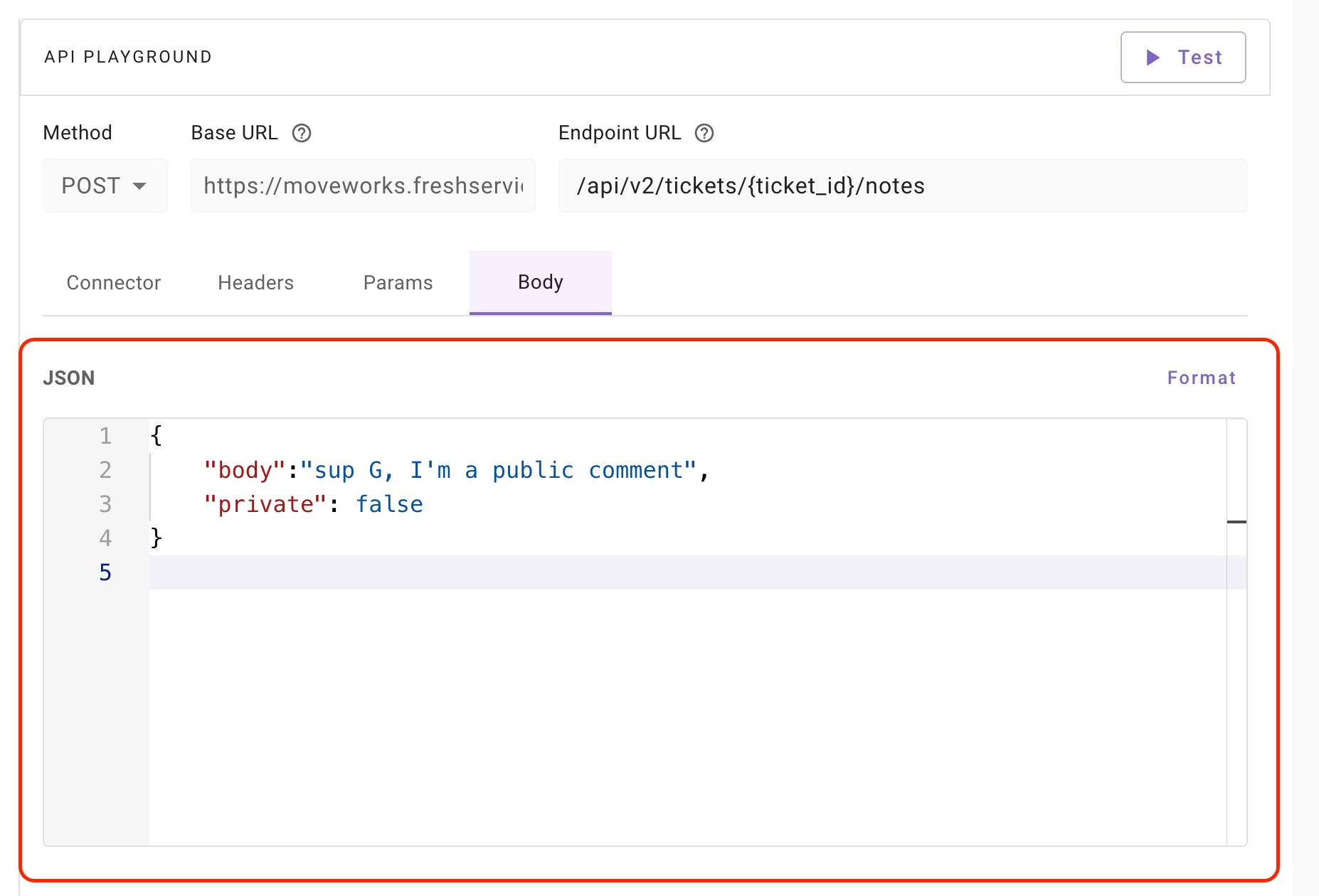
The Request Body contains data sent from the client to the server as part of an API request. It is typically used in POST, PUT, or PATCH operations to create or update resources.
In API Playground:
- Only JSON format is supported for the request body.
- You can manually edit the JSON content as needed.
- The Format button allows you to beautify and properly structure the JSON for better readability.
Test Button
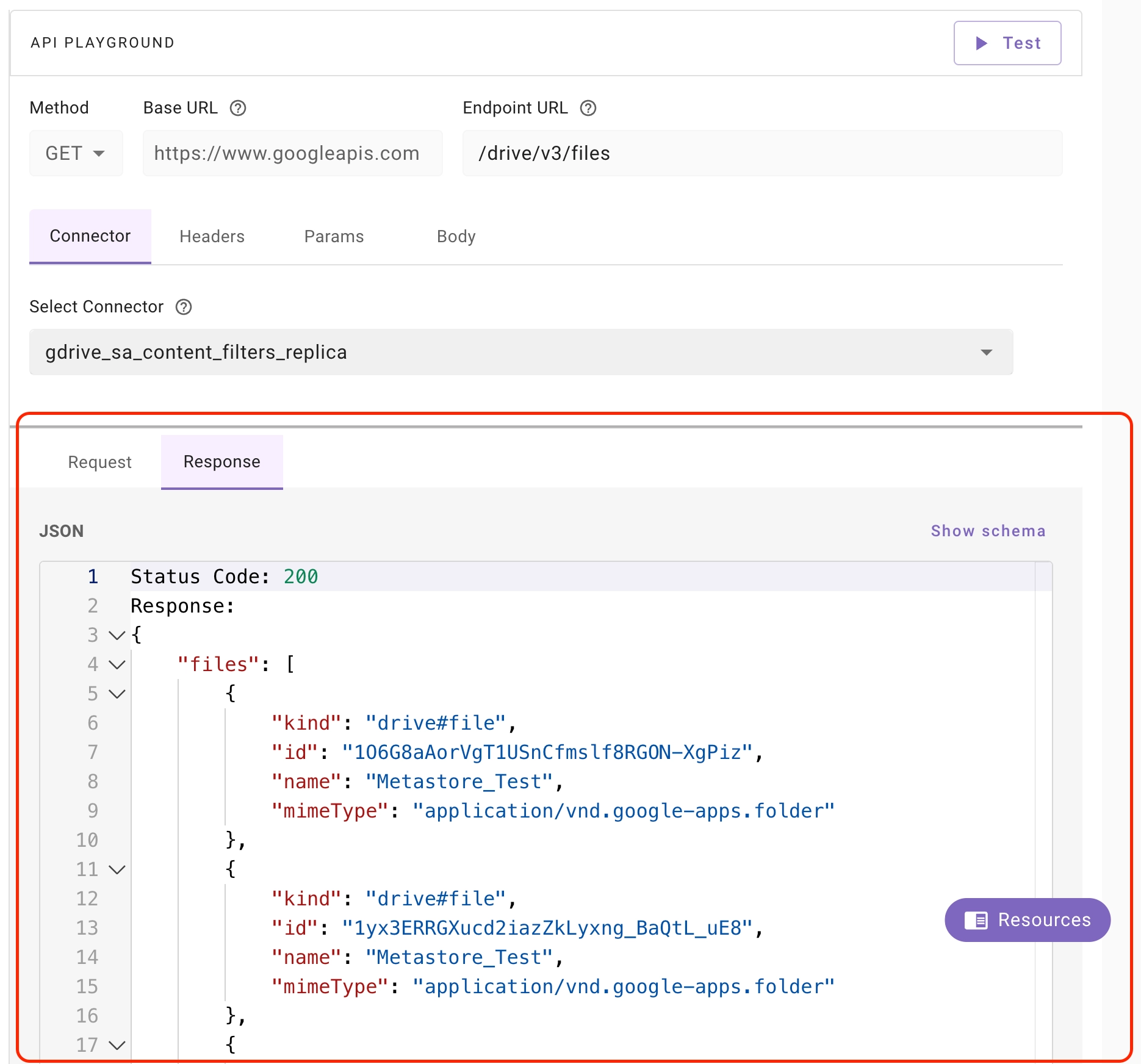
Test Button allows you to send API requests to external systems and view the responses, status codes, and any errors returned from the server.

Response
API Response: Contains data and metadata returned from the server to the client after processing an API request, such as requested information, status codes, headers and other details about the operation’s outcome.
API Response Code: A status number returned by the server to communicate the outcome of an API request, such as success, client errors or server errors.
Testing LDAP / On-Prem Connectors
You can use the API Playground to test LDAP and On-Prem connector integrations. After selecting your LDAP/On-Prem connector, the Base URL and authentication are resolved automatically, and you can call the LDAP endpoints:
POST /ldap/v1/search— search for directory entriesPOST /ldap/v1/add— add a directory entryPOST /ldap/v1/modify— modify a directory entry
Request format
LDAP requests use a JSON body. For a search, the body contains:
The base_object must point to a specific OU beneath the domain (for example OU=Users,DC=example,DC=com). If you provide only the domain (DC=example,DC=com), the search will fail because a valid search base cannot be resolved.
Example: LDAP search
Endpoint: POST /ldap/v1/search
Request body
Response
Supported API Collections
As we have 80+ external systems for which API requests have to be curated & vetted, API collections will be rolled out in phases, staring with most important ones:
Upcoming Functionalities
- Ability to import cURL requests
- Support for
x-www-form-urlencodedrequest body type - Response Headers part of api response
- RBAC implementation
FAQs
- I can’t find the API endpoint I want to use in the API collection. What should I do?
- You can manually enter the API endpoint in the “Endpoint URL” field to access it.
- Can I import cURL requests?
- The import cURL functionality is not available in the current version, but it is planned for the next release of the API Playground.
- Can I test APIs from a blank slate?
- Testing APIs from blank slate functionality is not available in the current version, but it is planned for the next release of the API Playground.
- I want to test the auth and scope of the connectors before creating them. How can I do it?
- We recommend creating the connectors first and then testing them. The ability to test auth and scope before creating connectors will be available in the next release of the API Playground.
- Is there a way to save my personal API collection?
- No, saving individual API collections is not supported as we are focusing on developing a curated and vetted library of API collections.
- Do you support running API scripts?
- No, running scripts is currently not supported.
- Can I view additional debug information like request headers, response headers, and request body?
- Currently, displaying additional debug information such as request headers, response headers, and request body is not available.
- Is the
trace_iddisplayed in the UI for errors encountered in the API Playground?- At this time, the
trace_idis not shown in the UI for errors within the API Playground.
- At this time, the
- Can I see the Bearer Token JWT Claims generated from the connector for authentication debugging?
- Currently, viewing the Bearer Token JWT Claims for authentication debugging is not supported.
- Does the API Playground automatically parse parameters when a URL is pasted in Endpoint URL field?
- No, automatic parsing of parameters from pasted URLs is not supported in the API Playground. This is planned for the next release of the API Playground.
- No, automatic parsing of parameters from pasted URLs is not supported in the API Playground. This is planned for the next release of the API Playground.