Simpplr Access Requirements
Moveworks’ integration with Simpplr allows your Moveworks AI Assistant to fetch and index content from your Simpplr tenant, ensuring that users can search across sites and articles where they already have permissions.
Prerequisite
You must be a Simpplr App Manager (or equivalent admin) to create client applications.
Create a client application in Simpplr
These instructions use OAuth 2.0 Client Credentials (Simpplr B2B APIs)—the recommended machine‑to‑machine method for indexing content from your Simpplr instance.
-
Follow the steps mentioned in Simpplr Extensibility Center’s official documentation to generate credentials.
- Documentation: https://platform.simpplr.com/reference/creating-the-client-application
- Make sure to set the Authorization grant type as: Client credentials grant
-
You should receive the following credentials:
-

Note the
client id,client secretandoAuth token urland store in a secure environment for generating the connector in Moveworks Setup next.
Create the Connector in Moveworks Setup
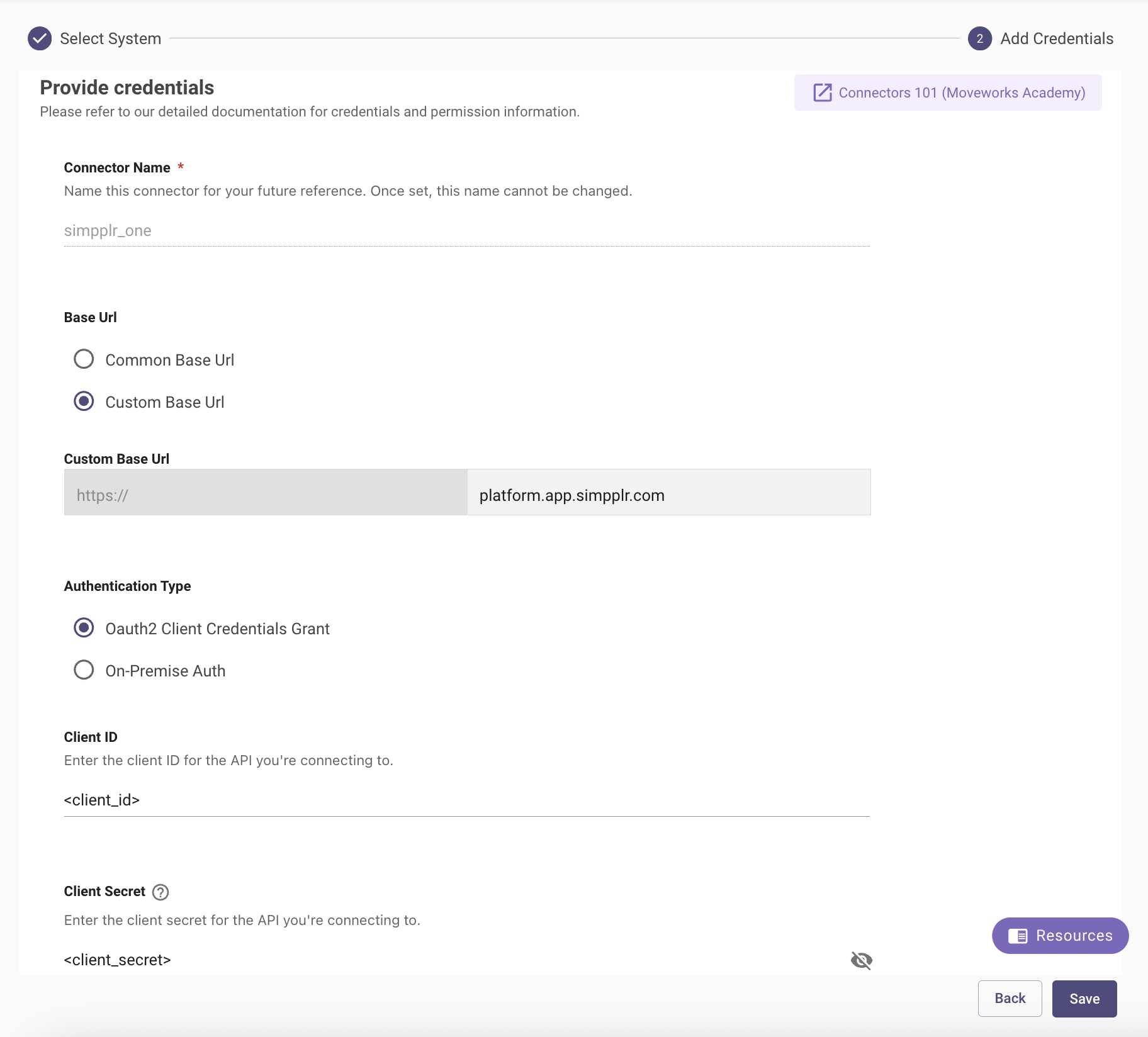
Navigate to Core Platform > Connectors > Built-In Connectors and create a new connector. Select Simpplr One (not Simpplr) and enter the information below:
- Connection Name: simpplr_one (recommended)
- Base Url: Select “Custom Base URL” and enter the base part of the URL from the
oAuth token urlyou noted above - Authentication Type: Oauth2 Client Credentials Grant
- Client ID: Enter the Client ID generated above
- Client Secret: Enter the Client Secret generated above