
Salesforce ServiceCloud Ticketing Integration Overview
File Cases
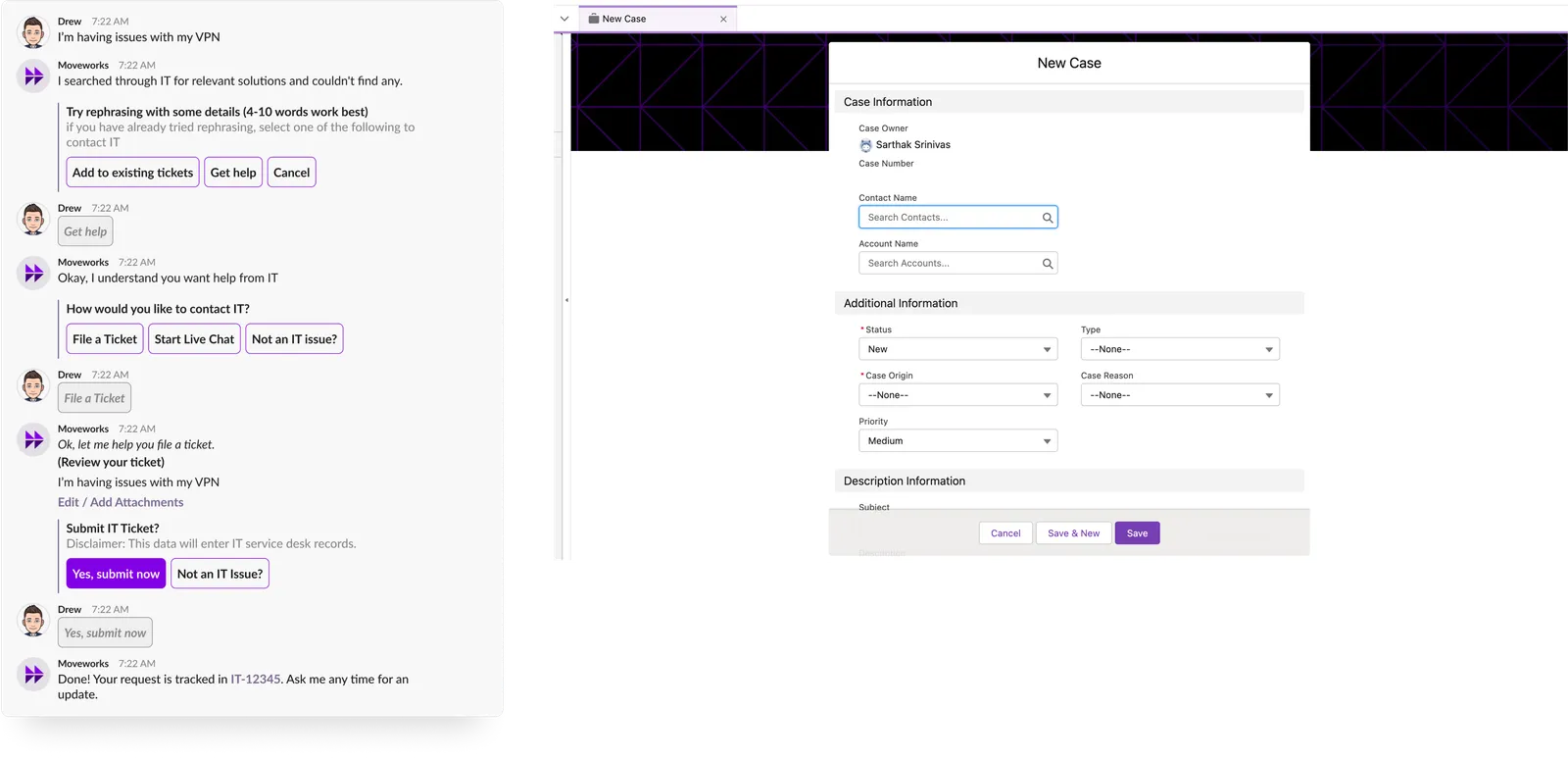
Behind the scenes
Whenever a user requires help with Case Creation, Moveworks will create a case in ServiceCloud on behalf of the user.
Fields populated on Case Creation.
Case Object Details
API used for case creation:
Uploading Attachments
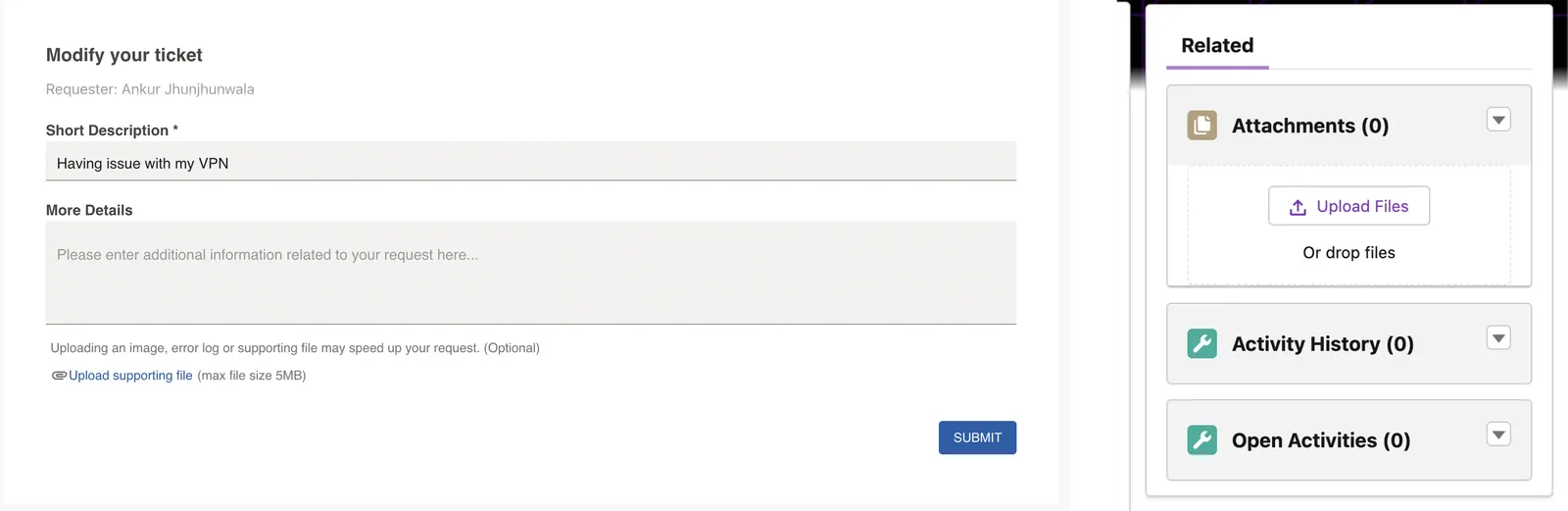
End users are able to add attachments while:
- Creating a new case
- Updating an existing case
API used for updating a case:
API used for adding attachments:
Name of the attachment will be auto generated.
Limitations
- Size: we will put a limit of 32MB attachment upload. This is configurable as per customer requirement.
- Format: No format check at Moveworks end. If the API response is an error then accordingly we will notify the end user
- Number of attachments per ticket: No restrictions. we will allow multiple attachments per case. This is configurable.
Case Updates
Users adding a public comment
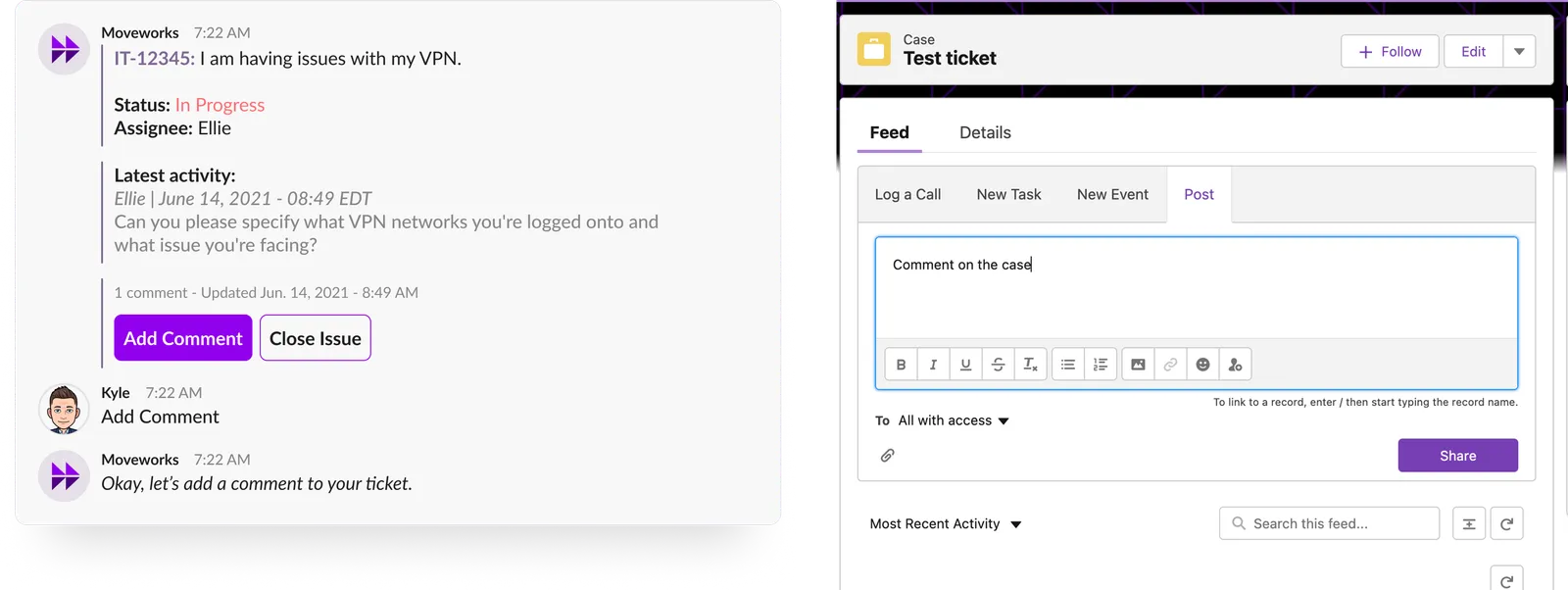
API used for adding public comments:
Check Status
Checking status using a specific case number
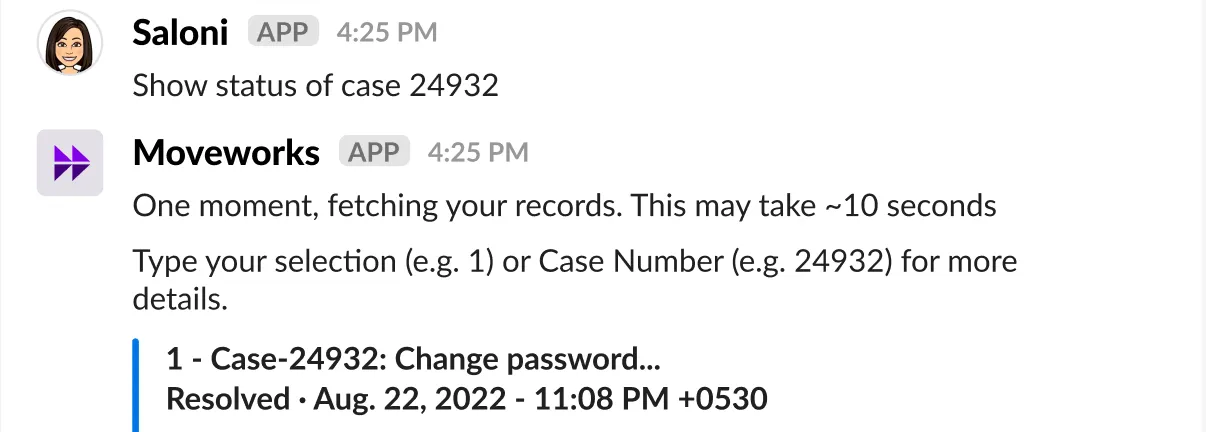
API used for case status for a case number:
Checking status of all open cases
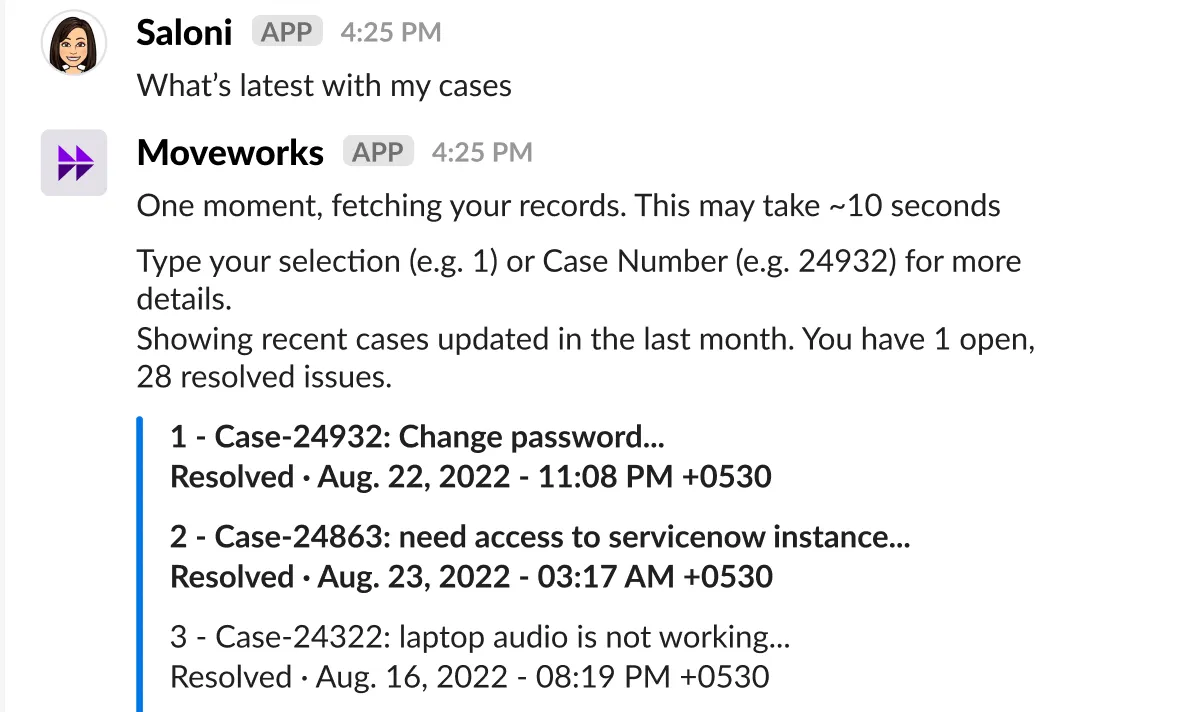
API for checking status of all open cases:
Checking status using a keyword
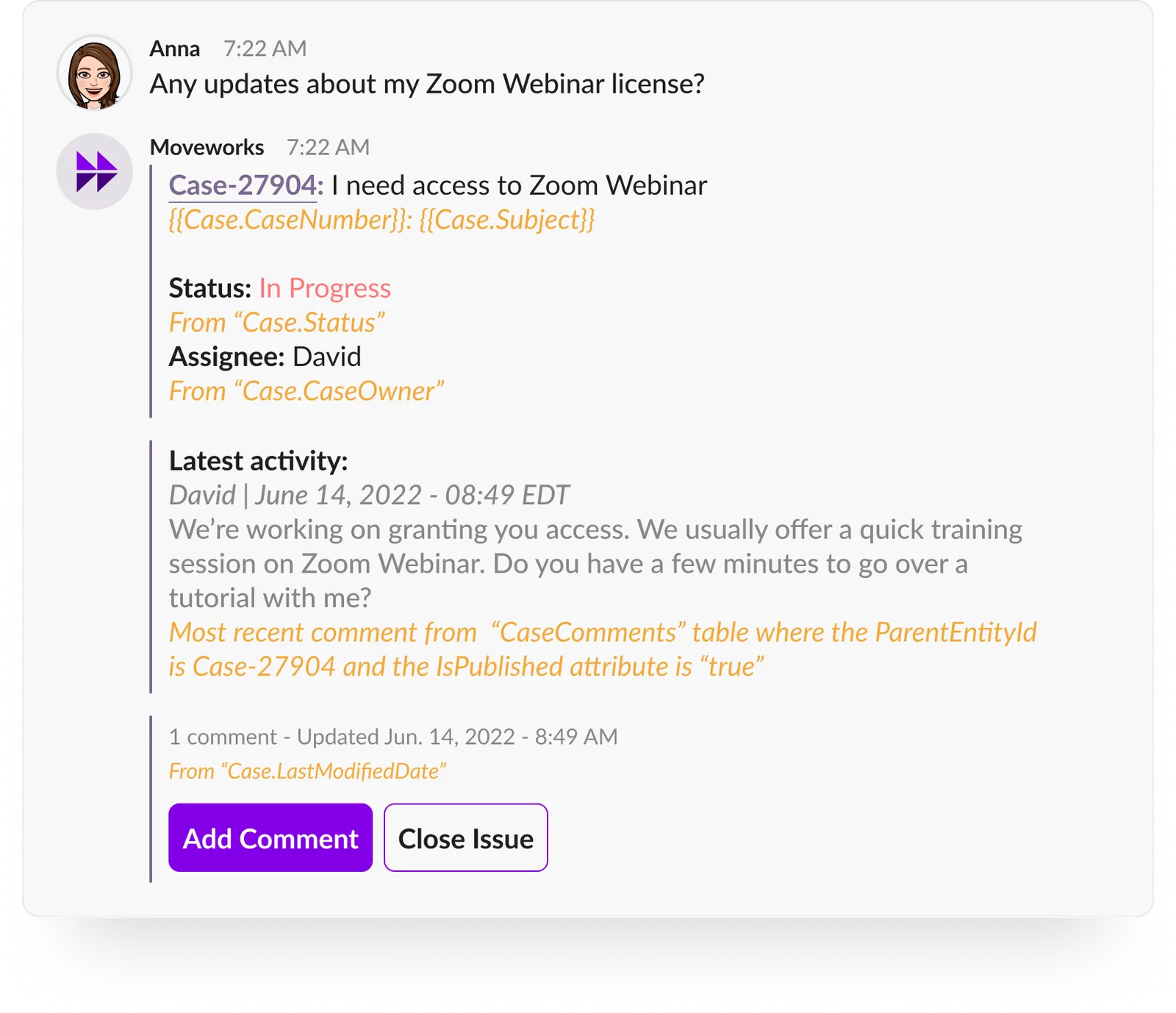
We will use our natural language understanding (NLU) engine to get the relevant tickets and show the status.
On all case status enquiries , assignee name is shown along with the latest status. We will use “Case_Owner__c” field from Case object to extract assignee name and show it to the user.
Case closed by a user
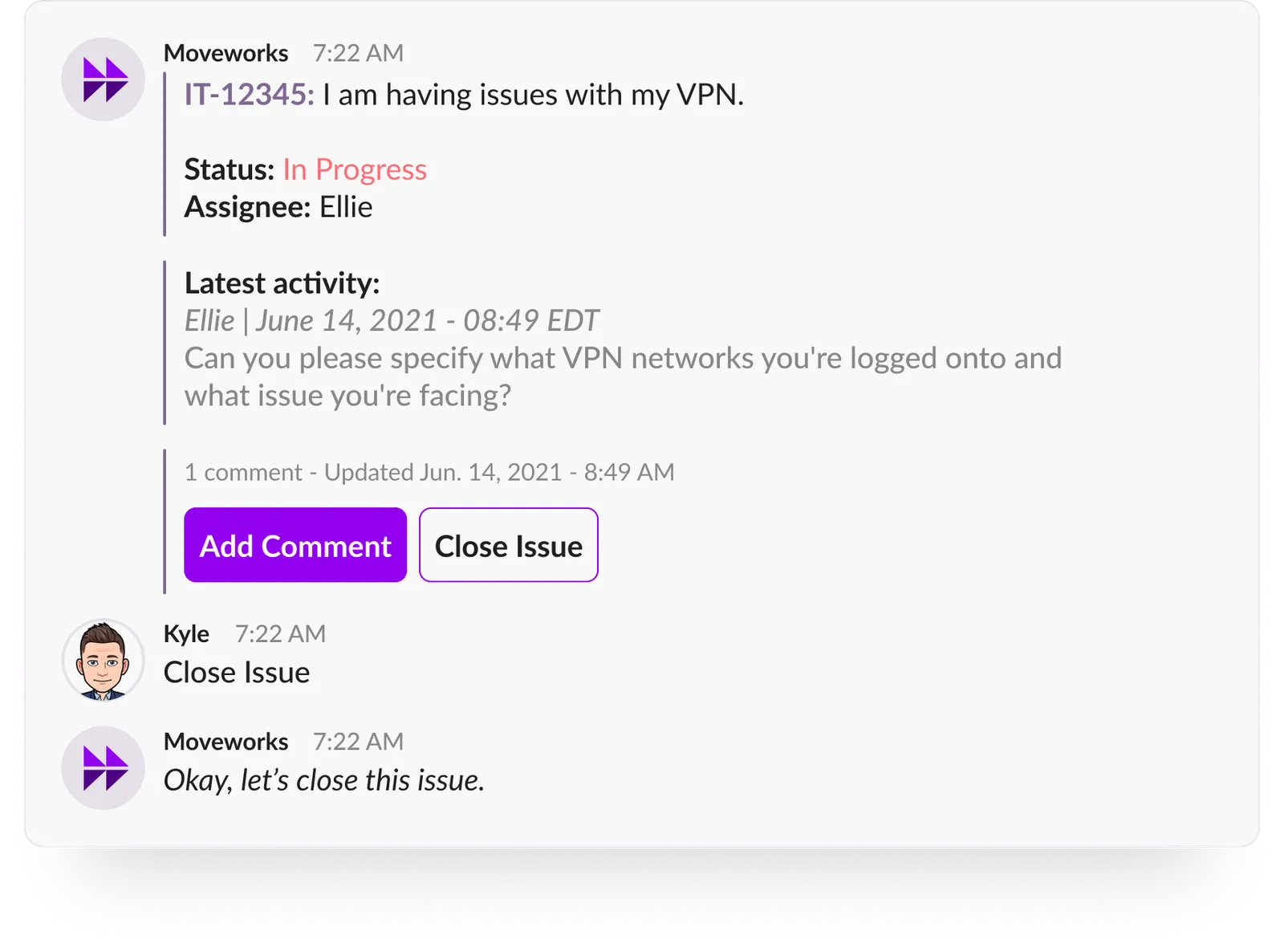
API used for closing a case:
Case reopened by the user
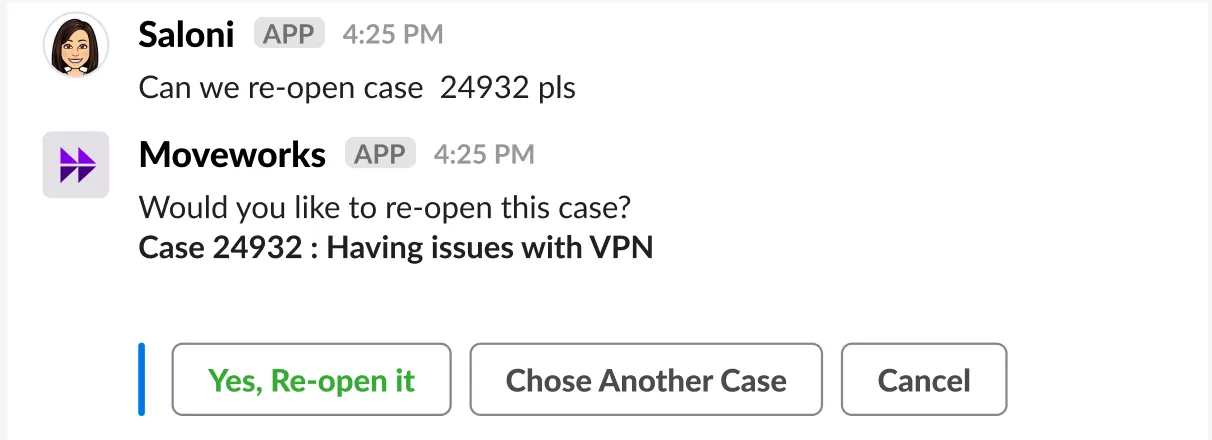
API used for Reopening a case:
Important note for case closure/Re-open: Case Facet object type within ServiceCloud host the logic of status transition and limitations on ticket types and user action relation. Ex: For certain ticket types, users are not allowed to close the ticket. Moveworks will rely on Customer to apply this logic at the data layer. Moveworks will allow users to take action all action on all tickets. If an API response is an error based on the logic, then we will inform the user accordingly.
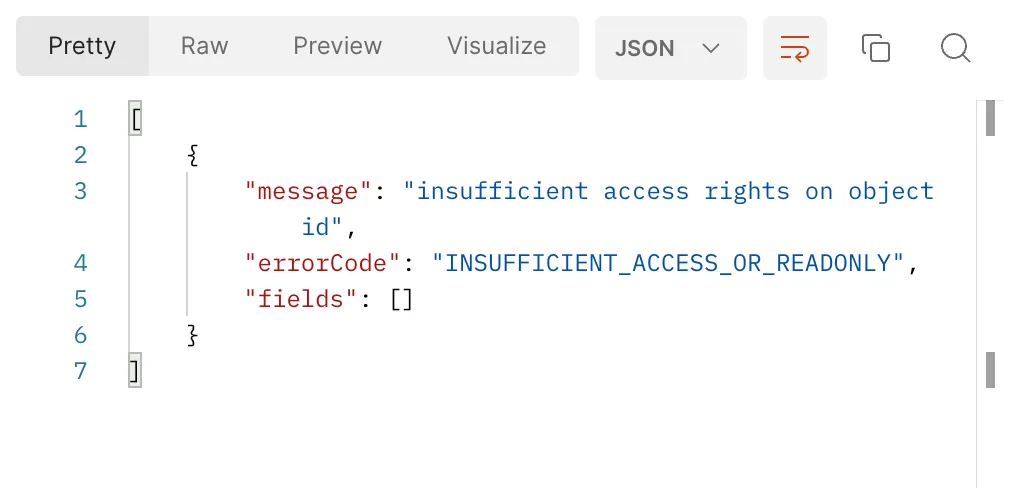
API error message in response
Case Notifications
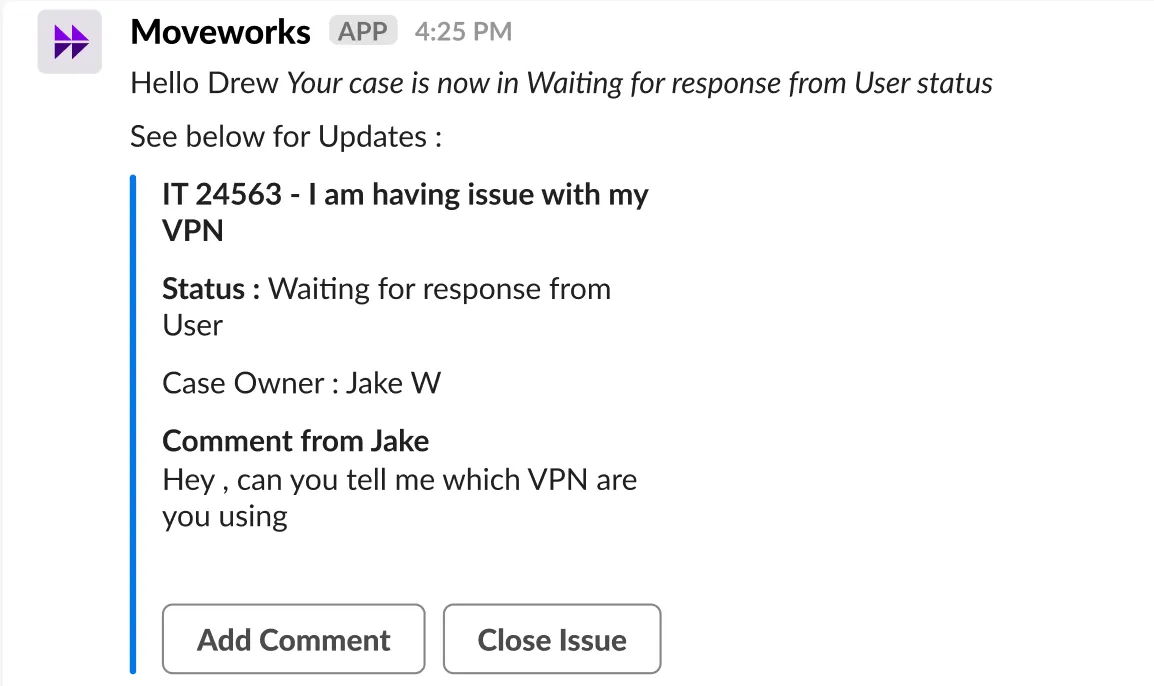
Case status is moved to = Waiting for user response, Waiting for customer response
Moveworks will notify the user on the status change and request that they add relevant information using “add comment” call to action.
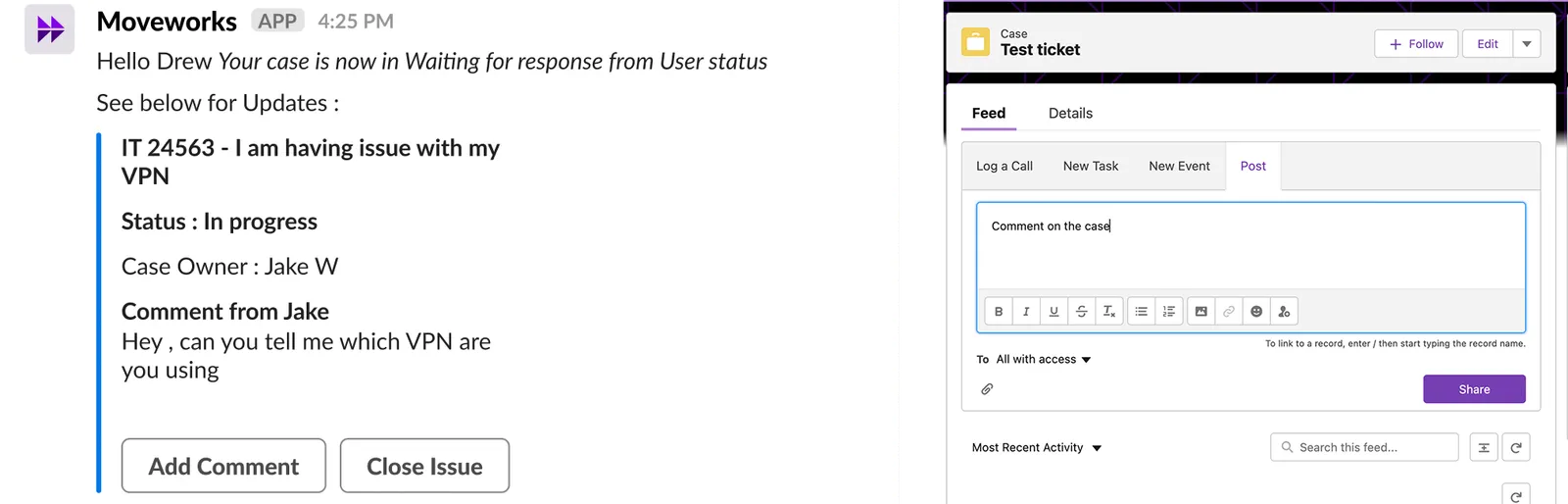
We will also add a work note so that the Agent can see the notifications being delivered to the end user
API used to add worknote:
Agent adds a public comment
Moveworks polls all the tickets and associated comments. For all new public added comments by Agents, Moveworks will notify the user.
API used to fetch comments:
No activity on case by user from past number of days ago
The number of days are configurable here:
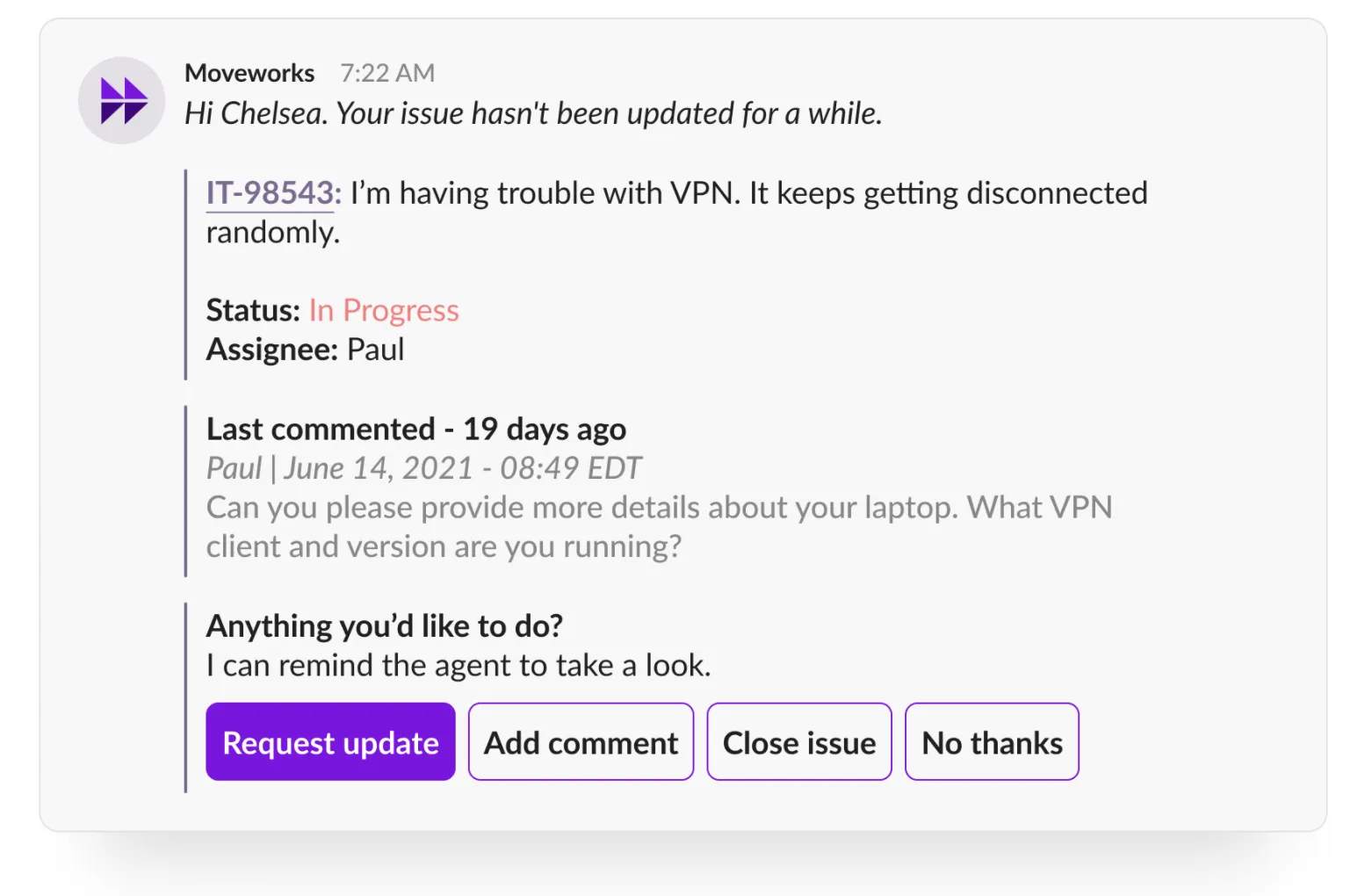
Moveworks will also add a work note on the case.
When user submits a case from a non-Moveworks channel
Moveworks will notify the user and also add a work note on the case.
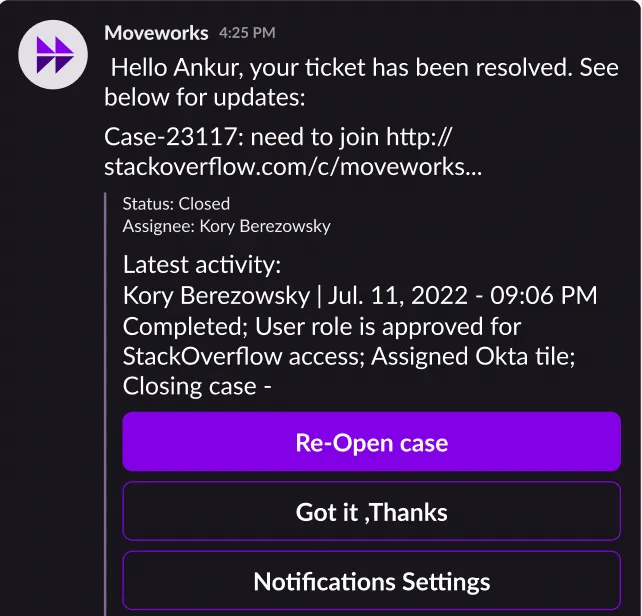
Case closed by an Agent
User will be notified by the bot. Moveworks will also add a worknote.
API details to fetch all cases closed by an agent: