ServiceNow Update Sets
To further enhance your Moveworks experience, Moveworks provides plugins that are installed through Update Sets for advanced ServiceNow functionality. To learn more see our ServiceNow Access Requirements. For more information about the update sets, see Update Set Modules.
Install the following update sets to your instance in the following order:
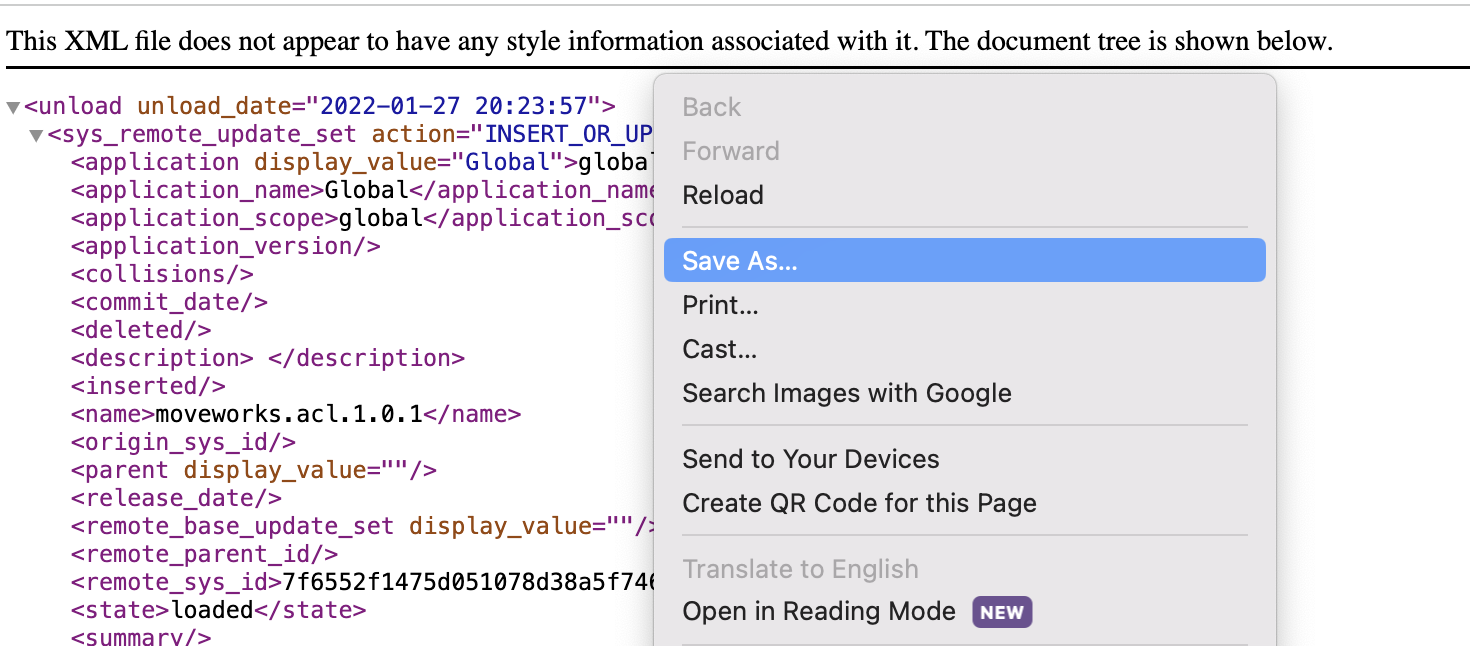
To download the update sets, right click on the file and click “Save As…”.
moveworks.base.1.0.0.xml
What this is used for
This is the base update set that must be installed prior to all of the below subsequent update sets. Make sure to grant the moveworks_user role to our service account after you install this update set.
moveworks.acl.1.0.1.xml
What this is used for
This update set allows Moveworks Access Control to fetch user criteria for ServiceNow kb_knowledge articles and catalog_item forms. Learn more here
moveworks.acl.hr.patch.1.0.0.xml
What this is used for
This is an addendum to the Moveworks ACL update set, that is required for kb_knowledge articles that are authored via the ServiceNow HR Core module.
moveworks.events.1.0.0.xml (Legacy)
The moveworks.events.1.0.0.xml update set is a legacy integration designed for Classic Agent Studio only. If you are using the current Agent Studio platform, you do not need to install this update set.
Instead, use Webhooks with Listeners in Agent Studio, which provide a more robust and supported way to trigger bot notifications and flows from external systems like ServiceNow Business Rules or Flow Designer.
What this is used for
This optional update set enables Classic Agent Studio customers to send notifications to your bot via Agent Studio Events using either Business Rules or Flow Designer.
moveworks.live.agent.awa.1.2.0.xml
What this is used for
This update set enables the Moveworks bot to integrating with ServiceNow AWA Live Chat (via URL handoff). This is not required when implementing Live Agent Message Brokering.
Update Set Installation
-
Navigate again to the
Retrieved Update Setstable and clickImport Update Set from XMLunder Related Links.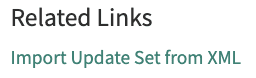
-
Upload the update set you downloaded, preview the changes, and commit them.
These modules are very self-contained. If you encounter any errors while committing the files, this is usually self-referential and not something to be concerned about. You can usually ignore the warnings and commit the changes.
MANAGING UPDATES
If you ever need to update a Moveworks module, back out the old update set before importing the new one.
Add the Moveworks Events API token to your ServiceNow instance:
This process only applies to the Events update set.
- Navigate to the Admin portal of your ServiceNow instance.
- In the left-hand menu bar, enter
sys_properties.listand press enter.- Note: there will likely not be a result that populates until you press enter.
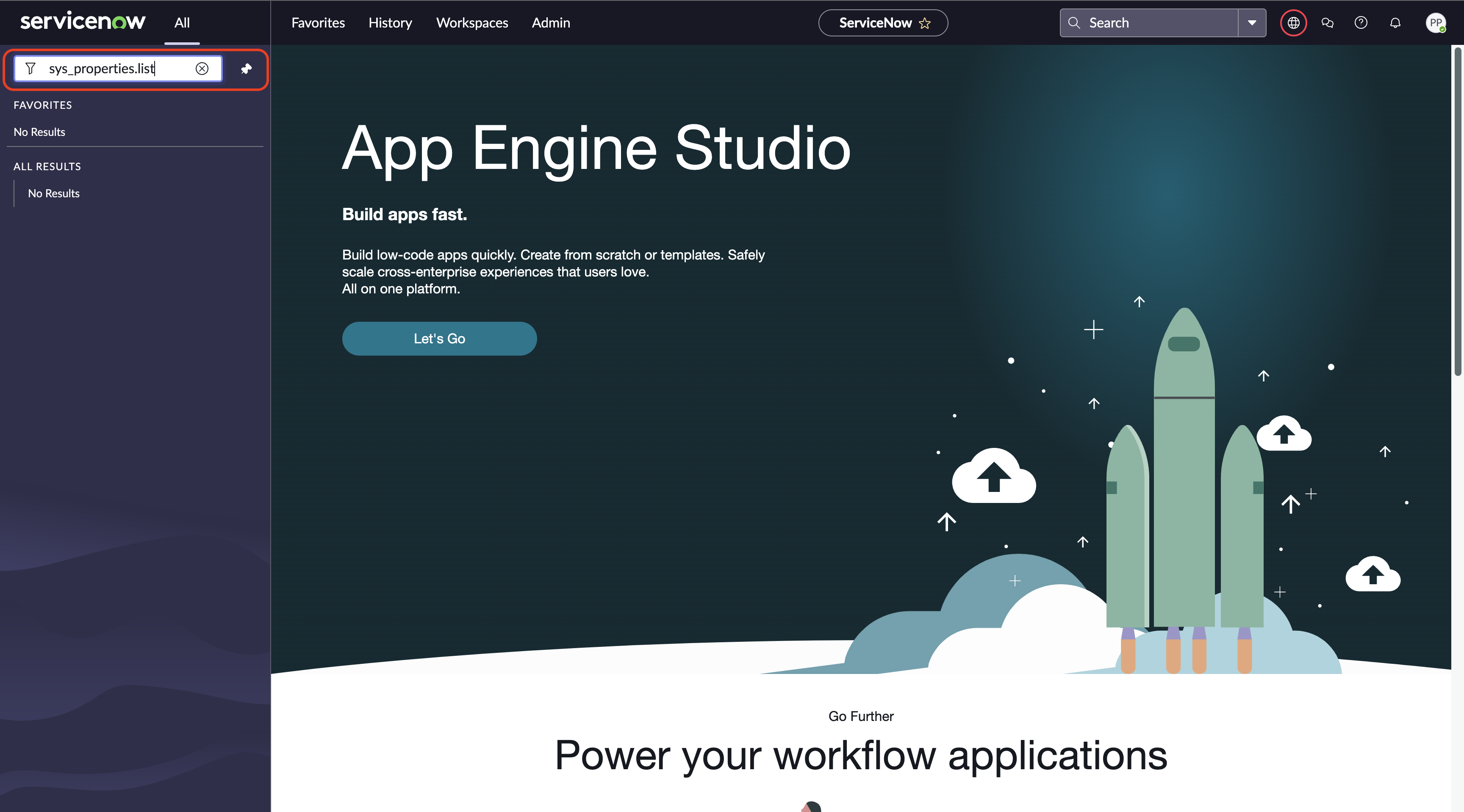
- In the System Properties table, search by name for the Moveworks custom system property
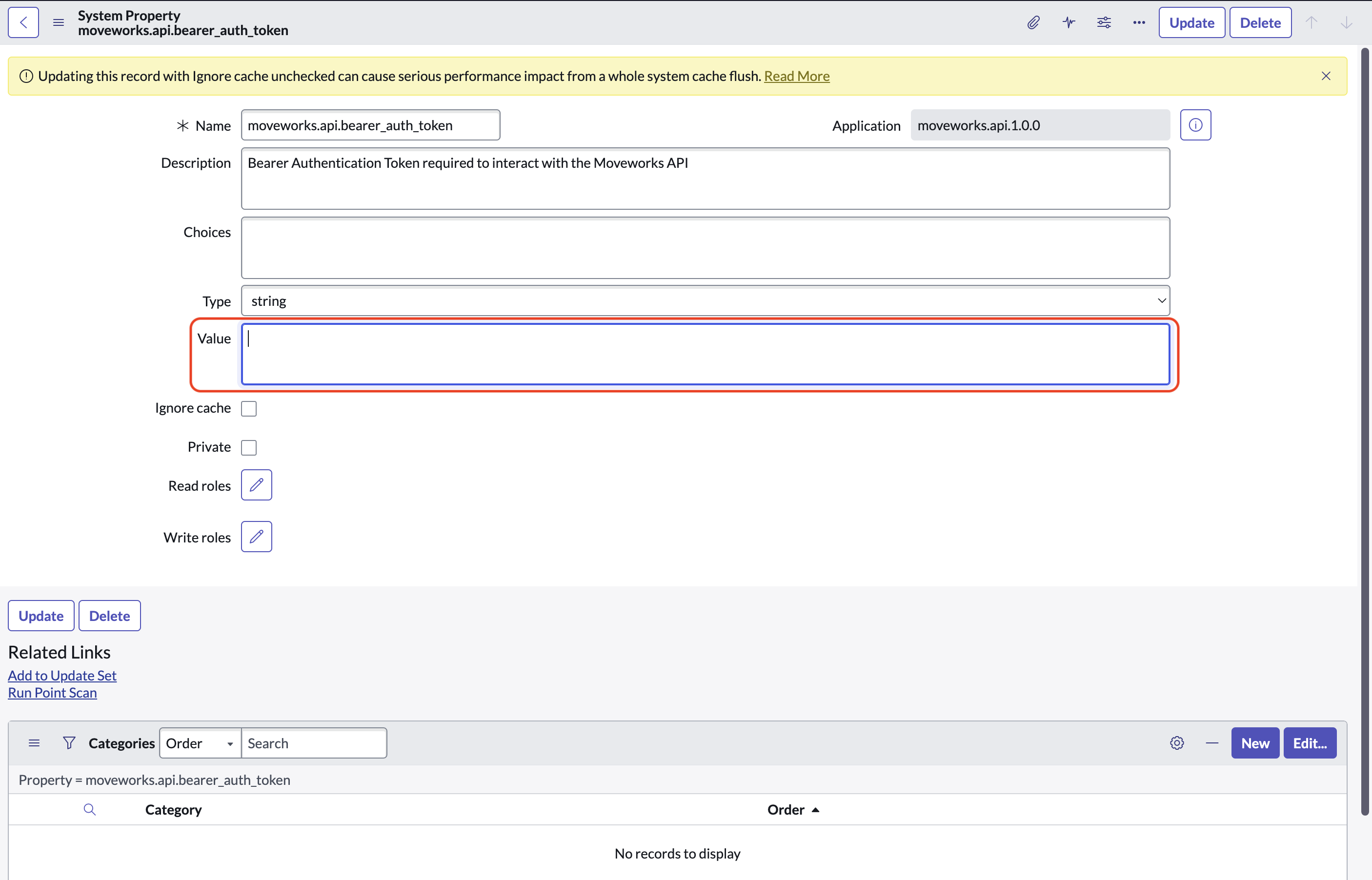
moveworks.api.bearer_auth_token
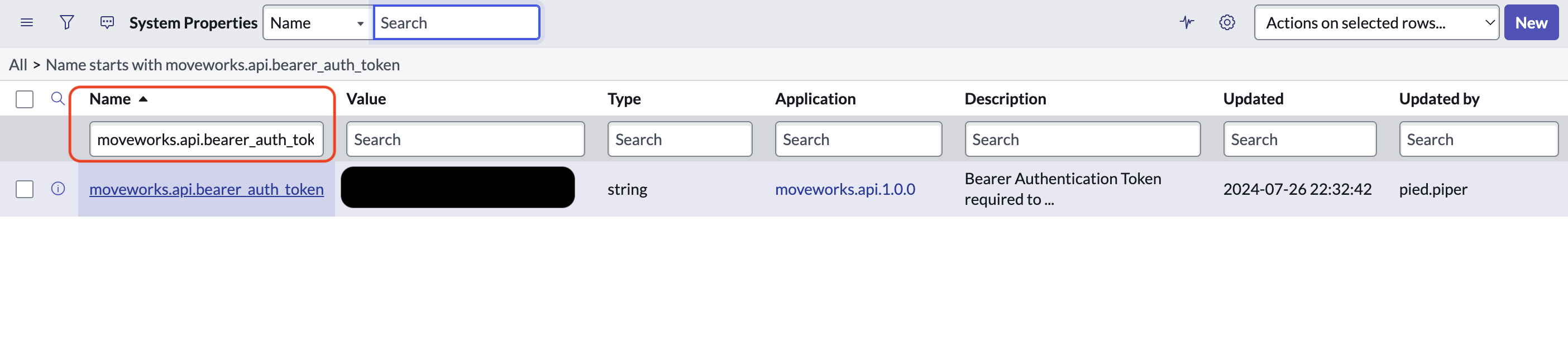
- Open the system property and fill the API token into the box labeled
Value