
ScreenSteps Access Requirements
Moveworks utilizes an API Access User Account to ingest knowledge from your ScreenSteps environment.
How to Create an API Access User Account in ScreenSteps
Note: Only ScreenSteps admins can create new accounts.
-
From Account Settings within ScreenSteps, click on Users
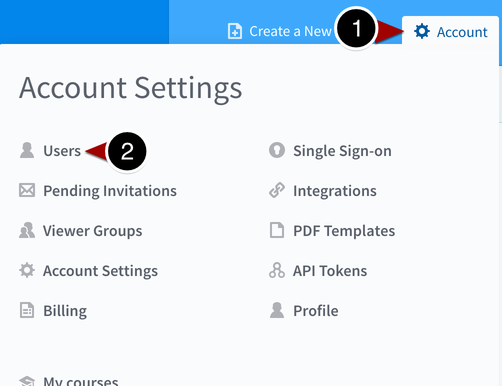
-
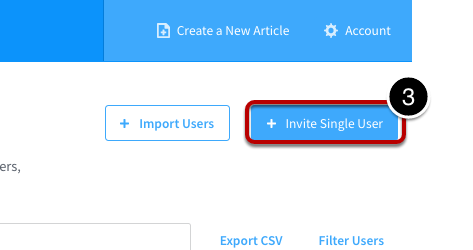
Create/Invite Single User
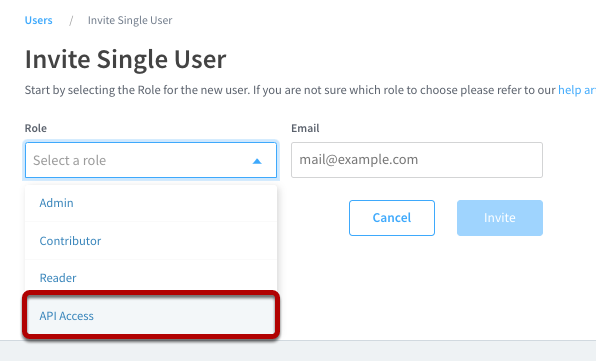
- Select API Access for the role and input an email and password (e.g.
service_account@yourcompany.com)
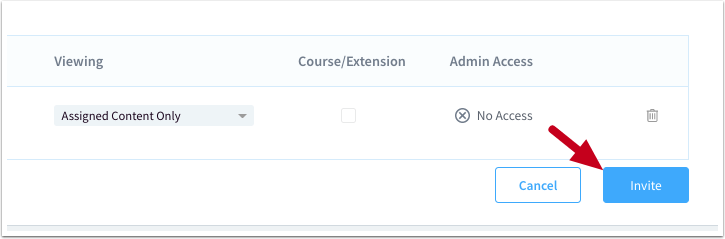
- Select the sites the service account should have access to view
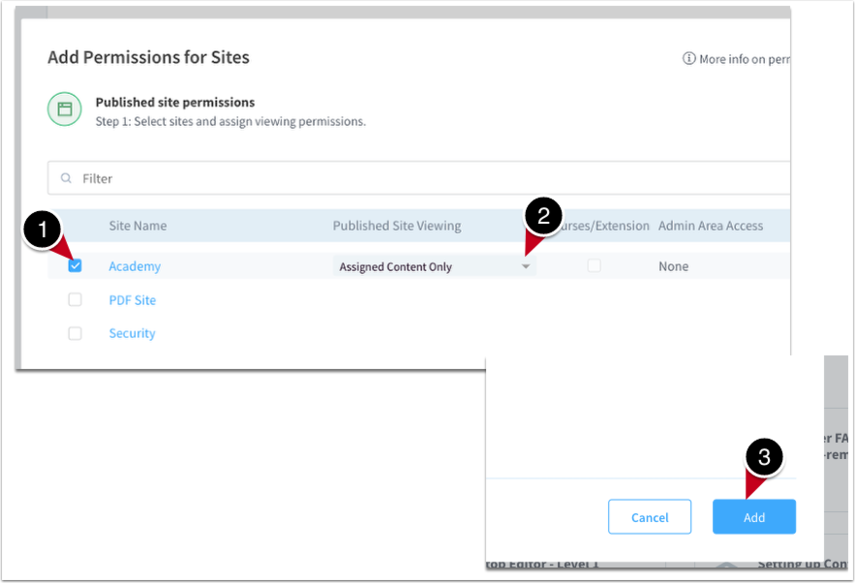
- Invite the user
Creating the Moveworks Connector
Next, create a connector in Moveworks Setup by navigating to Built-In Connectors under the Core Platform > Connectors header in the sidebar.
- Click Create New
- Select ScreenSteps from the list of available connectors

- Create a name for the connector (such as
screen_steps) - Select Basic Auth as the authentication type
- Set the username to the email that you used to create the API Access User Account
- Input the password that you created for the service account
- Input your Common Base URL. If your ScreenSteps site is
https://<yourcompany>.screenstepslive.com, then input<yourcompany>here.