
Role Based Access Control (RBAC) at Moveworks
Moveworks offers a suite of solutions to improve employee experience ranging from Employee Communications, Agent Studio, Knowledge Writer etc.
One crucial mechanism that ensures a seamless user experience is our Role-Based Access Control (RBAC) system.
What is RBAC?
RBAC is designed to provide users with specific, tailored access to applications and features on the Moveworks platform. This means that every user only interacts with tools relevant to them and performs actions they’re authorized to do. As a result security is enhanced because unauthorized or accidental alteration or deletion of critical data is restricted.
What can you achieve from this module?
Role Based Access Control will allow you to assign specific roles to users to limit the actions they can perform.
Defining Roles in Moveworks
Moveworks incorporates a system of pre-defined roles for applications namely: the “Administrator,” the “User,” and the “Super Administrator”.
Administrator:
The Administrator has an extensive array of capabilities within a given application. They can create, modify, and delete any resource available in the application. This involves having the highest level of control and responsibility within a single application.
Moreover, Administrators can manage the access control list of the application. They can add other employees as users of the system and in certain cases, upgrade them to the administrator level. An administrator can also revoke the access of another existing Administrator.
User:
The User of an application has more restricted functionalities. Users can create resources within the applications. Once a resource is created by a user, they have the capability to modify or delete it since they are its owner.
Resources created by other users are also visible to them, and they can make changes to these. Thus, the User role has a necessary level of access and control without compromising the system’s overall integrity.
Super Administrator:
The Super Administrator role is the epitome of admin roles in the Moveworks system. This role has access across all applications within the Moveworks platform.
They are empowered to create, modify, and manage resources in any application. Further, they can grant access to other employees across different applications and roles, including escalating them to be super admins.
However, the revoking of Super Administrator access is a sensitive operation and is controlled by Moveworks directly to maintain security and control in the highest access tier.
Moveworks Setup PII Authorized Viewer:
The Moveworks Setup PII Authorized Viewer (shown in the UI as PII Viewer) is an add-on, read-only role that lifts PII redaction in Moveworks Setup troubleshooting surfaces. It must be paired with Moveworks Setup User or Moveworks Setup Admin to take effect — on its own it grants no access. Super Administrators do not need this role; they can already see all data.
When paired with a Setup role, PII Viewer unlocks unredacted access to:
- Chat Playback / Chat Evaluator — full conversation content (messages, user identifiers, attachments).
- Ticket Viewer — ticket subject lines, requestor names, and free-text fields.
- Built-in plugin logs — request and response payloads in plain text instead of redacted values.
The role only widens visibility; it never grants the ability to configure, edit, or publish anything.
Moveworks Setup Viewer Role
Beta — invite only: This role is currently in beta and available to select customers only. To have it enabled for your organization, please reach out to your Moveworks team.
The View Only role provides read-only access to Moveworks Setup. It is designed for team members who need visibility into configuration and troubleshooting tools without the ability to make changes.
A View Only user can:
- Browse all configuration pages across Moveworks skills and modules in read-only mode.
- Export data.
- Use troubleshooting tools, including Built-in Plugin Logs, Chat Playback, Ticket Viewer, Advanced Configuration Editor, and Configuration Change History.
- Navigate the full Moveworks Setup sidebar.
A View Only user cannot:
- Create, update, or delete configurations.
- Save changes to existing configurations.
- Manage roles or permissions for other users.
- Perform write operations through API surfaces in Moveworks Setup.
Note: Troubleshooting tools display redacted data by default. Built-in Plugin Logs, Chat Playback, and Ticket Viewer mask personally identifiable information (PII). To allow a View Only user to access unredacted data, also assign the Moveworks Setup PII Authorized Viewer add-on role.
Important: The View Only role applies across all skills and modules in Moveworks Setup and cannot currently be restricted to an individual skill or module. If a user is also assigned a higher-privilege role, such as Moveworks Setup User or Admin, the higher-privilege role takes precedence.
Important: The View Only role applies only to Moveworks Setup. It does not grant or restrict access to other Moveworks experiences.
How to Assign the Viewer Role
Prerequisites
- You must be a Super Admin or Moveworks Setup Admin to assign roles.
- User Identity must be configured so that employees appear in the user roster.
Steps
-
Log in to Moveworks Setup.
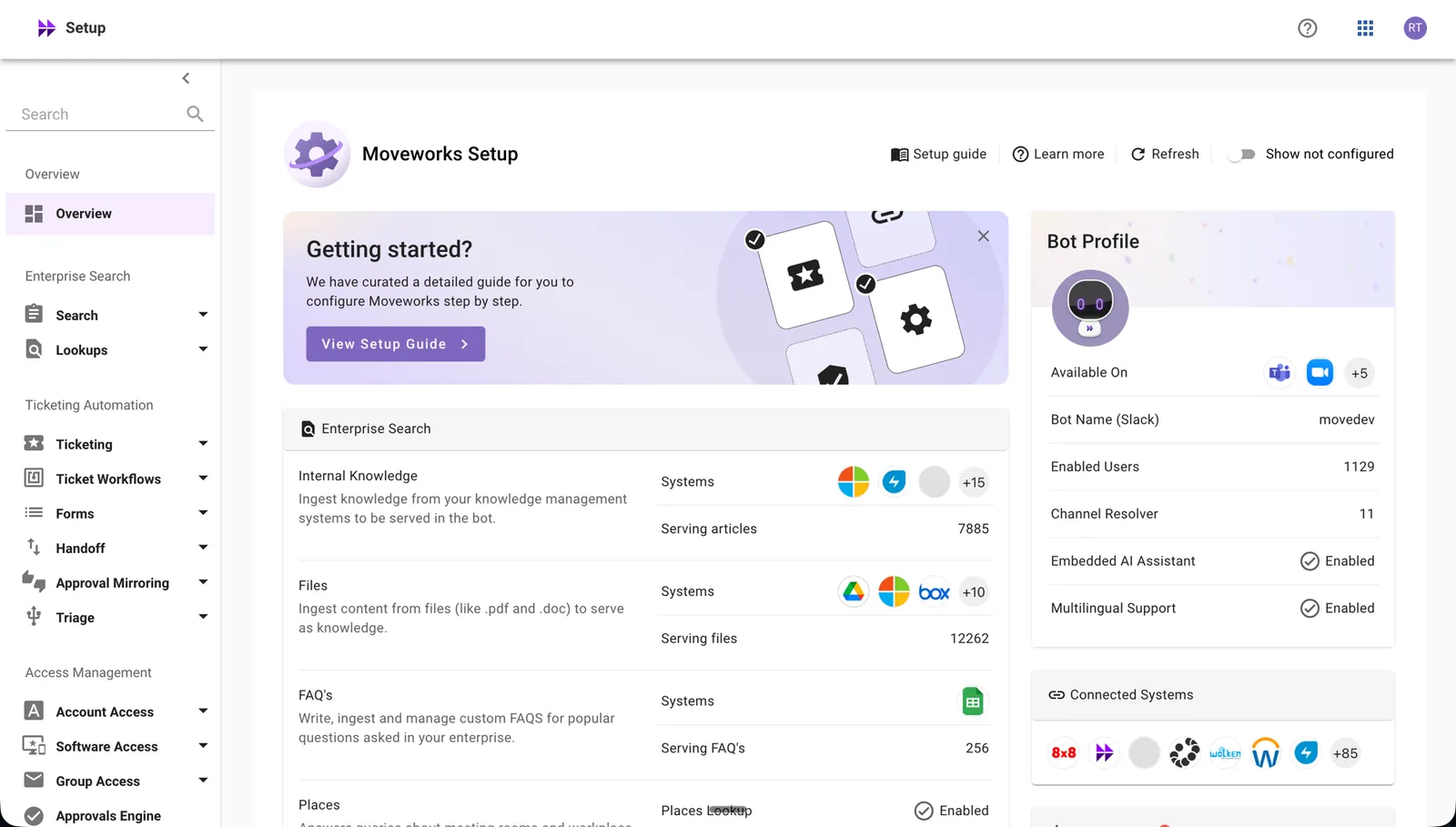
-
Navigate to Roles & Permissions.
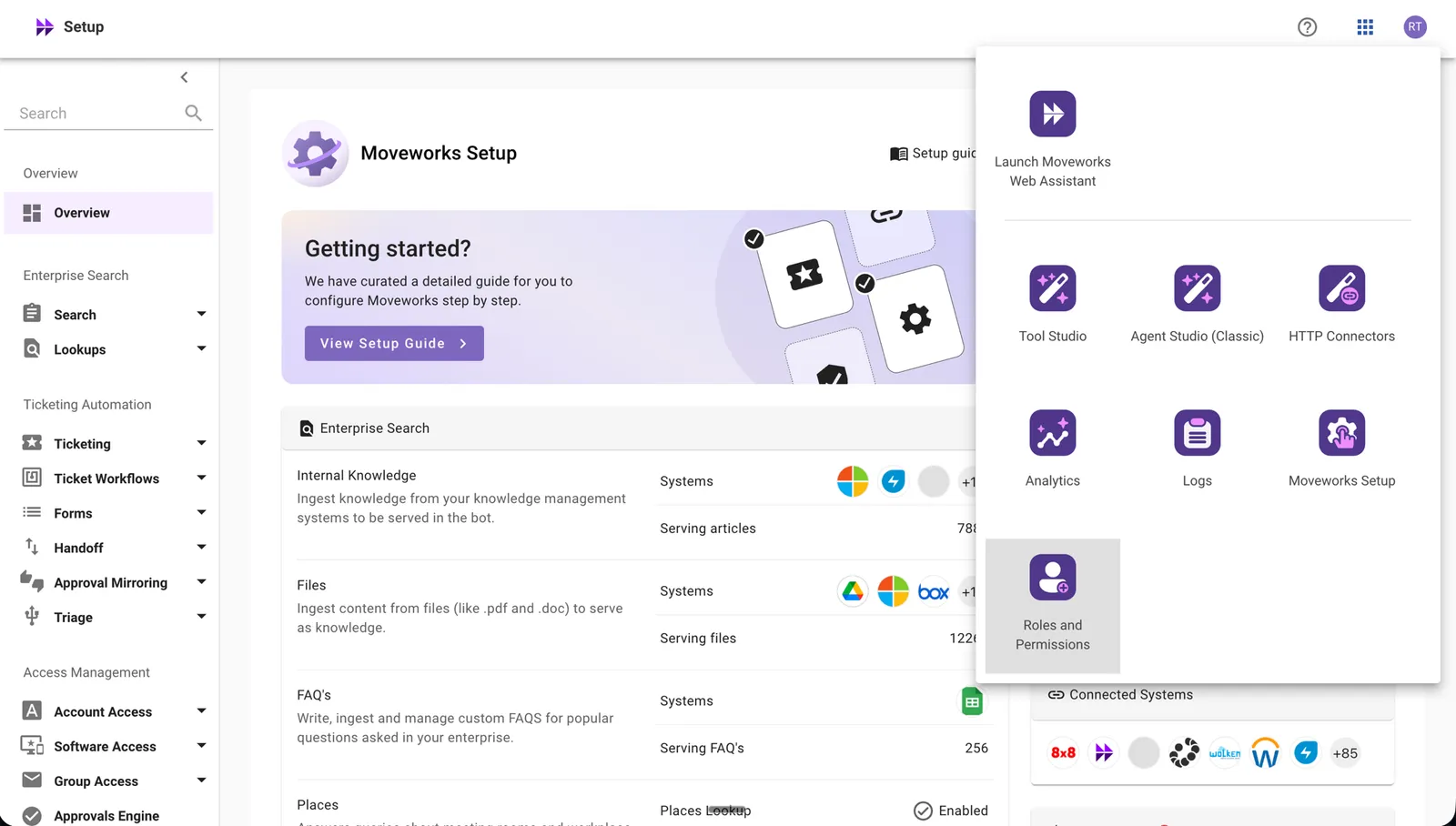
-
To add a new user: click Add User in the top-right and search by name or email. To update roles for an existing user: find them in the list and click Edit.
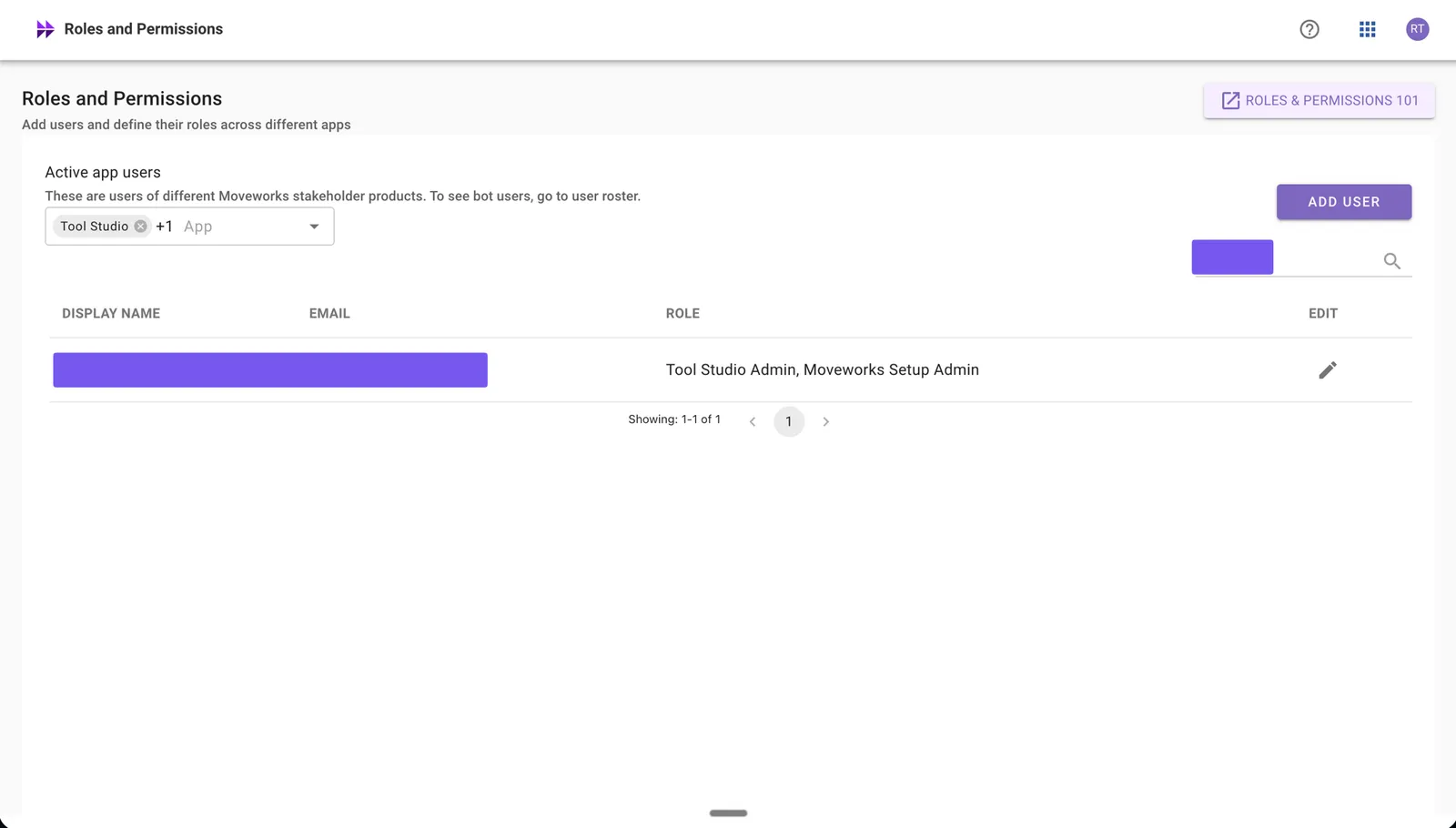
-
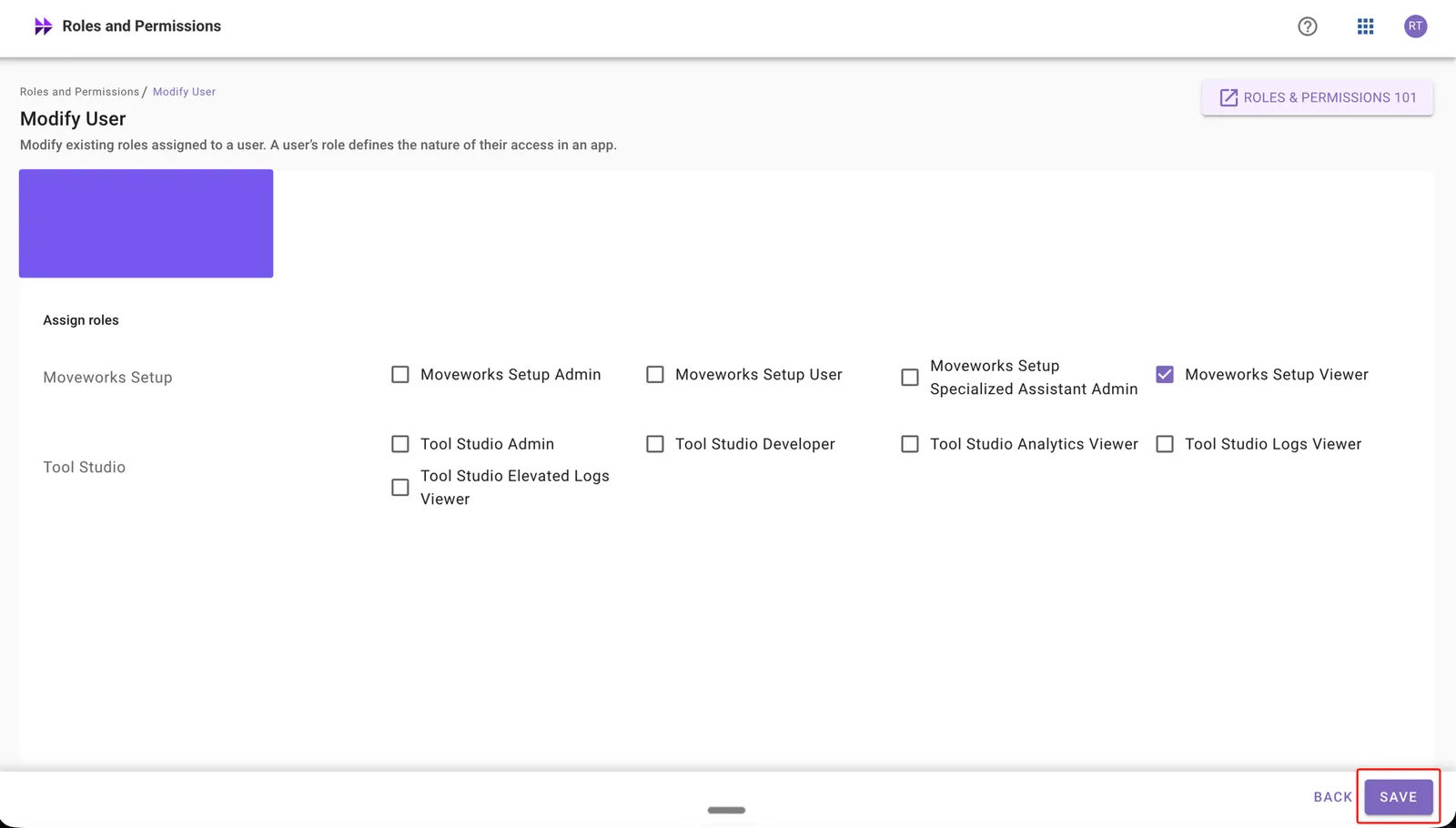
Assign the Moveworks Setup Viewer role to the user. If you also want the user to see unredacted data in troubleshooting tools, also select Moveworks Setup PII Authorized Viewer.
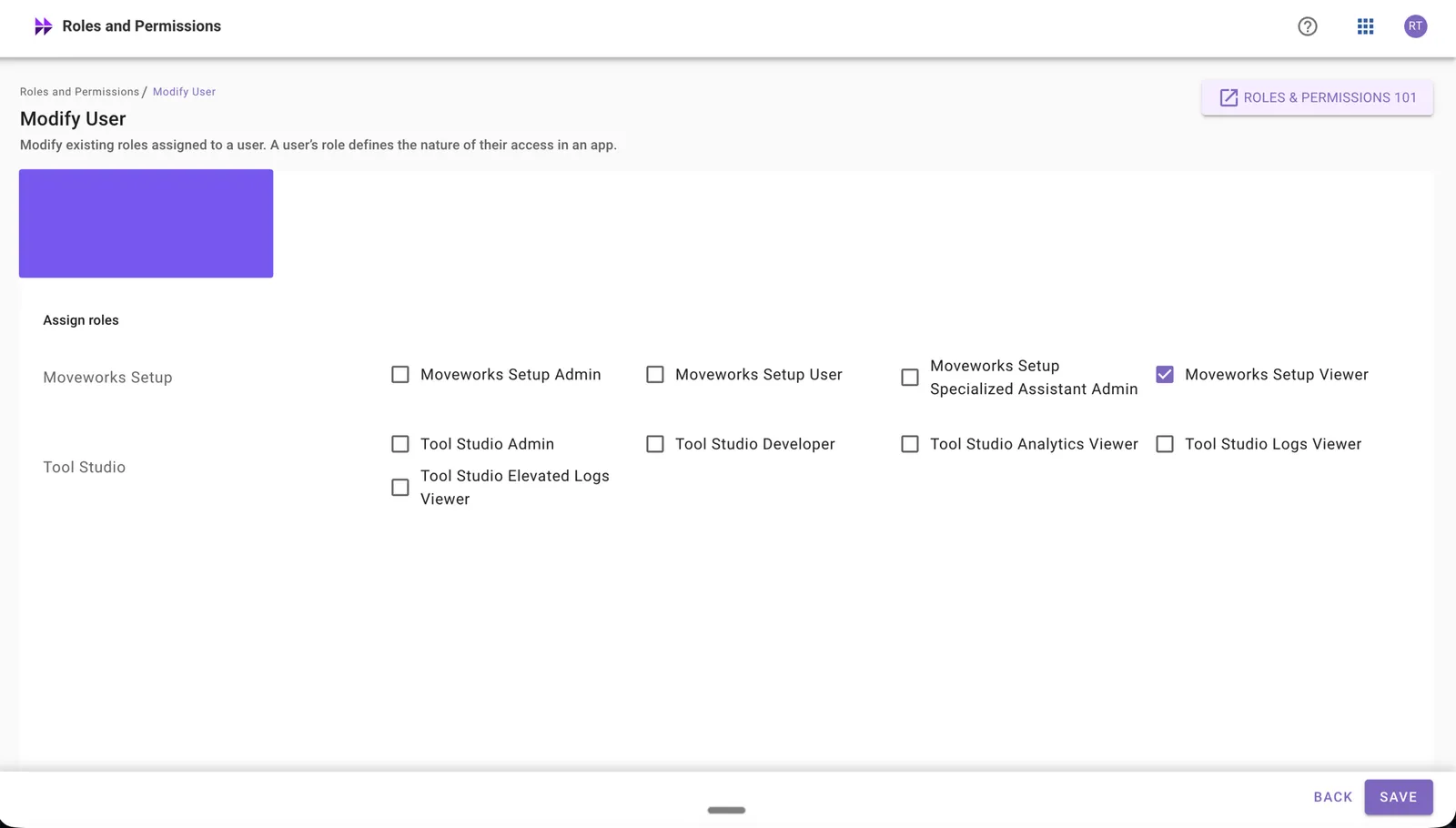
-
Click Save once the role is assigned.
What each role combination sees
Best practice: Grant PII Viewer narrowly and review assignments periodically. Role assignments and revocations are captured in the standard RBAC audit log.
I am ready to add roles!
Head over to this section to know how to assign roles for various applications.