
Concur Approvals Access Requirements
Authentication
Use this document for instructions on how to get the access setup in place for the Moveworks Expense Approvals integration with Concur.
Docs for reference:
- https://developer.concur.com/api-reference/authentication/apidoc.html
- https://developer.concur.com/api-reference/expense/expense-report/v3.reports.html
Refresh token expiration:
For security Concur company refresh tokens expire every 6 months & the customer will have to provide Moveworks with the new Company Request Token every 6 months. Moveworks team will then use the new Request Token to generate another valid Refresh token for the next 6 months.
Method
Moveworks will be authenticating into your Concur system via the Company Request Token Method. This lets us generate a 1-time Company Request Token (valid for 24 hours) followed by refreshable access tokens which we’ll use to authenticate any interactions.
Pre-requisites: Customer must have access to the Web-Service tool in Concur.
Process Walkthrough
-
Create a new OAuth 2.0 App with the required scopes.
-
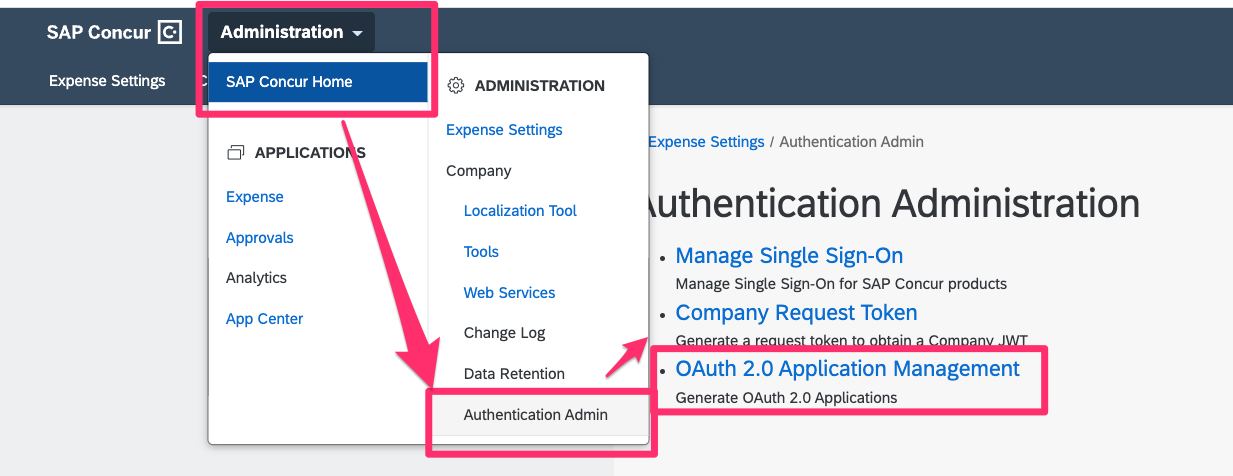
Navigate to OAuth 2.0 Application Management under Authentication Admin
-
Client Create New App

-
Fill in the following details:
- App Name:
Moveworks Integration Application - App Type:
Client - App Description:
Moveworks uses this application to provide Concur expenses support into your native chat platform - Allowed Grants:
refresh_token,password, &client_credentials - Allowed Scopes:
openid,EXPRPT,expense.report.read,expense-report.readwrite,expense.report.workflowstatus.write,identity.user.core.read&identity.user.ids.read
- App Name:
-
❗Note down the generated
Client ID&Client Secret
-
-
Create a Company Request Token (which we’ll be using to authenticate into our application created above)
-
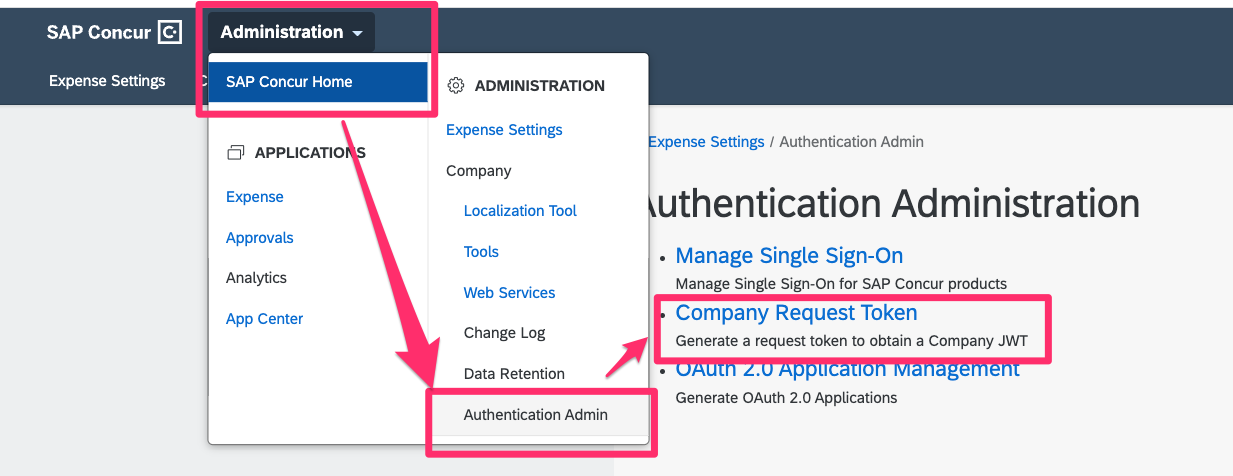
Navigate to Company Request Token under Authentication Admin
-
Now Paste the
Client IDinto theApp ID& hit submit.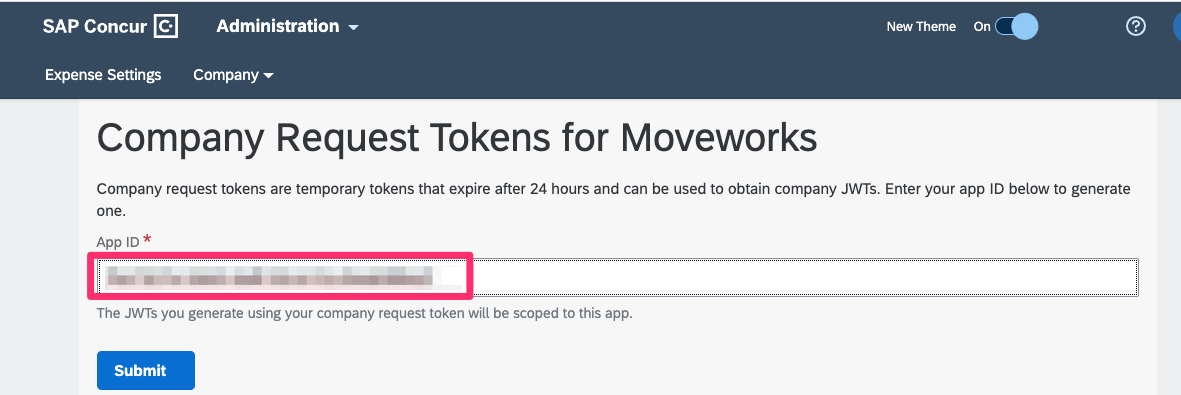
-
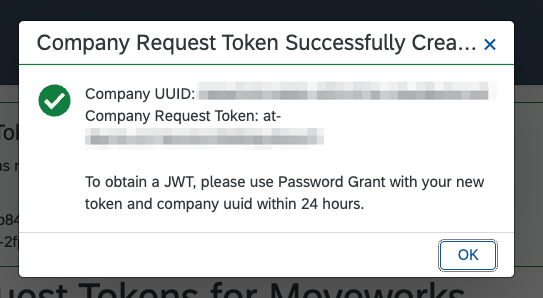
❗Note down the Company UUID & Company Request Token
-
Requirements: Please share the Client Id, Client Secret, Company UUID & Company Request Token with your Moveworks Customer Success team.