
Plugin Promotion
Export & import your plugins across instances to move it from a development sandbox to production.
How it works
When exporting plugins from one tenant to another, we drop the connector by design from the plugin. This is to ensure we are not sharing sensitive authentication details cross use cases.
If you have sensitive information in other components of the plugin (such as the action), please remove them or template them before exporting the plugin. We will not automatically trim these fields when exporting.
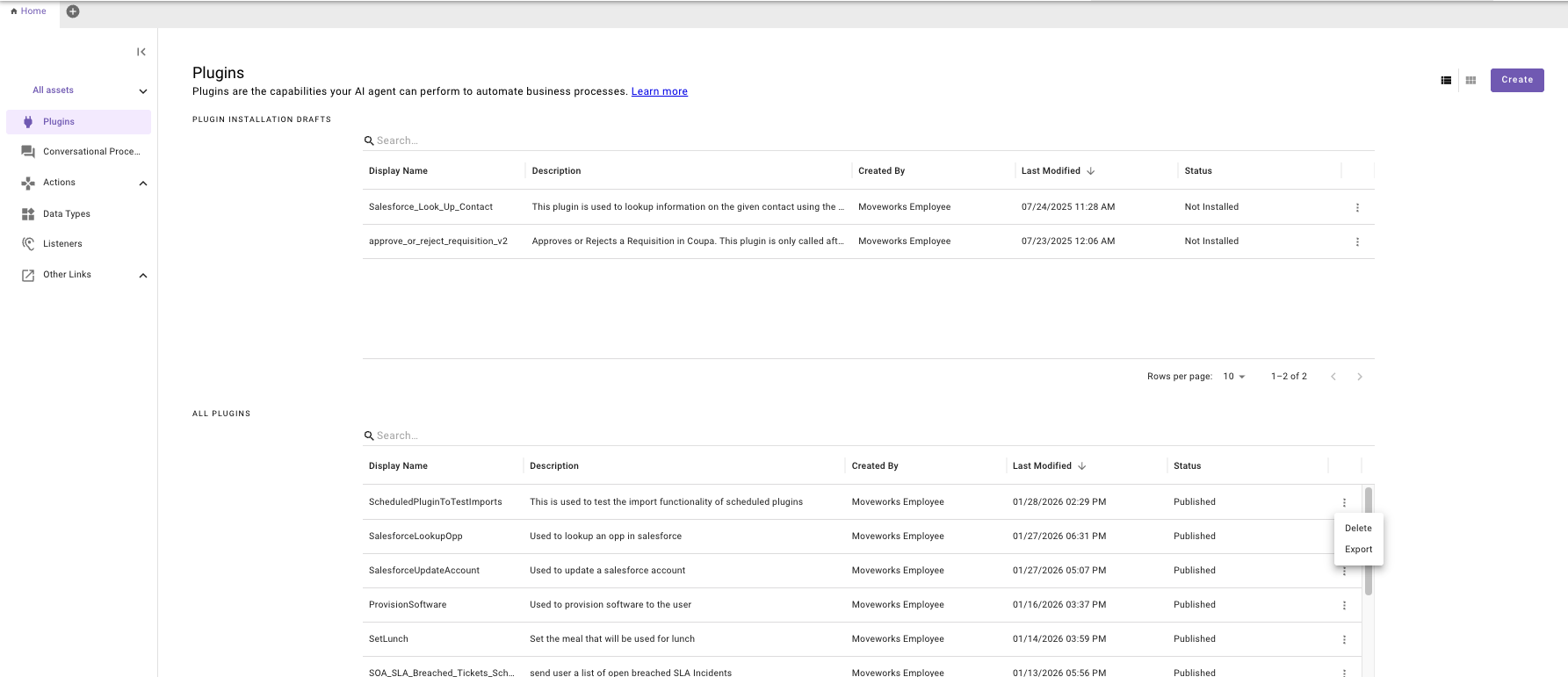
- Go to Agent Studio and select the hamburger menu for any specific Plugin on the far right. Click on Export
-
You will be given an installation link that you can copy and paste into another browser tab.
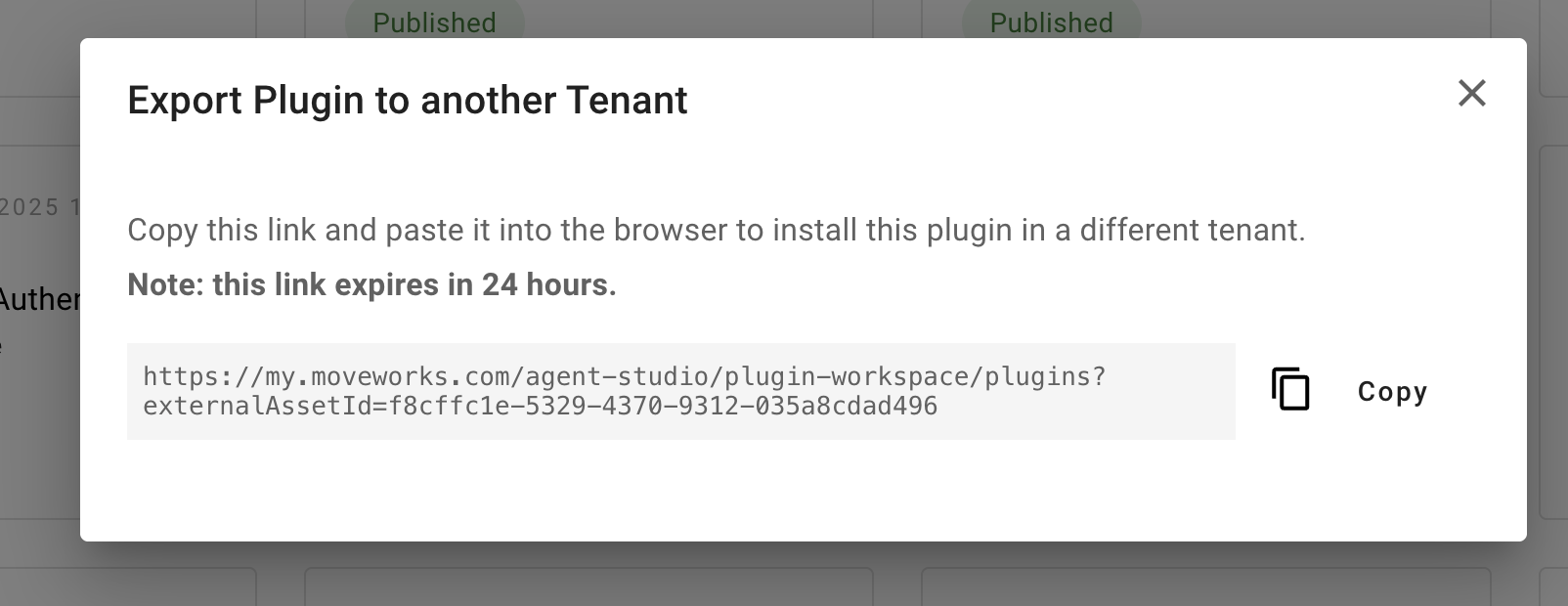
📘 Installation Links are valid for 24 hours.
Once they expire you will need to regenerate them.
-
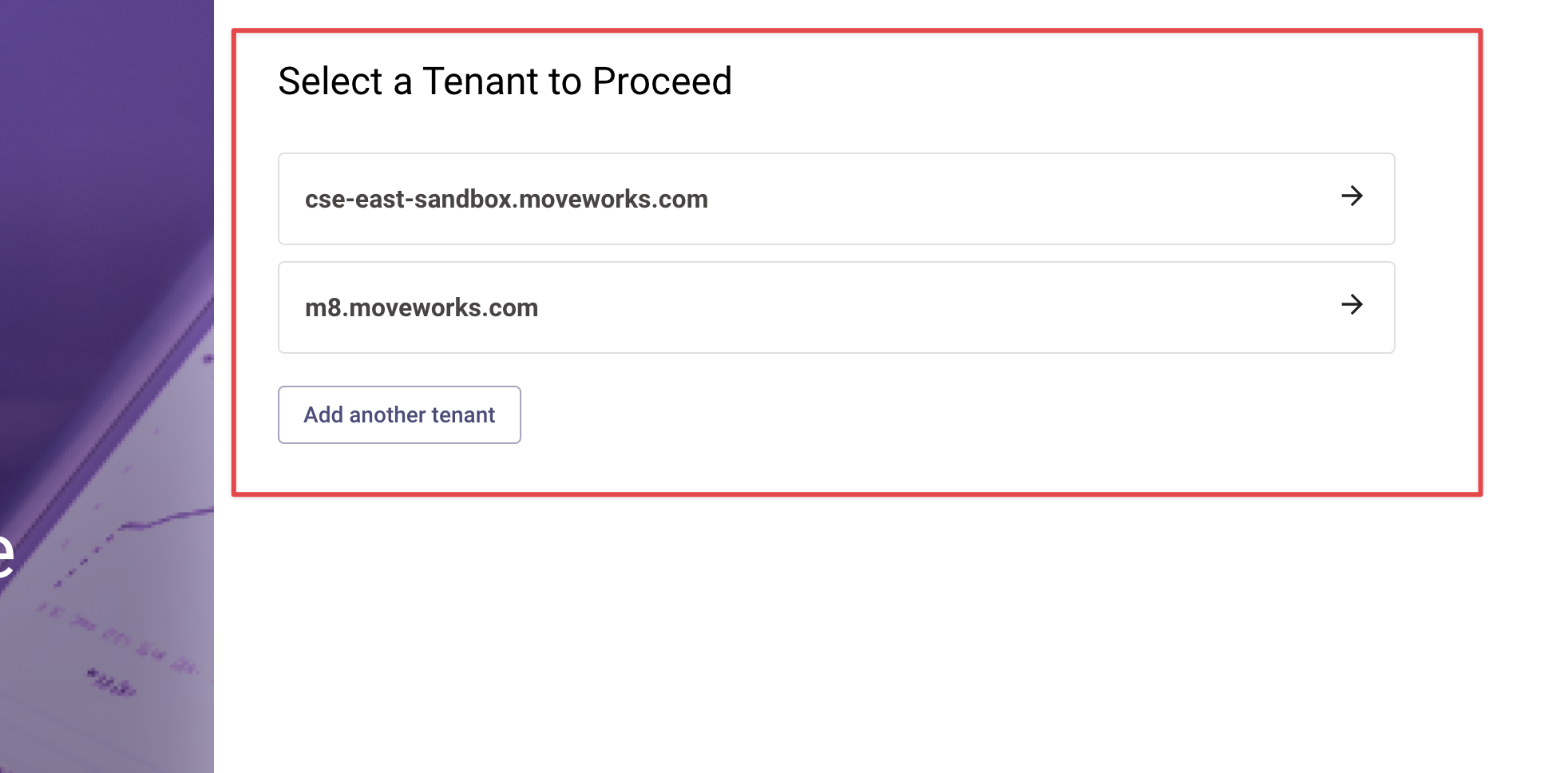
Paste the link into your browser. Select the tenant you wish to export this plugin to. Note: if you are not already logged into this tenant, you can also Add another tenant. You will then be prompted to login to the new tenant.
- Follow the Installation Steps as part of the installation wizard. You will have to select the connector(s) used in your use case and resolve any name conflicts.
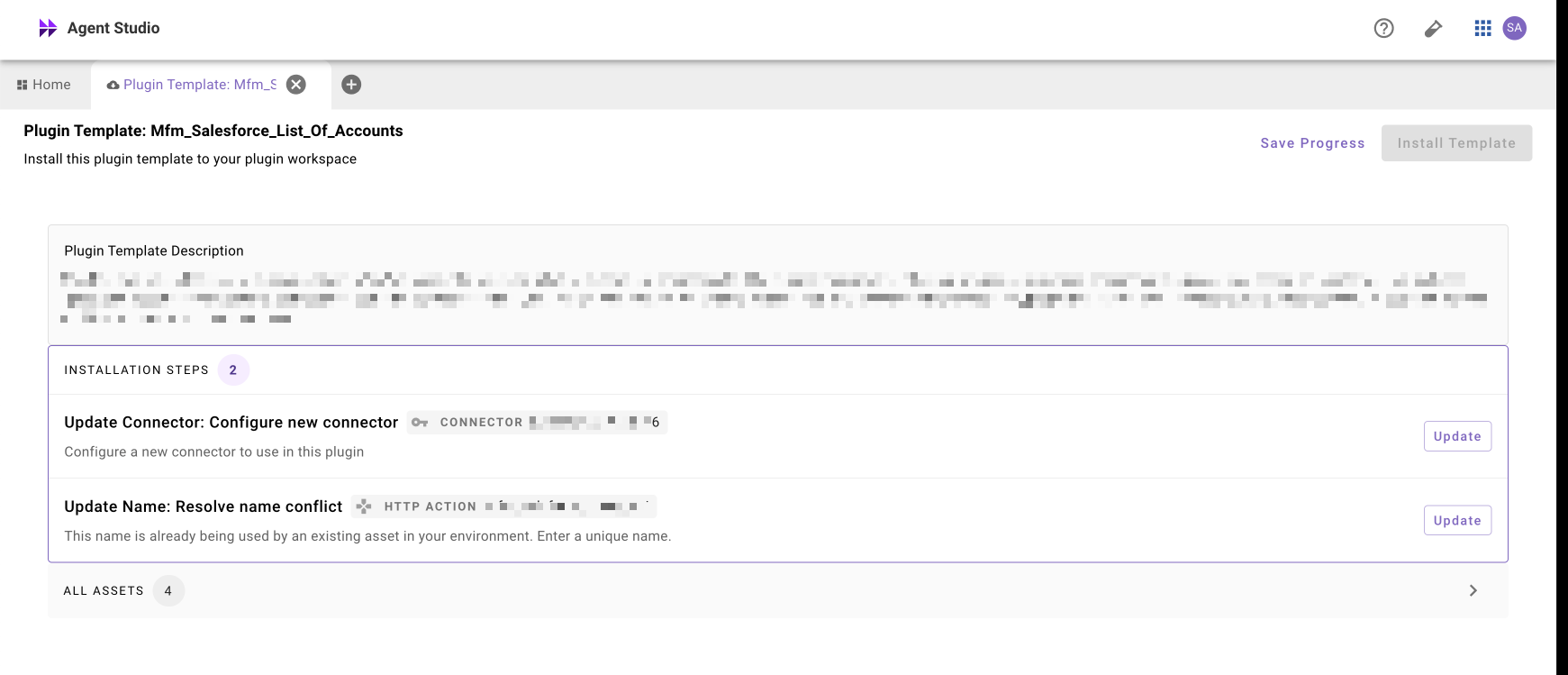
- Click Install Template and this plugin should now be in the new environment! Congrats – you’ve successfully promoted a plugin between instances.
FAQ
Can you import across data centers?
No. For example, if you have a sandbox instance in a US West instance, but you want to move it to an EU instance, this is not allowed for security reasons.
What happens if you import a plugin into the same environment?
It will work, but it will duplicate the plugin. It does not matter which instance your import key was generated from. If you need to apply an update to an existing plugin, you will need to delete the existing plugin and redeploy it.
Can you export a draft plugin?
No. The plugin MUST be published to be exported.
Can I export from production and import to sandbox?
Yes! You can export and import between production and sandbox and vice versa!