
Resolver Strategies
What are resolver strategies?
Resolver strategies instruct AI agents how to convert the user’s provided value (e.g. “this week’s most important bug”) to a Data Type the system wants (e.g. <JiraIssue>_BUG-732).
Please read the Slot Resolvers documentation to understand how resolver strategies fit into the big picture.
Looking for a complete worked example? Quickstart #2: Slots & Resolvers walks through building a feature_request Data Type with a dynamic resolver end-to-end, including the HTTP action, the resolver configuration, output mapping, cardinality, and using the resolved object in a conversation process.
One Strategy, One Data Type
Each resolver strategy produces one data type. For example, if I have a resolver strategy that is bound to the JiraIssue data type, then it can NOT also return an AsanaTask
Methods
Resolver strategies are made up of multiple “methods.” Each method provides a list of possible values that matches the data type.
A Resolver Strategy can only have 1 Static Method or multiple Dynamic Methods.
It is not possible to have multiple Static Methods or a mix of Static & Dynamic Methods. If this something you think you need, reach out to your CSE or support@moveworks.ai!
Type of Methods
You can build two types of methods:
- Static methods - preconfigure a multiple choice list of possible values.
For example, if you’re changing the status of a
JiraIssue, you might specify a few status options- Not Started (
id=4) - In Progress (
id=8) - Done (
id=10) The AI agent will offer these options as part of how slot resolvers work.
- Not Started (
- Dynamic methods - use an action to retrieve possible values.
For example, if you’re trying to get a list of
JiraIssuerecords that are assigned to the user, you can fetch them from the Jira Issues API and offer them to the user. You can send data from your🚧 Warning
You can not currently use compound actions, but other action types are valid.
Dynamic resolver methods do not support pagination. The action must return the complete list of candidates in a single response. If your source system returns large datasets, apply filtering at the HTTP action level (query parameters, request body filters) before the data reaches the resolver.
Output Cardinality
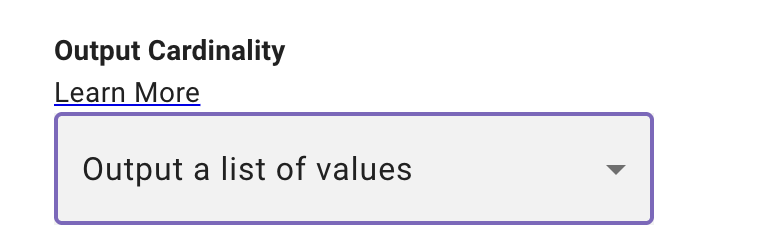
For a given resolver, the action, after output mappings are applied, should return an instance of your data type.
For example, a resolver strategy for JiraIssue might return
- A single
JiraIssuerecord - for example, if the user specified the issue by it’s ID (e.g. “I want to close BUG-732”), then you can return the content as
If you always retrieve a single object in your output and want the entire object select the below setting: Interpret output as the exact value.

- A list of
JiraIssuerecords, for example, if the user said “Show me my tasks,” you would return a list of records. (Note: you can return 0, or 1 records, but it must be a list).
If you always retrieve a list in your output and want the user to make a selection from the list choose the below setting:Interpret output as a list of candidate values.

Method Selection
During the conversation, the AI agent picks the best method to use based on the conversation. For example, if you the following methods
- Get
JiraIssueby ID - Get
JiraIssueassigned to user - Get
JiraIssueby status & project
Then the AI agent will choose the right method based on the conversation
How do I configure Resolver Strategies?
Where to Configure Resolvers
You can attach resolver strategies in two places:
On a Data Type (recommended for reuse)
Configure the resolver strategy directly on a custom data type. Every slot that uses that data type automatically inherits the resolver. This is ideal when multiple plugins need to resolve the same business object (e.g., a JiraIssue or SalesforceAccount).
A single data type can have multiple resolver strategies — for example, a JiraIssue type might have:
- “Search by issue key” (user says “BUG-732”)
- “Search by title” (user says “the login bug”)
- “Search by assignee” (user says “my open tickets”)
The AI agent selects the best method based on conversation context.
Inline on a Slot
Configure the resolver strategy directly on a specific slot. This is useful for one-off resolvers that are specific to a single plugin and don’t need to be reused.
Which should I use?
If a slot has an inline resolver AND its data type has a resolver, the inline resolver takes precedence for that slot.
Resolver Basic Info
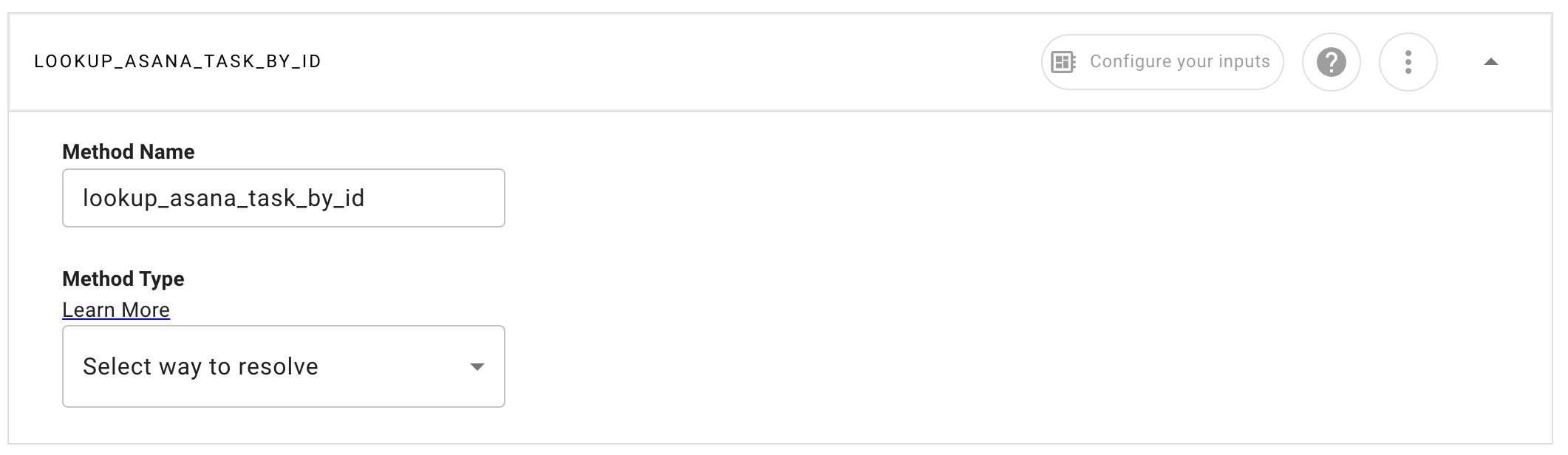
It’s important to provide a detailed Method Name as this helps the AI Assistant choose which Method is best for each conversation with the user. The Method Name must be in snake_case format.
Configuring a Static Resolver
Static Resolvers allow you to configure a list of options to show the user every time. Each option has a Display Value (what the end user will see) and a Raw Value (what will be used in your Activities).
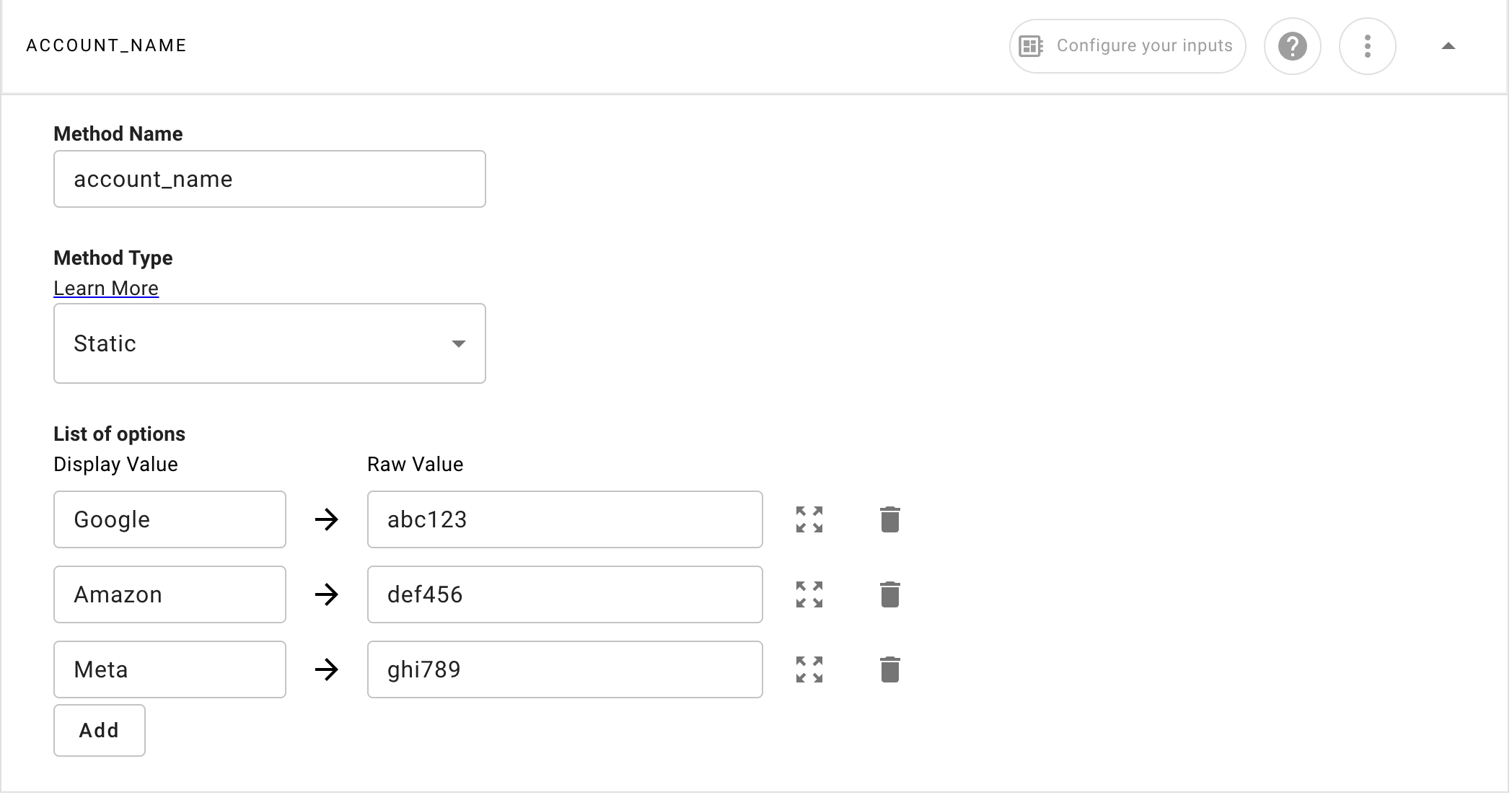
Configuring a Dynamic Resolver
Dynamic Resolvers require you to select an Action in order to dynamically lookup slot values.
Setting
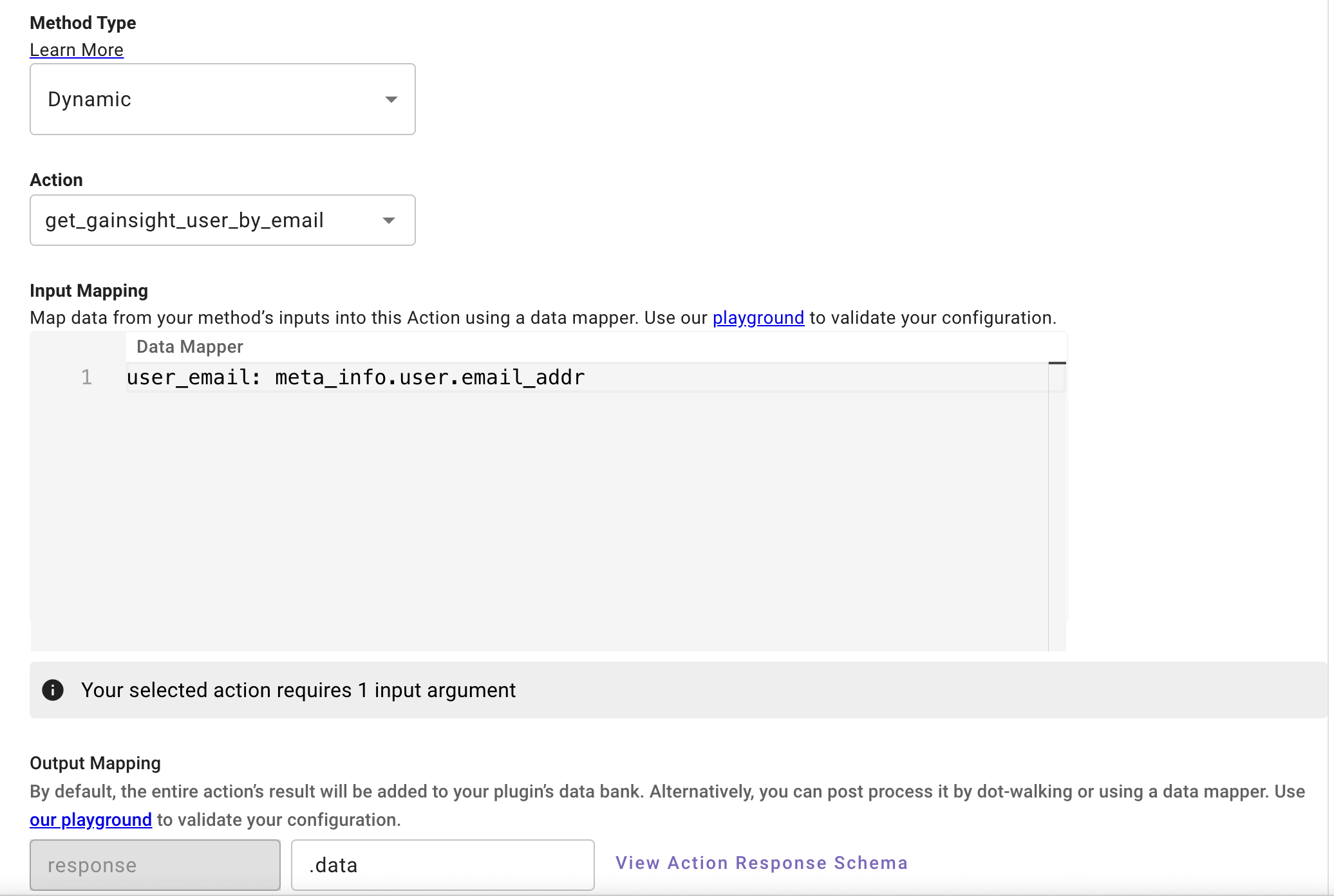
Selecting an Action
It’s recommended to only use HTTP Actions for Dynamic Resolvers; Compound Actions are currently not supported. Script and Built-in actions are also available but HTTP Actions are preferred.
Input Arguments & Input Mapping
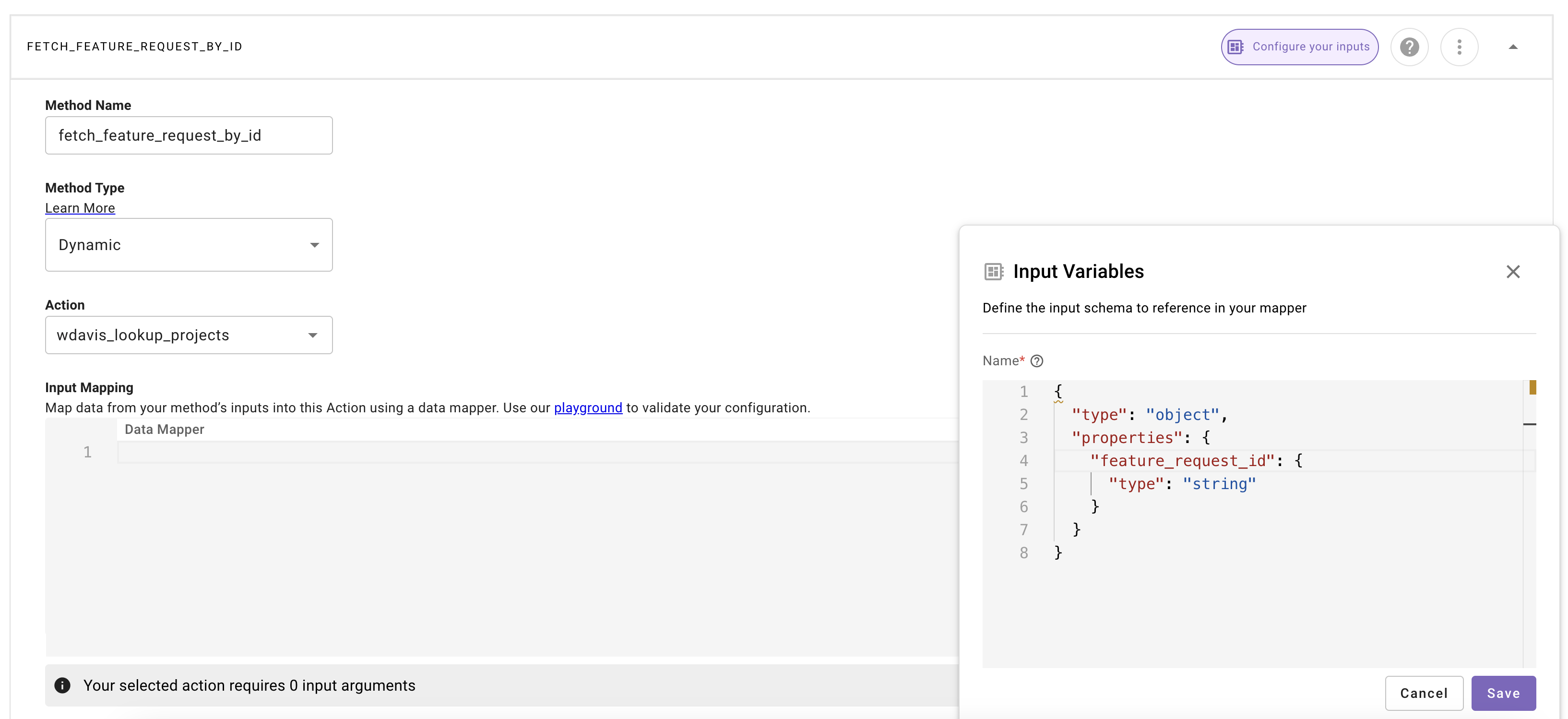
You can configure input arguments for your resolver method using a JSON schema. Inputs are added to the resolver method’s data bank. For example, the following schema would provide a single feature_request_id string as data.feature_request_id. These will be collected from the user whenever the resolver slot is collected.
The names of these are important as that is how the reasoning engine infers what it is collecting from the user similarly to slots in a conversational process. Do not create additional slots in your conversational process for resolvers input variables, treat the input variables as if they are slots contained within the resolver itself.
Learn more about how to write JSON schemas at the official JSON schema docs.
Context Passing into Dynamic Resolvers
A dynamic resolver cannot read the conversation process data bank. To use a value from an earlier slot or activity, pass it through two mappings:
-
On the slot, use Strategy Mapping to copy the process value into the resolver:
This creates
data.building_sys_idsinside the resolver. -
In the resolver method, use Input Mapping to pass the local value to the action argument:
The source slot must be collected or the source activity must finish before the resolver runs. Otherwise, Strategy Mapping passes a null or empty value.
Do not add a context-passed key to the resolver’s Input Variables. Input Variables are for values the assistant should collect or infer while resolving the slot.
Follow the Strategy Mapping walkthrough for the complete building example, screenshots, testing steps, and troubleshooting.
Output Mapping
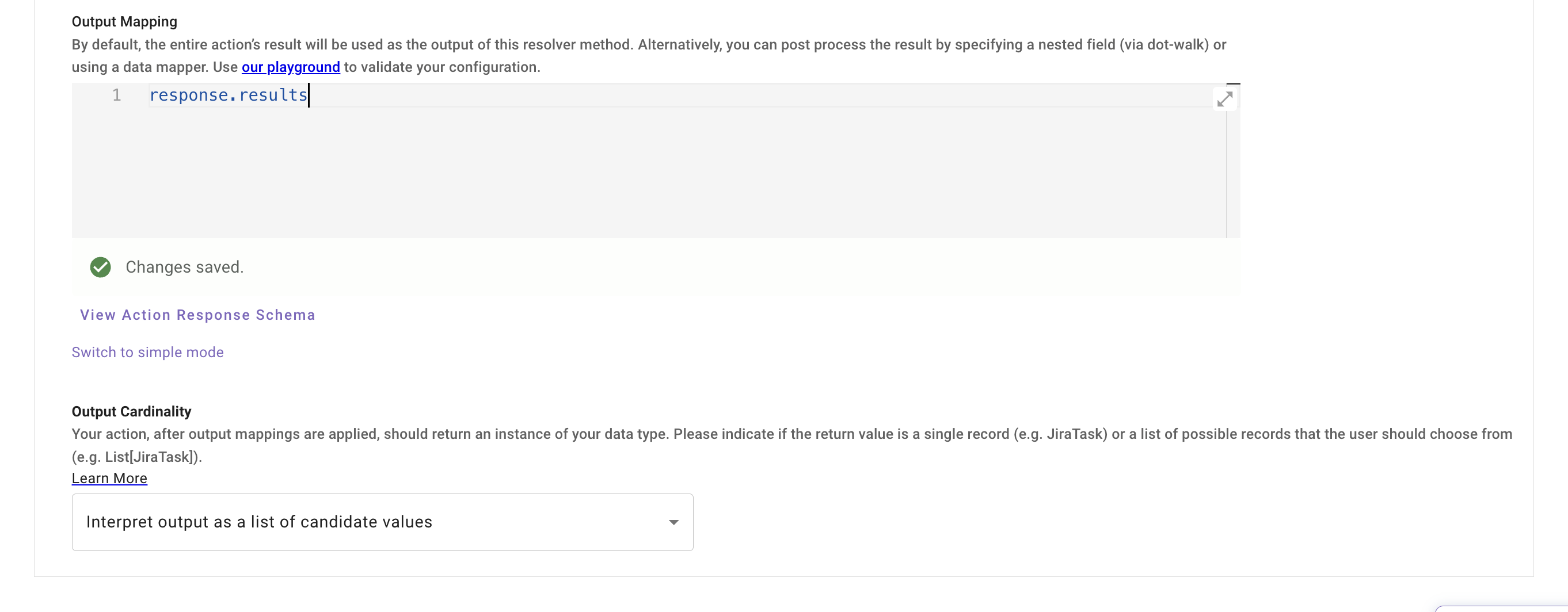
This represents the output structure of your resolver method. By default, it will capture all of the data that the action you selected returns. However, you can “dot walk” into the object if you want to limit the data returned.
The output value from the http action in the resolver is stored as response when referencing it in the output mapper
Clicking “Switch to data mapper” will take you to a Data Mapper editor where you have more controls to fully define a custom output object.
Note: the output mapper must always point to an array if the output cardinality is set to interpret as a list of candidate values. This is how we build the list of option the user can select from
For example given an action with an output like
The output mapping would be response.results
Output Cardinality
See the Output Cardinality reference for guidance on which option to choose.
Data Bank Inside Of Dynamic Resolvers
data.<input_arg>
Resolver methods reference local inputs as data.<input_arg>. Input Variables add values the assistant collects or infers. Strategy Mapping adds values from the conversation process.
meta_info.user
You can reference user attributes about the current user (ie. the user that triggered the plugin) with the notation meta_info.user
See User Attributes Reference for examples.
How To Reference The Output Of Resolvers
Static Resolvers
Once the user selects one of the presented static options you can reference the output in the conversational process in 2 ways.
To reference the display value of the user’s static resolver choice use:
data.<slot_name>.display_name
To reference the raw value of the user’s static resolver choice use:
data.<slot_name>.value
Dynamic Resolvers
Once the user selects one of the presented dynamic options, the entire object is bound to the slot. Reference it directly — there is no .value. indirection like there is on static resolvers.
To reference the whole selected object:
data.<slot_name>
To reference a field on the selected object:
data.<slot_name>.<field_name>
For example, given a slot named feature_request resolved by a dynamic resolver whose action returns objects with id, name, and current_status fields:
Do not write data.feature_request.value.current_status for dynamic resolvers — that pattern only applies to static resolvers (see above). On a dynamic resolver, fields hang directly off the slot name.
For how resolver strategies fit into slot configuration, see Slots.
For a complete end-to-end walkthrough — creating a custom Data Type, configuring a dynamic resolver against an HTTP action, mapping the output, and using the resolved object in a conversation process — see Quickstart #2: Slots & Resolvers.