Approvals Engine
Background
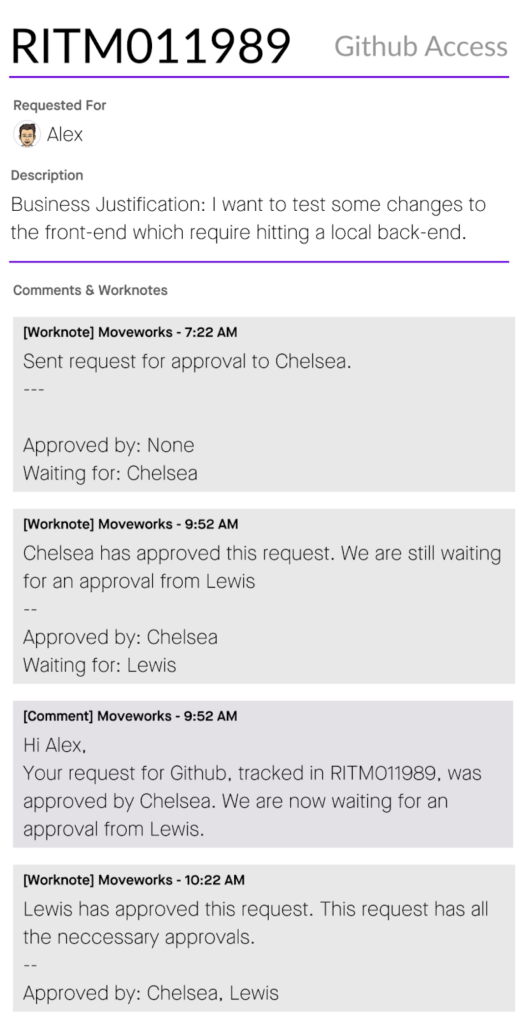
For native approval support for Access Groups and Access Software, Moveworks offers a range of configuration options to accommodate your enterprise needs. If different configuration options are required, Agent Studio offers the extensibility to author more distinct approval flows.
Configuration Options
Sequential Approvals
Some sensitive applications need multiple steps of approval. You can make sure your applications stay compliant by leveraging sequential steps of approvals with Moveworks.

Parallel Approvals
Want to avoid bottlenecks? You can parallelize your approvals by asking multiple users at the same time! These approvals can be configured so that they advance when 1 person approves, N of M (e.g. 2 of 3) approvers, or all of them approve.
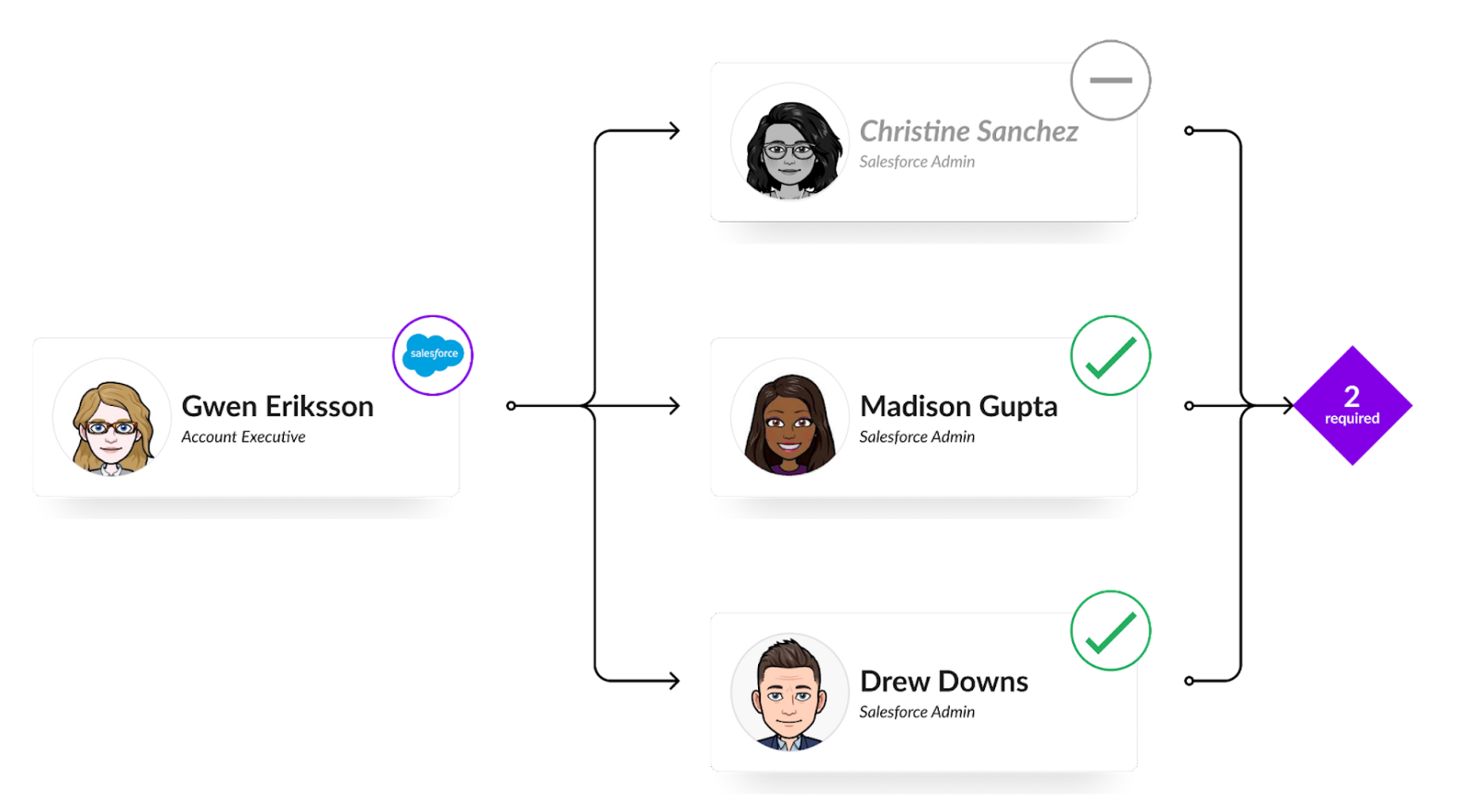
After all approvals within a group have been collected, other approvers will no longer be able to approve these records.
If any one approver denies the request, then the entire request is denied.
Conditional Approvals
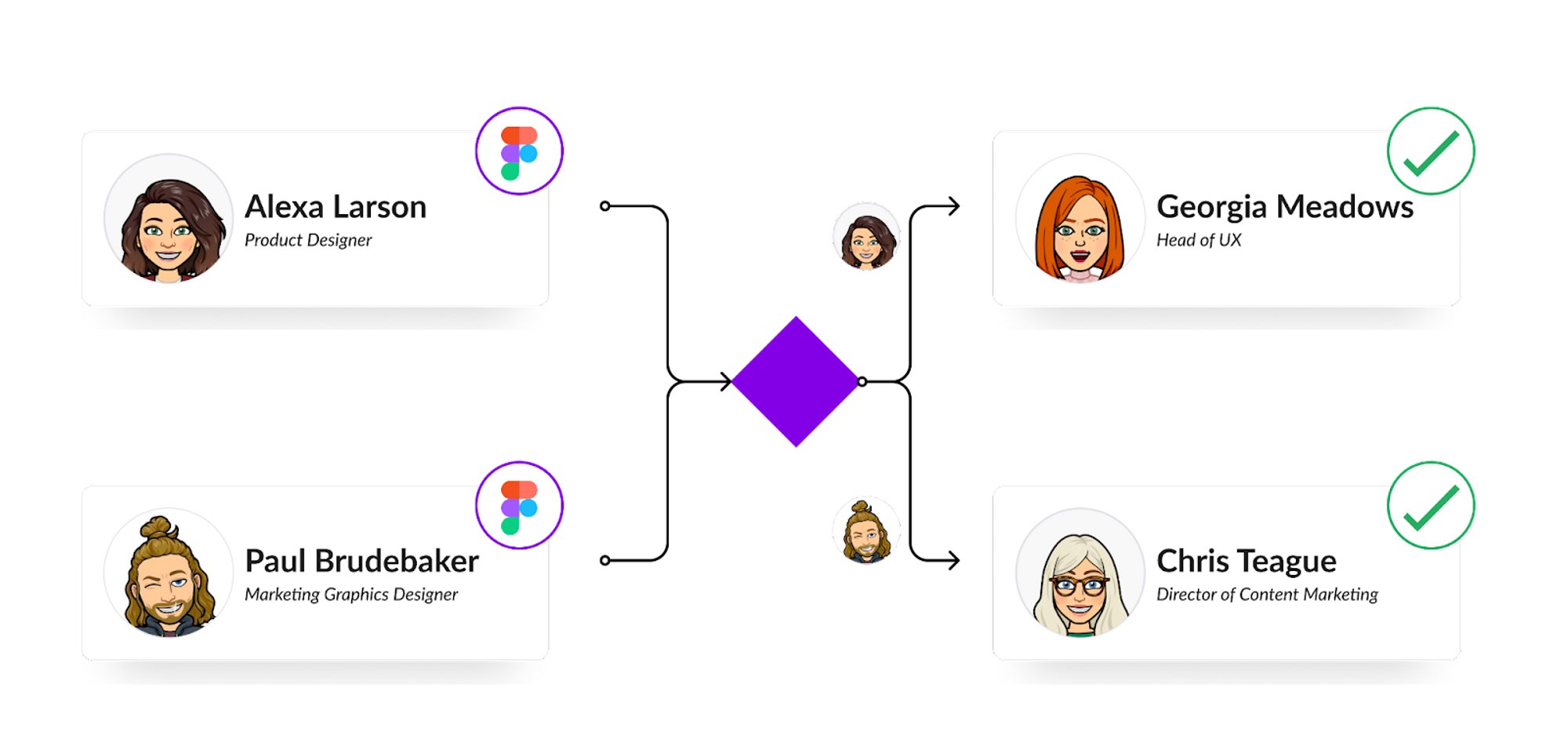
Got special conditions for departments, VIPs, or different versions of the application? Require special approvers for users based on the application, role, and user attributes (e.g: Department, employee type, etc.).
Alexa’s request goes to Georgia since she’s in UX, but Paul’s goes to Chris since he’s in Marketing.
Bring your own Approval Group
Moveworks integrates with your IDAM systems, so we can load approvers directly from your security groups. Please note that this is not possible with OneLogin security groups.

Complex Approvals
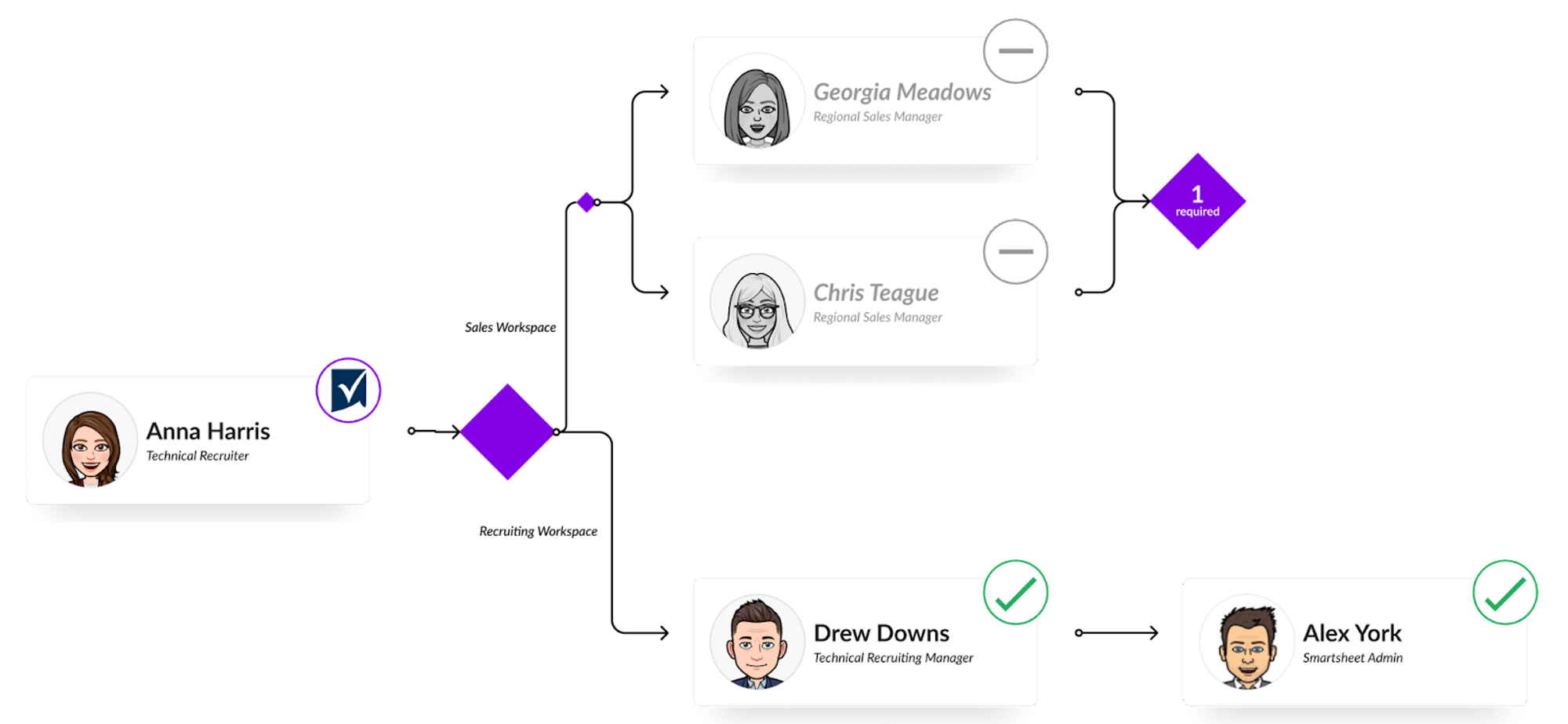
Combine any of the above to create the exact approval workflow that you need for your use case!
Appendix
Special Distribution List Approvals
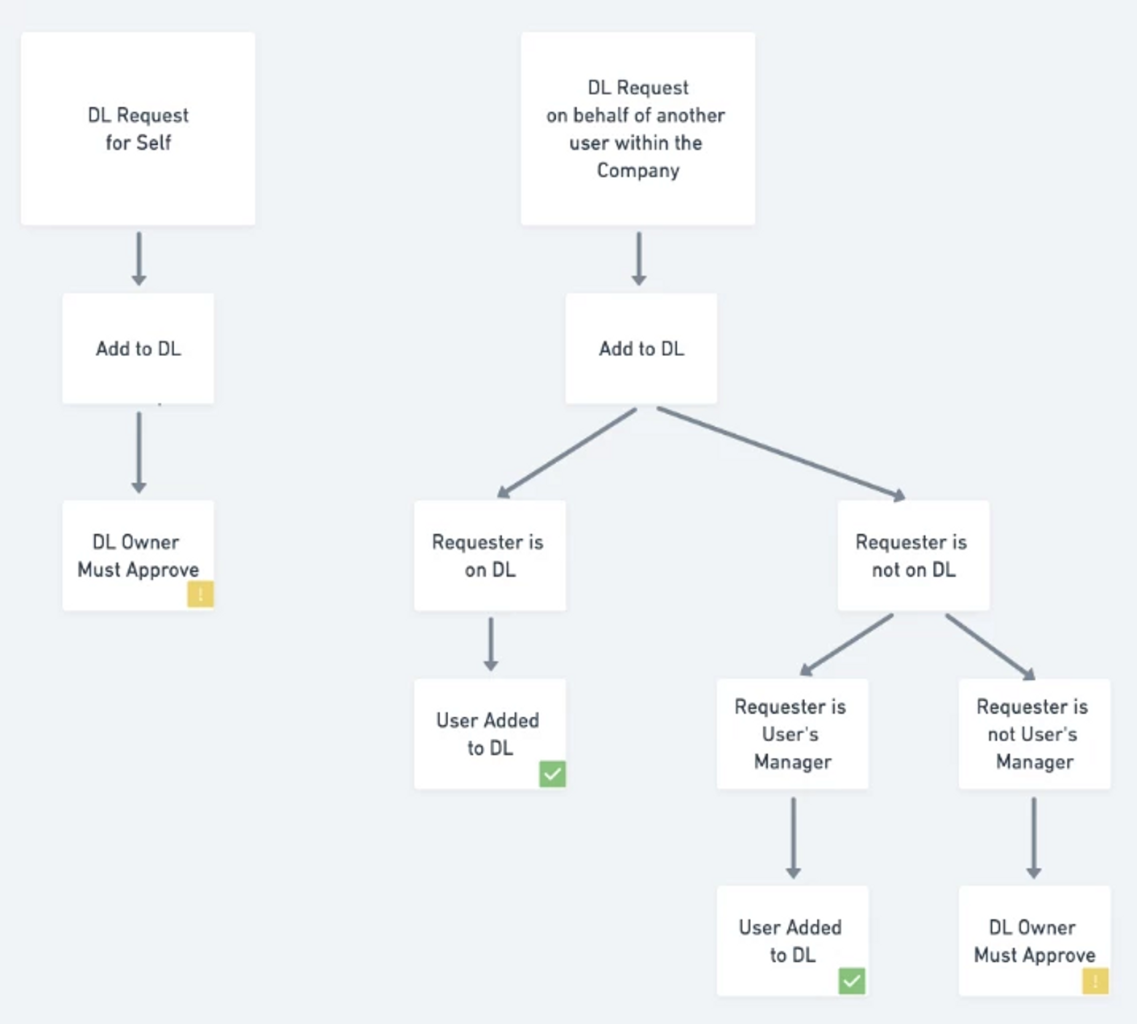
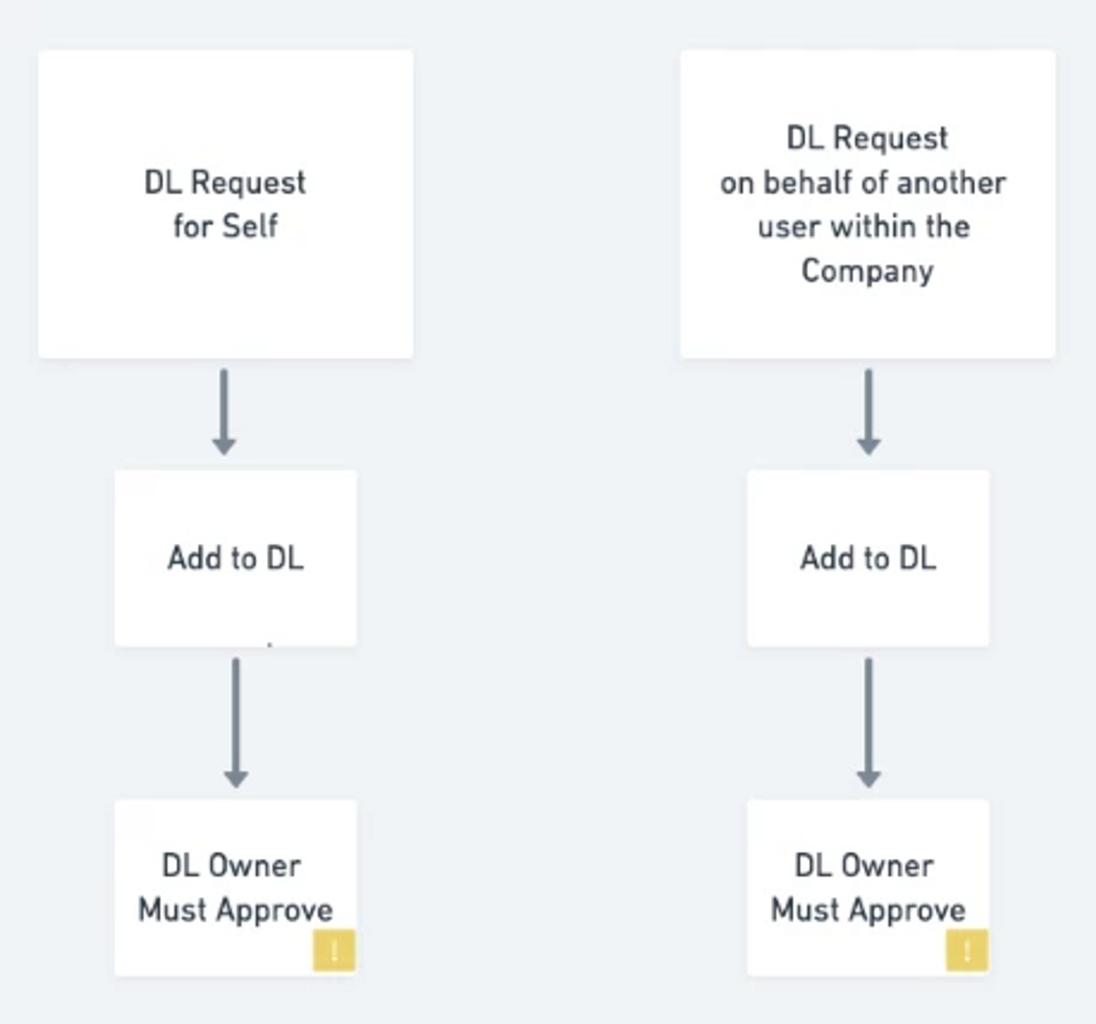
To make it easy to get started, Moveworks offers 2 out-of-the-box approval processes for your distribution lists:
Standard Approval Workflow
In this approval workflow…
Restrictive Approval Workflow
In this approval workflow…
End User Experience Examples
Filing a new request
Requester
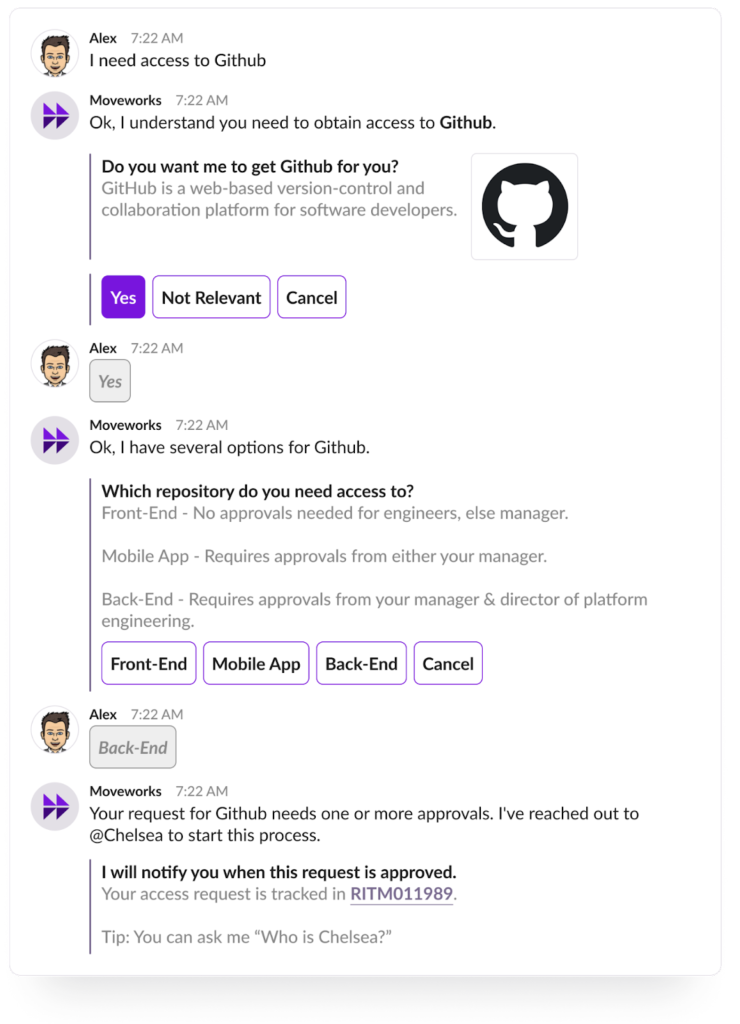
Note the multiple choice question is customizable to describe what the approval process is for visibility to the end user.
Ticket updates on intermediate approvals
Requester
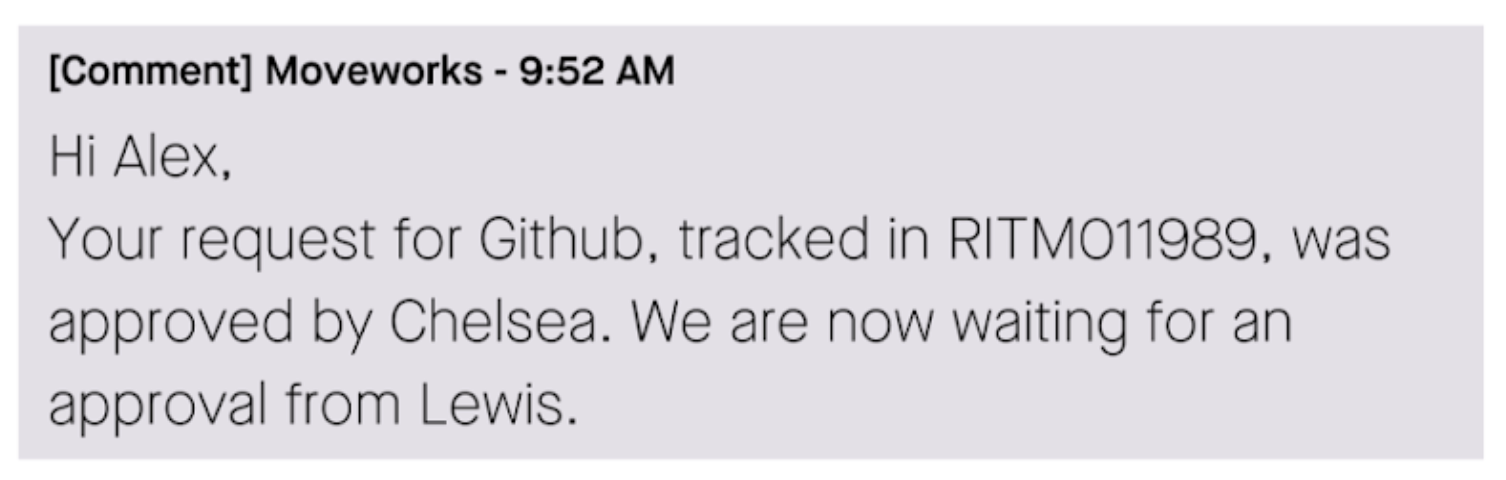
Intermediate approval updates are provided as ticket comments. This reduces in-bot noise for more complex approval requests.
Request is approved
Requester
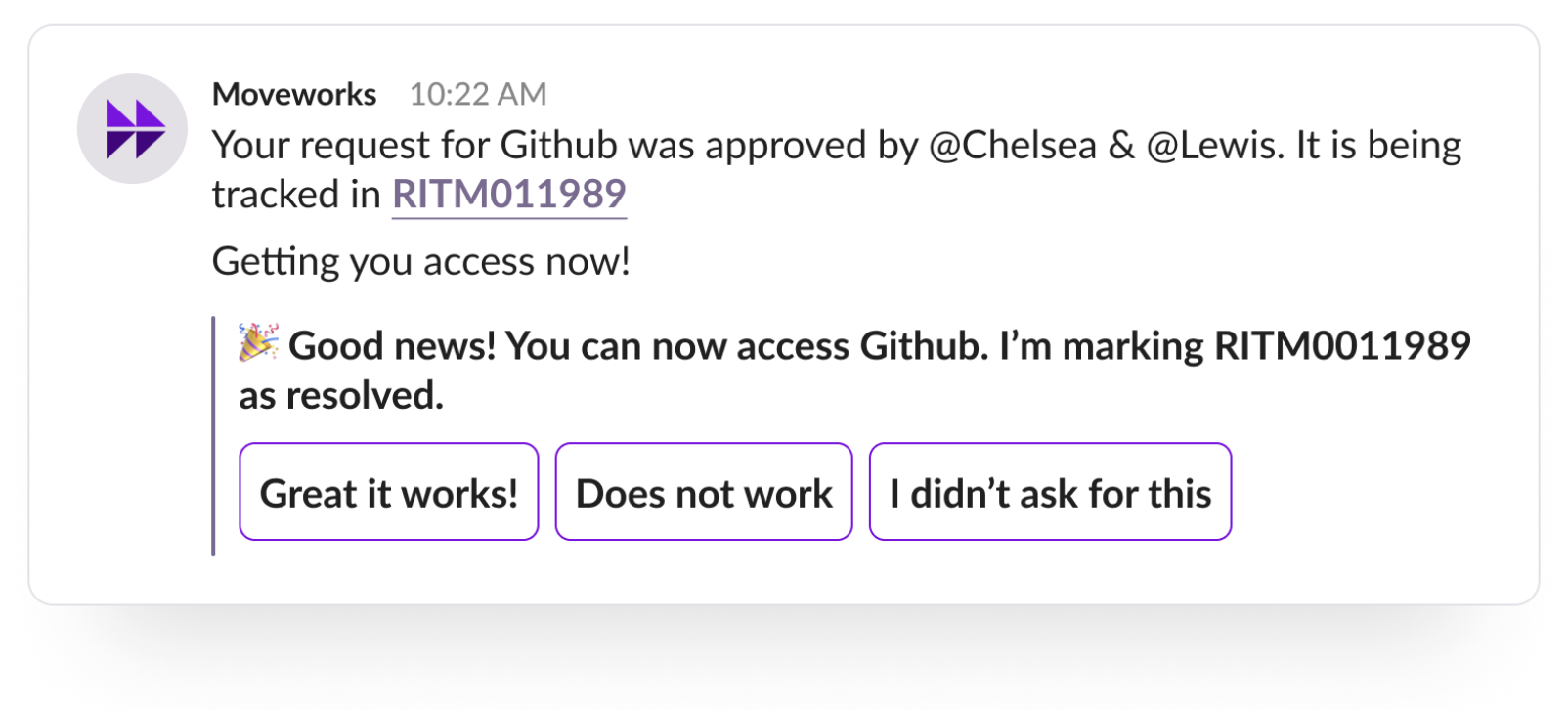
User is informed of all approvers who acted & that the application is about to be provisioned.
Request is denied
Requester
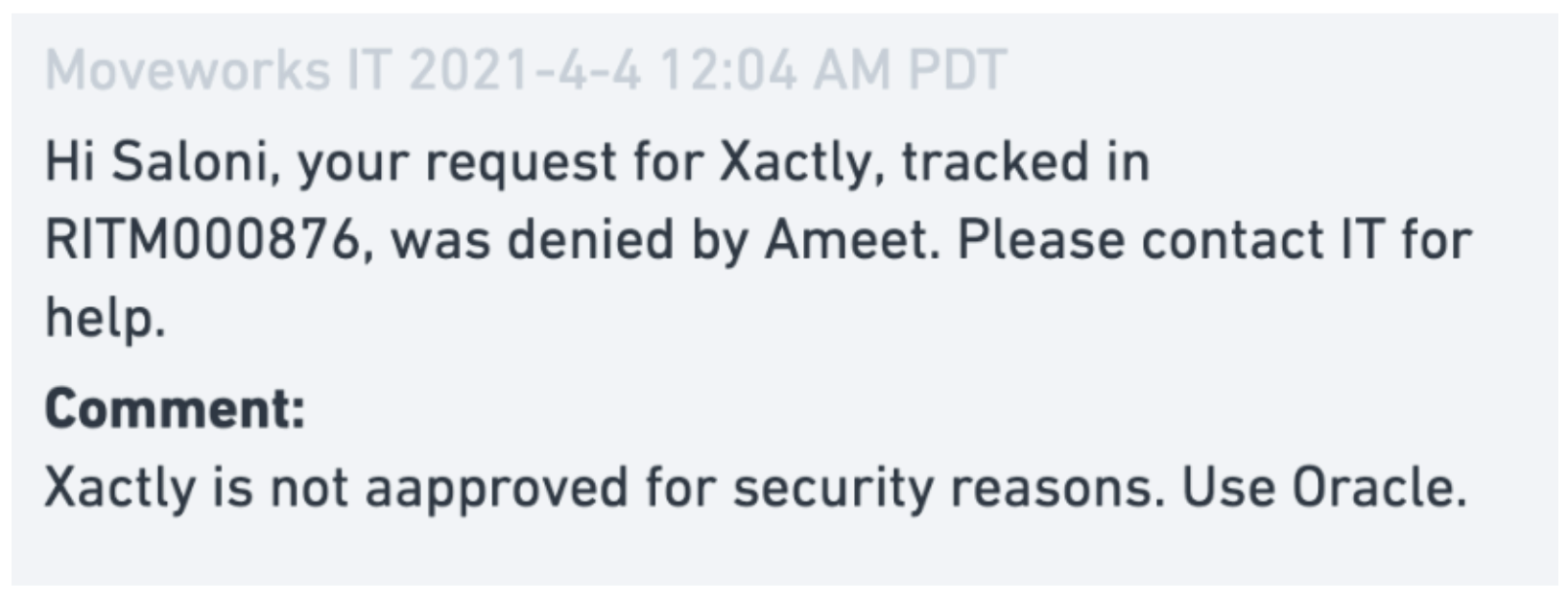
Ticket Comment
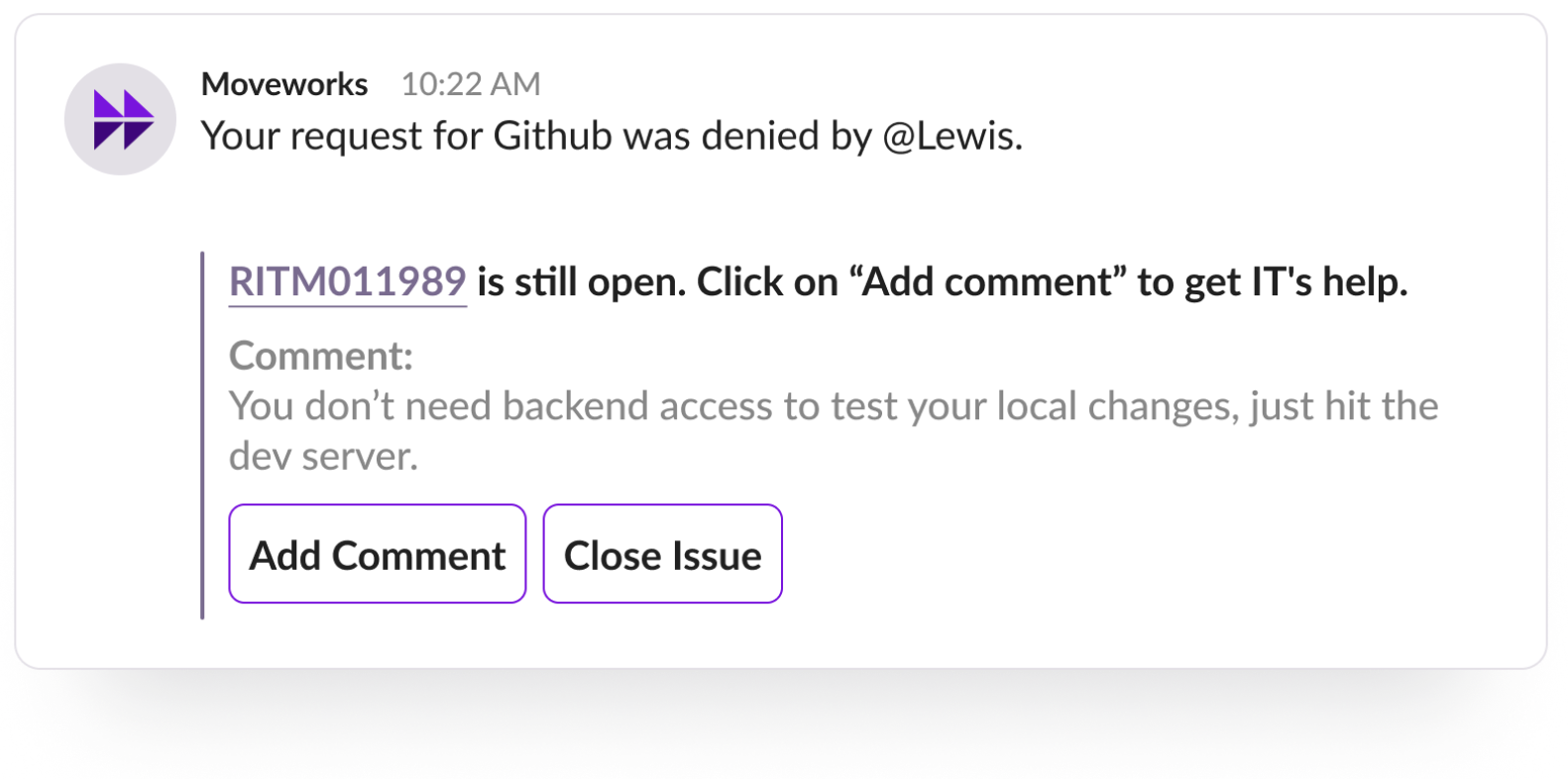
Bot Notification
Approver is presented with all relevant information to make a decision
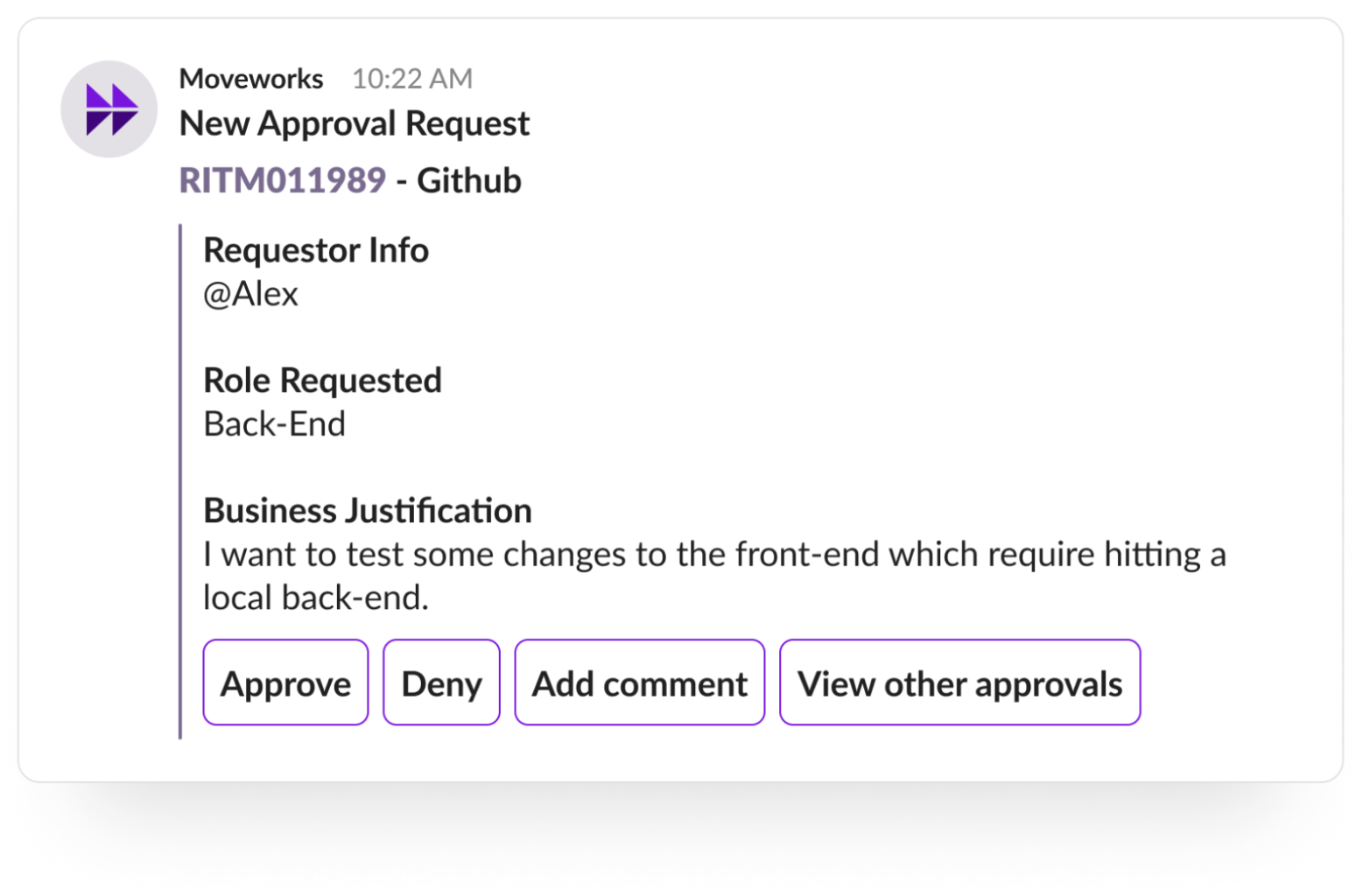
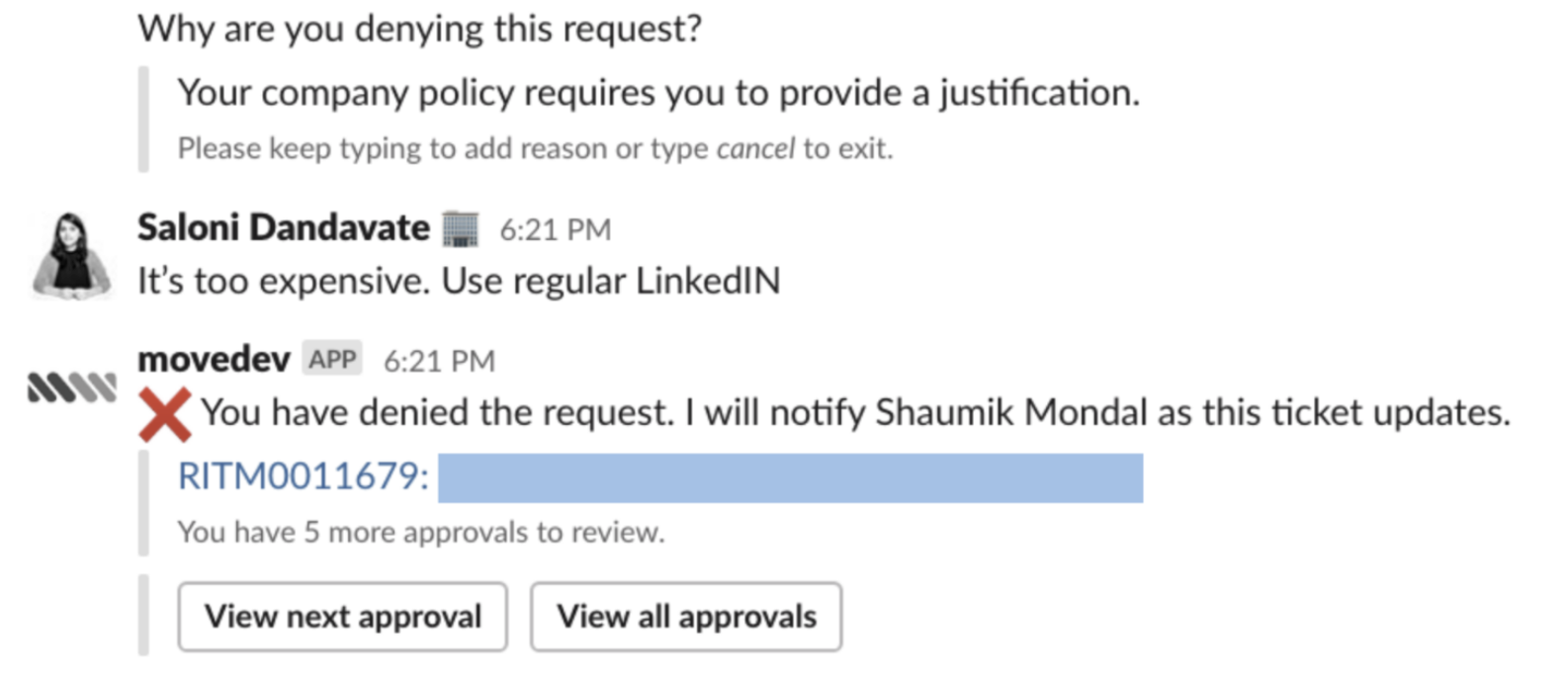
Require comment on deny
Approver
Identify pending approvers
Auditor / Agent