
For AI agents: a documentation index is available at the root level at /llms.txt and /llms-full.txt. Append /llms.txt to any URL for a page-level index, or .md for the markdown version of any page.
Logo
DeveloperAcademyCommunityStatus
ReferenceGuides
ReferenceGuides
  • Agent Studio
    • Overview
    • Quickstart Guides
    • Core Concepts
    • Conversation Process
    • Actions
      • LLM Actions
      • Built-in Actions
      • HTTP Actions
        • HTTP Action Data Bank
        • Event streaming (SSE) and XML responses
        • HTTP Action Files
        • HTTP Action Troubleshooting
        • Data Mapper in HTTP Actions
        • HTTP -> LDAP Actions
        • Optional Query Parameters in HTTP Actions
      • Script Actions
      • Compound Actions
    • Connectors
    • System Triggers
    • Agent Architect
    • Cookbooks
    • Development and Testing
    • AI Agent Marketplace
    • Developer Tools
  • Agentic AI
    • LLM Fundamentals
    • The Agentic Reasoning Engine
    • Memory Constructs
    • Conversational Context
    • Guardrails
    • Grounding and Hallucinations
    • Continuous Learning
    • LLMs & SLMs
    • Steerability Tools
    • Multilingual Support
  • Core Platform
    • User Identity
    • Moveworks Agent (On-Prem)
    • Approvals Engine
    • Entity Catalog
    • Moveworks Data Objects
    • Security Information and Event Management (SIEM) Logs Overview
DeveloperAcademyCommunityStatus
On this page
  • Overview
  • When to Use Data Mapper
  • Quick Start
  • Mustache (Before)
  • Data Mapper (After)
  • Building Complex Payloads
  • Example 1: Create a List of Objects
  • Example 2: Conditional Fields
  • Example 3: Flatten Nested Data
  • Example 4: Filter and Transform Arrays
  • Example 5: Build Request from 2D Array
  • Common Operators Reference
  • String Functions
  • Troubleshooting
  • Syntax Errors
  • Empty Arrays
  • Debugging
  • Migration from Mustache
Agent StudioActionsHTTP Actions

Data Mapper in HTTP Actions

Build complex JSON payloads directly in the HTTP Action body editor using Data Mapper syntax.
||View as Markdown|
Was this page helpful?
Edit this page
Previous

HTTP -> LDAP Actions

Next
Built with

Overview

Data Mapper is a YAML-based transformation language for constructing and manipulating JSON payloads. Within Data Mapper, you can also use DSL expressions for string manipulation, type conversion, and computed values.
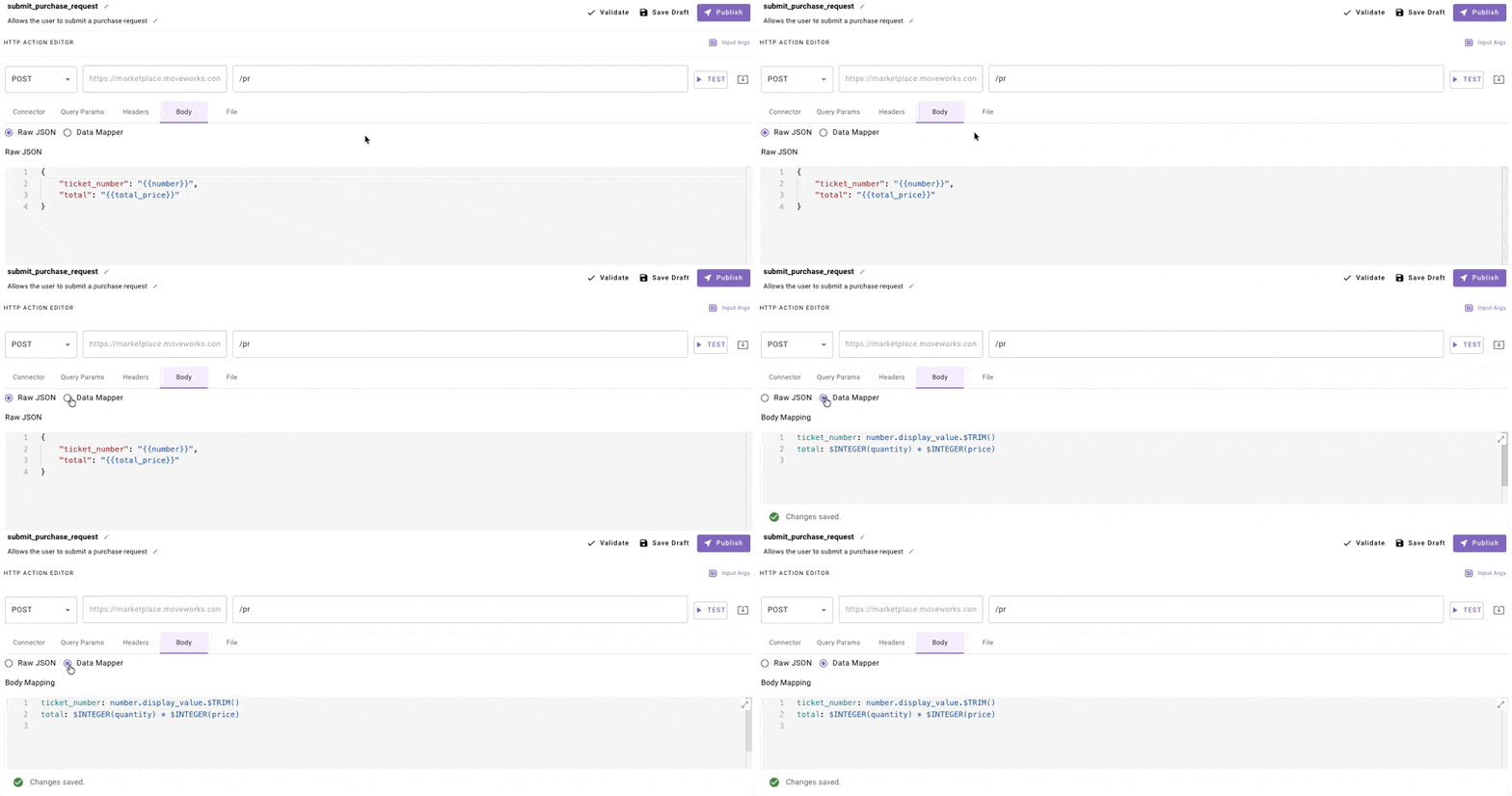
1# Data Mapper with DSL expressions
2ticket_number: number.display_value.$TRIM()
3total: "$INTEGER(quantity) * $INTEGER(price)"

When to Use Data Mapper

Use Data Mapper when you need to:

  • Build dynamic arrays of objects from input data
  • Create nested JSON structures with computed fields
  • Transform data before sending (filter, map, sort)
  • Include conditional fields based on input values

Stick with Mustache for simple variable substitution where the JSON structure is static.

Quick Start

Mustache (Before)

1{
2 "user": "{{user_email}}",
3 "message": "{{message_text}}"
4}

Data Mapper (After)

1user: user_email
2message: message_text.$TRIM()

Both produce the same output for simple cases. Data Mapper is useful when you need array manipulation or conditional logic.


Building Complex Payloads

Example 1: Create a List of Objects

Scenario: Send a bulk update request with multiple items.

Input Data:

1{
2 "items": [
3 {"id": "001", "name": "Item A", "quantity": 5},
4 {"id": "002", "name": "Item B", "quantity": 3}
5 ]
6}

Data Mapper:

1updates:
2 MAP():
3 items: items
4 converter:
5 item_id: item.id
6 item_name: item.name.$UPPERCASE()
7 qty: item.quantity

Output:

1{
2 "updates": [
3 {"item_id": "001", "item_name": "ITEM A", "qty": 5},
4 {"item_id": "002", "item_name": "ITEM B", "qty": 3}
5 ]
6}

Example 2: Conditional Fields

Scenario: Include a field only when a condition is met.

Input Data:

1{
2 "priority": "high",
3 "description": "Server is down"
4}

Data Mapper:

1ticket:
2 description: description
3 urgency:
4 CONDITIONAL():
5 condition: priority == 'high'
6 on_pass: "'urgent'"
7 on_fail: "'normal'"

Output:

1{
2 "ticket": {
3 "description": "Server is down",
4 "urgency": "urgent"
5 }
6}

Example 3: Flatten Nested Data

Scenario: Extract values from a nested API response.

Input Data (ServiceNow-style):

1{
2 "number": {"display_value": "INC12345", "value": "INC12345"},
3 "state": {"display_value": "Open", "value": "1"},
4 "assigned_to": {"display_value": "John Doe", "value": "user123"}
5}

Data Mapper:

1ticket_number: number.display_value
2status: state.display_value
3assignee: assigned_to.display_value.$TRIM()

Output:

1{
2 "ticket_number": "INC12345",
3 "status": "Open",
4 "assignee": "John Doe"
5}

Example 4: Filter and Transform Arrays

Scenario: Send only high-priority items to an API.

Input Data:

1{
2 "tasks": [
3 {"name": "Task 1", "priority": 1},
4 {"name": "Task 2", "priority": 3},
5 {"name": "Task 3", "priority": 1}
6 ]
7}

Data Mapper:

1high_priority_tasks:
2 FILTER():
3 items: tasks
4 condition: item.priority == 1

Output:

1{
2 "high_priority_tasks": [
3 {"name": "Task 1", "priority": 1},
4 {"name": "Task 3", "priority": 1}
5 ]
6}

Example 5: Build Request from 2D Array

Scenario: Transform a Snowflake/SQL response into structured JSON.

Input Data:

1{
2 "columns": ["id", "name", "email"],
3 "rows": [
4 ["001", "Alice", "alice@example.com"],
5 ["002", "Bob", "bob@example.com"]
6 ]
7}

Data Mapper:

1users:
2 MAP():
3 items: rows
4 converter:
5 MERGE():
6 FLATTEN():
7 - "item.$MAP((x, i) => {columns[i]: x})"

Output:

1{
2 "users": [
3 {"id": "001", "name": "Alice", "email": "alice@example.com"},
4 {"id": "002", "name": "Bob", "email": "bob@example.com"}
5 ]
6}

Common Operators Reference

OperatorPurposeExample
MAP()Transform each item in arrayMAP(): { items: list, converter: ... }
FILTER()Keep items matching conditionFILTER(): { items: list, condition: item.active }
CONDITIONAL()If/else logicCONDITIONAL(): { condition: x > 5, on_pass: ..., on_fail: ... }
MERGE()Combine multiple objectsMERGE(): [obj1, obj2]
FLATTEN()Flatten nested arraysFLATTEN(): [arr1, arr2]
CONCAT()Join stringsCONCAT(): { items: [a, b], separator: ", " }
LOOKUP()Map valuesLOOKUP(): { key: status, mapping: {"1": "Open"} }

String Functions

Apply directly to field values:

1# Trim whitespace
2name: user_name.$TRIM()
3
4# Convert to uppercase
5code: product_code.$UPPERCASE()
6
7# Convert to lowercase
8email: user_email.$LOWERCASE()
9
10# Parse as integer
11count: "$INTEGER(quantity_string)"

Troubleshooting

Tip: Test with hardcoded values first, then add Data Mapper transformations one at a time.

Syntax Errors

Data Mapper uses YAML. Watch for:

  • Indentation: Use consistent spaces (not tabs)
  • Quotes: String literals need single quotes inside: "'literal string'"
  • Colons in values: Wrap in quotes if value contains :

Wrong:

1message: Hello: World

Correct:

1message: "'Hello: World'"

Empty Arrays

If MAP() or FILTER() returns empty, check:

  1. The items path is correct
  2. Input data actually contains the expected array
  3. Filter condition isn’t too restrictive

Debugging

  1. Test your API with hardcoded values first
  2. Add one Data Mapper transformation at a time
  3. Check the Response tab to see actual output

Migration from Mustache

MustacheData Mapper Equivalent
{{variable}}variable
{{{array}}} (stringified)array (as actual array)

Key difference: Data Mapper preserves types. Arrays stay as arrays, numbers stay as numbers. No need for $STRINGIFY_JSON() workarounds.