
Log Data Security
Redaction Policy
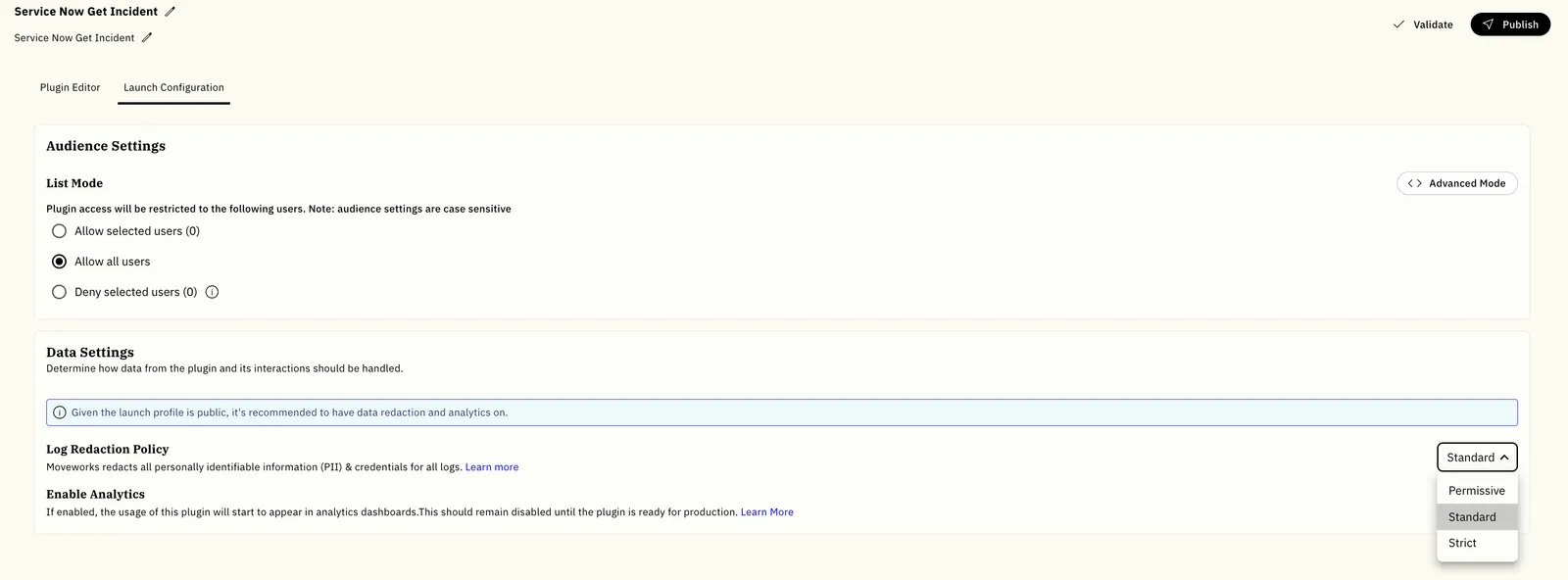
Standard Log Redaction applies to all logs and cannot be turned off. Strict Log Redaction provides additional protection for logs associated with a specific plugin or MCP server. You can control strict redaction from its Launch Configuration. Permissive Log Redaction reduces redaction in HTTP action logs for debugging, and is available only when your super admin enables it for the tenant. When a change is made, it only affects future logs; it never changes logs that already exist.
Moveworks defines redaction as permanently removing information at the source so that it can never be viewed by anyone at any point in the future.
Strict Log Redaction
Strict Log Redaction redacts the data in all logs that touch the plugin or MCP server. Only metadata remains available. Use this setting when the plugin or server interacts with sensitive data that should not be available in the Logs app. Your organization’s policy may require strict redaction for broadly available plugins and servers.
- Connector information, including API keys, access tokens, and passwords, is always redacted.
- Log metadata remains available.
- Personally identifiable information and sensitive data in log bodies are redacted.
Standard Log Redaction
- Connector information, including API keys, access tokens, and passwords, is always redacted.
- Log metadata remains available.
- Common personally identifiable information and credentials are redacted. Other log-body values remain visible.
Redacting HTTP Actions
Moveworks redacts data being logged in your HTTP requests. When redacting, we leave the first and last character of sensitive information intact, and substitute the inner contents with a fixed number of ***** characters.
- All headers are partially redacted For example
Will be redacted as
- Query parameters are partially value-redacted For example
Will be redacted as
- JSON request bodies are partially value-redacted For example
Would be redacted as
- Non-JSON request bodies are fully redacted For example
Would be redacted as
- The API endpoint is not redacted. You will be able to see the original base URL & the path.
The same policies apply to response headers and response bodies.
Permissive Log Redaction
Permissive Log Redaction shows query parameter values and request and response payloads in plaintext in HTTP action logs, so developers can see the real data a plugin sent and received while debugging. Headers stay partially redacted.
Under the permissive policy, credentials and personal data that a developer places in a URL or a request payload are logged in plaintext and are visible to anyone in the tenant who can view plugin logs. Use it in development or sandbox tenants where developers need to inspect real request data.
How to Enable Permissive Log Redaction
Permissive Log Redaction takes two steps, and it is off by default.
-
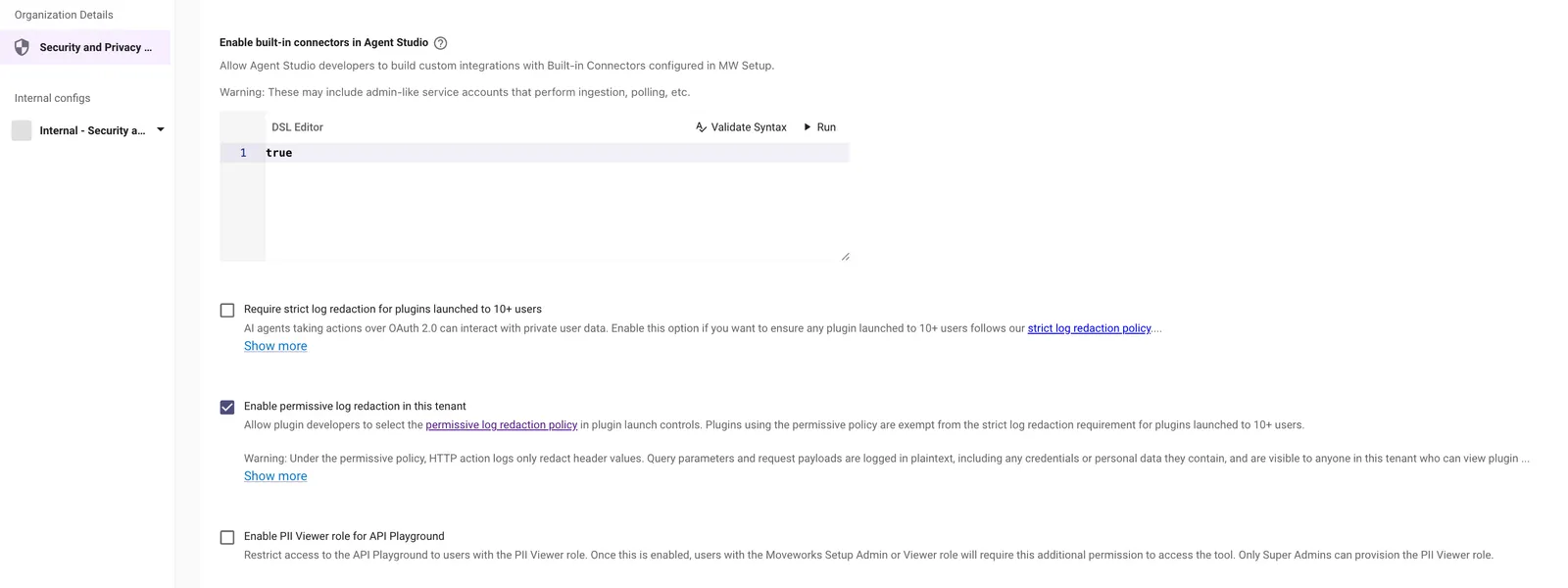
A super admin selects Enable permissive log redaction in this tenant in Moveworks Setup → Organization Details → Security and Privacy Settings. Until this setting is on, the permissive policy is not available to anyone in the tenant.
-
A plugin developer selects Permissive as the Log Redaction Policy in the plugin’s Launch Configuration. Plugins keep their existing policy until someone changes it.
Plugins that use the permissive policy are exempt from the Require strict log redaction for plugins launched to 10+ users setting.
What Changes
Permissive Log Redaction only affects HTTP action logs.
What Stays Redacted
- Credentials that Moveworks connectors and authentication inject into a request, such as bearer tokens and injected API keys, are always removed before the log is written. Permissive Log Redaction only exposes values that the plugin developer put into the request and data that your API returned.
- Request and response headers keep the standard partial redaction.
- All other log types keep their current redaction, including MCP tool call logs, listener and webhook payloads, plugin execution logs, path and query use case logs, and the external audit log stream.
- Logs that already exist stay redacted. Redaction is applied when a log is written, so enabling the setting only affects logs generated afterward, and disabling it does not re-redact logs written while it was on.
- Plugins that keep the Standard or Strict policy are unaffected. Enabling the tenant setting does not change the redaction policy of any existing plugin.
- If Moveworks cannot read the setting, logs fall back to Standard Log Redaction.
Example
A plugin sends this request:
With Standard Log Redaction, the log record shows:
With Permissive Log Redaction, the same record shows:
The apikey query parameter, the client_secret in the request payload, and the token in the response payload are all fully visible. Metadata such as the request method, response code, and timing is never redacted in any mode.
Retention Policy
By default, your system logs are retained for a period of two weeks.