
For AI agents: a documentation index is available at the root level at /llms.txt and /llms-full.txt. Append /llms.txt to any URL for a page-level index, or .md for the markdown version of any page.
Logo
DeveloperAcademyCommunityStatus
ReferenceGuides
ReferenceGuides
  • Agent Studio
    • Overview
    • Quickstart Guides
    • Core Concepts
    • Conversation Process
    • Actions
      • LLM Actions
      • Built-in Actions
      • HTTP Actions
        • HTTP Action Data Bank
        • Event streaming (SSE) and XML responses
        • HTTP Action Files
        • HTTP Action Troubleshooting
        • Data Mapper in HTTP Actions
        • HTTP -> LDAP Actions
        • Optional Query Parameters in HTTP Actions
      • Script Actions
      • Compound Actions
    • Connectors
    • System Triggers
    • Agent Architect
    • Cookbooks
    • Development and Testing
    • AI Agent Marketplace
    • Developer Tools
  • Agentic AI
    • LLM Fundamentals
    • The Agentic Reasoning Engine
    • Memory Constructs
    • Conversational Context
    • Guardrails
    • Grounding and Hallucinations
    • Continuous Learning
    • LLMs & SLMs
    • Steerability Tools
    • Multilingual Support
  • Core Platform
    • User Identity
    • Moveworks Agent (On-Prem)
    • Approvals Engine
    • Entity Catalog
    • Moveworks Data Objects
    • Security Information and Event Management (SIEM) Logs Overview
DeveloperAcademyCommunityStatus
On this page
  • meta_info
  • meta_info.user
  • meta_info.action_instance_id
Agent StudioActionsHTTP Actions

HTTP Action Data Bank

||View as Markdown|
Was this page helpful?
Edit this page
Previous

Event streaming (SSE) and XML responses

Handle text/event-stream and XML payloads in HTTP Actions. Learn how streams terminate, aggregate data: chunks safely, and parse XML outputs.

Next
Built with

When you’re building your HTTP action, you can reference additional variables which will be provided by Moveworks when the HTTP action executes. This is the HTTP Action Data Bank.

meta_info

1{
2 "meta_info": {
3 "user": {
4 ...
5 },
6 "action_instance_id": "{{uuid}}"
7 }
8}

meta_info.user

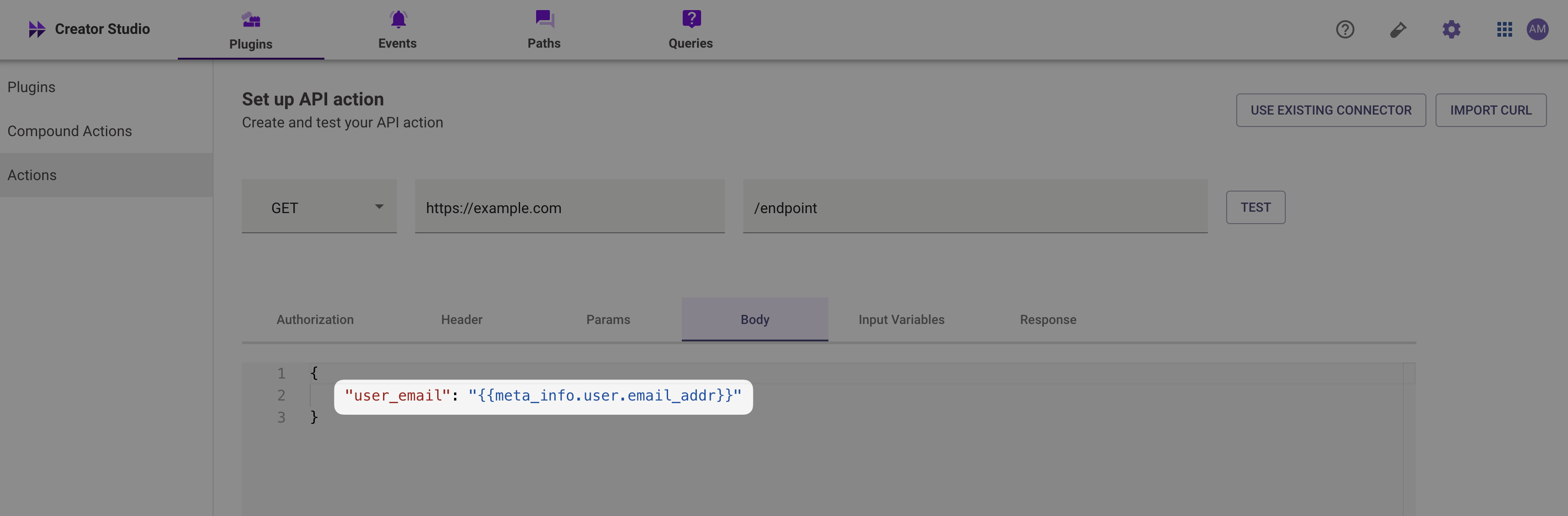
We can access the user attributes of the user who triggered the action (via a Plugin) with the following notation meta_info.user.<attribute>. View all of the available user attributes here.

For example, if you wanted to use the current user’s email, you would reference it like {{meta_info.user.email_addr}}
meta_info.action_instance_id

This is a unique ID provided when the AI agent attempts to execute this HTTP action. You can use it as an idempotency key (deduplicate retry calls).