
Slots
What are slots?
Slots are input values required to execute a conversation process that requires user input. These values can be collected directly from the user or retrieved from the AI assistant’s memory. Slots are critical for enabling plugins to perform actions, such as closing a Jira ticket or submitting a Workday PTO request.
Example Use Cases
- Jira Ticket Closure: Requires a
ticketslot to identify the ticket. - Slack Channel Rename: Needs a
channelslot (the target channel) and anew_nameslot (the desired name). - Workday PTO Request: Uses a
num_daysslot to specify the duration of the leave.
Key Components of Slots
Slot Naming and Descriptions
Slot names and descriptions guide the Assistant in reasoning about and processing slots. Clear, descriptive naming and detailed descriptions improve accuracy and usability.
Best Practices
- Be Descriptive: Use clear, specific names and descriptions to avoid ambiguity.
- Use Semantically Unique Names: Ensure slot names are distinct to prevent confusion during inference.
Slot Descriptions vs Policies
Slot descriptions help the AI assistant understand what a slot is. Use them for context and light formatting guidance — not for enforcing rules or behavior.
Descriptions inform. Policies enforce. Don’t put business rules, default values, or inference logic in descriptions — use the appropriate policy instead. Descriptions are probabilistic hints; policies are deterministic guarantees.
For more patterns and anti-patterns, see Slot Best Practices.
Slot Data Types
Built-in Data Types
string: Text input (e.g., a comment or name).integer: Whole numbers (e.g., number of items).number: Floating-point numbers (e.g., currency or measurements).boolean: True/false values (e.g., approval status).User: Represents an employee in your organization, uses a built-in resolver strategy.File: Represents a file attachment. See more about file slots
Custom Data Types
Custom data types allow for specialized inputs tailored to your use case. For details, see the Custom Data Types documentation.
List Slots
Slots can represent either a single value ([type]) or a list of values (List[type]). When creating or editing a slot, simply check the option “Data type is expected to be a list.”
List slots are useful for plugins that need an input that behaves like a multi-select (for example, a list of users to add to a calendar event).
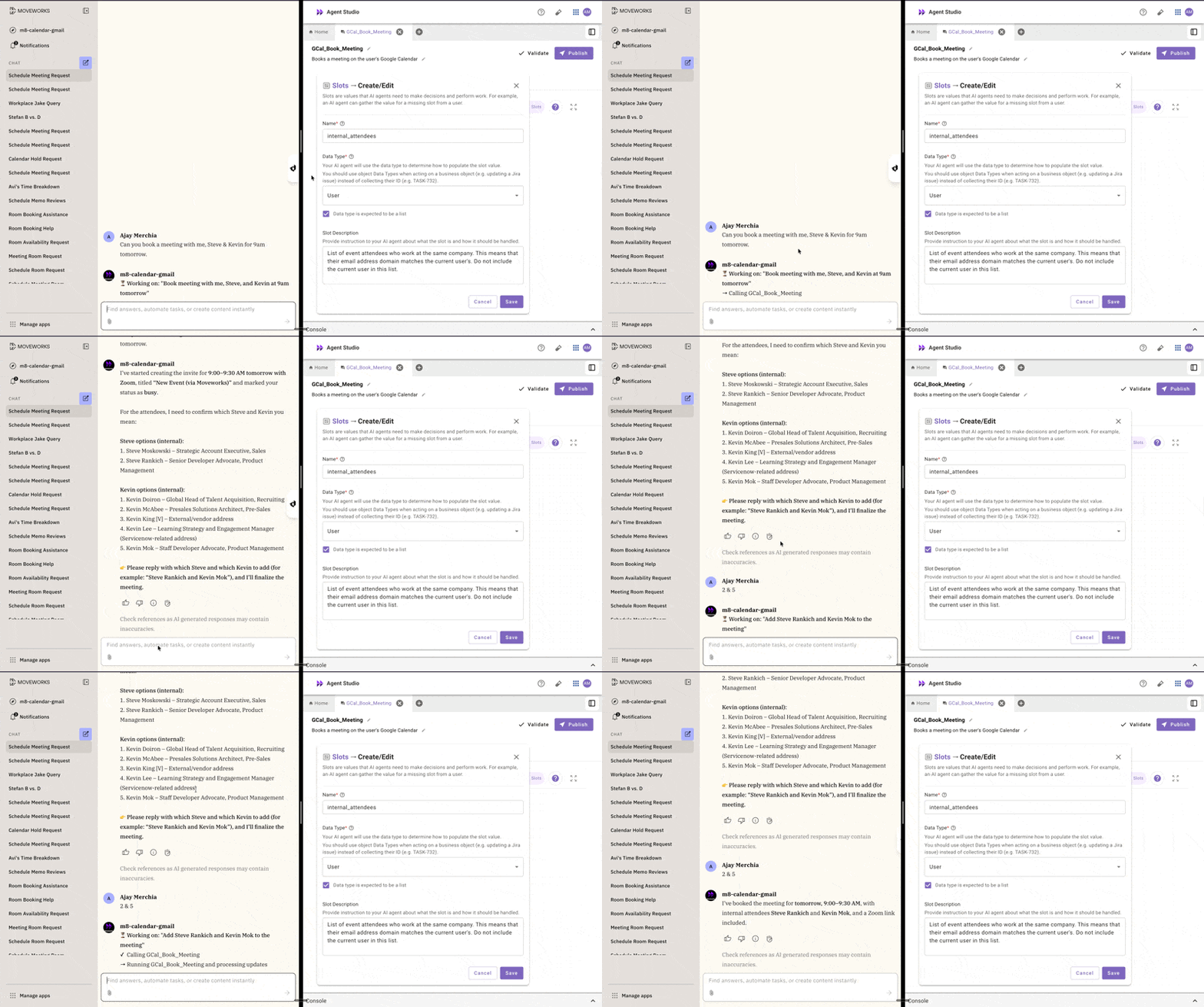
If your list data type users a resolver strategy, each record will be matched again a valid candidate value.
Slot Validation Policy
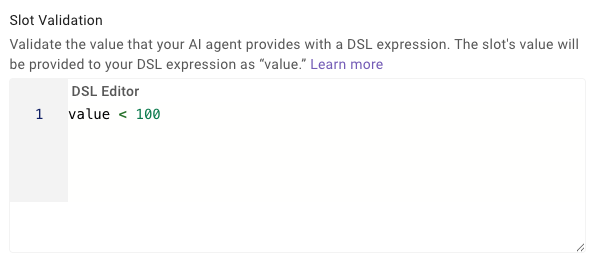
Slots can include validation rules to ensure the collected value meets specific criteria. Validation is defined using the Moveworks DSL language.
Example:
To refer to the slot, use the identifier value in your DSL rules.
For a due_date slot, ensure the date is today or later:
Slot Inference Policy
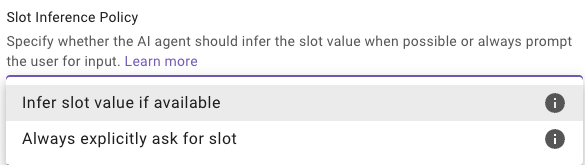
The inference policy controls how the AI assistant collects slot values:
- Infer slot value if available: The Assistant attempts to derive the value from the conversation context.
- Always prompt the user: The Assistant always prompts the user for the value, ignoring context.
Example
For a country_code slot, you might configure:
Resolver Strategies
Resolver strategies instruct the AI agent how to convert natural language input into a structured data type. For example, converting “the login bug” into a specific JiraIssue object with ID BUG-732.
Resolvers can be:
- Inherited from the data type — if you selected a custom data type that has resolver strategies configured, those are used automatically
- Defined inline on the slot — for slot-specific resolution logic that overrides or supplements the data type’s resolvers
Key resolver concepts:
- Static methods: Preconfigured option lists (e.g., dropdown of priorities)
- Dynamic methods: Call an action to retrieve candidates at runtime
- Output cardinality: Whether the resolver returns a single exact match or a list of candidates for the user to pick from
- Context passing: Pass data from earlier slots or activities into a dynamic resolver action with Strategy Mapping
For full configuration details, see Resolver Strategies.
Configuring Slots
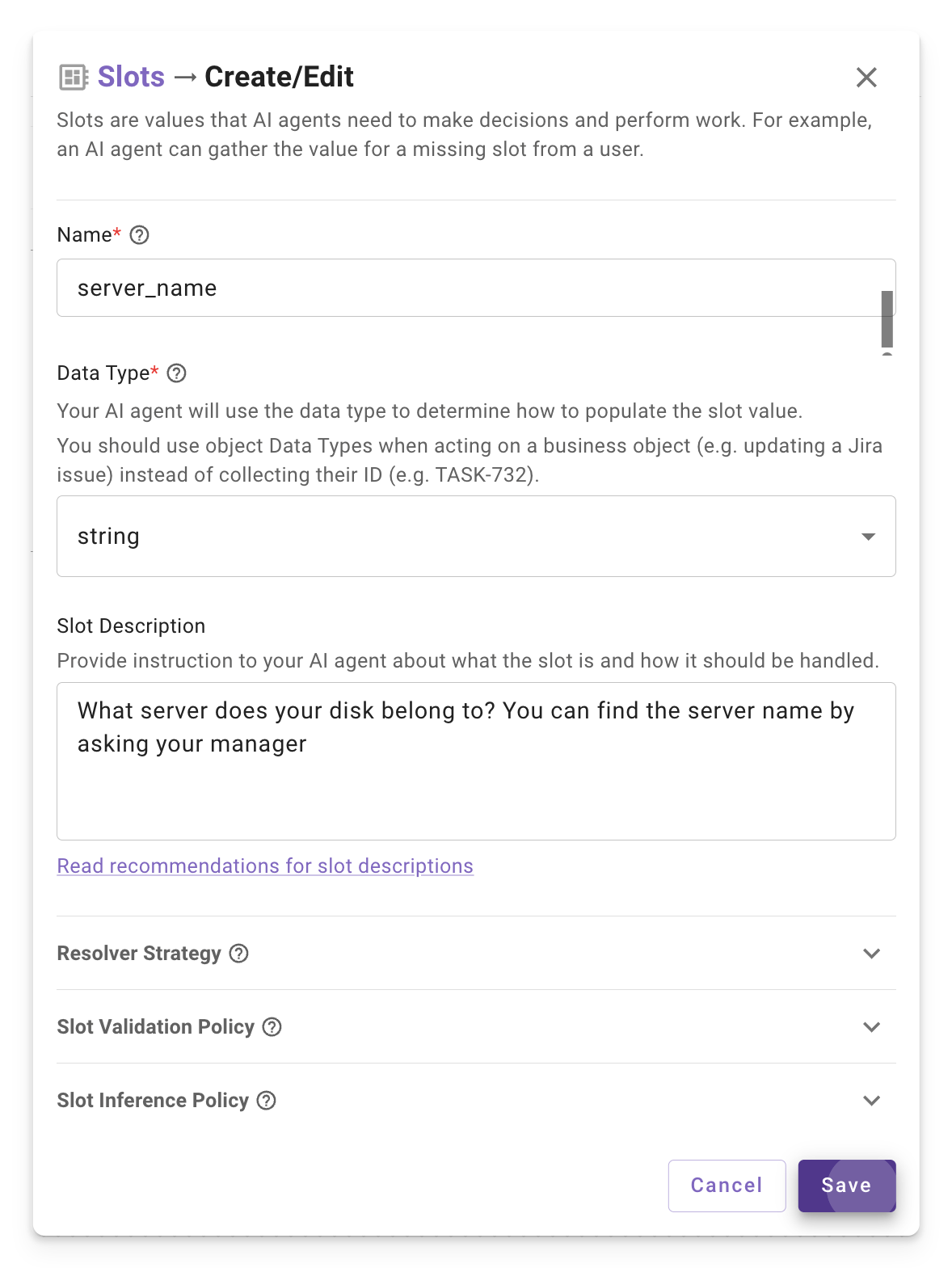
Slots are defined in the Conversational Process Low-code Editor within Agent Studio. The editor allows you to specify slot names, descriptions, data types, validation policies, inference policies, and resolver strategies.
How the AI Assistant Handles Slots
The AI assistant uses the slot configuration to determine how to prompt users for input. It evaluates the slot’s name, description, data type, and policies to formulate appropriate questions or infer values from context.
Troubleshooting Common Issues
- Ambiguous Slot Names: If slots like
slot1orslot2are used, the Assistant may misinterpret user input. Always use descriptive, unique names (e.g.,ticket_comment). - Validation Failures: If users report validation errors, check the DSL expression in the validation policy for correctness.
- Inference Issues: If the Assistant incorrectly infers a value, set the inference policy to “Always explicitly ask for slot” or clarify the description.