
Ambient Agents
Ambient agents monitor enterprise systems continuously, detecting events or changes to initiate workflows automatically.
In Agent Studio, you create an ambient agent by setting a plugin’s Trigger Type to System (either Webhook or Schedule). The term “ambient agent” describes the pattern — the UI uses “System trigger” for the configuration.
Ambient Agent Architecture
Ambient agents follow the Listen → Understand → Act cycle.
Listen
Monitor systems for events, data changes, or schedules using System Triggers. Examples include new tickets, inactive licenses, or supply chain alerts.
Understand and Act
Events are fed into a Compound Action in both phases:
- Understand: Analyze the event with an LLM to interpret context and assess impact.
- Act: Execute Actions, including API calls, scripts, or approvals.
Sending Notifications
To send messages or interactive notifications with action buttons to users, use the notify compound action expression. The notify expression supports:
- Rich text messages with dynamic data via
RENDER() - Action buttons with three types:
content_action(inline message),system_action(triggers an action), andconversation_action(starts a conversational process) - Targeting specific users via
recipient_id
See Quickstart #5: Notification Ambient Agent and Quickstart #7: Scheduled Trigger Ambient Agent for complete examples.
How Ambient Agents Work
System triggers handle the Listen phase and feed events into a Compound Action to Understand and Act. They use LLMs for reasoning, APIs for integration, and logs for observability.
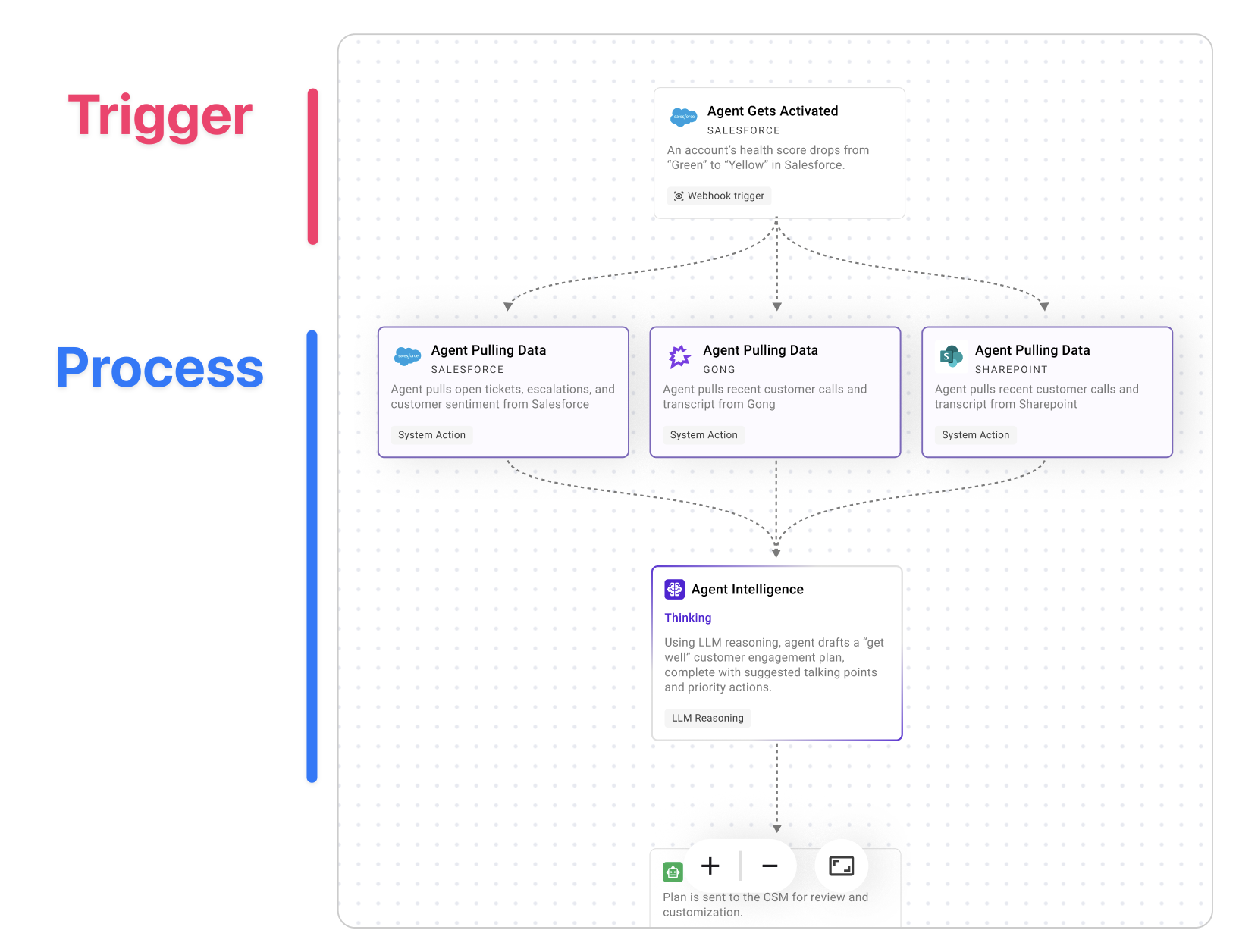
Example Use Cases
Ambient agents enable powerful automations across various business functions.
Here are some real-world examples:
- SaaS License Reclamation: An ambient IT agent that scans weekly for inactive SaaS licenses, confirms inactivity with the user, reclaims the unused licenses, and saves real dollars every week.
- Support Ticket Auto-Triage: An ambient customer support agent that triages new high-priority Jira tickets, attempts to reproduce issues using internal tools, looks for related open tickets, and summarizes its findings, all before a human support agent even opens the ticket.
- Supply-Chain Disruption Response: An ambient supply chain agent that detects potential disruptions, diagnoses the root cause, and then recommends and executes adjustments once approved.
You can brush up on best practices for Ambient AI agents in our cookbooks.
Get started
- Review the System Triggers Overview
- Build with Webhook Triggers via the Quickstart
- Debug and iterate using Logs & Troubleshooting.