
Try Catch and Raise Error
Overview
The Raise expression gives you a sharp tool to flag errors explicitly and stop execution of compound actions. The Try Catch expression complements it by attempting risky code and rerouting on failure.
Raise
This expression triggers an immediate exit, much like throwing an exception in code, but with a stored output for traceability. Always set an output_key to capture the error object (status, details), and add a message for clarity in logs or chats.
Try Catch
The try_catch expression allows for the execution of a compound action expression with an error handling mechanism. If the try block encounters an error, the catch block is executed, allowing for graceful error handling and recovery. This is particularly useful for managing errors in compound actions where certain actions might fail under known or unknown conditions.
Error Handling Limitations
Important: The try_catch expression does not expose the actual API error details (like error messages or response bodies) to the catch block. However, you can filter catch blocks by HTTP status codes using on_status_code, which allows you to use status codes as identifiers for different error scenarios.
For example:
- Catch
404errors for “not found” scenarios - Catch
500errors for server issues - Catch
403errors for permission problems
This approach lets you create targeted recovery logic based on the type of failure, even without access to the detailed error information.
Supported Status Codes
Use numeric HTTP status codes in on_status_code. The field supports these error status codes:
- Client errors:
400,401,403,404,405,408,409,410,422, and429 - Server errors:
500,501,502,503, and504
If you omit on_status_code, the catch block handles any error. The field does not match error codes in response bodies or WebSocket close codes.
Low-Code Editor
Combine the Try Catch and Raise steps for graceful error handling
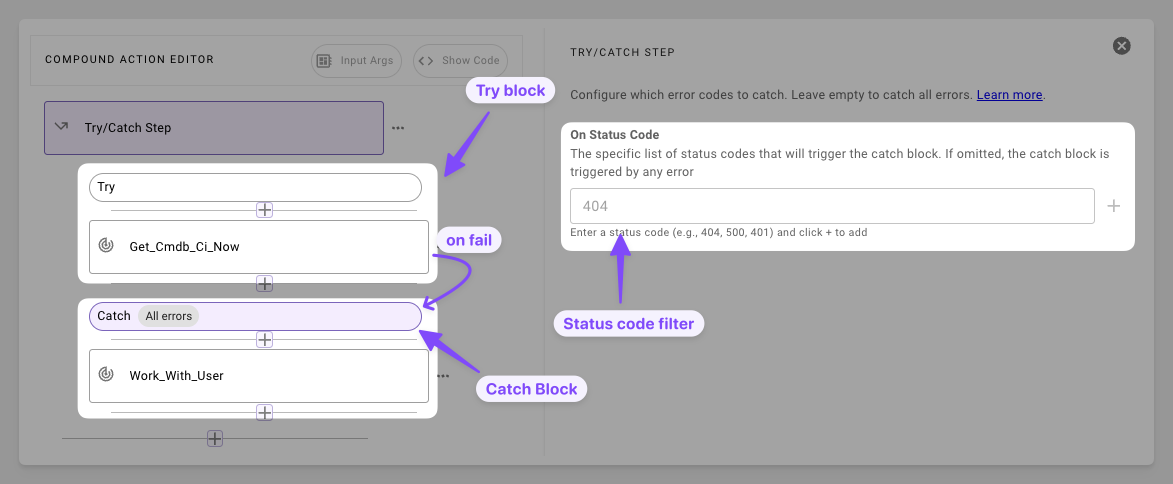
- Set Up Your Steps: Accordingly set up steps within your Try and Catch blocks
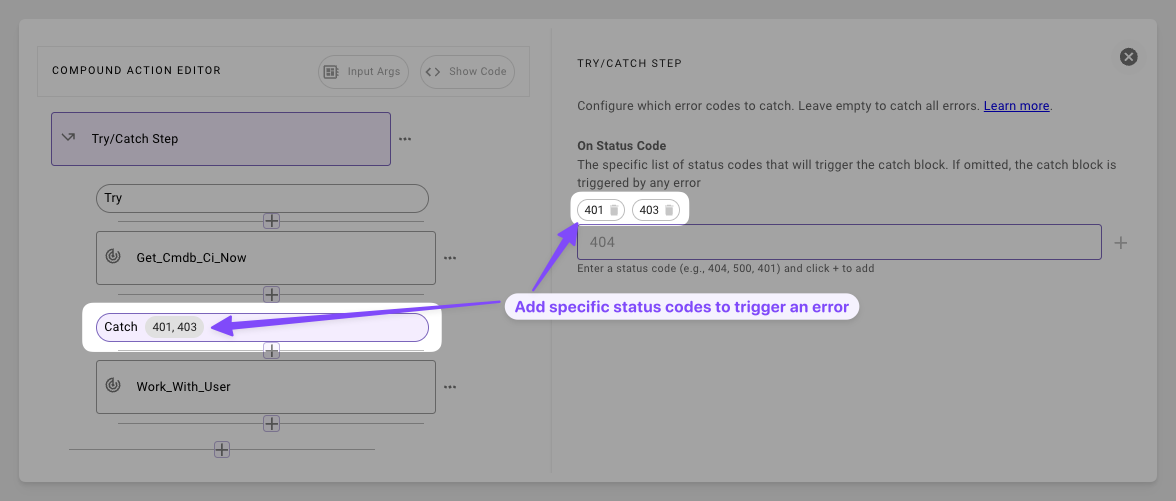
- Filter by Status Code: For common errors and expected issues, set the catch block to trigger on specific status codes.
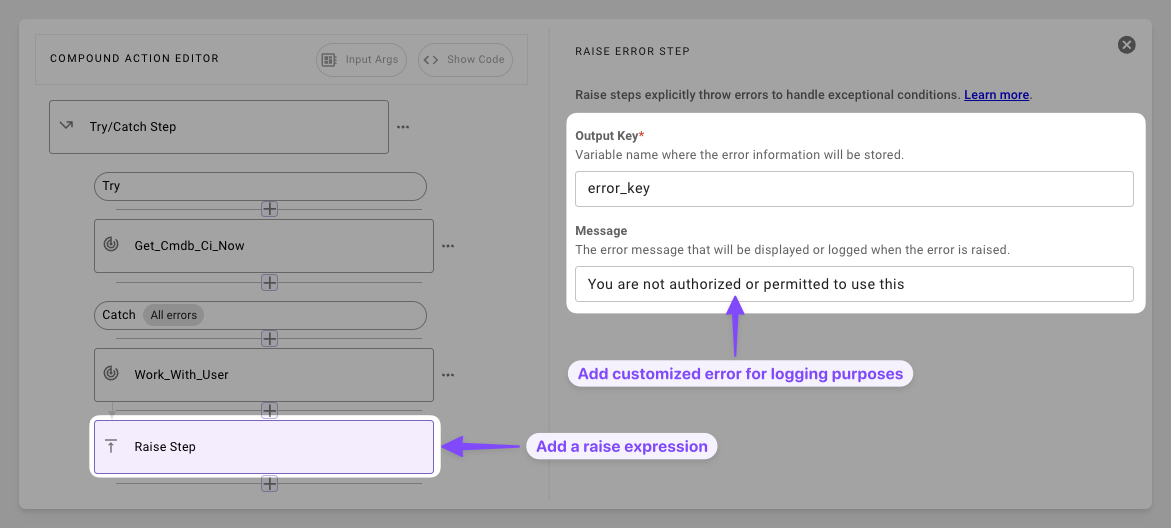
- Add Graceful Exit: Add a Raise step to provide an error message and gracefully end the execution of the flow.
Syntax Reference
Raise Schema
Try Catch Schema
Practical Examples
Raise
Example 1: Permission Gate
Halt non-admins
Try Catch
Example 1: Action Recovery
Catch a 404, notify the admin and raise the error
Example 2: General Fallback
Log any error and exit
Example 3: Status Code-Based Recovery
Handle different error types using status codes as identifiers