
HTTP -> LDAP Actions
LDAP (Active Directory) Connector
The LDAP Connector enables Agent Studio plugins to securely query and update on-premise LDAP and Active Directory systems using standard LDAP operations.
This connector is designed for advanced identity and directory use cases harnessing existing Moveworks on premise agent.
Prerequisite: An existing Active Directory Built-In Connector must be configured before using the LDAP connector.
What You Can Do
With the LDAP connector, you can:
- Search for users, groups, and organizational units
- Retrieve directory attributes (email, manager, DN, group membership)
- Create LDAP objects (for example, groups)
- Modify existing objects (add/remove members, update attributes)
All LDAP operations are exposed as HTTP actions in Agent Studio using a REST abstraction over the LDAP protocol.
Prerequisites
Before using this connector, ensure:
- An Active Directory Built-In Connector is configured
- Network access to the on-prem LDAP server is established
- The service account has sufficient LDAP permissions
- You have configured Moveworks to allow Built In connectors to be used in agent studio
Connector Configuration
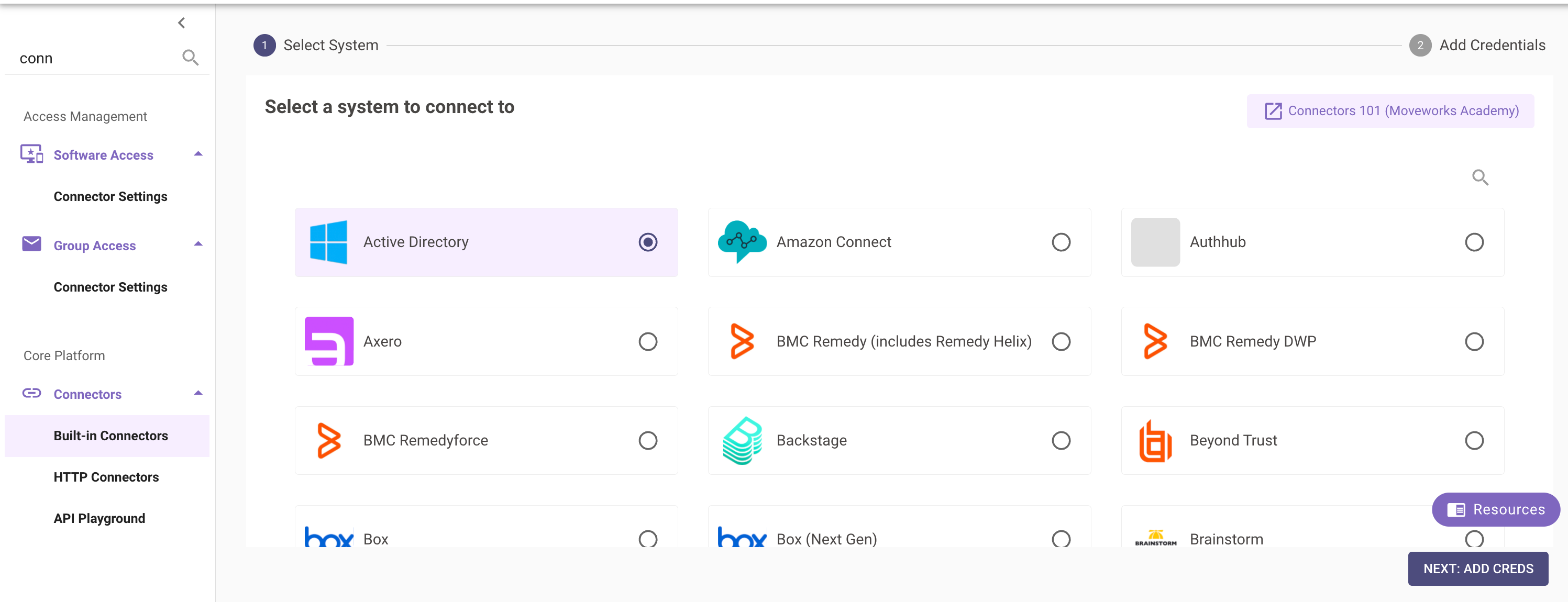
Step 1: Configure the Active Directory Connector
Create a Built-In Active Directory Connector in Moveworks Setup → Built-in Connectors or use an existing configured connector.
This connector handles authentication, network routing, and secure communication with the LDAP server.
Step 2: Create an HTTP Action in Agent Studio
When creating an HTTP Action in Agent Studio:
- Select Inherit from existing connector and in the dropdown use the configured Active Directory connector
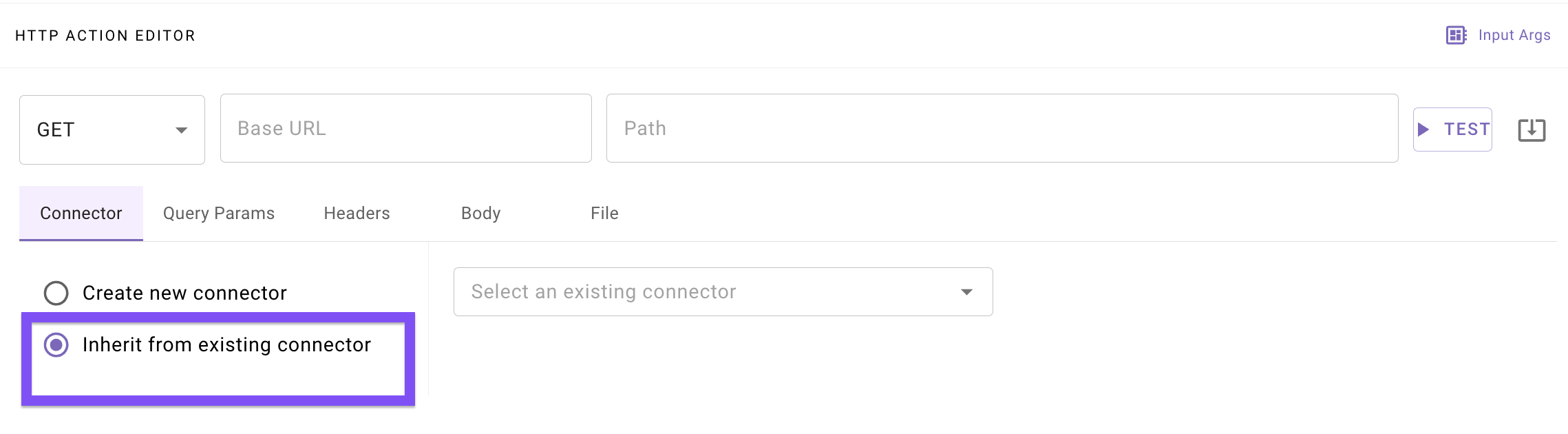
- The action will default to the following base URL :
This URL is not publicly accessible. The Moveworks platform intercepts the request and forwards it directly to the connector’s LDAP infrastructure via the Moveworks On-Prem Agent.
LDAP Actions (Endpoints)
Status Codes
Using Moveworks Data Mapper for Dynamic LDAP Filters
LDAP filters often need to incorporate dynamic user input (for example, searching by username or email). However, directly embedding user input into LDAP filter strings can introduce LDAP injection vulnerabilities and can also conflict with Agent Studio’s HTTP request rendering behavior.
To address this, the LDAP connector supports a filter template + filter arguments pattern that must be configured using the Moveworks Data Mapper functionality in the http body.
Why Data Mapper Is Recommended
- Prevent LDAP Injection
All dynamic user inputs must be provided through filter_args. These values are:
- Escaped and sanitized by the platform
- Safely inserted into the LDAP filter template
- Protected against malicious input
This prevents attackers from modifying the structure of the LDAP filter.
- Avoid HTTP Action Auto-Rendering Issues
Agent Studio’s HTTP request builder automatically renders template expressions such as {{variable}}.
If these expressions appear directly inside an LDAP filter string, they may be evaluated incorrectly, producing invalid LDAP syntax.
Using Data mapper avoids this issue by:
- Treating the LDAP request body as structured data
- Ensuring filter templates are passed through unchanged
- Allowing controlled substitution only inside the adapter
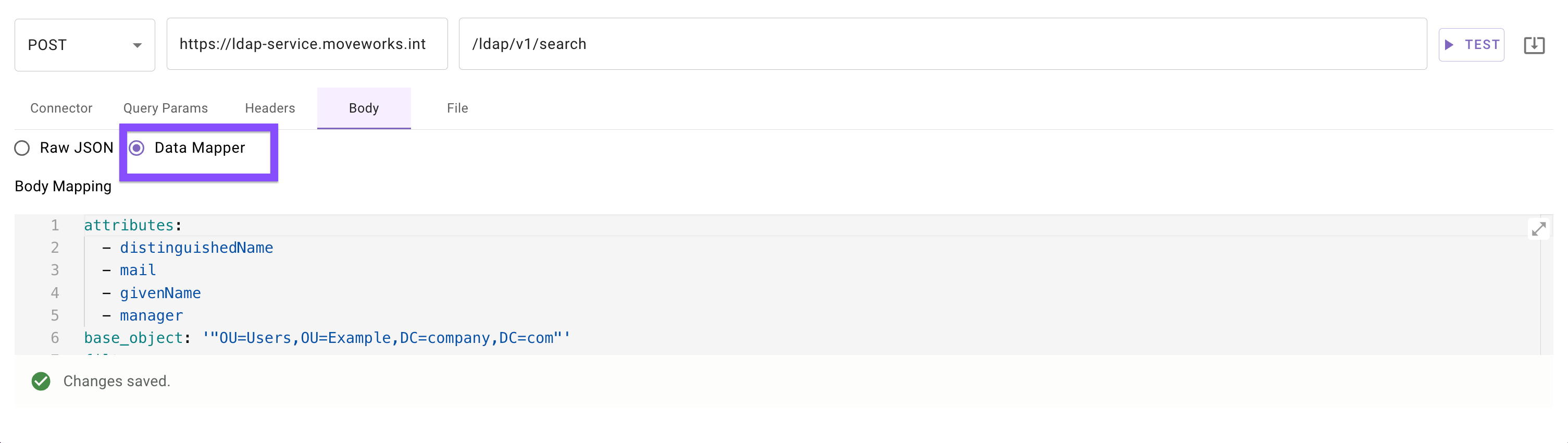
Search LDAP Entries
POST /ldap/v1/search
Searches for LDAP objects using standard LDAP filters.
Data Mapper
This example uses a static filter, which is safe and does not require filter_args.
Example with Dynamic User Input (Recommended)
If you want to search for a specific user, use filter_args and map the input using Data Mapper. Given the action accepts an input arg titled username
Data Mapper
How This Works
filteris treated as a template, not rendered by the HTTP builderusernameis passed as raw user input- The LDAP adapter:
- Escapes the value
- Safely inserts it into the filter
- Executes the search
Best Practices
- Always use
filter_argswhen user input is involved - Keep filters minimal and explicit
Request Body
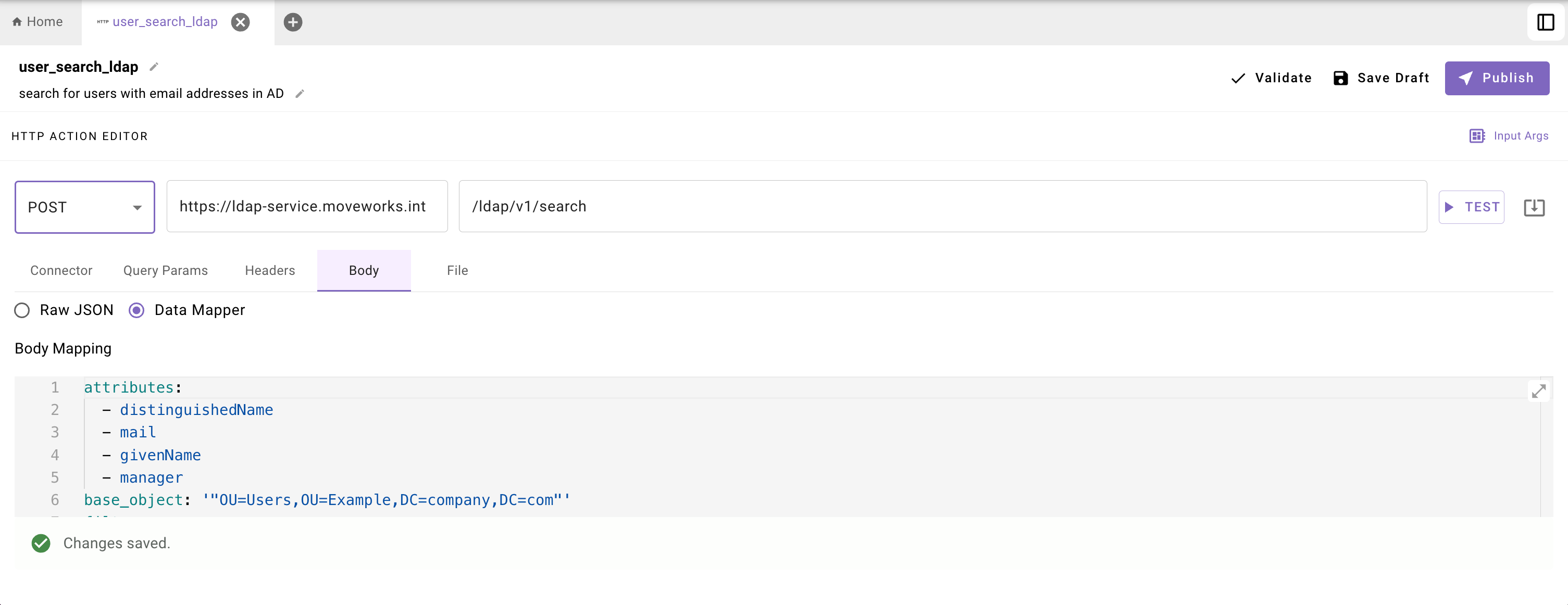
Example body : Search for Users with Email Addresses
This example action BODY retrieves all users under a given organizational unit who have an email address.
Response
Notes
- Attribute values are always returned as arrays
- Distinguished Names are escaped per LDAP specification
- Include
distinguishedNameexplicitly if you need it in downstream actions
Using Dynamic Filters Safely
When user input is required, use filter_args instead of injecting values directly into the filter.
Given the action accepts an input arg titled username
This ensures:
- Input values are escaped
- LDAP injection attacks are prevented
- Conversational workflows remain safe
Add LDAP Entry
POST /ldap/v1/add
Creates a new LDAP object.
Request Body
Example body: Create a Group
Response: 201 Created
Modify LDAP Entry
PUT /ldap/v1/modify
Modifies an existing LDAP entry. All changes are applied atomically.
add, delete, and replace are individually optional, but at least one is required.
Request Body
Example body: Add a User to a Group
Response: 204 No Content