For AI agents: a documentation index is available at the root level at /llms.txt and /llms-full.txt. Append /llms.txt to any URL for a page-level index, or .md for the markdown version of any page.
Logo
DeveloperAcademyCommunityStatus
ReferenceGuides
ReferenceGuides
  • Agent Studio
    • Overview
    • Quickstart Guides
    • Core Concepts
      • Assistants, Agents, & Plugins
      • Agentic Automation Engine
        • Manifest Generator
        • Slot Resolvers
        • Policy Validators
        • Action Orchestrator
      • Conversational Plugins
      • Ambient Agents
      • Data Types
      • Citations
      • Data Bank
      • Structured Data Analysis
    • Conversation Process
    • Actions
    • Connectors
    • System Triggers
    • Agent Architect
    • Cookbooks
    • Development and Testing
    • AI Agent Marketplace
    • Developer Tools
  • Agentic AI
    • LLM Fundamentals
    • The Agentic Reasoning Engine
    • Memory Constructs
    • Conversational Context
    • Guardrails
    • Grounding and Hallucinations
    • Continuous Learning
    • LLMs & SLMs
    • Steerability Tools
    • Multilingual Support
  • Core Platform
    • User Identity
    • Moveworks Agent (On-Prem)
    • Approvals Engine
    • Entity Catalog
    • Moveworks Data Objects
    • Security Information and Event Management (SIEM) Logs Overview
DeveloperAcademyCommunityStatus
On this page
  • What is the Manifest Generator?
  • How does it work?
Agent StudioCore ConceptsAgentic Automation Engine

Manifest Generator

||View as Markdown|
Was this page helpful?
Edit this page
Previous

Slot Resolvers

Resolving natural language into business objects
Next
Built with

What is the Manifest Generator?

At enterprise scale, your AI agent has access to hundreds of plugins with overlapping descriptions. The LLM reads every plugin description in the context window and picks the most probable match — but “most probable” and “correct” aren’t the same thing. Misrouted tool calls compound: wrong plugin, wrong parameters, wrong outcome.

When an AI agent needs to choose a tool to call, multiple similarly named tools can confuse the AI agent.
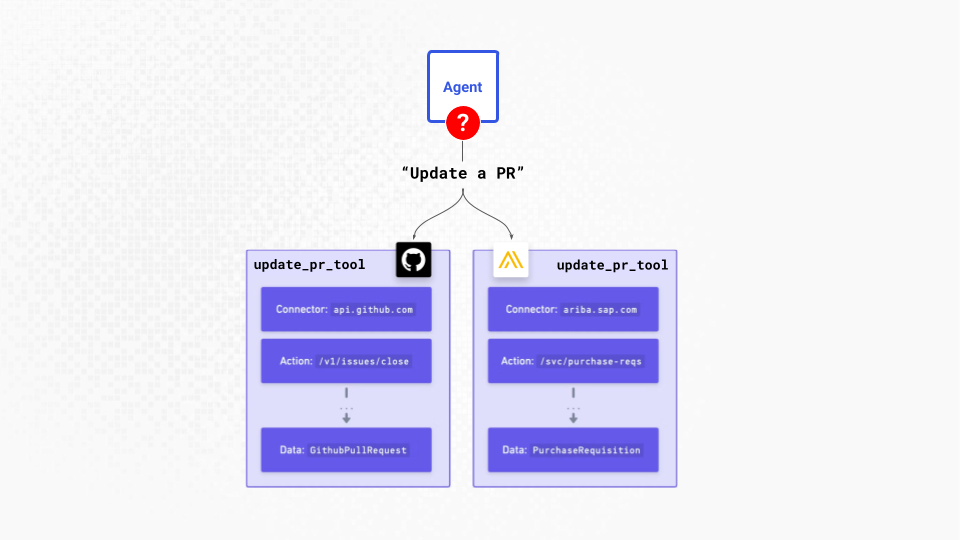
The Manifest Generator inspects the code in your plugins to optimize them for tool selection. You can learn more about how this is done in our Conversation Triggers docs .

How does it work?

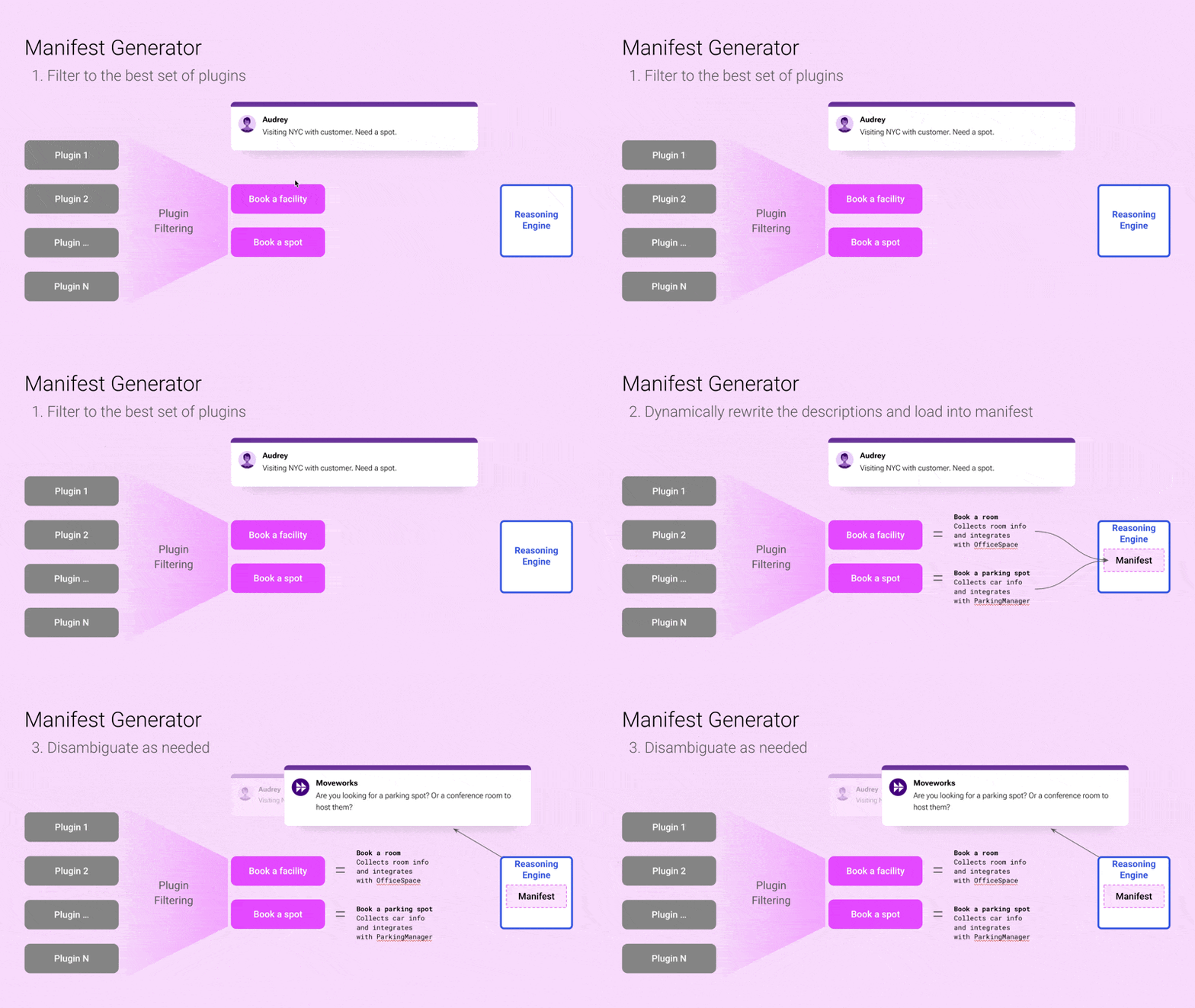
When your users chat with your AI Assistant , the Manifest Generator takes the following steps:

  1. Uses the conversational trigger to filter to the best plugins
  2. Uses the plugin title, description, details, & trigger examples to rewrite model-facing plugin descriptions
  3. Handles any end-user experience decisions (disambiguation or parallel tool calling).