
Script Actions
Using Script Actions
Script Actions allow you to write custom code to transform data, perform calculations, or implement custom logic. Moveworks currently supports a variation of Python called APIthon.
To provide a secure runtime, each Script Action adds non-negligible latency to your plugins. Please make sure to use DSL and our Data Mapper for common data transformation operations.
Option 1: Creating a standalone Script Action
You can create a standalone script action inside of the Plugin Workspace, under Actions > Script Actions. Once created, this action can be referenced inside of plugins through Action Activities.
Script Action Editor
The standalone Script Action editor includes:
- Language selector - Choose between APIthon (default) or Python (if enabled).
- Code editor - Write your script code here. The last expression evaluated is the output of the script.
- Input Args button - Opens the Input Arguments panel to define inputs for your script.
- Test button - Execute your script with the example values you defined.
Defining Input Arguments
Click the Input Args button to open the Input Arguments panel. Click Create New to add an argument with the following fields:
Click Save to save the argument.
Data Types
The following primitive data types are available for Script Action arguments:
Using List[T] for Lists
Check the List[T] checkbox to indicate the argument is a list of the selected type. The example value must be a JSON array where each element matches the base type.
The array type accepts mixed types within the array, while List[T] enforces that all elements are of type T.
Option 2: Creating a Script Action inside a Compound Action
You can insert a script action directly inside a Compound Action using the script keyword.
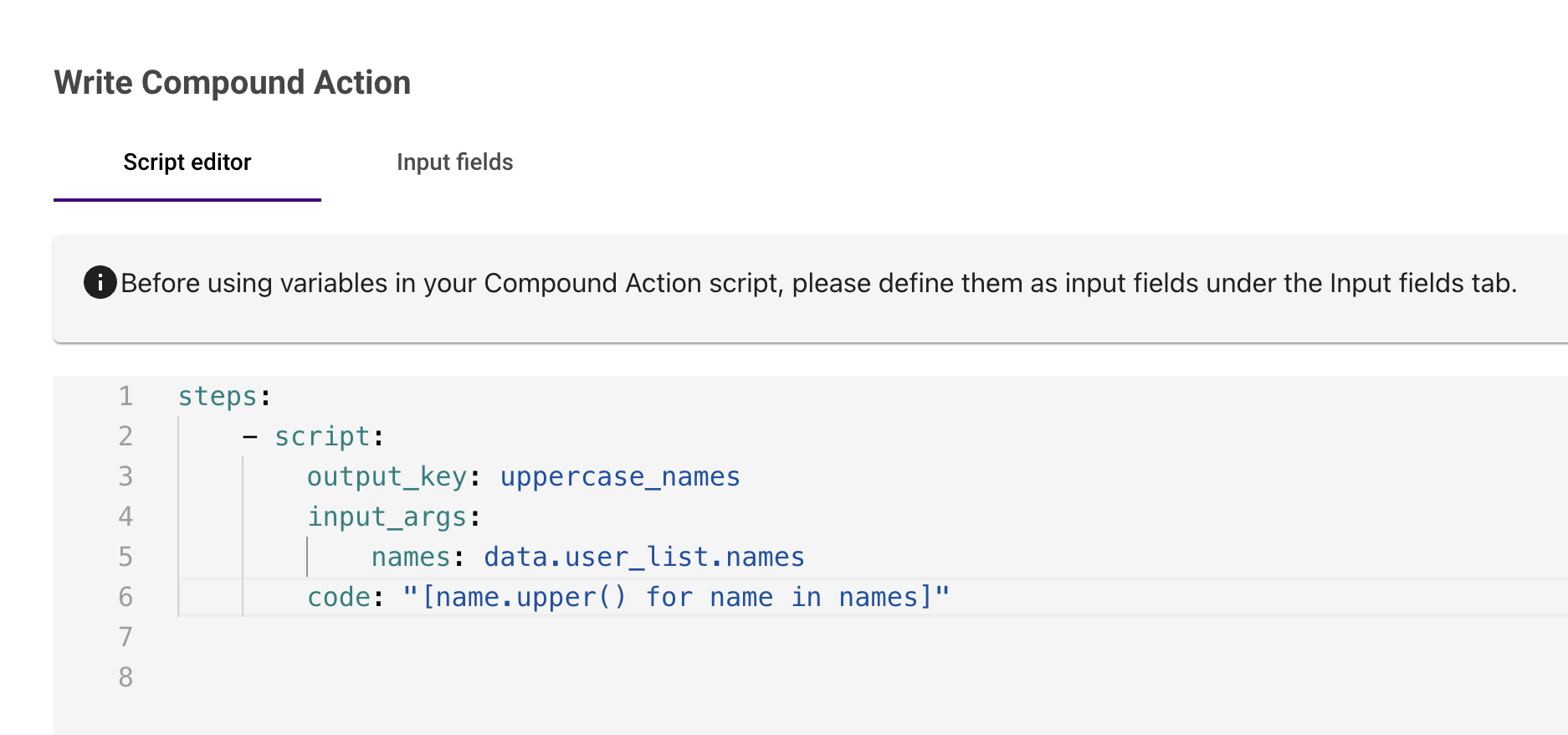
YAML Fields for Compound Action Scripts
When adding a script inside a Compound Action, use the following YAML fields:
Supported Languages
Moveworks currently supports a variation of Python called APIthon. This provides a familiar and powerful scripting environment for developers.
Follow our roadmap item to be the first to get full Python support in your instance.