
Activity Responses
Overview
Once a Plugin begins execution, it will send updates back to the AI Agent a few times. Our AI agent architecture automatically generates dialogs for you to create a more contextualized & personalized experience for each user.
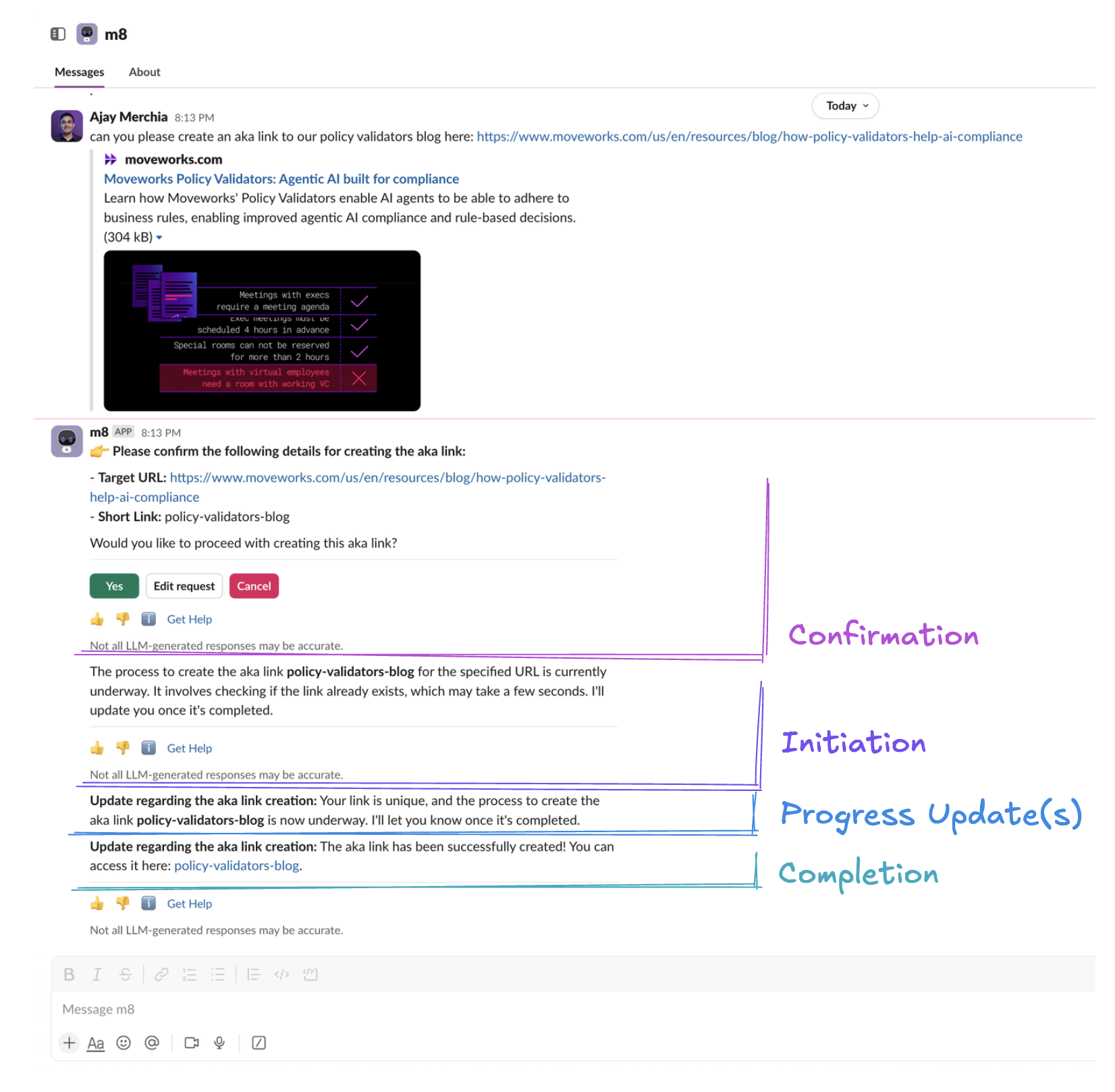
- Confirmation – this dialog is optionally shown before the turn executes. It’s based on your confirmation policy.
- On Initiation – this dialog is shown if your plugin execution successfully starts. It’s based on the first action’s
on_pendingprogress update from the plugin. - On Progress Updates – this dialog is shown for all subsequent progress updates from the plugin.
- On Completion– this dialog is shown once your plugin execution ends. Instead of a string, the AI agent will interpret any data structure you share.
- Citations – rich, verifiable cards to show underlying data from business systems. Learn more here.
You can use our logs to discern how these messages are generated. Note that all messages are subject to token limits.
Progress Update Instructions
Progress update instructions clarify how the Assistant should present updates to users. Example:
- Clarify info to present in your progress updates (e.g.
on_pending: I'm looking through X different systems for pending tasks.andon_complete: I was able to find Y tasks)
Plugin Result Instructions
Adding plugin result instructions clarifies how the AI Assistant should respond to users at the end of your plugin execution. These can be added in 2 ways:
- (Recommended) By adding instructions as a key-value pair in your workflow’s output mapper (e.g.
display_instructions_for_model: <YOUR-CUSTOM-INSTRUCTION-HERE>) or - By adding instructions to your plugin description.
Here are example scenarios when you should add plugin result instructions:
- Instruction to link similar plugins (e.g.
Inform users that you can help them book time off after viewing their timeoff balance) - Clarify how to present successful responses to users (e.g.
When returning meetings to users, ALWAYS show summary, start time, and url fields from the API response for each meeting record.)
Troubleshooting
Initiation message not accurate
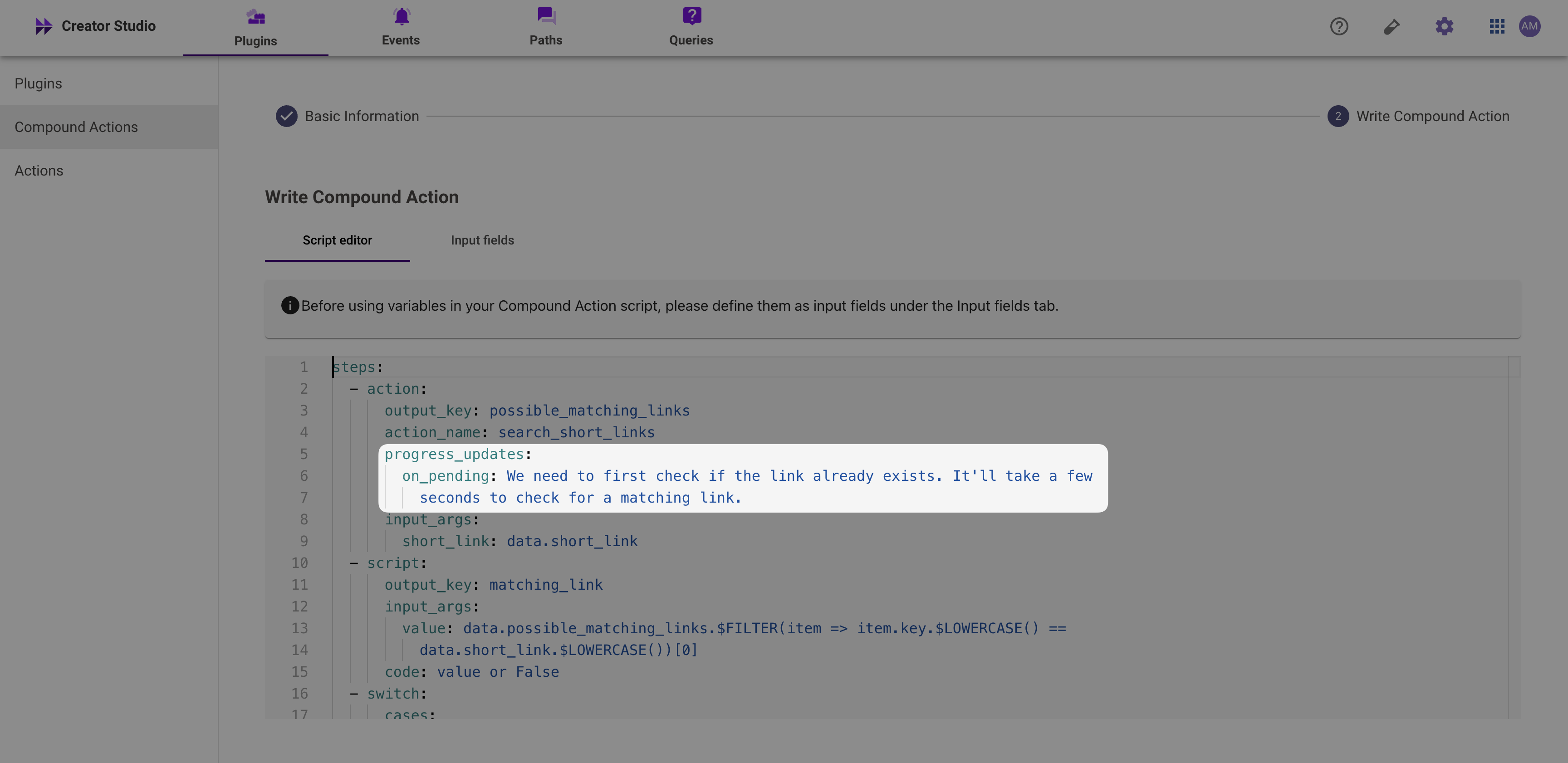
Make sure you have set progress_updates.on_pending accurately for the FIRST action. Progress Updates from other actions won’t affect the initiation message.
Repetitive progress updates
If you’re seeing a conversation experience like this:
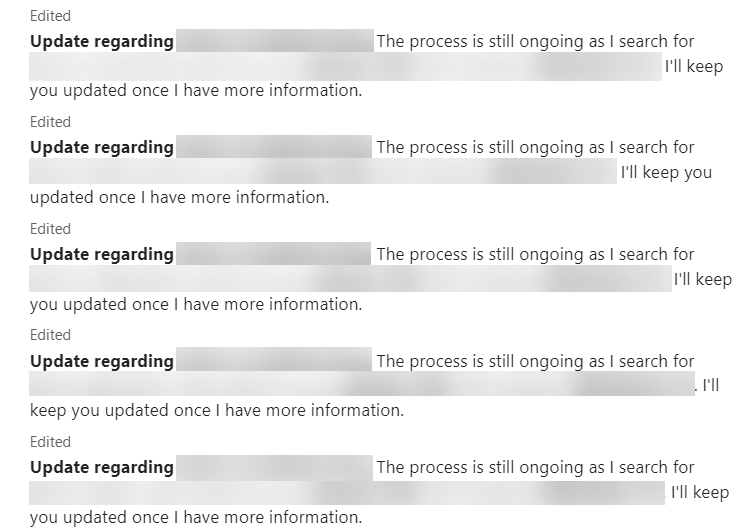
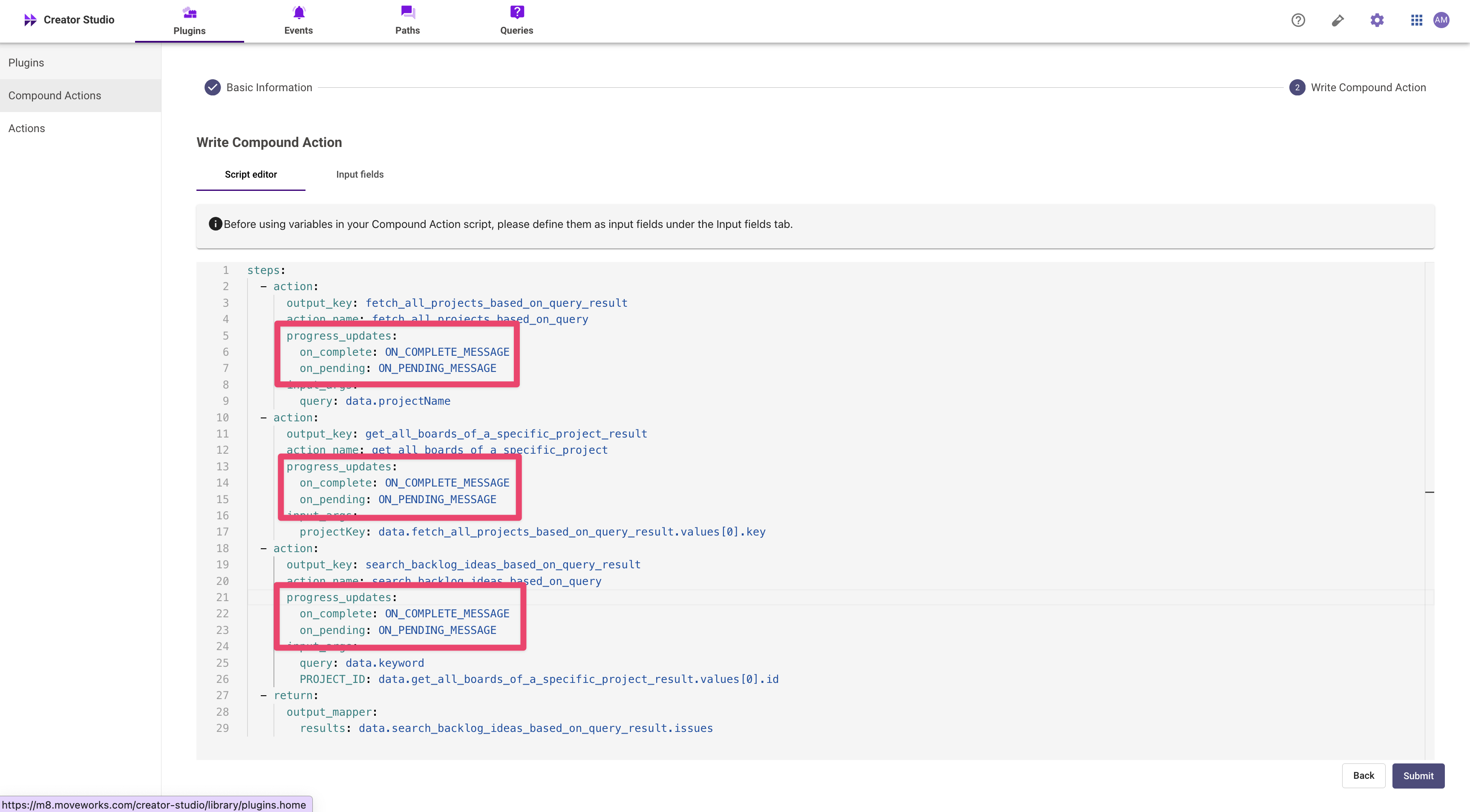
One common mistake is leaving default progress updates in the Compound Action. Make sure to remove these progress updates.
Completion message not accurate
Make sure that your plugin response follows the citation schema. If you do not satisfy the citation object schema above, all data under the result or results key will be deleted from the plugin response.