
Optional Slots
Overview
By default, when an Activity or Decision Policy declares required slots, the Reasoning Engine is required to gather values for all slots before that Activity or Decision Policy can be invoked. Similarly, when gathering a value for a slot, the user is required to provide a means of value population (user provided value or resolver generated candidates), or the plugin cannot continue successfully.
Optional slots relax these requirements. With the Slot Inference Policy and fallback values, you can configure slots to:
- Use inferred values from conversation context (other collected slots, action outputs)
- Fall back to predefined default values
- Fall back to NULL
- Skip user prompts entirely when appropriate
Slot Inference Policy
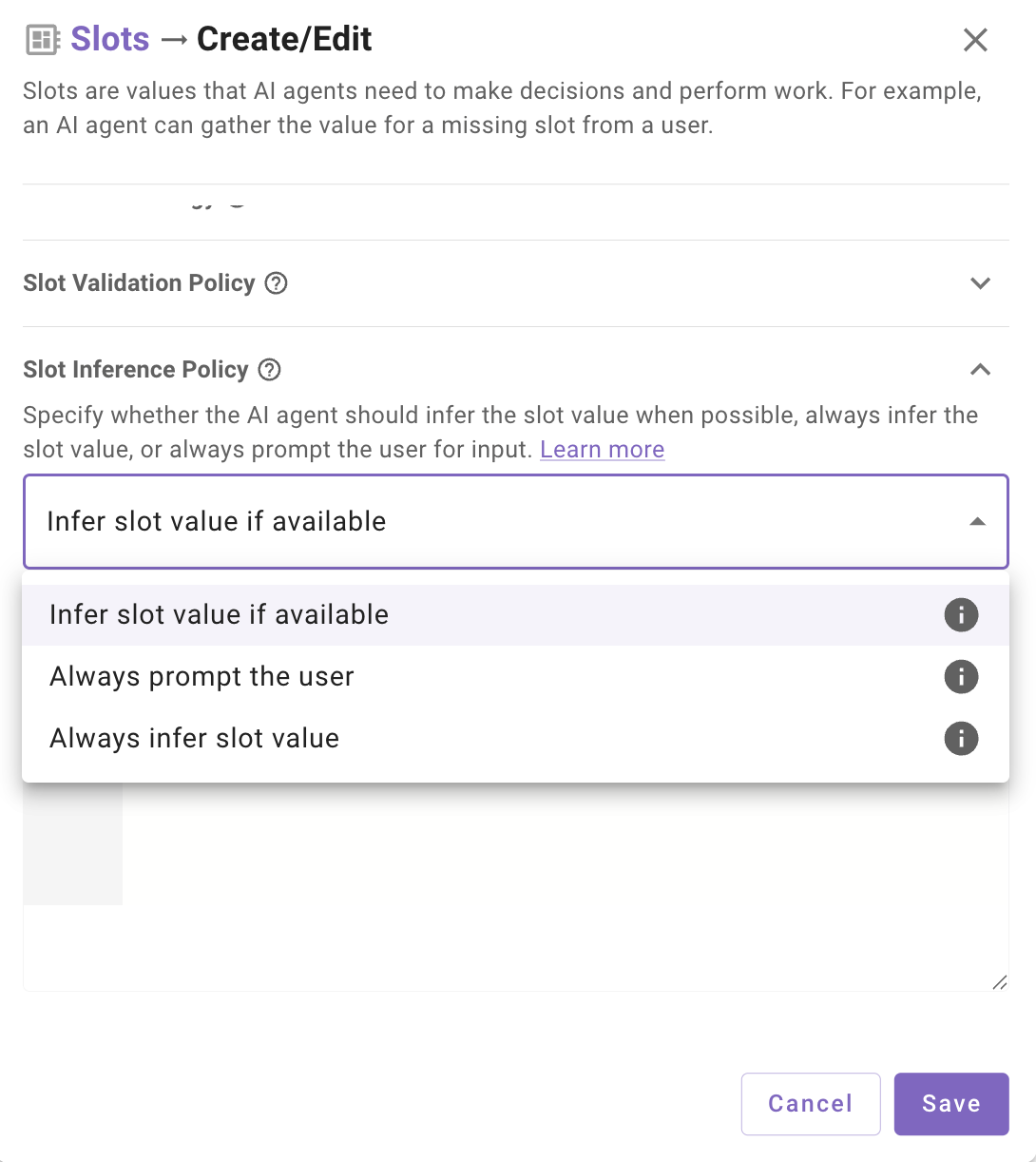
The Slot Inference Policy determines how the reasoning engine gathers values for a slot. Configure this setting when creating or editing a slot.
Configuration Rules
- If Always Infer is selected, a fallback value must be defined
- For other inference policies, fallback values are optional but enable additional interaction patterns
- When a fallback is defined for non-”Always Infer” slots, users can explicitly choose to use the fallback value. Previously, only if a slot had a resolver, users could select options from the resolver’s candidates to populate the slot.
Fallback Expression Syntax
Fallback expressions use DSL to define default values for optional slots. When the fallback value is an object type, you must explicitly declare the full object structure in the DSL expression.
Fallback Values
A fallback (default) value provides a predefined value when the user doesn’t supply one. Fallback values can be:
- Static values: Hard-coded strings, numbers, or other primitives (e.g.,
10,"N/A",blank) - Dynamic values: DSL expressions that reference data from the databank (e.g.,
data.ticket_comment_optional)
Object Types in Fallback Expressions
For slots that expect an object (such as those using a static resolver), you cannot simply provide a primitive value you must pass a value from the data bank or construct the complete object.
Static Resolver Example
Static resolvers expect an object with value and display_name properties:
In the Fallback Expression DSL Editor, write this as:
Referencing Another Slot’s Object
If your fallback references an object from another slot, ensure the expression returns the complete object structure:
This works when previous_priority is already an object with the expected shape. If you need to transform or construct the object from other data:
Common Patterns
Slot Dependencies and Ordering
When a slot’s fallback value references another slot, the referenced slot must be collected first. This dependency affects how you configure your conversational process.
Ordering Rules
- Sequential activities: If the fallback slot is collected in an earlier activity or using the output of a previous activity, no special configuration is needed the value will be available.
- Same activity/decision policy: If both slots are required by the same activity or decision policy, the dependency slot must appear to the left in the Required Slots list.
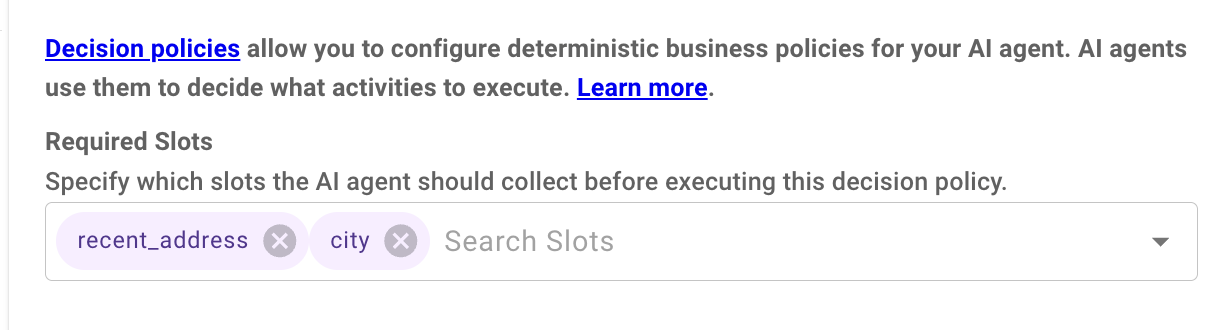
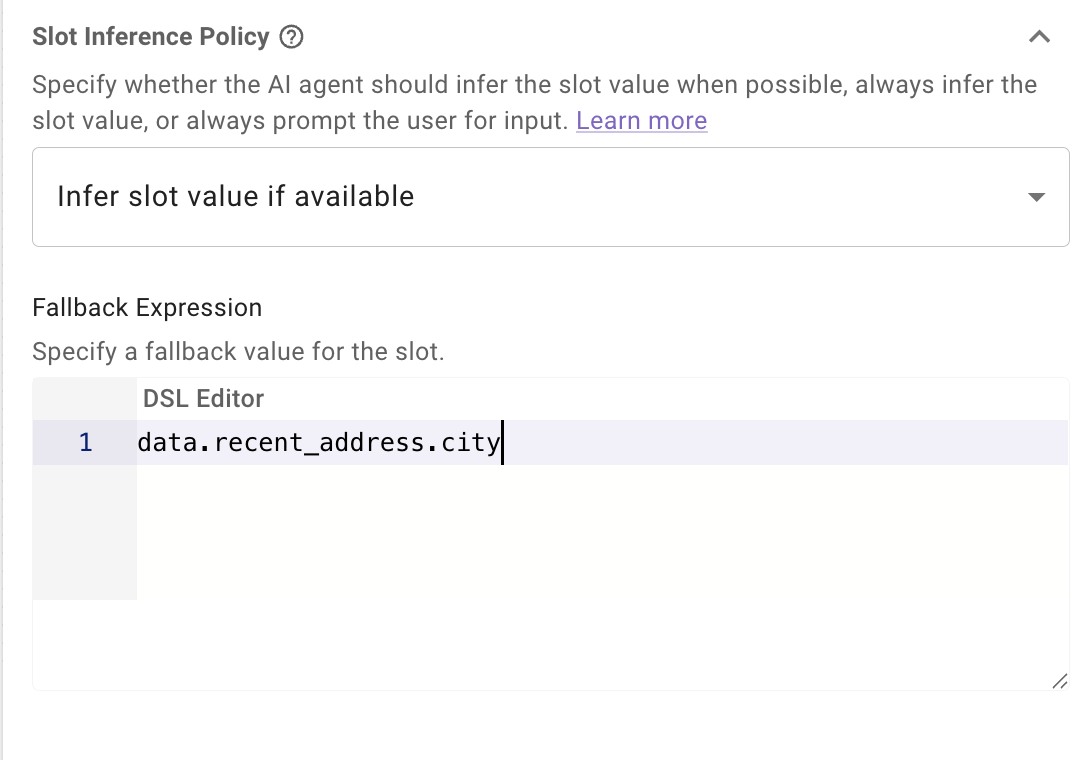
In this example:
recent_addressis a resolved object containing address detailscityis an optional slot where the user can specify a new city if it has changed- If the user doesn’t provide a city, it falls back to
data.recent_address.city
Because city depends on recent_address, the recent_address slot must be positioned to the left in the Required Slots list. This ensures the reasoning engine collects recent_address first, making its properties available for the city fallback expression.
Why Order Matters
The Reasoning Engine processes required slots from left to right. If a slot with a fallback expression referencing another slot is positioned before its dependency, the fallback expression will fail to resolve the referenced data won’t exist yet.
Configuration Examples
Null Configuration
Use this when you never want to prompt for a slot and make the value NULL if nothing is explicitly provided by the user.
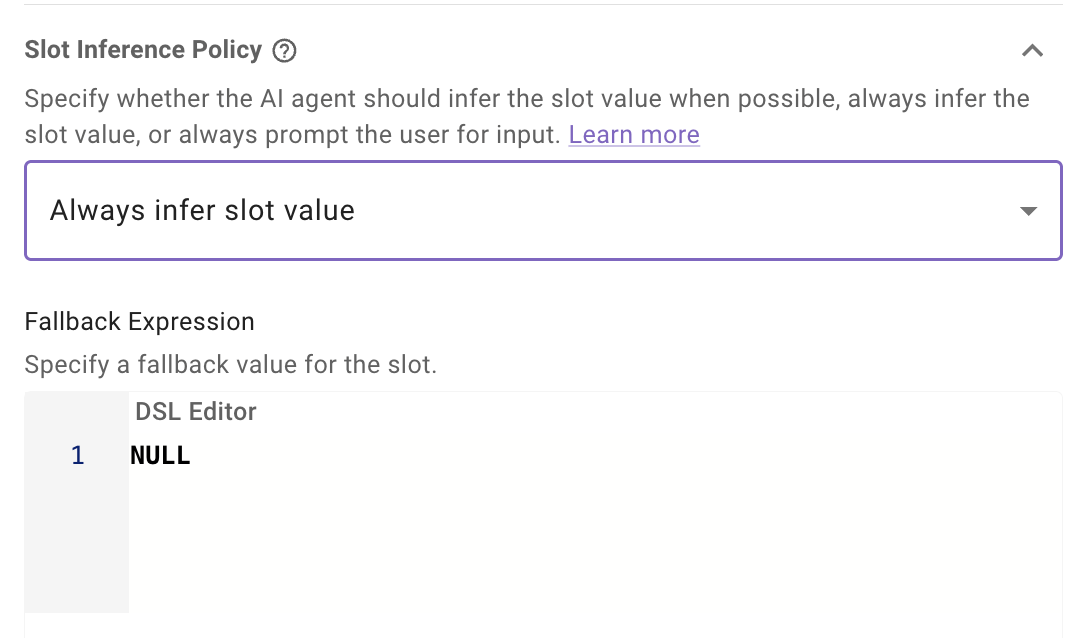
The slot will be initialized with Null unless the user explicitly provides a value in the conversation.
Fallback Value Configuration
Use this when you want optional prompting with a fallback.
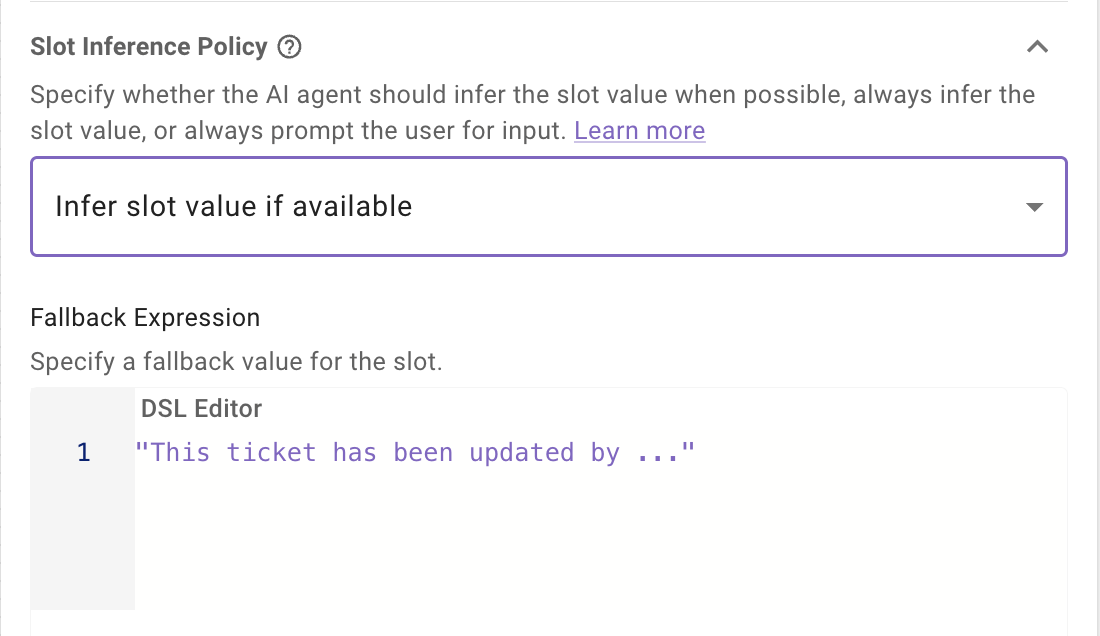
The slot may be requested; if the user skips or the value can’t be inferred, “This ticket has been updated by …” (a static string) is used.
Optional Slots with File Slots
File slots have specific limitations when combined with optional slot configurations.
Unsupported Configurations
Always Infer Does Not Work
Setting a file slot’s inference policy to Always Infer will not work as expected. When Always Infer is selected, the AI agent does not prompt the user which means the “Upload file” button never appears in the conversation.
Since file slots can only be populated through the dedicated upload button, and Always Infer suppresses that prompt, the slot will never receive a value.
Result: The file slot remains empty and falls back to the default value (if configured) or fails.
Fallback Values Do Not Work
Fallback expressions cannot be used meaningfully with file slots. There is no way to:
- Pre-upload a file to use as a default
- Reference a file from a previous slot or activity
- Provide a static file as a fallback
File content must come from real time user interaction with the upload button.
Supported Configuration
Use Infer if Available or Always Ask for file slots with NULL fallback
- The AI assistant will prompt with the upload button
- The user can choose to upload a file or indicate they don’t want to
This is the only inference policy that provides meaningful optional behavior for file slots.
Best Practices
- Choose the right inference policy: Use
Always Inferfor truly optional fields that shouldn’t interrupt the flow. UseInfer if Availablewhen you want smart defaults but still want to sometimes prompt the user - Handle fallbacks in your actions: Always check for fallback values in your plugin logic and implement appropriate conditional behavior.
- Consider user experience: Optional slots reduce friction but may hide options users would want. Balance efficiency with discoverability.
- Document slot behavior: Use clear slot descriptions so the reasoning engine understands the intended behavior.