
Sailpoint IdentityIQ Access Requirements
General Setup
This section covers basic access needs that are required for Moveworks to establish a stable connection to your instance. You will need to provide the following to Moveworks.
- Oauth Client Credentials (See API Client section below)
- Client ID
- Client Secret
- API URL
e.g.https://{{BASE_URL}}/identityiq
- If your Sailpoint IIQ instance cannot be accessed directly via API, you will need to install the Moveworks Agent. This is a lightweight appliance installed on your VMs behind the firewall, to allow Moveworks to securely communicate with your Sailpoint IIQ instance. This option requires no firewall changes to integrate with Sailpoint.
Note: If you are already using the Moveworks Agent for another integration, you will need to use the same agent to connect to Sailpoint.
Please provide ALL of the above to your Moveworks Customer Success team via encrypted email.
Plugin Installation
To install the Moveworks Sailpoint IdentityIQ plugin, follow the steps below:
- Ensure that the plugin feature is enabled in IdentityIQ and that you have System Administrator or Plugin Administrator capabilities to install plugins.
- Download the latest plugin from here
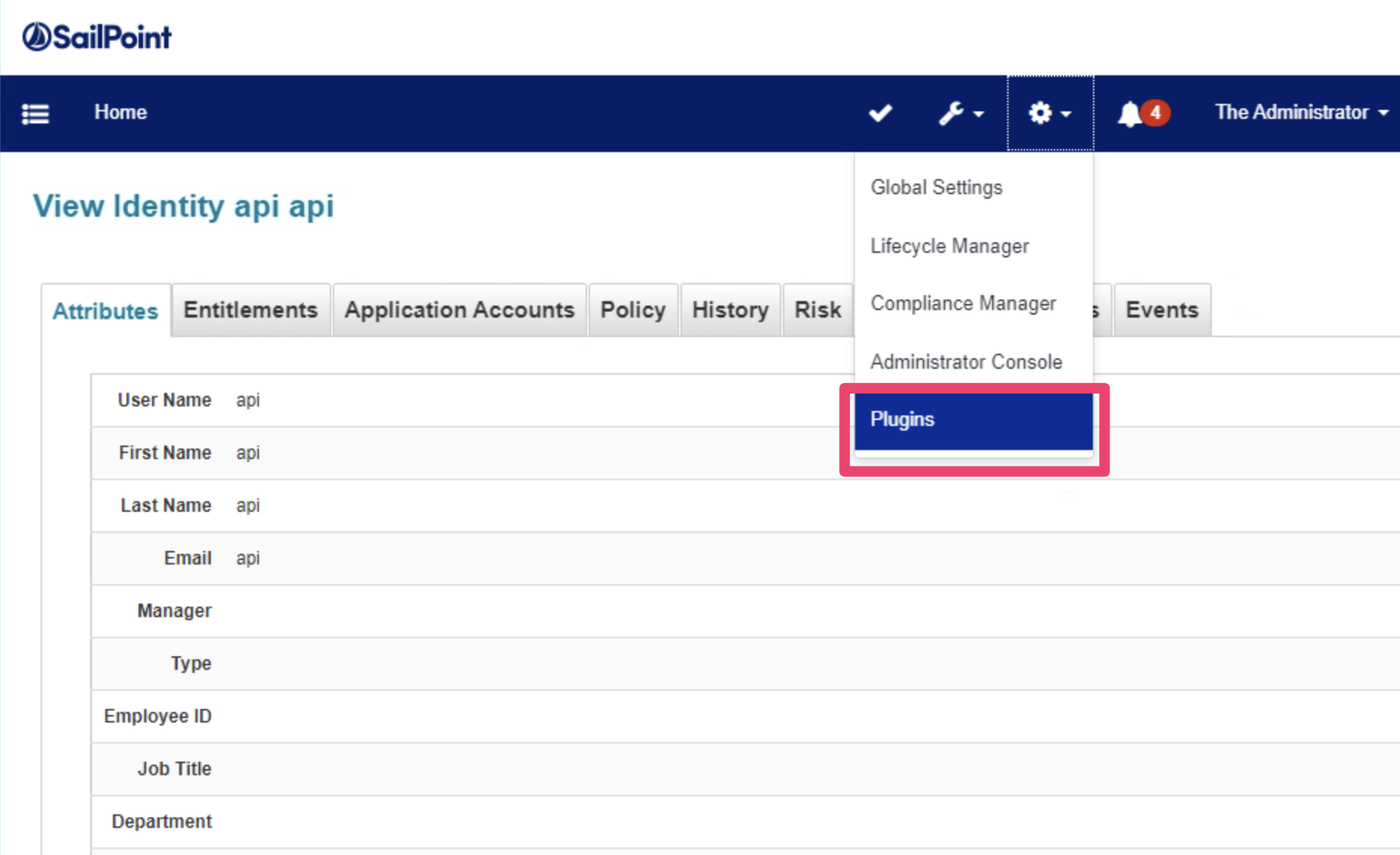
- Open the Installed Plugins page by selecting Plugins from the list under the gear icon.
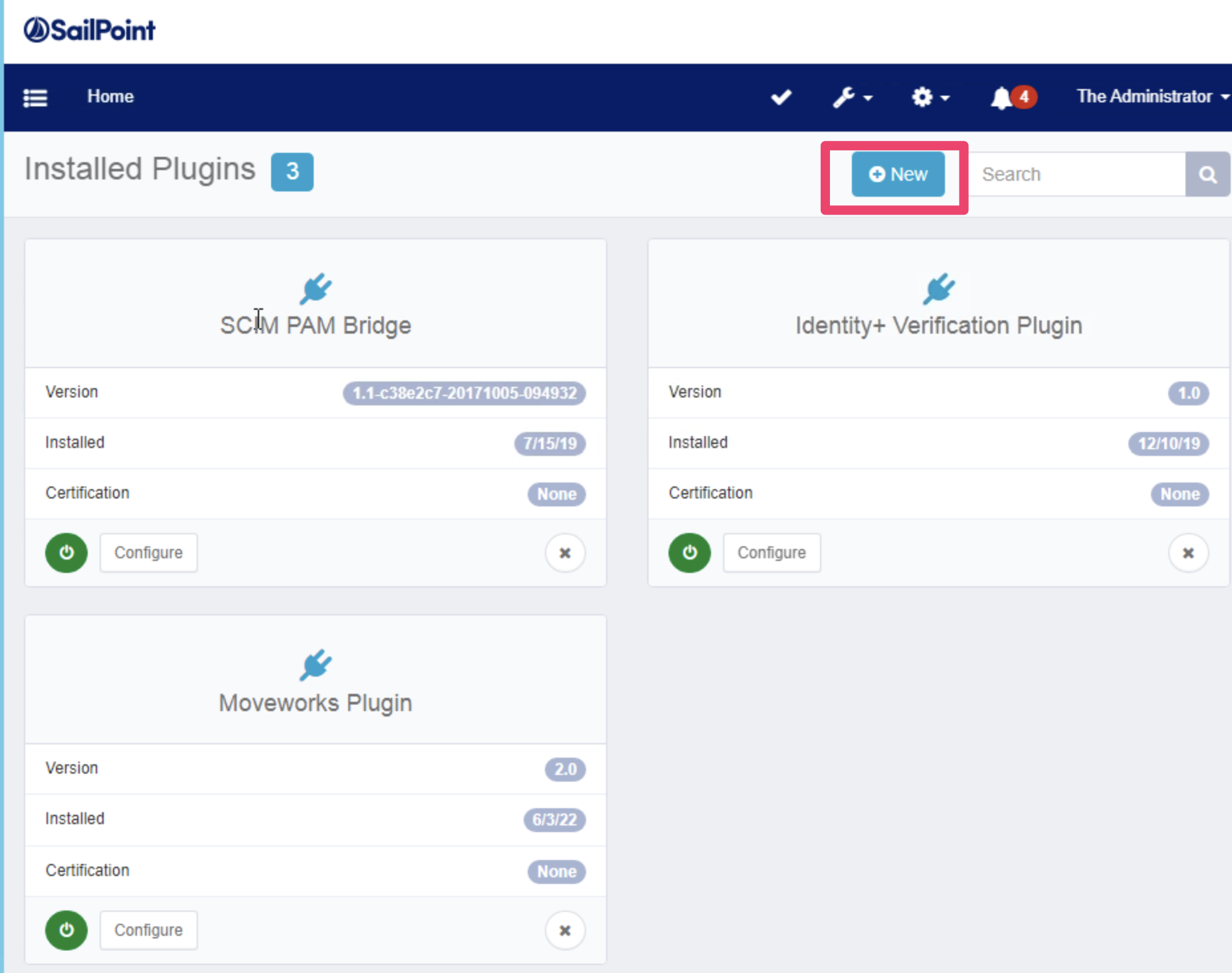
- Click New to upload the plugin.
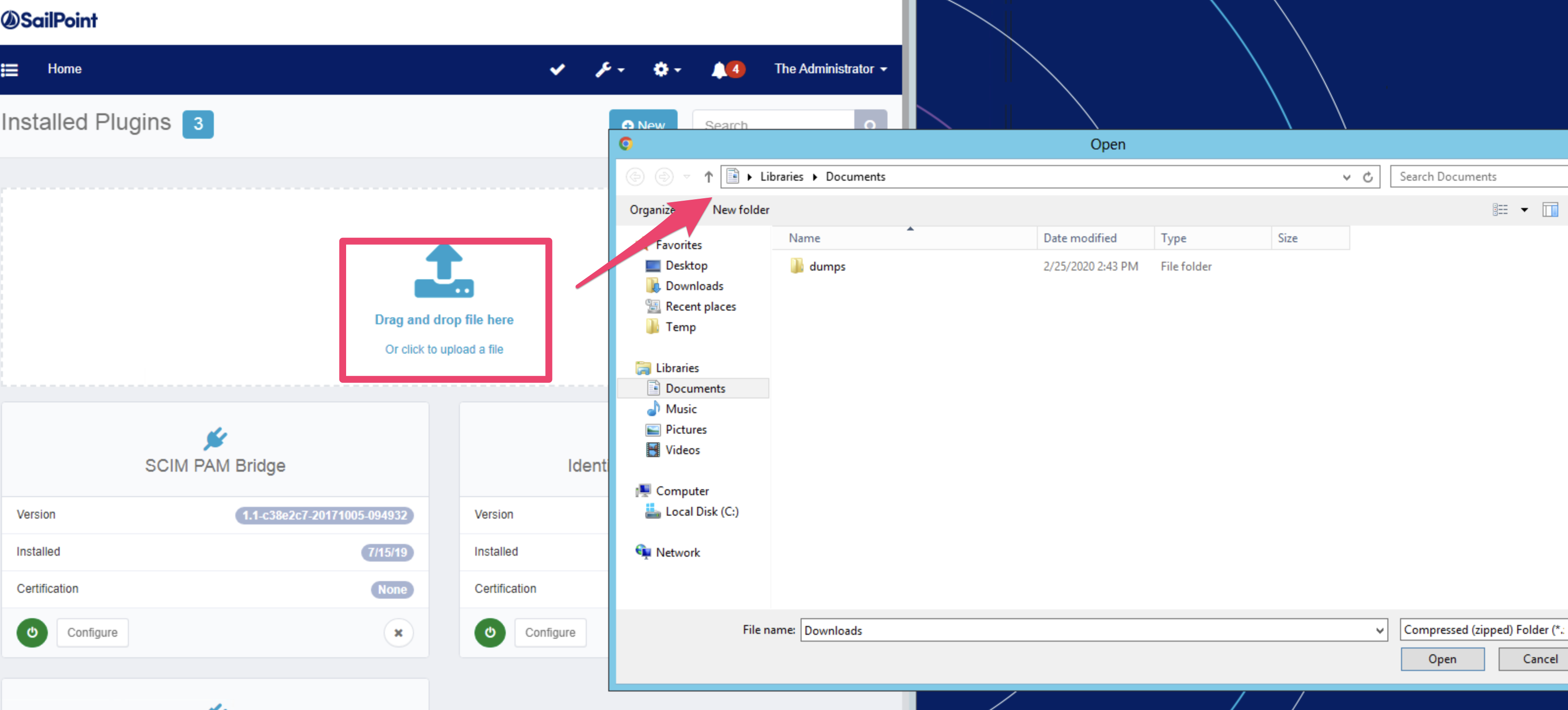
- Click to upload your plugin. A window dialog will appear. You can drag & drop our ZIP file from there.
- Finish the plugin installation following the prompts in your Sailpoint Instance.
Create API Client
Make sure you complete the Plugin Installation process first.
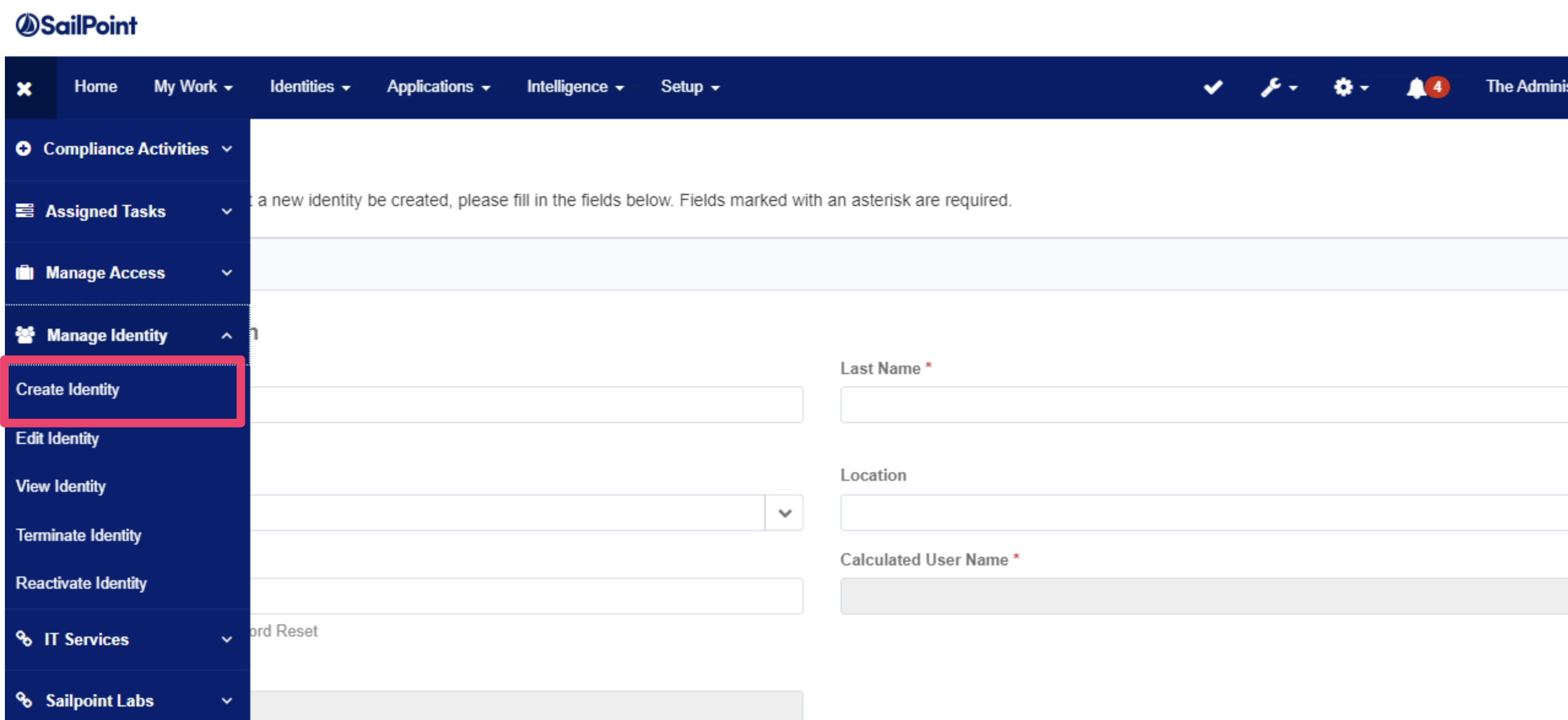
- Create an Identity for Moveworks. We recommend naming the account
svc.moveworks.
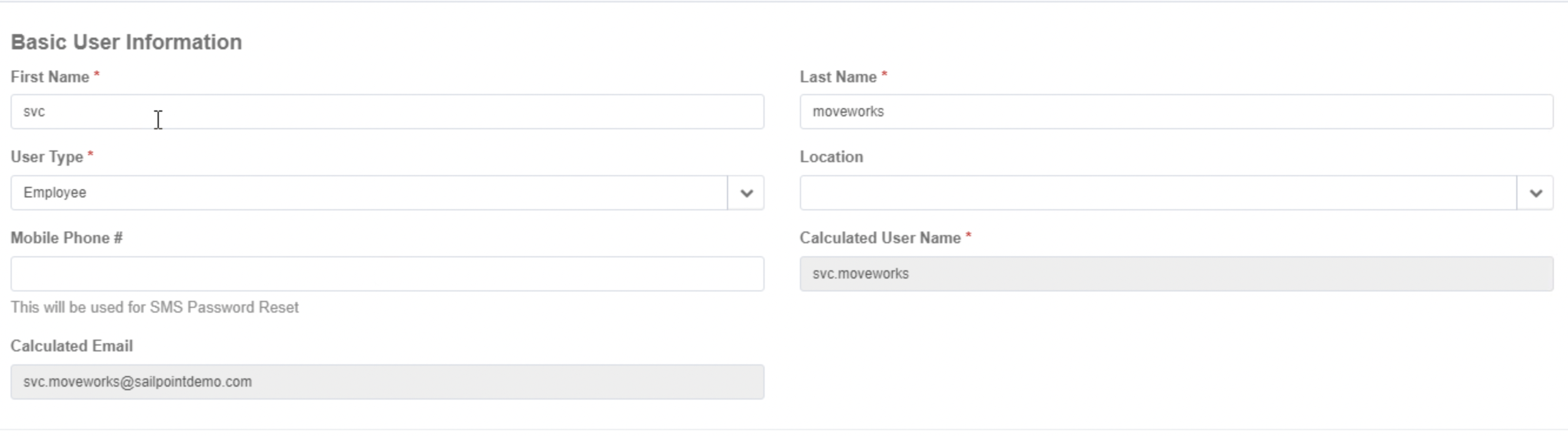
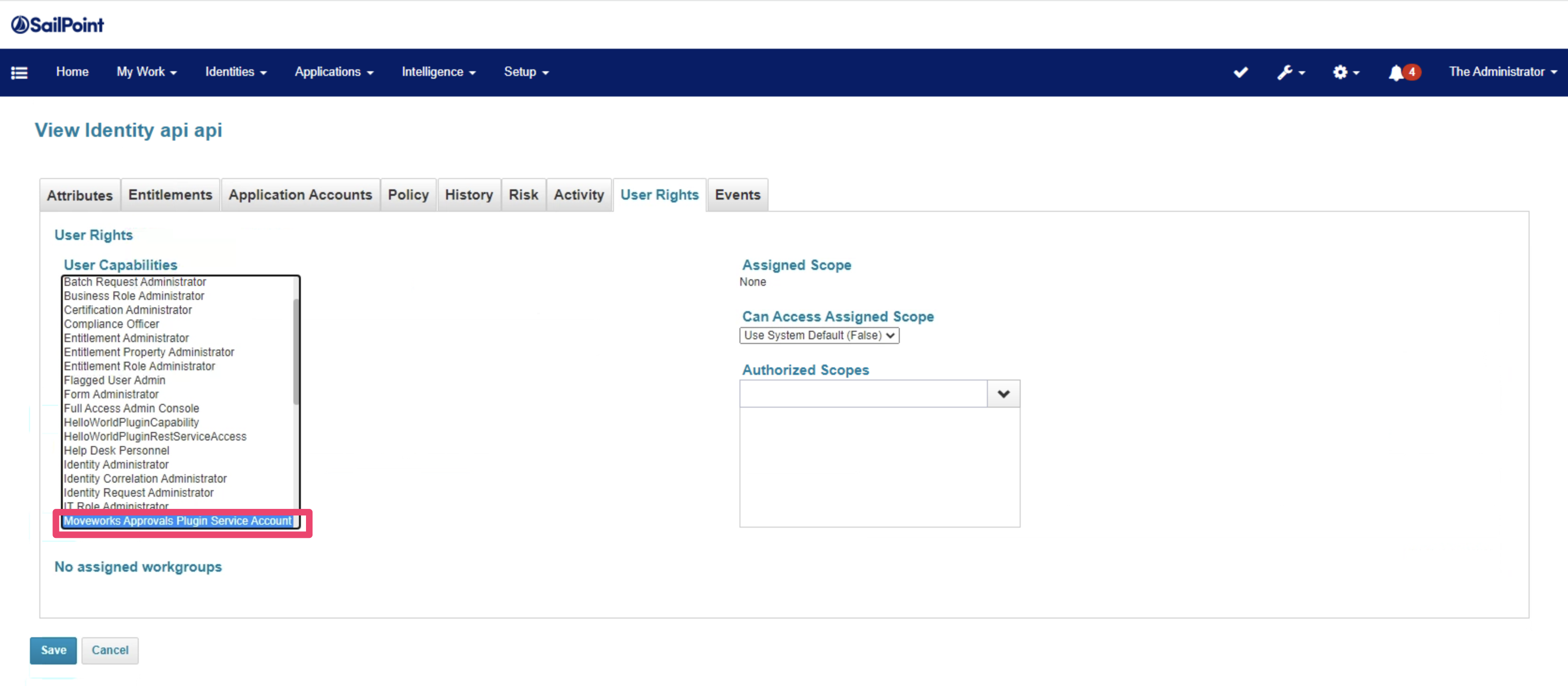
- Make sure the new service account has the
Moveworks Approvals Plugin Service Accountuser capabilities enabled.
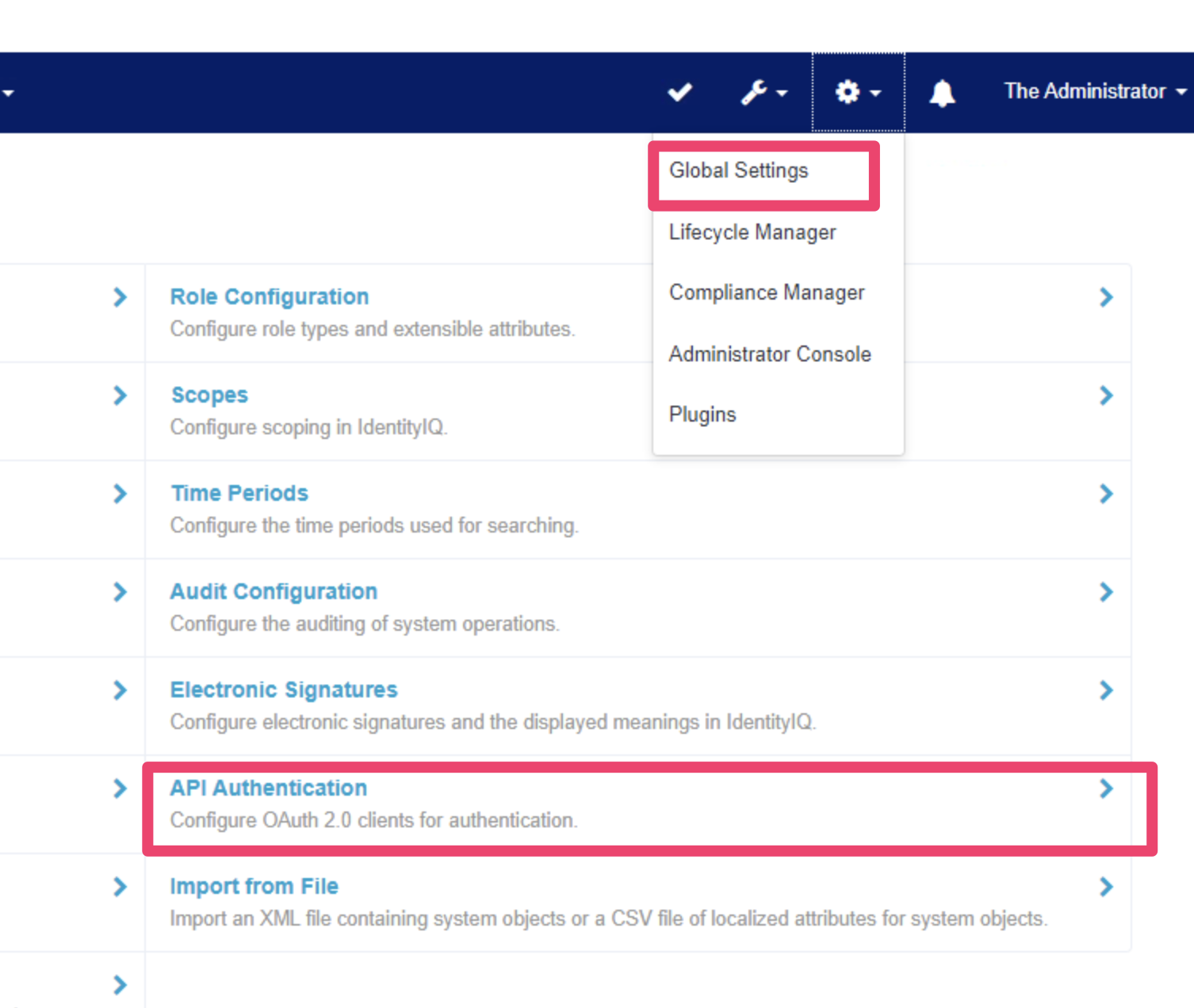
- Go to configure API Authentication.
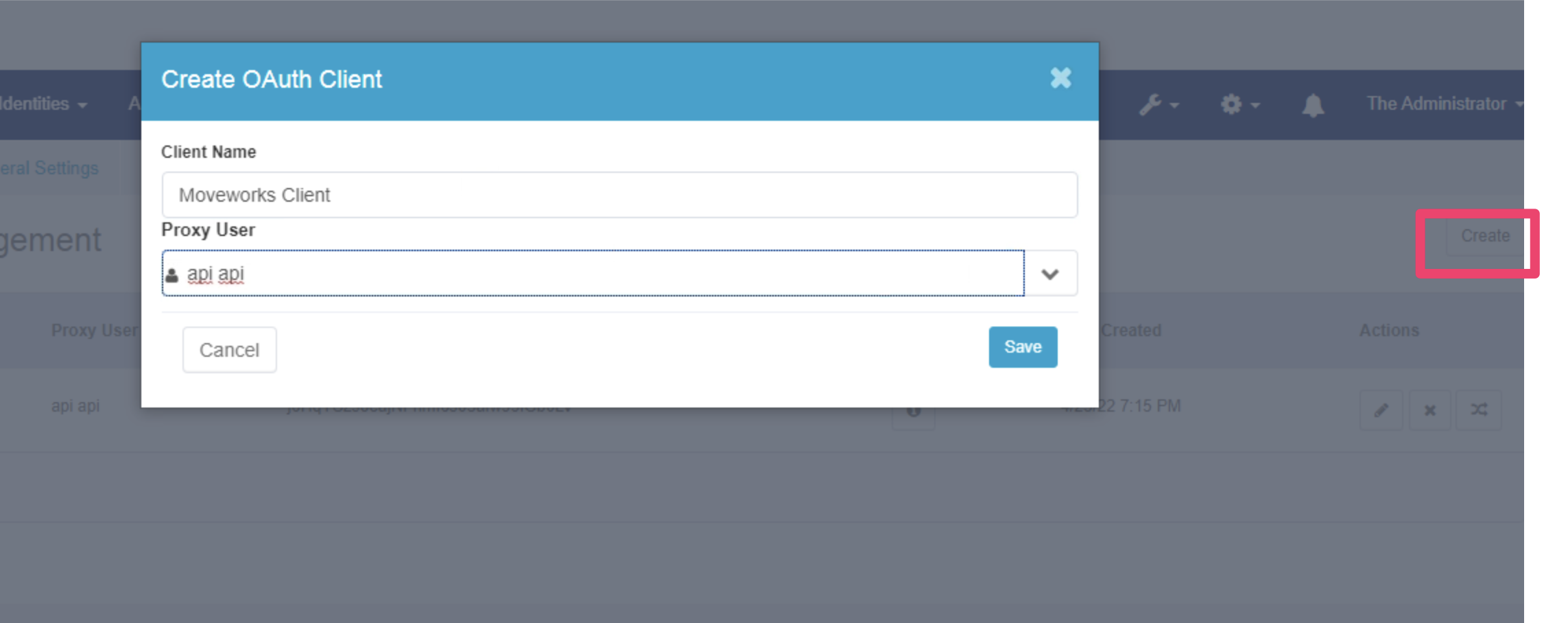
- Create a new API Client, setting the Proxy User to our service account.
- Send your
OAuth Client IDandClient Credentialsto your CSM.
Skill-Specific Access Needs
The Moveworks Plugin grants all the necessary permissions needed to interact with the relevant objects in your Sailpoint instance. There are no further Skill-Specific Access Needs that need to be applied for the integration.
Once you’ve completed the above, speak with your customer success team to complete the implementation.